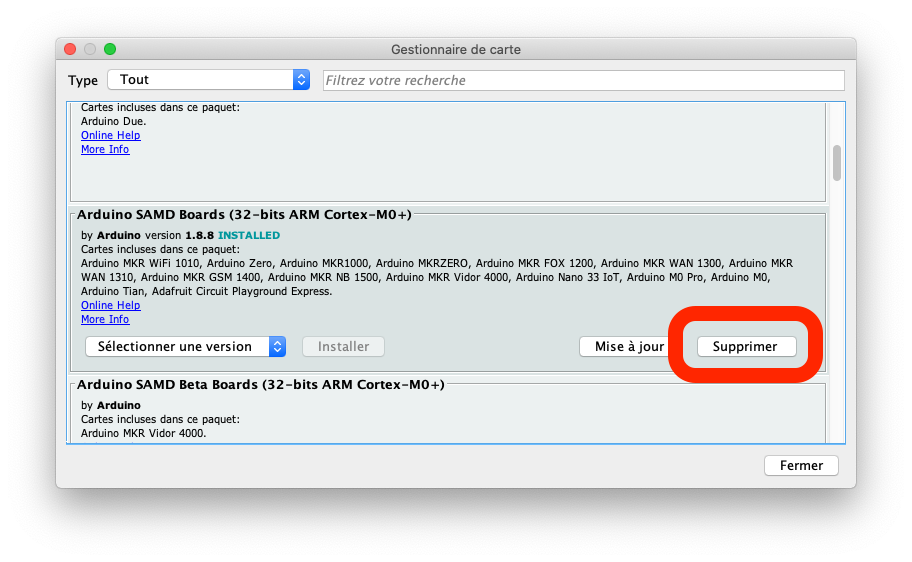
go to -> tools / boards / boards manager, pick the board entry you want to get rid off and press delete button (my interface is in French, "Supprimer" means delete)
The method is slightly different in Arduino IDE 2.x. In Boards Manager, you will see an "INSTALLED" label on the listings for the boards platforms you have installed. If you move the mouse pointer over that label, you will see the text change to "UNINSTALL". It turns out this is actually a button you can click to uninstall that platform.
I found this to be an unintuitive UI and so I put in a suggestion for the IDE developers to investigate whether this process could be made more obvious:
That request seemed well received, so I suspect we will see an improvement to this experience in an upcoming release of the Arduino IDE 2.x.