Invalid JSON Object

Here is the error message

    DeserializationError error = deserializeJson(doc, Serial1);
  
    // Test parsing
    while (error) {
      Serial.println("Invalid JSON Object");
      delay(500);
      DeserializationError error = deserializeJson(doc, Serial1);
    }

I used this method and it worked, but the drawback was that the error message still appeared even though it had been received properly

-----------------------------------------
deserializeJson() failed: InvalidInput
Recieved Temperature:  31
-----------------------------------------

Arduino 1

#include <ArduinoJson.h>

void setup() {
Serial.begin(9600);
}
 
void loop() {
  
const size_t capacity = JSON_OBJECT_SIZE(2);
DynamicJsonDocument doc(capacity);

doc["temperature"] = 31;

serializeJson(doc, Serial);
delay(1000);
}

Arduino 2

#include <ArduinoJson.h>

void setup() {
// Initialize Serial port
Serial.begin(9600);
while (!Serial) continue;
}
 
void loop() {
const size_t capacity = JSON_OBJECT_SIZE(2) + 20;
DynamicJsonDocument doc(capacity);

DeserializationError error = deserializeJson(doc, Serial);
if (error) {
Serial.print(F("deserializeJson() failed: "));
Serial.println(error.c_str());
return;
}
Serial.print("Recieved Temperature:  ");
int temp = doc["temperature"];
Serial.println(temp);
//serializeJson(doc, Serial);
delay(1000);
Serial.println();
}

try with this

on the sender side:

#include <ArduinoJson.h>
StaticJsonDocument<8> doc;

void setup() {
  Serial.begin(115200);
}

void loop() {

  doc["temperature"] = random(-30, 61);

  serializeJson(doc, Serial);
  delay(1000);
}

on the receiving side

#include <ArduinoJson.h>
StaticJsonDocument<32> doc;

void setup() {
  Serial.begin(115200);
  Serial.println("Ready");
}

void loop() {

  DeserializationError error = deserializeJson(doc, Serial);
  if (error) {
    if (error != DeserializationError::EmptyInput) {  // ignore the fact we did not receive anything
      Serial.print(F("deserializeJson() failed: "));
      Serial.println(error.f_str());
    } 
    return;
  }

  int temperature = doc["temperature"]; // should first check for existence, I let you handle malformed input
  Serial.print("T°:"); Serial.println(temperature);
}

the Serial parsing is still crude as it can timeout, but if the sending conditions are OK then this should work

My way to receive serial data

bool newData = false;

void recvWithStartEndMarkers() {
  static boolean recvInProgress = false;
  static byte ndx = 1;
  char startMarker = '{'; // json data starts with {
  char endMarker = '\n'; // serial data stops with new line 
  char rc;

  while (Serial.available() > 0 && !newData) {
    rc = Serial.read();

    if (recvInProgress) {
      if (rc != endMarker) {
        receivedChars[ndx] = rc;
        ndx++;
        if (ndx >= numChars) {
          ndx = numChars - 1;
        }
      } else {
        receivedChars[ndx] = '\0';  // terminate the string
        recvInProgress = false;
        ndx = 0;
        newData = true;
      }
    }

    else if (rc == startMarker) {
      recvInProgress = true;
      receivedChars[0] = '{';
      ndx = 1;
    }
  }
}

void showNewData() {
  if (newData) {
     Serial.print("Recieved Temperature:  ");
     int temp = doc["temperature"];
     Serial.println(temp); 
    newData = false;
  }
}

void setup(){
   Serial.begin(9600);
  while (!Serial) continue;  
}

void loop(){
  recvWithStartEndMarkers();
  showNewData();

}

Non blocking receiving serial json data.

OP is using serializeJson

which does not send a trailing '\n' ➜ need to add Serial.write('\n'); in the original code after the serializeJson() command.

otherwise, yes it's good to handle an asynchronous port in an asynchronous way

No problem. Change the '\n' by '}' (or other char) and the endmarker is changed.

yes that would work too as long as the JSON is "simple enough" (you could have multiple '}' in the incoming stream)

Sending Serial.write('\n'); isn't that great job that need much time and RAM.

not sure I understand - it uses 1 byte of transient ram for the '\n' and the function call is peanuts compared to the time needed by serializeJson(doc, Serial);

Say for example the JSON you need to receive is this:

{
  "week_data": [
    { "day": "Monday", "data": { "temperature": { "morning": 72, "afternoon": 78, "evening": 75 }, "pressure": { "morning": 1015, "afternoon": 1013, "evening": 1016 } } },
    { "day": "Tuesday", "data": { "temperature": { "morning": 70, "afternoon": 76, "evening": 72 }, "pressure": { "morning": 1014, "afternoon": 1012, "evening": 1015 } } },
    { "day": "Wednesday", "data": { "temperature": { "morning": 75, "afternoon": 80, "evening": 77 }, "pressure": { "morning": 1016, "afternoon": 1014, "evening": 1017 } } },
    { "day": "Thursday", "data": { "temperature": { "morning": 68, "afternoon": 74, "evening": 70 }, "pressure": { "morning": 1013, "afternoon": 1011, "evening": 1014 } } },
    { "day": "Friday", "data": { "temperature": { "morning": 71, "afternoon": 77, "evening": 73 }, "pressure": { "morning": 1014, "afternoon": 1012, "evening": 1015 } } }
  ]
}

➜ JSON is a deeply nested format, so you could not rely on a common JSON delimiters to be the end marker unless you do the JSON parsing at the same time.

That is true but not insurmountable. Every '{' you increment a static counter and every '}' you decrement the same counter. If the last char is '}' and the counter == 0 that is the end of the json object. Sending '\n' is then the easiest way.

I haven't that problem. I send only non nested json every time the (sep32) master ask it every 10 minutes.
Master send (RS485 19200Bd)

{"Adres":2, "Status":"?"}'\n'

Node 2 (ATmega644p @14,7456MHz) answer like this:

{"Adres":2,"Status":"Alive","Klep":"Toe","Waterniveau":"Laag"," WaterTemperatuur":25.7","RTCTemperatuur":28.75,"LaatstGevuld":1695120854,"ErrorString":""}

LaatstGevuld (LastFill) in UTC timestamp format.

On 19200Bd it takes approx 250ms inclusive decoding on both sides. 10 nodes in 2.5 seconds.

If the Waterniveau is Low, the node is asked every 5seconds while filling the waterbuffer.

well that's already parsing
what if you have a { in the text? you need deeper parsing ➜ that's the job of deserializeJson

if you want to stick to this, ideally you would have a end marker that cannot be in the incoming stream (like ASCII End-of-Transmission character or similar (like when you use CtrlD)) and that makes your receiving code trivial again.

I just managed to find a way and just changed the Arduino 2 code and now I replaced it with Nodemcu but this is what happened when I installed the website

// Import required libraries
#include <Arduino.h>
#ifdef ESP32
#include <WiFi.h>
#include <AsyncTCP.h>
#elif defined(ESP8266)
#include <ESP8266WiFi.h>
#include <ESPAsyncTCP.h>
#endif
#include <ESPAsyncWebServer.h>
#include <FS.h>
#include <ArduinoJson.h>

String temp = "";
String pressure = "";
int range;
String rain = "";
float lux;
String light = "";

/* Put your SSID & Password */
const char* ssid = "Weather Station";  // Enter SSID here
const char* password = "12345678";  //Enter Password here

/* Put IP Address details */
IPAddress local_ip(192,168,1,1);
IPAddress gateway(192,168,1,1);
IPAddress subnet(255,255,255,0);

// Create AsyncWebServer object on port 80
AsyncWebServer server(80);

void setup() {
  // Initialize Serial port
  Serial.begin(9600);
  while (!Serial) continue;

  if(SPIFFS.begin()==true) {
    Serial.println("SPIFFS initialised OK");
  }

  WiFi.softAP(ssid, password);
  WiFi.softAPConfig(local_ip, gateway, subnet);
  delay(100);
}

void loop() {
  const size_t capacity = JSON_OBJECT_SIZE(128);
  DynamicJsonDocument doc(capacity);
  
  DeserializationError error = deserializeJson(doc, Serial);
  if (error) {
    Serial.print(F("deserializeJson() failed: "));
    Serial.println(error.c_str());
    return;
  }
  
  //serializeJson(doc, Serial);

  Serial.print("SUHU UDARA:  ");
  temp = doc["temperature"].as<String>();
  Serial.print(temp);
  Serial.println(" *C");
  
  Serial.print("TEKANAN UDARA:  ");
  pressure = doc["pressure"].as<String>();
  Serial.print(pressure);
  Serial.println(" hPa");

  Serial.print("CURAH HUJAN:  ");
  range = doc["range"];
    switch (range){
    case 0:
      rain = "HUJAN";
    break;
    case 1:
      rain = "PERINGATAN HUJAN";
    break;
    case 2:
      rain = "TIDAK HUJAN";
    break;
  }
  Serial.println(rain);

  Serial.print("KECERAHAN:  ");
  lux = doc["lux"];
    if(lux < 100){
    light = "GELAP";
  }
  else if(lux > 100){
    light = "TERANG";
  }
  Serial.println(light);
  Serial.println("-----------------------------------------");

  server.on("/", HTTP_GET, [](AsyncWebServerRequest *request){
    request->send(SPIFFS, "/index.html", "text/html");
  });

  server.on("/assets/css/foundation.css", HTTP_GET, [](AsyncWebServerRequest *request){
    request->send(SPIFFS, "/assets/css/foundation.css", "text/css");
  });

  server.on("/assets/js/vendor.js", HTTP_GET, [](AsyncWebServerRequest *request){
    request->send(SPIFFS, "/assets/js/vendor.js", "text/js");
  });

  server.on("/assets/js/foundation.js", HTTP_GET, [](AsyncWebServerRequest *request){
    request->send(SPIFFS, "/assets/js/foundation.js", "text/js");
  });
  
  server.on("/temp", HTTP_GET, [](AsyncWebServerRequest *request){
    request->send_P(200, "text/plain", temp.c_str());
  });
  server.on("/pressure", HTTP_GET, [](AsyncWebServerRequest *request){
    request->send_P(200, "text/plain", pressure.c_str());
  });
  server.on("/rain", HTTP_GET, [](AsyncWebServerRequest *request){
    request->send_P(200, "text/plain", rain.c_str());
  });
  server.on("/light", HTTP_GET, [](AsyncWebServerRequest *request){
    request->send_P(200, "text/plain", light.c_str());
  });

  server.begin();
  //end
}

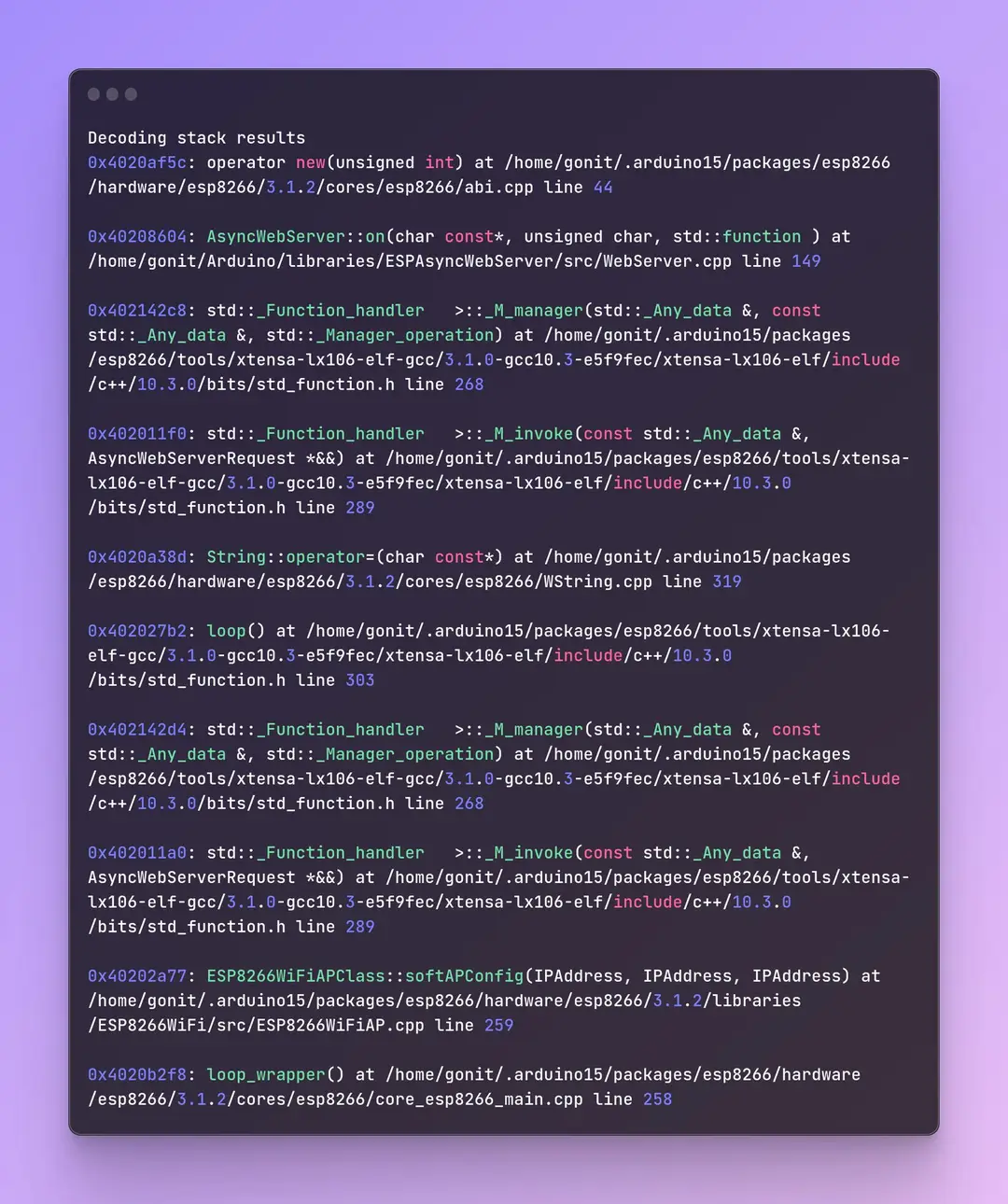
Sorry can’t read this image of text on my iPhone - it’s too small

Post text as text

Here's the picture I made clear

please, please never ever again post pictures of text... Not only they are not readable nor usable directly for copy&paste but they use up lots of storage and internet bandwidth which contributes to polluting the planet.

I won't try to read it sorry. I'm out.

OK, I'll send the text

Decoding stack results

0x4020af5c: operator new (unsigned int) at /home/gonit/.arduino15/packages/esp8266 /hardware/esp8266/3.1.2/cores/esp8266/abi.cpp line 44

8x40208604: AsyncWebServer::on (char const*, unsigned char, std::function) at

/home/gonit/Arduino/libraries/ESPAsyncWebServer/src/WebServer.cpp line 149

0x40214208: std::_Function_handler >::_M_manager(std::_Any_data &, const std::_Any_data &, std::_Manager_operation) at /home/gonit/.arduino15/packages /esp8266/tools/xtensa-lx106-elf-gcc/3.1.0-gcc10.3-e5f9fec/xtensa-1x106-elf/include /c++/10.3.0/bits/std_function.h line 268

8x402011f8: std:: Function_handler >::_M_invoke(const std::_Any_data &, AsyncWebServerRequest *&&) at /home/gonit/.arduino15/packages/esp8266/tools/xtensa- 1x10⁶-elf-gcc/3.1.0-gcc10.3-e5f9fec/xtensa-1x106-elf/include/c++/18.3.0 /bits/std_function.h line 289

0x4020a38d: String::operator= (char const*) at /home/gonit/. arduino15/packages /esp8266/hardware/esp8266/3.1.2/cores/esp8266/WString.cpp line 319

8x482027b2: Loop() at /home/gonit/.arduino15/packages/esp8266/tools/xtensa-lx106- elf-gcc/3.1.0-gcc10.3-e5f9fec/xtensa-lx106-elf/include/c++/10.3.0 /bits/std_function.h line 303

0x402142d4: std:: Function_handler >::_M_manager(std::_Any_data &, const std::_Any_data &, std::_Manager_operation) at /home/gonit/.arduino15/packages /esp8266/tools/xtensa-lx106-elf-gcc/3.1.0-gcc10.3-e5f9fec/xtensa-lx106-elf/include /c++/10.3.0/bits/std_function.h line 268

0x402011a0: std::_Function_handler >::_M_invoke(const std::_Any_data &, AsyncWebServerRequest *&&) at /home/gonit/.arduino15/packages/esp8266/tools/xtensa- 1x10⁶-elf-gcc/3.1.0-gcc10.3-e5f9fec/xtensa-lx106-elf/include/c++/10.3.0 /bits/std_function.h line 289

8x40202a77: ESP8266WiFiAPClass::softAPConfig(IPAddress, IPAddress, IPAddress) at /home/gonit/.arduino15/packages/esp8266/hardware/esp8266/3.1.2/libraries /ESP8266WiFi/src/ESP8266WiFiAP.cpp line 259

8x4820b2f8: Loop_wrapper() at /home/gonit/.arduino15/packages/esp8266/hardware /esp8266/3.1.2/cores/esp8266/core_esp8266_main.cpp line 258

I've sent the text

This topic was automatically closed 180 days after the last reply. New replies are no longer allowed.