Something weird happening with fonts:

What exactly is happening? it looks normal to me.
@vvb333007 Do you mean the fonts are not all the same?
If you press on the picture (full screen) that you will see that fonts is very pixelated. For comparision there is a window open with normal fonts.
I think it would be great if we can choose fonts and their size.
Also, window is by default opens wider and larger then my screen and I simply can not access input line. It is below my screen. And I can't resize that window by pressing "Maximize/minimize"

No, i tried everything, can't move the window or make it smaller :-/.
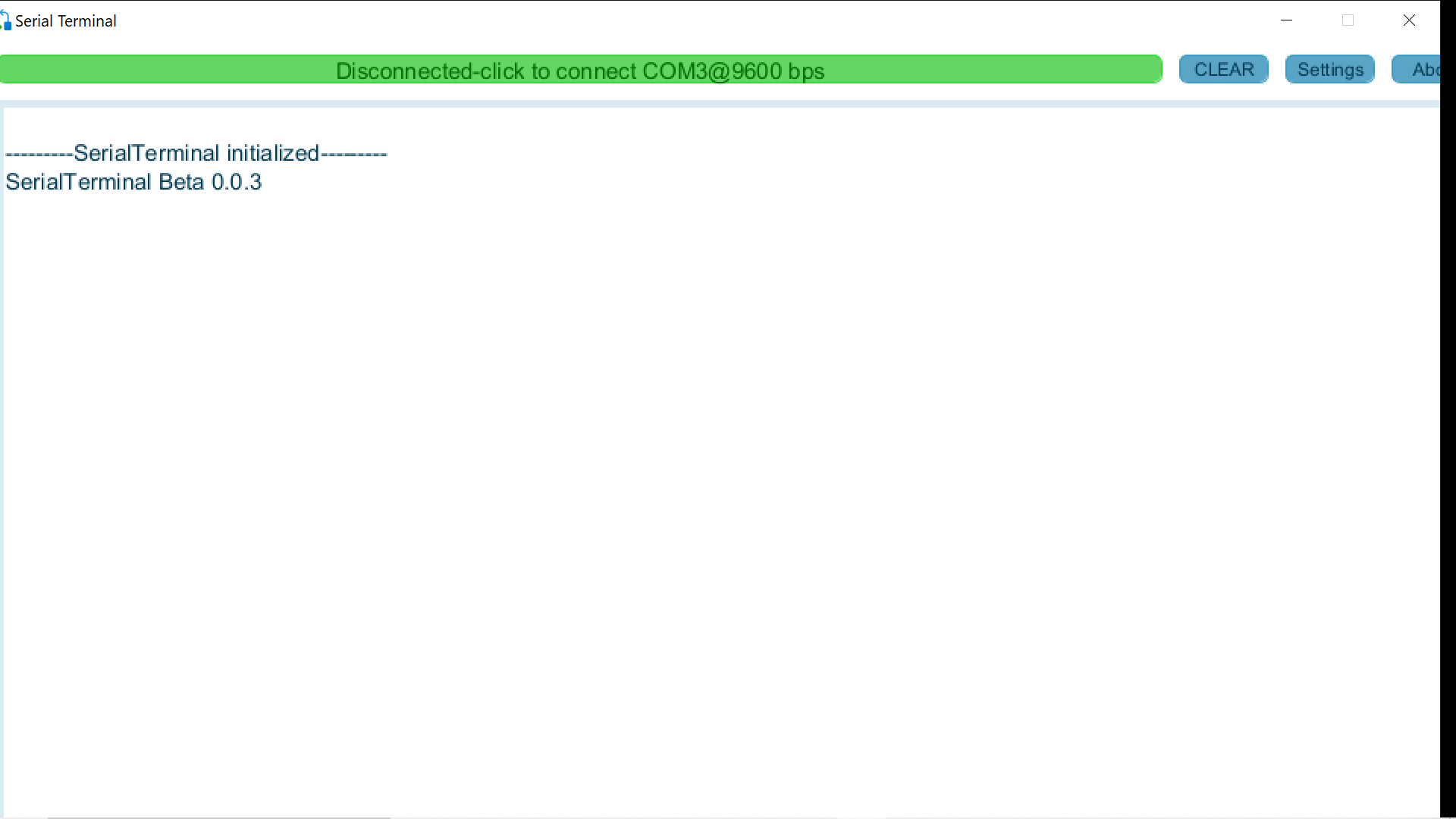
That is a problem. You're screen must be low res i tested it on a low res screen i have and i get the same problem.
Will look into it. Thanks.
My res is 1920x1080, not so low..
Beware of feature creep
In no time at all a simple application can become complicated with a mass of options and settings
If you want more options then install a more fully featured terminal emulator
Actually it would not be the res that's the problem, but the screen width and height. I will work on enabling resize and maximize.
it would be implemented as a command, so no UI change.
Now you are suggesting that what is supposed to be a simple serial terminal has options controlled by a Command Line Interface
Sorry but simple and a CLI do not belong in the same application
The IDE Serial monitor provides a simple way to see serial output and to enter input from the keyboard. If I want more control of the interface I use Coolterm. Font control and logfiles for a start
Horses for courses rather than one solution that does everything
@superbwoodpecker791 Judging by the title of this topic you set out to write a simple serial terminal application. However, you are being seduced into making it more complicated and there is no end to what you could add to it. Where will the enhancements end ?
Fonts is something that almost all terminals have.
In terminal you should use monospace font.
In his program the font it chooses is bad and I can't change it :-/. Its ok to not have options for fonts but then software must choose right font itself
Feature would be either processing or, at least, ignoring ANSI sequences 
I agree. The only fonts that make sense in a simple serial terminal are fixed width ones such as Courier
I am the creator of the Github repo. I started this project a few years ago as a way to learn some basic software development. @superbwoodpecker791 has done most of the recent development. This software is not necessarily intended to be better or worse than any of the millions of serial terminals out there.
I don't think there is much danger of being "seduced" into adding a bunch of new features as our available time and skill will mostly dictate what we decide to do.
Probably never, that's seems to be the way coding is unfortunately. Also something I have noticed is that software bugs and feature requests tend to be somewhat muddled together, so we will do our best to keep them separate.
Again, all feedback is welcome, negative or positive. Thankyou
Also have a look at this if you are looking for mobile Serial Monitor (Android phone) , for deployed projects.
The default UI will stay simple as it currently is for basic communication, if the user wishes to use more advanced functions i may add some CLI commands to do so.
I am sure there are plenty of bugs that i haven't found yet so i will continue to test before making any major changes.
You are right the only advantage it has over SerialMonitor is data logging and it has no advantage over Coolterm or PuTTY other than that most arduino users should be able to code Processing and can add there own features to suit there needs for custom projects.
Looks great will bookmark for future projects. 
Maybe you need to...
.EXE >> right-mouse-click >> PROPERTIES >> COMPATIBILITY >> RUN AS ADMIN