I see, I genuinely thank you so much for your help. I will analyse this and try to understand it. Though, I might come back to ask more question 
Hi Paul, thank you for your help, Jim’s updated code helped me reach what I want. Thank you so much for your help 
interesting...
Yeah, idk where did that come from too. But I ask real people rather than AI for this project. If u have anything else to say, I might respond u later, I need to rest now 
I've found that you get that if you do a Copy for Forum (Markdown) and then paste it in between code tags rather than just a plain paste in the forum.
Ok did not know
Thx for the info
You're welcome.
I get this
[code]
void setup()
{
  Serial.begin(9600);
}

void loop()
{

}


[/code]
If pasted between code tags instead of a direct paste.
```cpp
void setup() {
  // put your setup code here, to run once:

}

void loop() {
  // put your main code here, to run repeatedly:

}
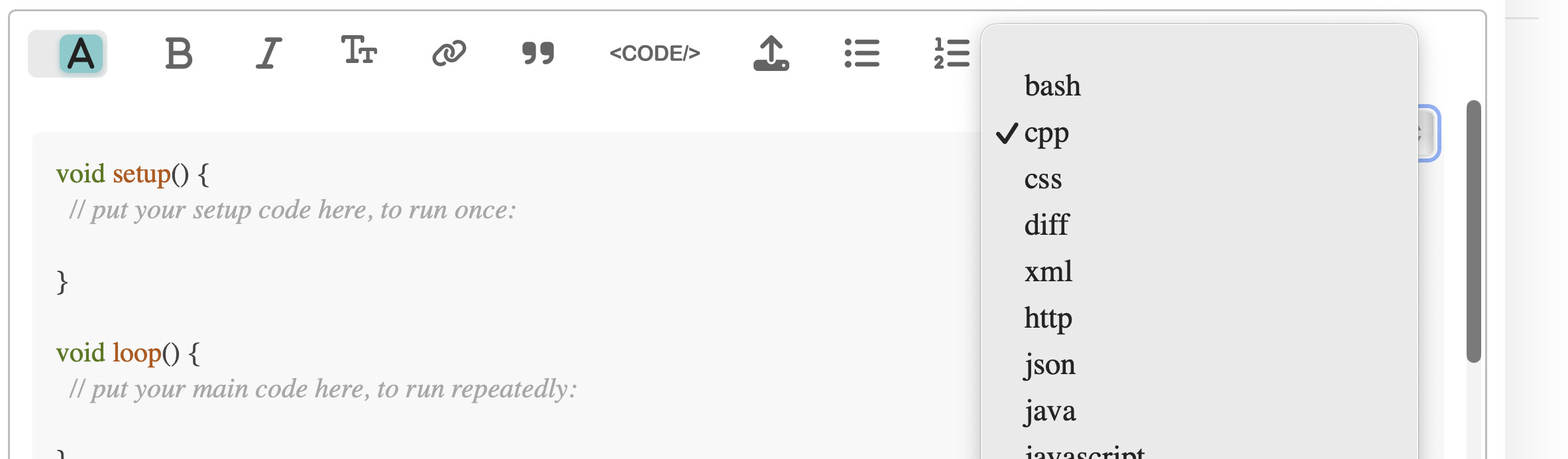
That is because you switched to the "rich text editor"
I'm still using the default standard editor.
No that is using the default Markdown editor.

You can get all sorts of similar and different results using the dropdown menu in the WYSIWYG editor.
int brightness = analogRead(potPin) / 4; // Results in 0 to 255
Hi Jim, if you don’t mind could u explain what “/ 4” means?
It means divide the analogRead values by 4
Since analogRead goes from 0 to 1023, the brightness values will go from 0 to 255 and that range is what analogWrite wants.
analogWrite()needs a value from 0 to 255.analogRead()gives us 0 to 1023.- We therefore must divide what we read by 4 to get our analogWrite value.
i.e. 1024 / 256 = 4
as a side note, 1023 / 4 is really 255.75 in true math terms, but since integer division truncates toward zero by standard (when you divide two integers, the fractional part is discarded and only the whole number remains) the 0.75 gets truncated and not rounded to the closest integral (which would be 256), and thus we do get a value between 0 and 255.
- Or, we could use >> (bit shifting) too.
So are you finished?
Hi Jim, sorry for the late reply, yes I’m finished, thank you so much for all the help
Now have fun!
This topic was automatically closed 180 days after the last reply. New replies are no longer allowed.