Arduino Micro Always Detecting Button Pushed Down?

#include <Mouse.h>

void setup() {
  // Initialize pin 2 as input
  pinMode(2, INPUT_PULLUP);
  pinMode(3, INPUT_PULLUP);
  pinMode(4, INPUT_PULLUP);
  pinMode(5, INPUT_PULLUP);
  pinMode(6, INPUT_PULLUP);
  pinMode(7, INPUT_PULLUP);
  pinMode(8, INPUT_PULLUP);
  pinMode(LED_BUILTIN, OUTPUT);

  Mouse.begin();
}

void loop() {
  // Check if pin 2 is pressed for left mouse button
  if (digitalRead(3) == LOW) {
    Mouse.press();
    digitalWrite(LED_BUILTIN, HIGH);
  } else {
    Mouse.release();
    digitalWrite(LED_BUILTIN, LOW);
  }


  if (digitalRead(4) == LOW) {
    Mouse.press();
    digitalWrite(LED_BUILTIN, HIGH);
  } else {
    Mouse.release();
    digitalWrite(LED_BUILTIN, LOW);
  }

  if (digitalRead(5) == LOW) {
    Mouse.press();
    digitalWrite(LED_BUILTIN, HIGH);
  } else {
    Mouse.release();
    digitalWrite(LED_BUILTIN, LOW);
  }

  if (digitalRead(6) == LOW) {
    Mouse.press();
    digitalWrite(LED_BUILTIN, HIGH);
  } else {
    Mouse.release();
    digitalWrite(LED_BUILTIN, LOW);
  }

  if (digitalRead(7) == LOW) {
    Mouse.press();
    digitalWrite(LED_BUILTIN, HIGH);
  } else {
    Mouse.release();
    digitalWrite(LED_BUILTIN, LOW);
  }

  if (digitalRead(8) == LOW) {
   Mouse.press();
    digitalWrite(LED_BUILTIN, HIGH);
  } else {
    Mouse.release();
    digitalWrite(LED_BUILTIN, LOW);
  }

  if (digitalRead(9) == LOW) {
    Mouse.press();
    digitalWrite(LED_BUILTIN, HIGH);
  } else {
    Mouse.release();
    digitalWrite(LED_BUILTIN, LOW);
  }
}

As is in the topic name, it is always detecting the button being pushed down... ON ALL OF THE PINS ALL AT ONCE. I was using a breadboard and even tried switching breadboards to see if maybe it was an issue with that and the issue persists. I checked each individual pin with simplified versions of this code. I even disconnected all of the buttons and such from the Arduino, but it is still just doing this. There is simply a constant flow of power from the ground to all the pins on the Arduino, the ones in the code are simply the ones I was going to use for my project. Is something wrong with my Arduino Micro? I only got it a few days ago. There are no shortcuts for the electricity either. There is no physical wire connections from the ground to any pins and yet this happens.

Hi there, and welcome.

You got the sketch inserted in your post nicely, thanks. Could you please provide a schematic too, or photos of the setup?

A thought at this point: If you would trim it down to just a couple of buttons, and the same for the sketch, just to approach the problem more simple.

Yeah, there is no setup right now, just the board. There is nothing hooked up to it at all except the usb connector. I have run individual pin tests for almost every pin available and it still just always connects from the ground to the pin without the physical connection, the air might as well be ionized from what I tell.

You got yourself a touchy thing :slight_smile:

About schematics (even hand drawn), and or photos: If you wanna move around in a room you want light to do so, otherwise you are blind.

1 Like

So even without any buttons connected, it shows them as on?

Edit: And if you comment out the lines containing Mouse?

yep, it was a real nightmare at first. I had to use the reset button several times just so that i could select the correct com and upload without opening and closing a million different applications.

I did remove the mouse lines for my own mental health, not so much my computers.

I've come to realize that most digital stuff affects our mental health..

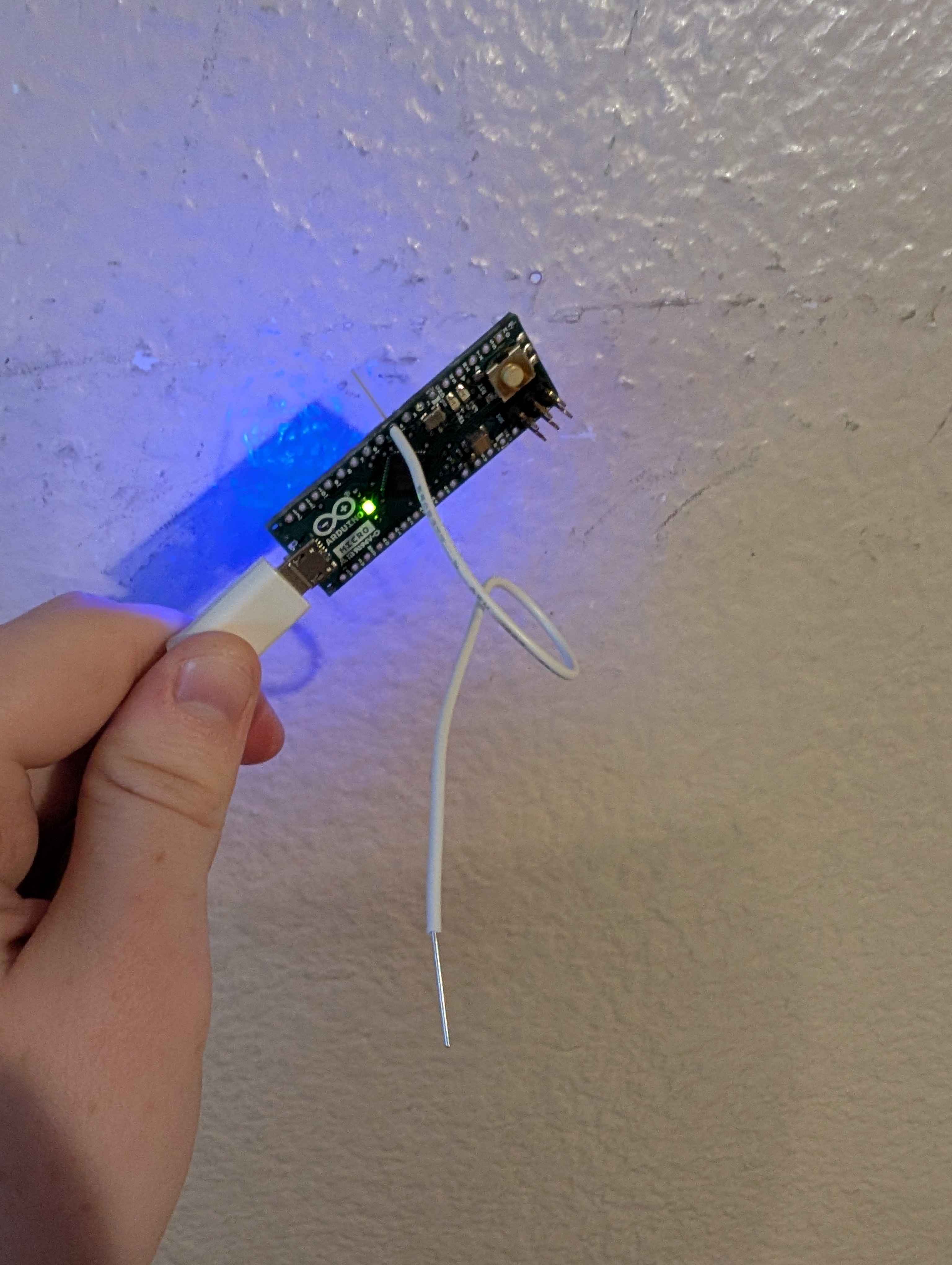
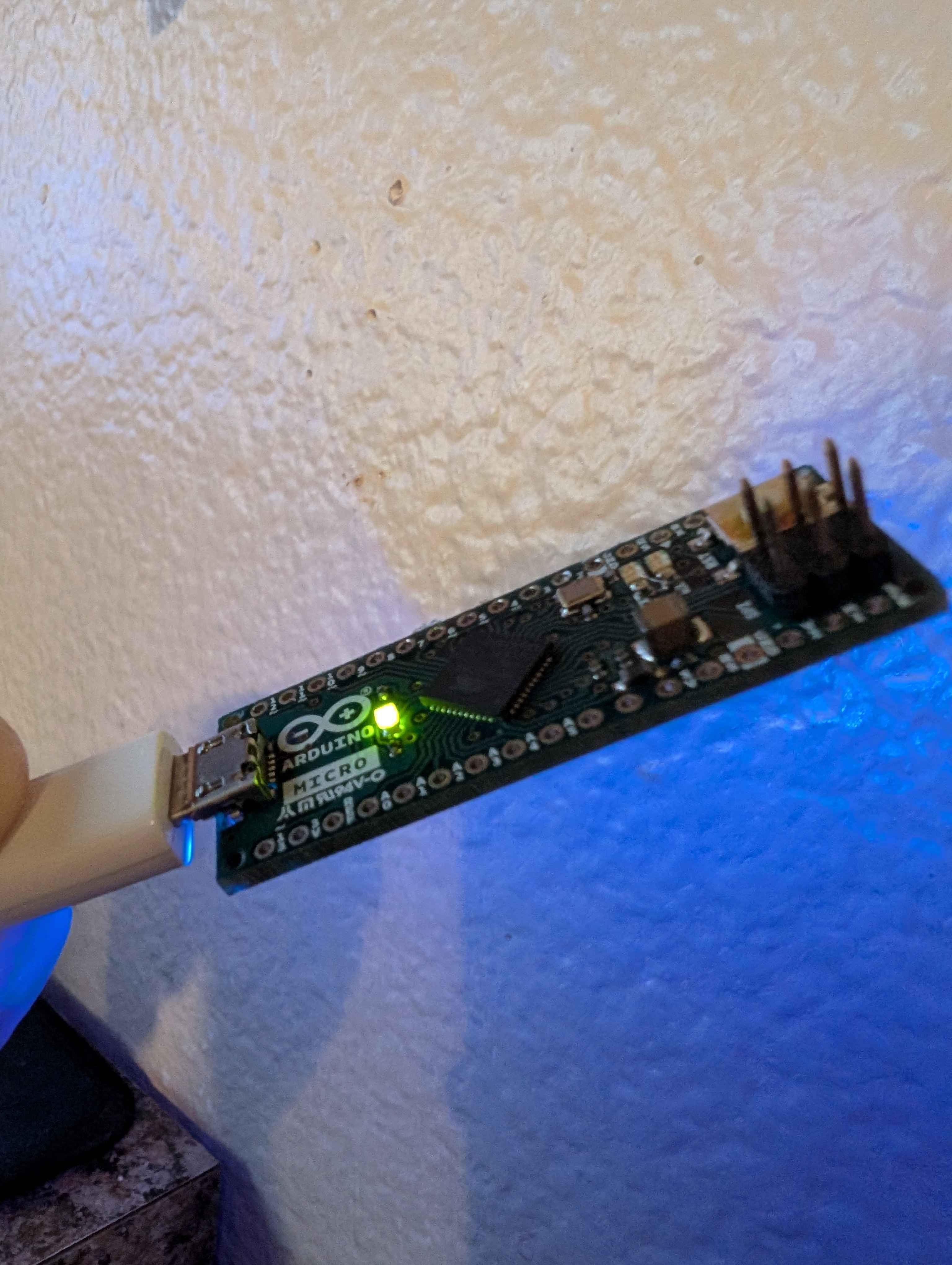
In the middle of the pic - I can't tell if it belong to the board or not, it looks like jumperwire. Can you check?

Seems to be part of the plastic or material holding in that specific led

See if this sketch work

void setup() {

pinMode(4, INPUT);
pinMode(LED_BUILTIN, OUTPUT);

}

void loop() {

  if (digitalRead(4) == HIGH) {
    digitalWrite(LED_BUILTIN, HIGH);
  } else {
    digitalWrite(LED_BUILTIN, LOW);
  }
}

And if the LED correctly doesn't light up, connect the Micros 5 or 3.3 V to the corresponding pin, it should turn on now.

Edit: I wrote in the wrong values for the LED, copy it again.

LED is off, board is still on it own though, still no physical connection from ground to pin or anything.

Try connect a wire from the Vout of the Micro to the input pin 4.

Have you tried setting pinMode(9, INPUT_PULLUP); ?
That is pin 9, not having defined a mode.
I would guess pin 9 i floating and the µC is to busy trying to run Mouse.press(); and Mouse.release(); every time the pin flickers around.
Or maybe the

else {
    Mouse.release();

in every clause is just too computational in-effective.
And there has to be some timer to not let this happen to often.

1 Like

something very unexpected has happened, even touching the pin to the wire, unconnected to the power, turns on the led

Btw, what Micro do you have? 3.3 or 5 V

It is the 5v

That's odd. It's just like how you can turn on a MOSFET.

Does this mean my arduino is magic/cursed?

I can confirm your observation on a Micro. The mouse keeps on pressing. The reason is a bug in your code. You set pins 2..8 as INPUT_PULLUP but your code in loop(() uses 3..9; pin 9 is floating.

For your mental health, built in a safety switch. It also prevents the pain of the resetting of the board.

#include <Mouse.h>

const uint8_t safetyPin = A0;

void setup()
{
  pinMode(safetyPin, INPUT_PULLUP);

  // Initialize pin 2 as input
  pinMode(2, INPUT_PULLUP);
  pinMode(3, INPUT_PULLUP);
  pinMode(4, INPUT_PULLUP);
  pinMode(5, INPUT_PULLUP);
  pinMode(6, INPUT_PULLUP);
  pinMode(7, INPUT_PULLUP);
  pinMode(8, INPUT_PULLUP);
  pinMode(LED_BUILTIN, OUTPUT);

  //Mouse.begin();
}

void loop()
{
  if (digitalRead(safetyPin) == HIGH)
  {
    Mouse.release();
    return;
  }


  // Check if pin 2 is pressed for left mouse button
  if (digitalRead(3) == LOW)
  {
    Mouse.press();
    digitalWrite(LED_BUILTIN, HIGH);
  }
  else
  {
    Mouse.release();
    digitalWrite(LED_BUILTIN, LOW);
  }


  if (digitalRead(4) == LOW)
  {
    Mouse.press();
    digitalWrite(LED_BUILTIN, HIGH);
  }
  else
  {
    Mouse.release();
    digitalWrite(LED_BUILTIN, LOW);
  }

  if (digitalRead(5) == LOW)
  {
    Mouse.press();
    digitalWrite(LED_BUILTIN, HIGH);
  }
  else
  {
    Mouse.release();
    digitalWrite(LED_BUILTIN, LOW);
  }

  if (digitalRead(6) == LOW)
  {
    Mouse.press();
    digitalWrite(LED_BUILTIN, HIGH);
  }
  else
  {
    Mouse.release();
    digitalWrite(LED_BUILTIN, LOW);
  }

  if (digitalRead(7) == LOW)
  {
    Mouse.press();
    digitalWrite(LED_BUILTIN, HIGH);
  }
  else
  {
    Mouse.release();
    digitalWrite(LED_BUILTIN, LOW);
  }

  if (digitalRead(8) == LOW)
  {
    Mouse.press();
    digitalWrite(LED_BUILTIN, HIGH);
  }
  else
  {
    Mouse.release();
    digitalWrite(LED_BUILTIN, LOW);
  }

  if (digitalRead(9) == LOW)
  {
    Mouse.press();
    digitalWrite(LED_BUILTIN, HIGH);
  }
  else
  {
    Mouse.release();
    digitalWrite(LED_BUILTIN, LOW);
  }
}

You need to connect A0 (the safety pin) to GND for the mouse actions to work; if it's HIGH it will release the mouse button and exit loop().

You have been clicking the mouse button like a maniac. The computer remembers that and it will honour every press / click that it received. Even disconnecting the Micro will not help till all those presses have been honoured.

You can invoke the bootloader of the Micro by double-tapping the reset button. You got it right somewhere along the line and hence could upload again.

1 Like