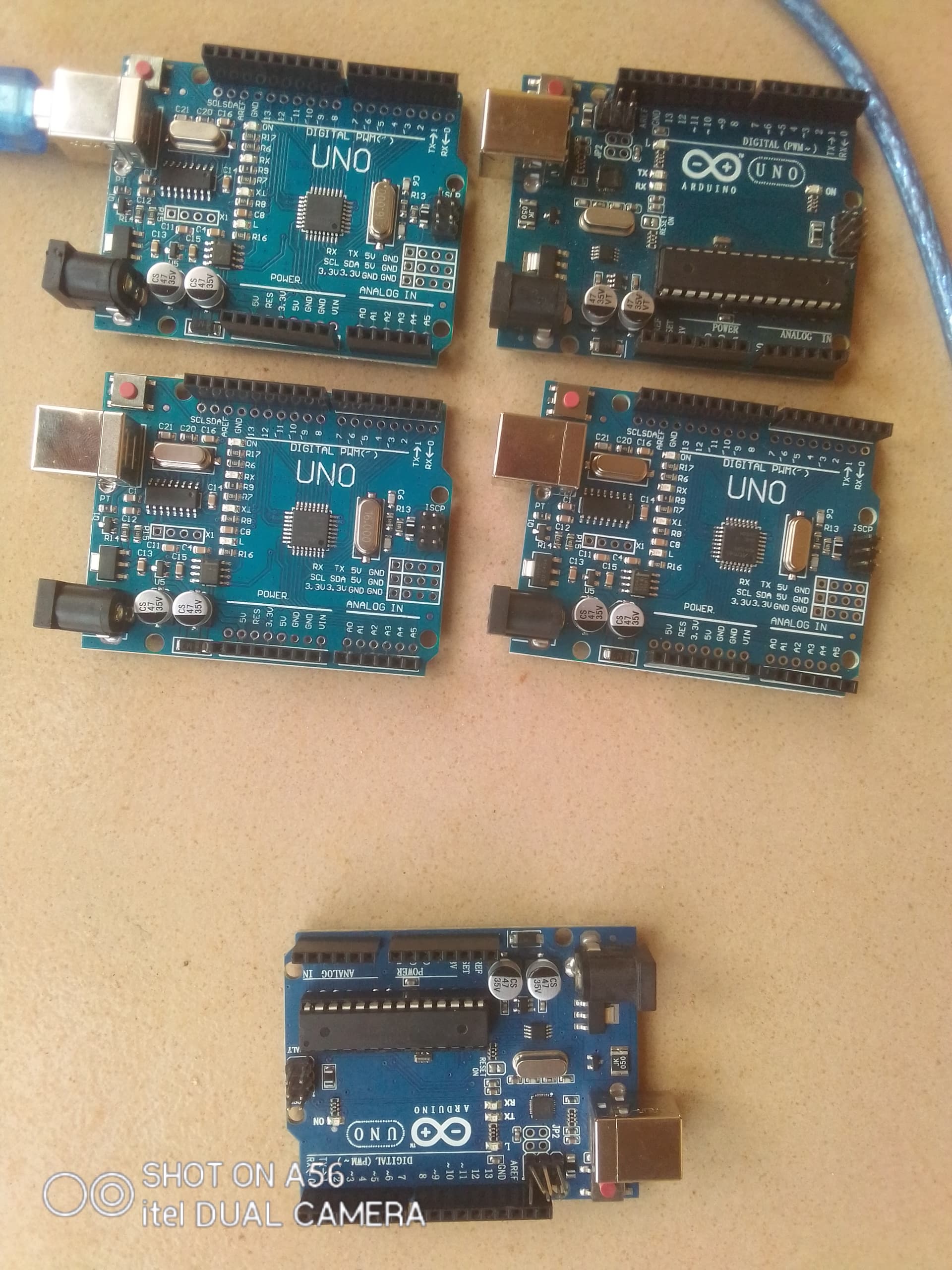
Hi everyone! I am new to the Arduino Uno board. As a grade-level and elementary teacher, I use the Arduino Uno board for my student's projects.
I have 5 Arduino Uno ONLY 1 of them was recognised when I plugged it into my system, I used different USB cables and the 3 other ports, all the cables and the ports worked well with this particular Arduino Uno board.
For the other 4 Arduino boards, my laptop doesn't recognise any of them, I had read 3 different articles and similar issues here, and I had tried some of the suggestions too.
The first question would be what your operating system thinks of your board. If your operating system does not recognise the board, the IDE will never recognise it. Check Windows device manager.
Which version of Windows are you using?
Your topic has been moved to a category that is better suited for board detection problem. You anyway posted in the wrong category because you're using IDE 2.x, not IDE 1.x
@sterretje@GolamMostafa Thank you so much for the clarifications, Please my ignorance of the group categories I am new to the community.
I was able to get the problem fixed.
SOLUTION
I re-installed version 2.3.3 of the IDE. That solved the problem for 3 of the Arduino Uno mini but didn't solve that of the 4th one which is the same with the 5th one that had been working.
I will test it on another system and give you feedback.