Bad behaviour using keypad

I'm working on a project that needs to get numeric input on several questions form user.
I bought this keypad

but after connecting it, I received a lot of input form certain keys (A, 7 and 1). It also depends if I move the keypad without pressing any button. In addition, sometimes if I press a key I continuously receive input from that key.
I wrote to the manufacturer and he sent to me a replacement, but I have the same issue.
I used this example of standard sketch provided with the library Keypad:

#include <Keypad.h>

const byte ROWS = 4; //four rows
const byte COLS = 3; //three columns
char keys[ROWS][COLS] = {
  { '1', '2', '3', 'A' },
  { '4', '5', '6', 'B' },
  { '7', '8', '9', 'C' },
  { '*', '0', '#', 'D' }
};
byte rowPins[ROWS] = { 5, 4, 3, 2 }; //connect to the row pinouts of the keypad
byte colPins[COLS] = { 9, 8, 7, 6 }; //connect to the column pinouts of the keypad

Keypad keypad = Keypad( makeKeymap(keys), rowPins, colPins, ROWS, COLS );

void setup(){
  Serial.begin(9600);
}
  
void loop(){
  char key = keypad.getKey();
  
  if (key){
    Serial.println(key);
  }
}

As per one of my colleagues, it's a matter of how the keypad was built. It's too much compressed!!
What is your opinion?
Is there something I can do with these keypads?
Do you have any model that you can suggest that worked fine for you?

Many thanks in advance!

I see no keypad

Sorry!

It was this one:

https://amzn.eu/d/iOTTMqg

Could someone help me?

@UKHeliBob just did. Did you mean, "Thank you?"

And this...

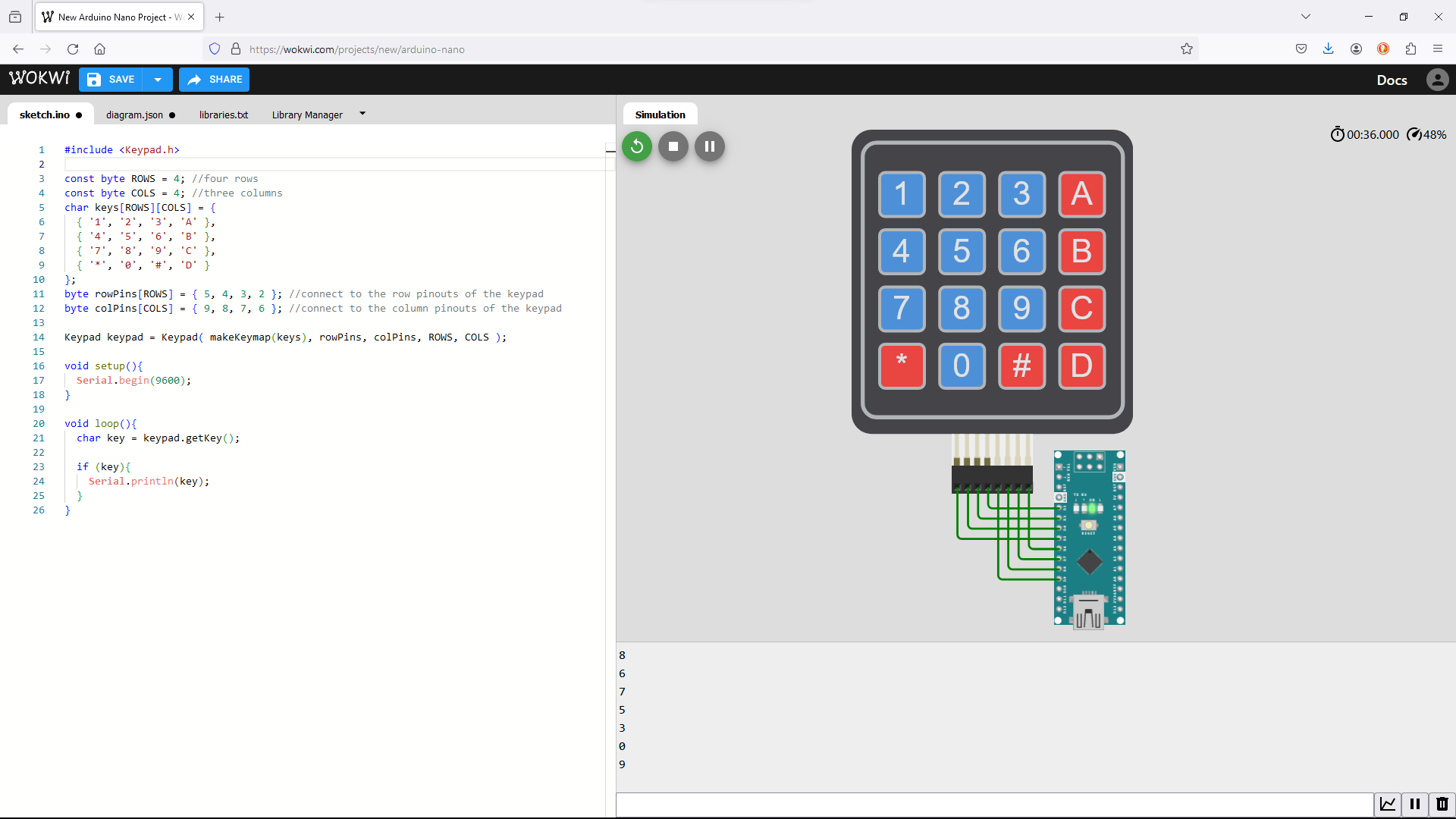
You probably did not follow the sketch (also shown to be wrong above) and did something like this...

for WOKWI.COM

sketch.ino
#include <Keypad.h>

const byte ROWS = 4; //four rows
const byte COLS = 4; //three columns
char keys[ROWS][COLS] = {
  { '1', '2', '3', 'A' },
  { '4', '5', '6', 'B' },
  { '7', '8', '9', 'C' },
  { '*', '0', '#', 'D' }
};
byte rowPins[ROWS] = { 5, 4, 3, 2 }; //connect to the row pinouts of the keypad
byte colPins[COLS] = { 9, 8, 7, 6 }; //connect to the column pinouts of the keypad

Keypad keypad = Keypad( makeKeymap(keys), rowPins, colPins, ROWS, COLS );

void setup(){
  Serial.begin(9600);
}
  
void loop(){
  char key = keypad.getKey();
  
  if (key){
    Serial.println(key);
  }
}
diagram.json
{
  "version": 1,
  "author": "Anonymous maker",
  "editor": "wokwi",
  "parts": [
    {
      "type": "wokwi-arduino-nano",
      "id": "nano",
      "top": -22,
      "left": 279.7,
      "rotate": 270,
      "attrs": {}
    },
    { "type": "wokwi-membrane-keypad", "id": "keypad1", "top": -376.4, "left": 140, "attrs": {} }
  ],
  "connections": [
    [ "nano:2", "keypad1:R4", "green", [ "h0" ] ],
    [ "nano:3", "keypad1:R3", "green", [ "h0" ] ],
    [ "nano:4", "keypad1:R2", "green", [ "h0" ] ],
    [ "nano:5", "keypad1:R1", "green", [ "h0" ] ],
    [ "nano:6", "keypad1:C4", "green", [ "h0" ] ],
    [ "nano:7", "keypad1:C3", "green", [ "h0" ] ],
    [ "nano:8", "keypad1:C2", "green", [ "h0" ] ],
    [ "nano:9", "keypad1:C1", "green", [ "h0" ] ]
  ],
  "dependencies": {}
}

I tried now as you wrote, but I have the same behavior: if I just touch keypad o the flat cable it starts outputting keys continuously.
Do you have any idea?

Thanks

Show a picture of your pin connections.

Are you actually using an R4? I had to modify the Keypad library to get it work with that board. If you see a warning like that below, you're likely running into the same problem.

Using  pinMode() INPUT_PULLUP AVR emulation

In Keypad.h, change

#ifndef INPUT_PULLUP

to

#if !defined(INPUT_PULLUP) && !defined(ARDUINO_UNOR4_MINIMA) && !defined(ARDUINO_UNOR4_WIFI)

Argh, meant to reply to @trc1981, sorry.

No, I don't have that warning.
Do you think anyway it's an issue of the library? I though it was hardware related actually...

To give you a better idea of what is happening I post a video did during tests a few days ago.

Pinouts: I tried right now to invert connection as xfpd wrote, but I have the same behaviour you can see in the video

Since I wansn't able to sort out, I tried to change the .h file as you described, even if I haven't the warning, and keypad started working well!
It did the trick!

Thank you very much!!

I guess that actually makes sense. The IDE is smart enough not to re-compile the library once it's been done once. So the message would have flashed by once way back the first time you used it, and then not again for quite some time, if ever.

Glad to hear it worked out.

I have a same issue. can i get solution please.

Hello,
I confirm that I sorted out this issue throughout the tips of the message of van_der_decken of March 6th.
I already marked his post as the solution, and my subsequent post unequivocally says that he gave the solution: you just need to pay attention to marks and read the entire thread :wink:
Ciao