Can't get code for vending machine to work

Hello all! Complete newbie to programming and coding and in need of some help. I've built my own vending machine and I tried to adapt a code that I found online to fit my machine, but it doesn't seem to be working very well. The LED and the Keypad are working, but the servo motors are not (there are 4). As soon as I plug in the machine, the servo motors start going, whereas I want them to wait until one has made a selection (such as A1) on the keypad. Basically, I have zero control over the servo motors. They are 360 motors and I'm afraid they may be continuous, and if so, I'm not sure how to control that.

All I want for this machine to do is for someone to be able to make a selection, for that to trigger the servo, and therefor have the coil its attached to rotate to drop the item.

If anyone can help me fix this my stomach and I would be very grateful!

Here is a list of parts that I am using:

Arduino Mega 2560 Rev3

9VDC 1A Arduino Compatible Power Supply Adapter 110V AC 5.5 x 2.1mm Tip Positive Part#LJH -186 (For the Arduino Mega)

Breadboard

12 Volt 6 Amp Power Supply Adapter,12V 6A 72W US Plug DC Power Supply (for the breadboard)

SunFounder IIC/I2C/TWI LCD1602 Display Module

DEVMO 2PCS 4 x 4 Matrix Array 16 Key Membrane Switch Keypad Keyboard

4 MG90S Servo Micro 360° 9G Servo Motor

Here is a link to a workup of the project I did on Wokwi:

Finally, here is the code I'm trying to make work. I don't get any errors with it:

#include <LiquidCrystal_I2C.h>
#include <Keypad.h>
#include <Servo.h>


LiquidCrystal_I2C lcd(0x27, 16, 2); // set the LCD address to 0x27 for a 16 chars and 2 line display

// Keypad Pins
const byte ROWS = 4;
const byte COLS = 4;
char hexaKeys[ROWS][COLS] = {
  {'1', '2', '3', 'A'},
  {'4', '5', '6', 'B'},
  {'7', '8', '9', 'C'},
  {'*', '0', '#', 'D'}
};
byte rowPins[ROWS] = {22, 24, 26, 28};
byte colPins[COLS] = {30, 32, 34, 36};
Keypad customKeypad = Keypad(makeKeymap(hexaKeys), rowPins, colPins, ROWS, COLS);

// Declare servo pins

int servoPin1 = 38;
int servoPin2 = 40;
int servoPin3 = 42;
int servoPin4 = 44;

// Create servo objects
Servo Servo1, Servo2, Servo3, Servo4;


// Global Variables
String selectedCode = "";
float selectedPrice = 0.0;
bool isServoRunning = false;

// Constants
const int numItems = 4;
struct Item {
  String code;
  float price;
};
Item items[numItems] = {
  {"A1", 100},
  {"A2", 200},
  {"B3", 300},
  {"B4", 500}
};

// Servo Positions
const int lockedPosition = 20;
const int unlockedPosition = 180;

// Servo Run Time (in milliseconds)
const unsigned long servoRunTime = 5000; // 5 seconds


void setup() {

  // Initialize LCD
  lcd.init();
  lcd.backlight();
  lcd.setCursor(0, 1);
  lcd.print("Welcome to SuperVending");

 // Initialize Servo
  Servo1.attach(servoPin1);
  Servo2.attach(servoPin2);
  Servo3.attach(servoPin3);
  Servo4.attach(servoPin4);
  Servo1.write(lockedPosition);
  Servo2.write(lockedPosition);
  Servo3.write(lockedPosition);
  Servo4.write(lockedPosition);
  

  // Reset the machine
  resetMachine();
}

void loop() {
  // Handle keypad input
  char customKey = customKeypad.getKey();

  if (customKey) {
    if (customKey == '#') {
      selectedCode += customKey;
    } else if (customKey == '*') {
      resetMachine();
      lcd.clear();
      lcd.print("Canceled");
      delay(2000);
      lcd.clear();
      lcd.print("Make Your Choice");
      lcd.setCursor(0, 1);
      lcd.print("Item: ");
      return;
    } else {
      selectedCode += customKey;
      lcd.setCursor(7, 1);
      lcd.print(selectedCode);

      // Check if item selection is complete
      if (selectedCode.length() == 2) {
        selectedPrice = getItemPrice(selectedCode);
        if (selectedPrice != 0.0) {
          lcd.clear();
          lcd.print("Price: $");
          lcd.print(selectedPrice);
          lcd.setCursor(0, 1);
        } else {
          lcd.clear();
          lcd.print("Error");
          delay(2000);
          lcd.clear();
          lcd.print("Make Your Choice");
          lcd.setCursor(0, 1);
          lcd.print("Item: ");
          selectedCode = "";
        }
      }
    }
  }

}

float getItemPrice(String code) {
  for (int i = 0; i < numItems; i++) {
    if (items[i].code == code) {
      return items[i].price;
    }
  }
  return 0.0;
}

void processTransaction() {
  lcd.clear();
  lcd.print("Processing");
  lcd.setCursor(0, 1);
  delay(500);
  lcd.clear();
  lcd.print("Processing");
  lcd.setCursor(0, 1);
  delay(500);
  lcd.clear();
  lcd.print("Processing");
  lcd.setCursor(0, 1);
  delay(500);
  lcd.clear();
  lcd.print("Processing");
  lcd.setCursor(0, 1);
  delay(500);
  lcd.clear();
  lcd.print("Processing");
  lcd.setCursor(0, 1);
  
  // Check if the transaction was successful
  if (selectedCode == "A1") {
    lcd.clear();
    lcd.print("Transaction");
    lcd.setCursor(0, 1);
    lcd.print("Completed!");
  if (selectedCode == "A2")
    lcd.clear();
    lcd.print("Transaction");
    lcd.setCursor(0, 1);
    lcd.print("Completed!");
  if (selectedCode == "B3")  
    lcd.clear();
    lcd.print("Transaction");
    lcd.setCursor(0, 1);
    lcd.print("Completed!");
  if (selectedCode == "B4")  
    lcd.clear();
    lcd.print("Transaction");
    lcd.setCursor(0, 1);
    lcd.print("Completed!");


    if (selectedCode == "A1") {
      spinServo(38, 1);
    }   
    else if (selectedCode == "A2") {
      spinServo(40, 2);
    }
    else if (selectedCode == "B3") {
      spinServo(42, 1);
    }
    else if (selectedCode == "B4") {
      spinServo(44, 1);
    }
  
    lcd.clear();
    lcd.print("Enjoy!");
    delay(8000); // Wait for 8 seconds
    resetMachine();
    lcd.clear();
    lcd.print("Please Select");
    lcd.setCursor(0, 1);
    lcd.print("Item: ");

  }
}


void resetMachine() {
  selectedCode = "";
  selectedPrice = 0.0;
  isServoRunning = false;
  Servo1.write(lockedPosition);
  stopServo();
}


void spinServo(int servoPin, unsigned long duration) {
  digitalWrite(servoPin, HIGH);
  isServoRunning = true;
  delay(duration * 1000);
  digitalWrite(servoPin, LOW);
  isServoRunning = false;
}


void stopServo() {
  if (isServoRunning) {
    digitalWrite(servoPin1, LOW);
    digitalWrite(servoPin2, LOW);
    digitalWrite(servoPin3, LOW);
    digitalWrite(servoPin4, LOW);
    isServoRunning = false;
  }

}
  • 360 would be continuous.

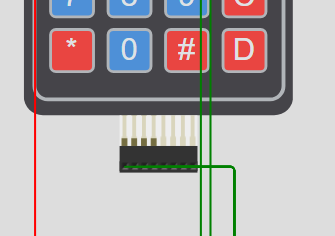
Your ROWS and COLS are backwards or inverted.

hi @artchitect welcome to the forum, and nice first post - thanks for supplying the link to your wokwi simulation.

tl;dr: you might want use a different kind of motor.

It might help if you described a typical interaction through the keypad. I messed with is for a bit and got nowhere, I imagine reading the code would help me but I am lazy.

It does seem that you have 360 or continuous rotation servos. For that kind, a "position" of 90 means to motor is not turning. "Angles" greater than 90 make it turn one direction, the further from 90 the faster. Similarly "angles" less than 90 make it turn in the other direction.

Since your servos are all at not 90, they turn.

This may not be the best way to move your products. Say more about the mechanical concept.

A regular positionable servo could open and close a gate to drop a product, or push one off the shelf. The thing I imagined was the big coil kind that turns enough with a purchase to advance the product so it falls. A continuous rotation servo could work, but you'll need to figure out a means to control how much it rotates.Time alone won't be terribly useful, minor differences might mean small errors accumulate.

Try your servo with the servo sweep example from the IDE. Try modifying that sketch to just tell the servo to stop (90). You may find it isn't exactly stopped. 89 or 91 might neither be stopped. You can move to writing the servo pulse in units of microseconds, this will let it seem you are saying something more precise and a certain value may well result in a motionless servo.

a7

can you provide a description of how you expect it to work?

look this over

  • handles LCD more cleanly
  • un-nest ket processing
  • captures all paramters of each vender item in one table
  • continuous servo stops at 90 deg
  • don't see how you input coins which need to be released if canceled
// vending machine

#include <LiquidCrystal_I2C.h>
#include <Keypad.h>
#include <Servo.h>

LiquidCrystal_I2C lcd (0x27, 16, 2);

// ---------------------------------------------------------
// Keypad Pins
const byte ROWS = 4;
const byte COLS = 4;
char hexaKeys[ROWS][COLS] = {
    {'1', '2', '3', 'A'},
    {'4', '5', '6', 'B'},
    {'7', '8', '9', 'C'},
    {'*', '0', '#', 'D'}
};

#if 0
byte rowPins[ROWS] = {22, 24, 26, 28};
byte colPins[COLS] = {30, 32, 34, 36};
#else
byte colPins[ROWS] = {22, 24, 26, 28};
byte rowPins[COLS] = {30, 32, 34, 36};
#endif

Keypad customKeypad = Keypad (makeKeymap (hexaKeys), rowPins, colPins, ROWS, COLS);

// ---------------------------------------------------------
struct Item {
    const byte  PinServo;
    const char  Row;
    const char  Col;
    float       price;
    const char *label;

    Servo       servo;
}
item [] = {
     { 38, 'A', '1', 1.00, "cookie" },
     { 40, 'A', '2', 1.20, "charm" },
     { 42, 'B', '3', 0.25, "shake" },
     { 44, 'C', '7', 1.00, "candy" },
};
const int Nitem = sizeof (item)/sizeof (Item);

// ---------------------------------------------------------
const int           ServoClose = 90;
const int           ServoOpen  = 180;

const unsigned long ServoRunTime = 5000; // 5 seconds

const char         *MakeSel = "Make Selection";

char row;
char col;

// -----------------------------------------------------------------------------
void
lcdDisp (
    const char *s0,
    const char *s1 )
{
    lcd.clear     ();
    lcd.print     (s0);

    lcd.setCursor (0, 1);
    lcd.print     (s1);
}

// -----------------------------------------------------------------------------
void setup ()
{
    Serial.begin (9600);
    Serial.println ("ready");

    // initialize Servos
    for (int n = 0; n < Nitem; n++)  {
        Serial.println (n);
        item [n].servo.attach (item [n].PinServo);
        item [n].servo.write  (ServoClose);
    }

    // Initialize LCD
    lcd.init ();
    lcd.backlight ();
    lcdDisp ("Welcome to SuperVending", "");
    delay (3000);
    reset ();;
}

// -----------------------------------------------------------------------------
void reset ()
{
    row = col = 0;
    lcdDisp ("Welcome to SuperVending", "");
}

// -----------------------------------------------------------------------------
void processSel (
    int  itemIdx )
{
    lcdDisp ("enjoy your", item [itemIdx].label);

    item [itemIdx].servo.write (ServoOpen);
    delay (ServoRunTime);
    item [itemIdx].servo.write (ServoClose);
}

// -----------------------------------------------------------------------------
void checkSel ()
{
    for (int n = 0; n < Nitem; n++)  {
        if (item [n].Row == row && item [n].Col == col)  {
            processSel (n);
            return;
        }
    }

    lcdDisp ("Invalid Selection", " return coins");
    delay (3000);
}

// -----------------------------------------------------------------------------
void loop ()
{
    // Handle keypad input
    char key = customKeypad.getKey ();
    if (! key)
        return;         // no key pressed

    char s [50];

    if ('A' <= key && key <= 'F')
        row = key;
    else if ('0' <= key && key <= '9')
        col = key;
    else if ('#' == key)  {
        lcdDisp ("Cancel", "");
        delay (3000);
        reset ();
    }

    if (row && col)  {
        sprintf (s, "row %c, col %c", row, col);
        lcdDisp ("Your Selection", s);
        checkSel ();
        reset ();
    }
    else {
        sprintf (s, "row %c, col %c", row, col);
        lcdDisp (MakeSel, s);
    }
}

@gcjr

I pasted your code into a copy of the WOKWI-Simulation.
The code as it is requires additional debug-output to analyse what is wrong with the keyboard-table

@artchitect

if your vending machine shall be really "enjoying" you should spend it a 4x20 character display that directly shows on the screen which four rather peculiar row-colum-combinations will sell an item.

Your keypad offers so many wrong combinations that will throw back the coins.
That is just frustrating.

Or simply use four buttons. Instead of a keypad.

i tested the code i posted using input from the serial monitor

the keypad in the simulation is incompletely wired

this sim below at least has parts connected per the OP's code

This topic was automatically closed 180 days after the last reply. New replies are no longer allowed.