Hello.
I have a device that recieves data over serial port, Im using a terminal on windows to send data to that device via an USB-Serial Adapter and it works OK.
I need to send the same data but using arduino instead of the PC but Im getting some weird behaviour... every character looks like if it was "randomized".
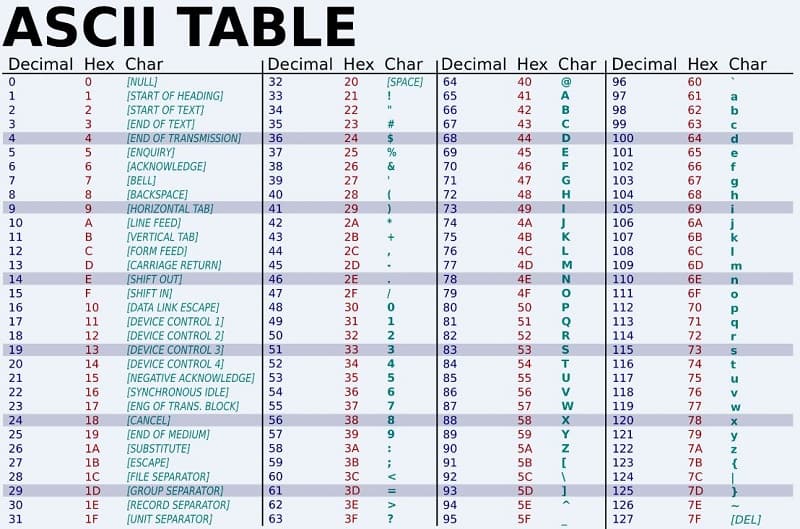
I'm using the same USB serial adapter and terminal on the PC to see what the arduino is sending and, if I send 'a' (97), recieve 'O' (79), if I send 'c' (99) ,recieve 'N' (78)
This is a very simple sketch that works OK on the serial monitor of the arduino IDE ( I get a b c d e ... etc), but when I use the serial adapter or the final device every thing gets weird. Im getting the same issue no matter if I use Software serial or the real Serial. I've tried adding \r and \n, and used serial.print() and serial.write() but still the same
#include <SoftwareSerial.h>
SoftwareSerial mySerial(10, 11); // RX, TX

void setup()
{
  Serial.begin(9600);
  mySerial.begin(9600);
  pinMode(13, OUTPUT);
}

char cont = 'a';

void loop()
{
    Serial.print(cont);

  digitalWrite(13, HIGH);
  delay(500);
  digitalWrite(13, LOW);
  delay(500);

  cont++;
}
In the example I get: 5E 17 5D 2E 5C 0B 5B 2D 5A 16 59 2C 58 05 57 2B 56 15 55 2A 54 0A 53 29...... 
I dont know if I have explained myself...
But would appreciete any help.
Thank you