where do i connect the gnd of the rs485 to ttl?
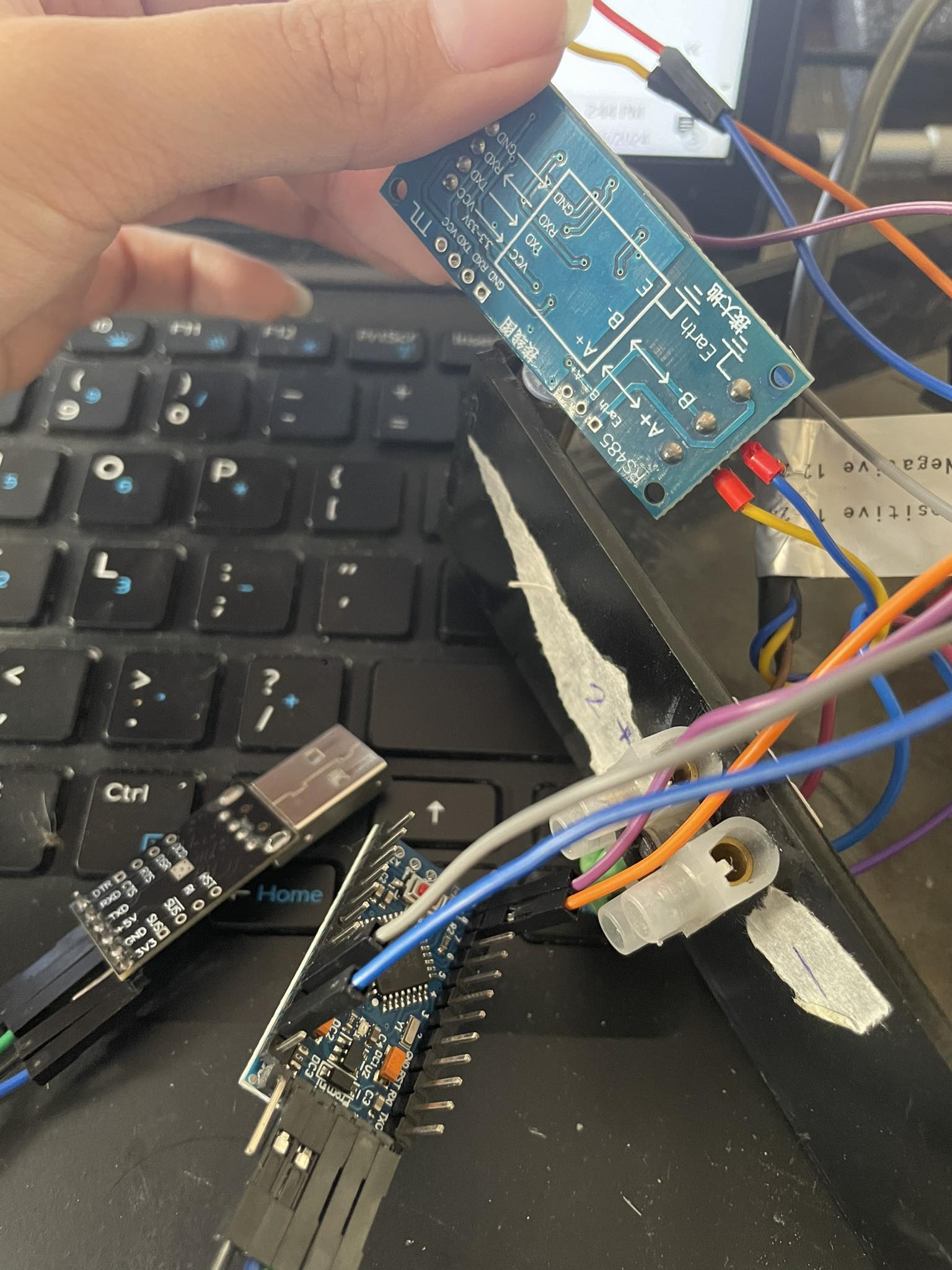
you connect the RS485 A, B and GND to the A B GND of the other RS485 modules
hi i tried connecting the npk to the pro mini with the RS485 3V3 module.
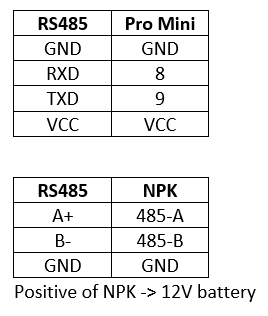
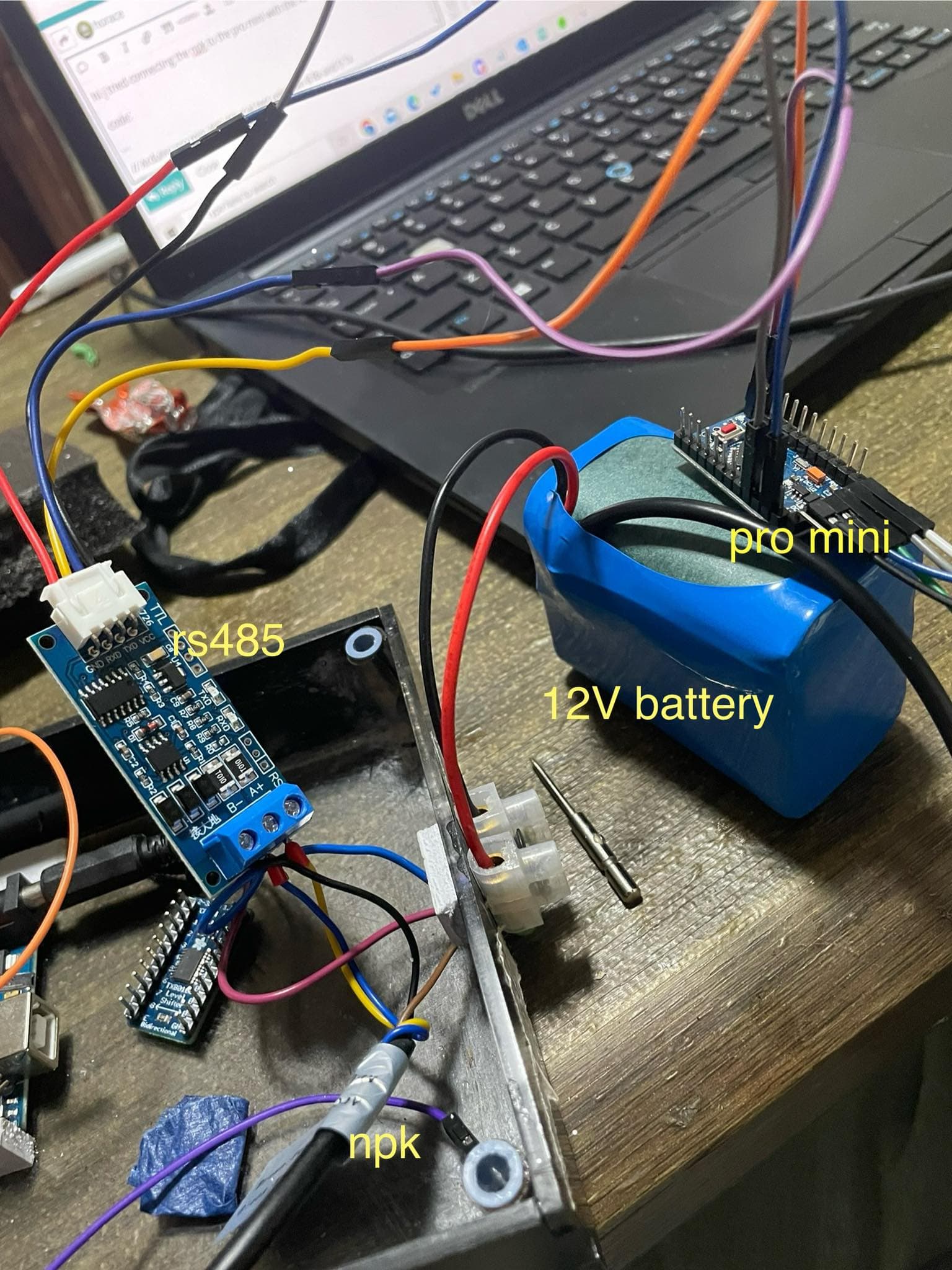
connection:
code:
// Arduino pro mini AltSoftSerial test using pin 8 Rx and 9 Tx
// note Serial baudrate is 57600 (115200 give problems)

// works with RS485 board with Auto Transmit/Receive Switching Control
// e.g. https://quartzcomponents.com/products/rs485-ttl-module-with-protection-auto-transmit-receive-switching

#include <AltSoftSerial.h>
#include <Adafruit_GFX.h>
#include <Adafruit_SSD1306.h>

#define RX 8
#define TX 9

// pro mini RX pin 8
// pro mini TX pin 9

const byte nitro[] = {0x01, 0x03, 0x00, 0x1e, 0x00, 0x01, 0xe4, 0x0c};
const byte phos[] = {0x01, 0x03, 0x00, 0x1f, 0x00, 0x01, 0xb5, 0xcc};
const byte pota[] = {0x01, 0x03, 0x00, 0x20, 0x00, 0x01, 0x85, 0xc0};

byte values[11];
AltSoftSerial mod;

void setup() {
  Serial.begin(57600);
  mod.begin(57600);
  pinMode(RX, OUTPUT);
  pinMode(TX, OUTPUT);

  // put RS-485 into receive mode
  digitalWrite(TX, LOW);
  digitalWrite(RX, LOW);

}

void loop() {
  byte val1, val2, val3;
  Serial.print("Nitrogen: ");
  val1 = nitrogen();
  Serial.print(" = ");
  Serial.print(val1);
  Serial.println(" mg/kg");
  delay(250);

  Serial.print("Phosphorous: ");
  val2 = phosphorous();
  Serial.print(" = ");
  Serial.print(val2);
  Serial.println(" mg/kg");
  delay(250);

  Serial.print("Potassium: ");
  val3 = potassium();
  Serial.print(" = ");
  Serial.print(val3);
  Serial.println(" mg/kg");
  Serial.println();
  Serial.println();
}

byte nitrogen() {
  // clear the receive buffer
  mod.flushInput();

  // switch RS-485 to transmit mode
  digitalWrite(TX, HIGH);
  digitalWrite(RX, HIGH);
  delay(1);

  // write out the message
  for (uint8_t i = 0; i < sizeof(nitro); i++ ) mod.write( nitro[i] );

  // wait for the transmission to complete
  mod.flush();

  // switching RS485 to receive mode
  digitalWrite(TX, LOW);
  digitalWrite(RX, LOW);

  // delay to allow response bytes to be received!
  delay(200);

  // read in the received bytes
  for (byte i = 0; i < 7; i++) {
    values[i] = mod.read();
    Serial.print(values[i], HEX);
    Serial.print(' ');
  }
  return values[4];
}

byte phosphorous() {
  mod.flushInput();
  digitalWrite(TX, HIGH);
  digitalWrite(RX, HIGH);
  delay(1);
  for (uint8_t i = 0; i < sizeof(phos); i++ ) mod.write( phos[i] );
  mod.flush();
  digitalWrite(TX, LOW);
  digitalWrite(RX, LOW);
// delay to allow response bytes to be received!
  delay(200);
  for (byte i = 0; i < 7; i++) {
    values[i] = mod.read();
    Serial.print(values[i], HEX);
    Serial.print(' ');
  }
  return values[4];
}

byte potassium() {
  mod.flushInput();
  digitalWrite(TX, HIGH);
  digitalWrite(RX, HIGH);
  delay(1);
  for (uint8_t i = 0; i < sizeof(pota); i++ ) mod.write( pota[i] );
  mod.flush();
  digitalWrite(TX, LOW);
  digitalWrite(RX, LOW);
// delay to allow response bytes to be received!
  delay(200);
  for (byte i = 0; i < 7; i++) {
    values[i] = mod.read();
    Serial.print(values[i], HEX);
    Serial.print(' ');
  }
  return values[4];
}
but the serial monitor prints these values:


have you a USB-RS485 dongle ?
plug it in a PC connect A and B to the RS485-TTL board and you should be able to communicate between pro mini running the program of post 24 and a terminal emulator on the PC - see my test in post 16
That's an interesting choice of colour for the 4 wires on the connector to the RS485 module: GND appears to be a red wire and VCC a black wire....
hi! can i just use an 8 bit logic converter (i have one) instead to connect the MAX485 to pro mini?

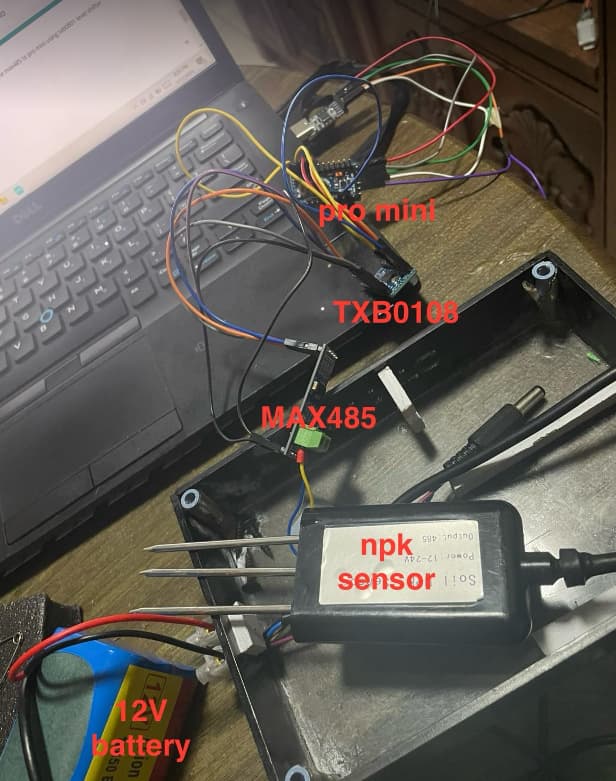
UPDATE: it finally workeddd. i just used connected the vcc of the MAX485 to the level converter and connected the rest of its pins to the pro mini.
thank you for your help guys <333