Hello,
I'm trying to display the time on a custom LED watch face using an ISR interrupt function so that the LEDs are turned on/off so fast that there is image persistence. I can get the watch to display the hour well enough but as soon as I try to add in the minute or day of the week, it all falls apart and the display goes wacky.
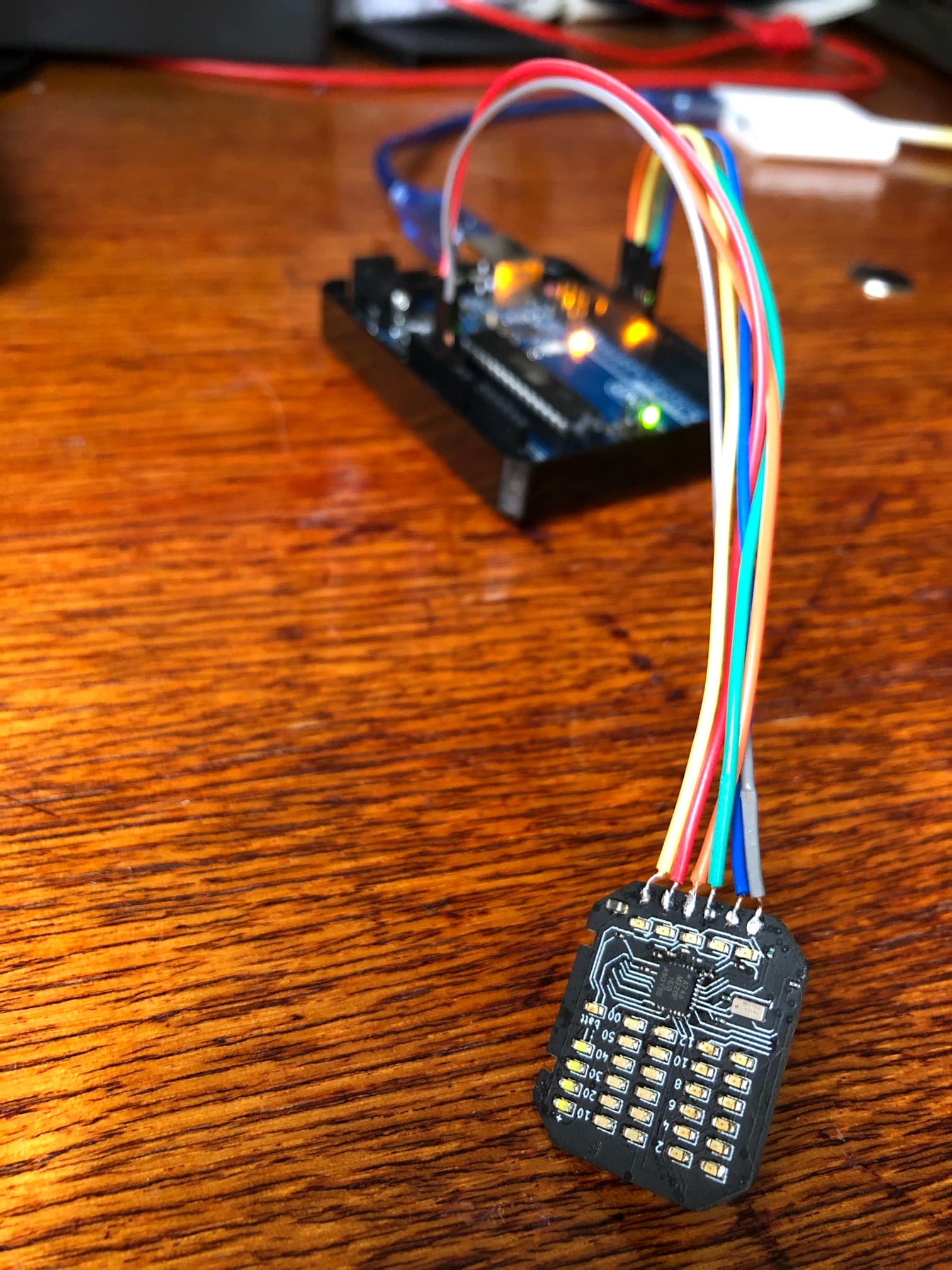
It uses an ATmega328P-MMHR (28-pin VQFN) with an M41T62 (8 pin LCC) real time clock, powered by a CR2016 coin battery, and displays the time and day of the week on 33 multiplexed LEDs, ideally whenever a button is pressed.
Can anyone tell me where I'm going wrong and what I need to change to get things working properly?
Thanks,
Dylan.
The watch:

How time is displayed:

The schematic:

I program the ATmega via six ICSP pins attached to an Arduino Uno using 'Arduino as ISP' programmer:
Full code:
#define TIMER_INTERRUPT_DEBUG         2
#define _TIMERINTERRUPT_LOGLEVEL_     0
#define USE_TIMER_1     true

#include "Wire.h"                    /// I2C library
#include "M41T62.h"                  /// RTC library for M41T62 (on-board watch) - NB: Use "dayOfWeek"
#include <TimerInterrupt.h>
RTC_M41T62 RTC;                      /// on-board M41T62 RTC

#define TIMER_FREQ_HZ        4000.0

#define NUM_COL       6                /// Columns are anodes
#define NUM_ROW       6                /// Rows are cathodes
#define COL_ON    LOW               /// badge code has these four inverted
#define COL_OFF   HIGH
#define ROW_ON    HIGH
#define ROW_OFF   LOW

const int colLED[NUM_COL] = {2, 3, 4, 5, 6, 7};          /// pins for anode (+) connections on ATmega328, columns in LED matrix
const int rowLED[NUM_ROW] = {0, 1, A0, A1, A2, A3};      /// pins for cathode (-) connections on ATmega328, rows in LED matrix

const int hourRows = 6;
const int hourCols = 2;

int rowPin = 6;
int colPin = 6;
int hourRow;
int hourColumn;
int minuteRow;
int minuteColumn;

int hourArray[hourRows][hourCols] = {{1, 2}, {3, 4}, {5, 6}, {7, 8}, {9, 10}, {11, 12}};

/// - - - - - - - - - - - SETUP + LOOP - - - - - - - - - - - - - - - -
/// No access to serial monitor

void setup() {
  Wire.begin();                                 /// I2C communication with the RTC
  RTC.begin();                                  /// start RTC
  RTC.adjust(DateTime(__DATE__, __TIME__));     /// set RTC time to computer time

  for (int i = 0; i < NUM_COL; i++)              /// set all column pins to OUTPUT and OFF
  {
    pinMode(colLED[i], OUTPUT);                 /// output
    digitalWrite(colLED[i], COL_OFF);           /// turn off
  }
  for (int j = 0; j < NUM_ROW; j++)              /// set all row pins to OUTPUT and OFF
  {
    pinMode(rowLED[j], OUTPUT);                 /// output
    digitalWrite(rowLED[j], ROW_OFF);           /// turn off
  }
  ITimer1.init();                               /// initialise timer 1
  ITimer1.attachInterrupt(TIMER_FREQ_HZ, TimerHandler);
}

void loop() {
  allOff();
  getTime();
}

void TimerHandler() {
  static bool toggle = false;
  displayTime();
  toggle = !toggle;
}

/// - - - - - - - - - - - display functions - - - - - - - - - - - - - - - -

void allOff()                       /// turns off all LEDs
{
  /// all cathode pins to 0V
  for (int i = 0; i < rowPin; i++)         /// rowPin
  {
    digitalWrite(rowLED[i], LOW);
  }
  /// all anode pins to +5V
  for (int j = 0; j < 1; j++)         /// colPin
  {
    digitalWrite(colLED[j], HIGH);
  }
}

void ledOn(int row, int col)                /// turns on specfic LEDs
{
  //allOff();
  digitalWrite(rowLED[row], HIGH);        /// cathode pin to +5V
  digitalWrite(colLED[col], LOW);         /// anode pin to 0V
}

/// - - - - - - - - - - - - - - - time functions - - - - - - - - - - - - - - - -

void getTime()
{
  DateTime now = RTC.now();
  int hour = now.hour();
  int minute = now.minute();
  int minuteRemainder = (now.minute() % 10) - 6;
  int weekday = now.dayOfWeek() - 1;

  /// set hour
  if (hour > 12) {
    hour -= 12;
  };

  for (int i = 0; i < hourRows; i++) {
    for (int j = 0; j < hourCols; j++) {
      if (hour == hourArray[i][j]) {
        (hourRow = i);
        (hourColumn = j);
      }
    }
  }

  /// Set minute
  if (minute % 10 == 5) {
    /// The minute ends in 5
    minuteColumn = 2;
    minuteRow = (minute - 6) / 10;
  } else if (minute % 10 == 0) {
    /// The minute ends in 0
    minuteColumn = 3;
    if (minute == 0) {
      minuteRow = 5;
    } else {
      minuteRow = (minute / 10) - 1;
    }
  }
}

void displayTime()
{
  ledOn(hourRow, hourColumn);
  //ledOn(minuteRow, minuteColumn);
  //turnOnRemainderLeds(minuteRemainder);
  //ledOn(wkDay, 5);
}


