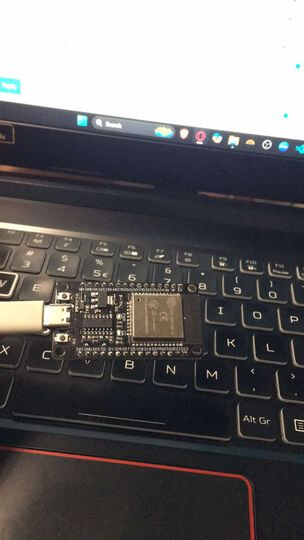
Power Supply: Make sure the ESP32 is receiving sufficient power. If it's powered through USB, try a different cable or USB port. If you're using an external power supply, ensure it meets the required voltage and current ratings (usually 3.3V).
Check Connections: Inspect all connections, especially if you've recently added components. Loose or faulty connections can prevent the ESP32 from booting properly.
Boot Mode: To manually enter boot mode:
Press and hold the "Boot" button on the ESP32.
While holding the "Boot" button, click on the "Upload" button in the Arduino IDE.
Release the "Boot" button after you see "Connecting..." in the IDE status bar.
Drivers: Ensure that you have the latest drivers installed for the ESP32. You might need to reinstall or update them.
Reset: Try a full reset:
Disconnect the ESP32 from power.
Hold the "EN" (reset) button for a few seconds.
Release it and reconnect the power.
Check for Damage: Inspect the board for any visible damage or burnt components. If it was exposed to static electricity or incorrect voltage, it might have damaged components.
IDE Settings: Double-check that you've selected the correct board and port in the Arduino IDE. Sometimes a mismatch can cause upload errors.
Different USB Port/Computer: If possible, try connecting the ESP32 to a different computer or USB port to rule out issues with the USB port or drivers on your current system.
Replace: If none of the above steps work and the LED only lights up while pressing the "EN" button, it could indicate a fault in the ESP32. If you have access to another ESP32, try uploading a simple sketch to it to confirm that the issue is with the board itself.
Based on the esptool error, it is unable to receive any response when trying to upload code. Your ESP32 may be dead. It usually doesn't do this suddenly. Review what you were doing before the board stopped working to see if it may be short circuits. Open serial port at 115200, press reset. Do you see the boot loader message?
Is your serial port at 115200 baud rate when you press reset? If all you see are boxes then the processor is outputting but not at the right rate. Those boot loader messages are supposed to be 115200. It's YOUR thesis! Get a new board!
The crystal oscillator may have been damaged so its timing is off thus outputs at a different baud rate or not even a stable rate. I've seen that in the past. But at power on, it always outputs at 115200. So not seeing the power-on message at 115200 means a new board is needed.
OP, feel free to try all baud rates and reset board after setting each baud rate to see if you can read the poweron message. This won't revive your board though.
Well ive been experimenting with this esp32 for a day, and i found out that if i connect an external battery to the 3.3v, it actually works now, i can connect it via usb, and upload my sketch. I don't know what happened and what causes this though.