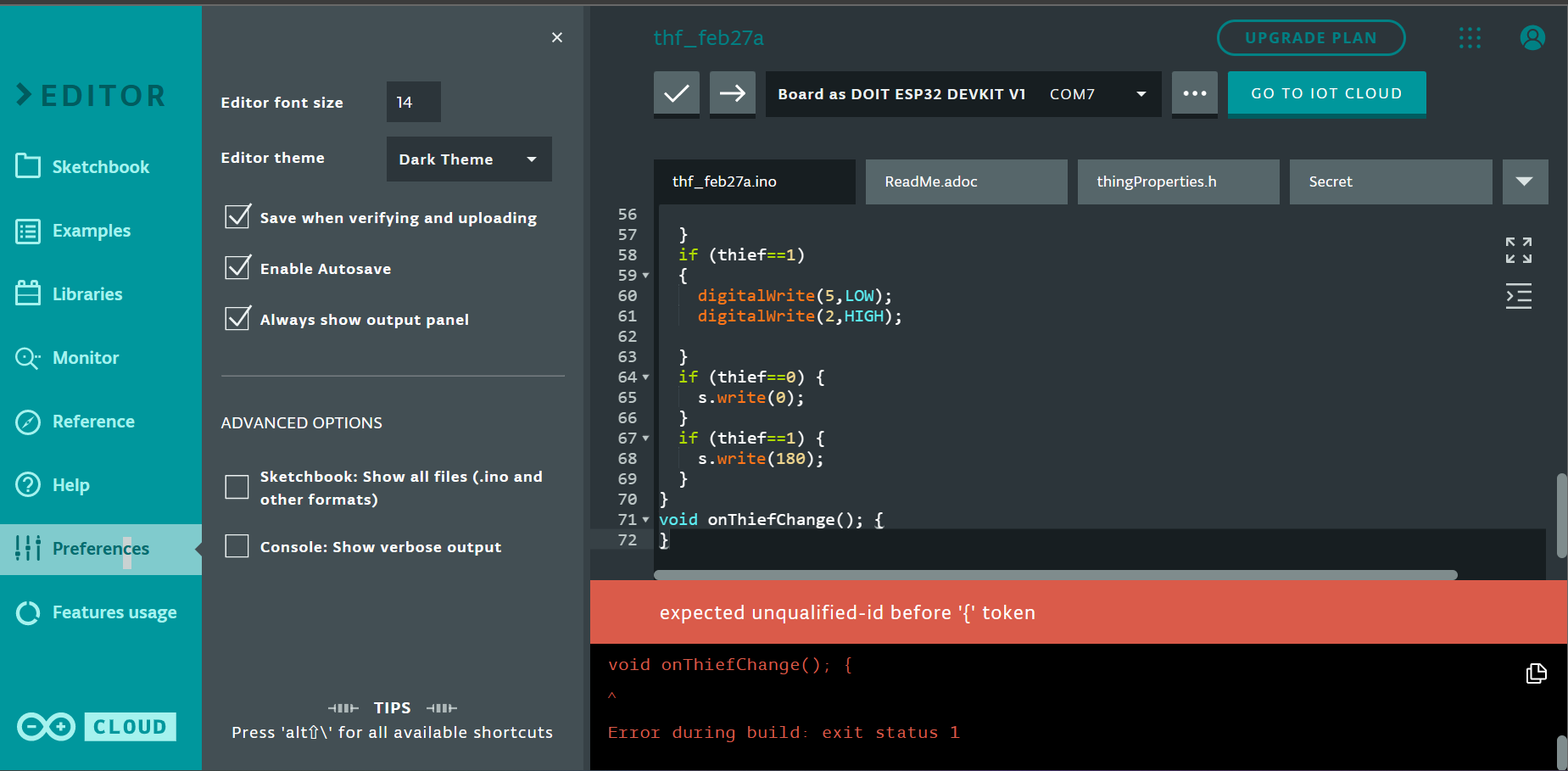
So i am new to the programming world, and i have tried this code on an ESP32.
Please help me find out the issue.
Logs:
/usr/local/bin/arduino-cli compile --fqbn esp32:esp32:esp32doit-devkit1:DebugLevel=none,FlashFreq=80,UploadSpeed=921600 --libraries /home/builder/opt/libraries/latest --build-cache-path /tmp --output-dir /tmp/360209116/build --build-path /tmp/arduino-build-71C2353081A2999227BAF2D15A99D353 /tmp/360209116/thf_feb27a
Using library arduino_esp32_ota_0_1_0 at version 0.1.0 in folder: /home/builder/opt/libraries/arduino_esp32_ota_0_1_0
Using library Update at version 2.0.0 in folder: /home/builder/.arduino15/packages/esp32/hardware/esp32/2.0.5/libraries/Update
/tmp/360209116/thf_feb27a/thf_feb27a.ino:71:23: error: expected unqualified-id before '{' token
void onThiefChange(); {
^
Error during build: exit status 1
Code:
/*
  Sketch generated by the Arduino IoT Cloud Thing "Untitled"
  https://create.arduino.cc/cloud/things/a36c8308-f2b4-49ee-9648-94cf09101fc1

  Arduino IoT Cloud Variables description

  The following variables are automatically generated and updated when changes are made to the Thing

  bool thief;

  Variables which are marked as READ/WRITE in the Cloud Thing will also have functions
  which are called when their values are changed from the Dashboard.
  These functions are generated with the Thing and added at the end of this sketch.
*/

#include "thingProperties.h"

#include<Servo.h>
Servo s;

void setup() {
  // Initialize serial and wait for port to open:
  Serial.begin(9600);
  // This delay gives the chance to wait for a Serial Monitor without blocking if none is found
  delay(1500);

  // Defined in thingProperties.h
  initProperties();

  // Connect to Arduino IoT Cloud
  ArduinoCloud.begin(ArduinoIoTPreferredConnection);

  /*
     The following function allows you to obtain more information
     related to the state of network and IoT Cloud connection and errors
     the higher number the more granular information you’ll get.
     The default is 0 (only errors).
     Maximum is 4
 */
  setDebugMessageLevel(2);
  ArduinoCloud.printDebugInfo();
  pinMode(2,OUTPUT);  //RED & BUZ
  pinMode(5,OUTPUT);  //GREEN LED
  pinMode(4,INPUT);    //IR SENSOR
  s.attach(19);

}

void loop() {
  ArduinoCloud.update();
  // Your code here
  thief=digitalRead(4);
  if(thief==0){
    digitalWrite(5,HIGH);
    digitalWrite(2,LOW);

  }
  if (thief==1)
  {
    digitalWrite(5,LOW);
    digitalWrite(2,HIGH);

  }
  if (thief==0) {
    s.write(0);
  }
  if (thief==1) {
    s.write(180);
  }
}
void onThiefChange(); {
}
Please help...