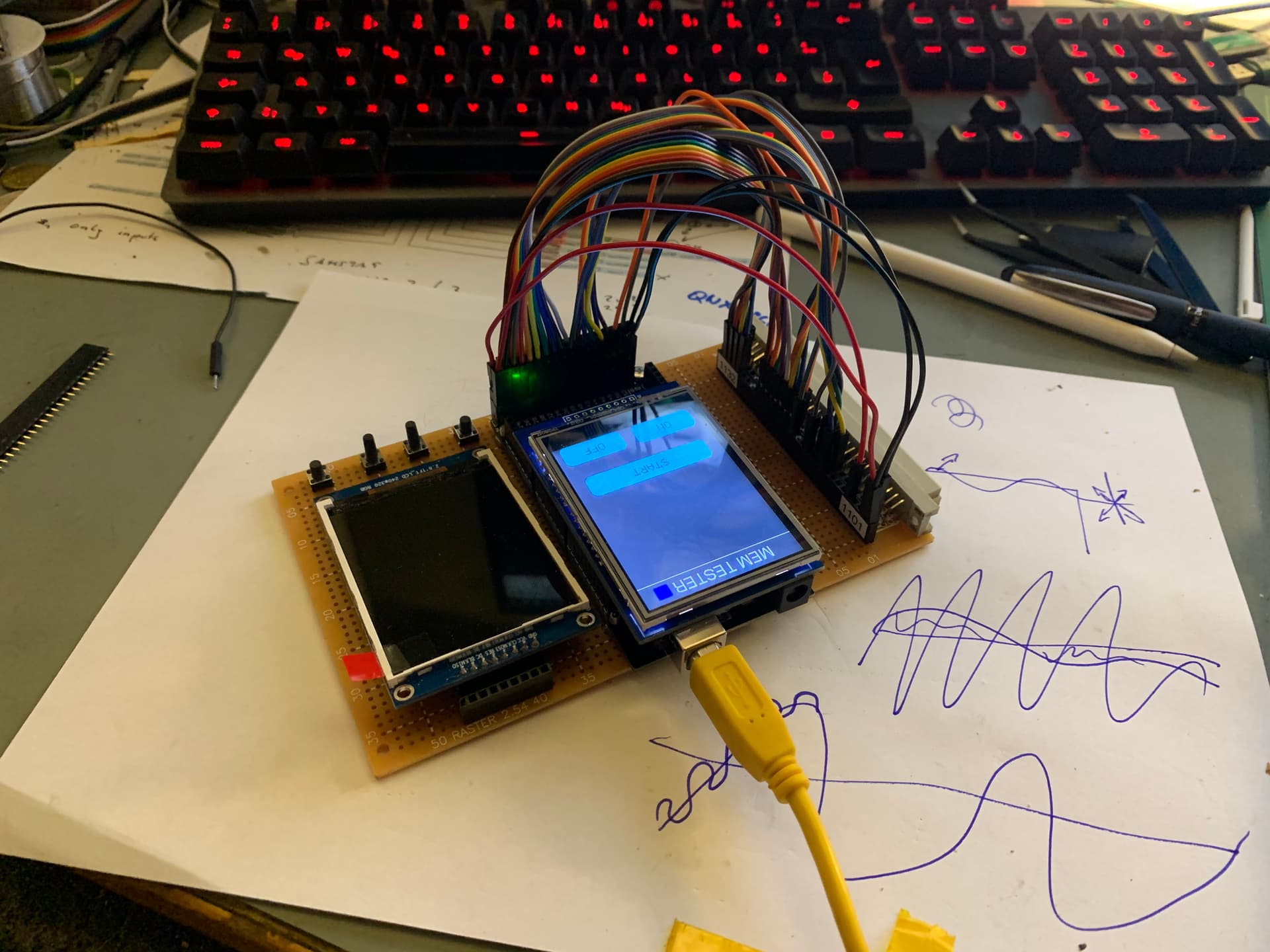
Für den 2,6" wurde ich lcdwicki Treiber nehmen. Versuch das.
So nebenbai ich benutze wen es geht nur LCDwiki Lib. ist gut dokumentiert und wen der Driver wird unterstützt dan funktioniert alles sofort, aber ist einwenig gewenungs bedürftig 
http://www.lcdwiki.com/Main_Page
[code]
// IMPORTANT: LCDWIKI_KBV LIBRARY MUST BE SPECIFICALLY
// CONFIGURED FOR EITHER THE TFT SHIELD OR THE BREAKOUT BOARD.

//This program is a demo of how to use most of the functions
//of the library with a supported display modules.

//Set the pins to the correct ones for your development shield or breakout board.
//when using the BREAKOUT BOARD only and using these 8 data lines to the LCD,
//pin usage as follow:
//             CS  CD  WR  RD  RST  D0  D1  D2  D3  D4  D5  D6  D7
//Arduino Uno  A3  A2  A1  A0  A4   8   9   2   3   4   5   6   7
//Arduino Mega A3  A2  A1  A0  A4   8   9   2   3   4   5   6   7

//the 16bit mode only use in Mega.you must modify the mode in the file of lcd_mode.h
//when using the BREAKOUT BOARD only and using these 16 data lines to the LCD,
//pin usage as follow:
//             CS  CD  WR  RD  RST  D0  D1  D2  D3  D4  D5  D6  D7  D8  D9  D10  D11  D12  D13  D14  D15
//Arduino Mega 40  38  39  44  41   37  36  35  34  33  32  31  30  22  23  24   25   26   27   28   29

//Remember to set the pins to suit your display module!

#include <LCDWIKI_GUI.h> //Core graphics library
#include <LCDWIKI_KBV.h> //Hardware-specific library

//the definiens of 8bit mode as follow:
//if the IC model is known or the modules is unreadable,you can use this constructed function
LCDWIKI_KBV my_lcd(ILI9341, A3, A2, A1, A0, A4); //model,cs,cd,wr,rd,reset
//LCDWIKI_KBV my_lcd(ILI9325,A3,A2,A1,A0,A4); //model,cs,cd,wr,rd,reset
//LCDWIKI_KBV my_lcd(ILI9328,A3,A2,A1,A0,A4); //model,cs,cd,wr,rd,reset
//LCDWIKI_KBV my_lcd(HX8357D,A3,A2,A1,A0,A4); //model,cs,cd,wr,rd,reset
//LCDWIKI_KBV my_lcd(HX8347G,A3,A2,A1,A0,A4); //model,cs,cd,wr,rd,reset
//LCDWIKI_KBV my_lcd(HX8347I,A3,A2,A1,A0,A4); //model,cs,cd,wr,rd,reset
//LCDWIKI_KBV my_lcd(ILI9486,A3,A2,A1,A0,A4); //model,cs,cd,wr,rd,reset
//LCDWIKI_KBV my_lcd(ST7735S,A3,A2,A1,A0,A4); //model,cs,cd,wr,rd,reset

//if the IC model is not known and the modules is readable,you can use this constructed function
//LCDWIKI_KBV my_lcd(240,320,A3,A2,A1,A0,A4);//width,height,cs,cd,wr,rd,reset
//LCDWIKI_KBV my_lcd(320,480,A3,A2,A1,A0,A4);//width,height,cs,cd,wr,rd,reset

//the definiens of 16bit mode as follow:
//if the IC model is known or the modules is unreadable,you can use this constructed function
//LCDWIKI_KBV my_lcd(ILI9341,40,38,39,44,41); //model,cs,cd,wr,rd,reset
//LCDWIKI_KBV my_lcd(ILI9325,40,38,39,44,41); //model,cs,cd,wr,rd,reset
//LCDWIKI_KBV my_lcd(ILI9328,40,38,39,44,41); //model,cs,cd,wr,rd,reset
//LCDWIKI_KBV my_lcd(HX8357D,40,38,39,44,41); //model,cs,cd,wr,rd,reset
//LCDWIKI_KBV my_lcd(HX8347G,40,38,39,44,41); //model,cs,cd,wr,rd,reset
//LCDWIKI_KBV my_lcd(HX8347I,40,38,39,44,41); //model,cs,cd,wr,rd,reset
//LCDWIKI_KBV my_lcd(ILI9486,40,38,39,44,41); //model,cs,cd,wr,rd,reset
//LCDWIKI_KBV mylcd(ILI9488,40,38,39,44,41); //model,cs,cd,wr,rd,reset
//LCDWIKI_KBV mylcd(ILI9481,40,38,39,44,41); //model,cs,cd,wr,rd,reset
//LCDWIKI_KBV my_lcd(ST7735S,40,38,39,44,41); //model,cs,cd,wr,rd,reset

//if the IC model is not known and the modules is readable,you can use this constructed function
//LCDWIKI_KBV my_lcd(240,320,40,38,39,44,41);//width,height,cs,cd,wr,rd,reset for
//LCDWIKI_KBV my_lcd(320,480,40,38,39,44,41);//width,height,cs,cd,wr,rd,reset

//display main surface
unsigned long show_text(void)
{
  unsigned long time_start = micros();
  my_lcd.Set_Draw_color(32, 0, 255);
  my_lcd.Fill_Rectangle(0, 0, my_lcd.Get_Display_Width() - 1, 14);
  my_lcd.Set_Text_colour(0, 255, 0);
  my_lcd.Set_Text_Size(1);
  my_lcd.Set_Text_Mode(1);
  my_lcd.Print_String("* Universal Color TFT Display Library *", CENTER, 3);

  my_lcd.Set_Draw_color(128, 128, 128);
  my_lcd.Fill_Rectangle(0, my_lcd.Get_Display_Height() - 15, my_lcd.Get_Display_Width() - 1, my_lcd.Get_Display_Height() - 1);
  my_lcd.Set_Text_colour(255, 255, 255);
  my_lcd.Set_Text_Size(1);
  my_lcd.Set_Text_Mode(1);
  my_lcd.Print_String("<http://abcdefghijklmnopq.1234567890.com>", CENTER, my_lcd.Get_Display_Height() - 11);

  my_lcd.Set_Draw_color(255, 0, 0);
  my_lcd.Draw_Rectangle(0, 15, my_lcd.Get_Display_Width() - 1, my_lcd.Get_Display_Height() - 16);
  return micros() - time_start;
}

//display triangle functions
unsigned long show_triangle_function(void)
{
  uint16_t i;
  unsigned long time_start = micros();
  // Draw crosshairs
  my_lcd.Set_Draw_color(0, 0, 255);
  my_lcd.Draw_Fast_VLine(my_lcd.Get_Display_Width() / 2 - 1, 16, my_lcd.Get_Display_Height() - 32);
  my_lcd.Draw_Fast_HLine(1, my_lcd.Get_Display_Height() / 2 - 1, my_lcd.Get_Display_Width() - 2);
  for (i = 1; i <= (my_lcd.Get_Display_Height() - 32) / 2 / 10; i++)
  {
    my_lcd.Draw_Fast_HLine(my_lcd.Get_Display_Width() / 2 - 1 - 2, my_lcd.Get_Display_Height() / 2 - 1 - i * 10, 5);
    my_lcd.Draw_Fast_HLine(my_lcd.Get_Display_Width() / 2 - 1 - 2, my_lcd.Get_Display_Height() / 2 - 1 + i * 10, 5);
  }
  for (i = 1; i <= (my_lcd.Get_Display_Width() - 2) / 2 / 10; i++)
  {
    my_lcd.Draw_Fast_VLine(my_lcd.Get_Display_Width() / 2 - 1 - i * 10, my_lcd.Get_Display_Height() / 2 - 1 - 2, 5);
    my_lcd.Draw_Fast_VLine(my_lcd.Get_Display_Width() / 2 - 1 + i * 10, my_lcd.Get_Display_Height() / 2 - 1 - 2, 5);
  }

  // Draw sin lines
  my_lcd.Set_Text_colour(0, 255, 255);
  my_lcd.Set_Text_Back_colour(0, 0, 0);
  my_lcd.Set_Text_Size(1);
  my_lcd.Set_Text_Mode(0);
  my_lcd.Print_String("sin", 5, 17);
  my_lcd.Set_Draw_color(0, 255, 255);
  for (i = 1; i < my_lcd.Get_Display_Width() - 2; i++)
  {
    my_lcd.Draw_Pixel(i, my_lcd.Get_Display_Height() / 2 - 1 + (sin(((i * 1.13) * 3.14) / 180) * 95));
  }

  // Draw cos lines
  my_lcd.Set_Text_colour(0, 255, 0);
  my_lcd.Set_Text_Back_colour(0, 0, 0);
  my_lcd.Set_Text_Size(1);
  my_lcd.Set_Text_Mode(0);
  my_lcd.Print_String("cos", 5, 25);
  my_lcd.Set_Draw_color(0, 255, 0);
  for (i = 1; i < my_lcd.Get_Display_Width() - 2; i++)
  {
    my_lcd.Draw_Pixel(i, my_lcd.Get_Display_Height() / 2 - 1 + (cos(((i * 1.13) * 3.14) / 180) * 95));
  }

  // Draw tan lines
  my_lcd.Set_Text_colour(255, 255, 0);
  my_lcd.Set_Text_Back_colour(0, 0, 0);
  my_lcd.Set_Text_Size(1);
  my_lcd.Set_Text_Mode(0);
  my_lcd.Print_String("tan", 5, 33);
  my_lcd.Set_Draw_color(255, 255, 0);
  for (i = 1; i < my_lcd.Get_Display_Width() - 2; i++)
  {
    my_lcd.Draw_Pixel(i, my_lcd.Get_Display_Height() / 2 - 1 + (tan(((i * 1.13) * 3.14) / 180) * 10));
  }

  // Draw cot lines
  my_lcd.Set_Text_colour(255, 0, 0);
  my_lcd.Set_Text_Back_colour(0, 0, 0);
  my_lcd.Set_Text_Size(1);
  my_lcd.Set_Text_Mode(0);
  my_lcd.Print_String("cot", 5, 41);
  my_lcd.Set_Draw_color(255, 0, 0);
  for (i = 1; i < my_lcd.Get_Display_Width() - 2; i++)
  {
    my_lcd.Draw_Pixel(i, my_lcd.Get_Display_Height() / 2 - 1 + 1 / (tan(((i * 1.13) * 3.14) / 180) * 0.1));
  }
  return micros() - time_start;
}

// Draw a moving sinewave
unsigned long show_sinewave(void)
{
  uint16_t buf[my_lcd.Get_Display_Width() - 2], x = 1, i, y;
  unsigned long time_start = micros();
  int16_t wid = my_lcd.Get_Display_Width();
  int16_t t;
  float k;
  if (wid == 320)
  {
    t = 20;
    k = 1.1;
  }
  else
  {
    t = 15;
    k = 0.7;
  }
  my_lcd.Set_Draw_color(0, 0, 255);
  my_lcd.Draw_Fast_VLine(my_lcd.Get_Display_Width() / 2 - 1, 16, my_lcd.Get_Display_Height() - 32);
  my_lcd.Draw_Fast_HLine(1, my_lcd.Get_Display_Height() / 2 - 1, my_lcd.Get_Display_Width() - 2);
  for (i = 1; i < ((my_lcd.Get_Display_Width() - 2)*t); i++)
  {
    x++;
    if (x == my_lcd.Get_Display_Width() - 1)
    {
      x = 1;
    }
    if (i > my_lcd.Get_Display_Width() - 1)
    {
      if ((x == my_lcd.Get_Display_Width() / 2 - 1) || (buf[x - 1] == my_lcd.Get_Display_Height() / 2 - 1))
      {
        my_lcd.Set_Draw_color(0, 0, 255);
      }
      else
      {
        my_lcd.Set_Draw_color(0, 0, 0);
      }
      my_lcd.Draw_Pixel(x, buf[x - 1]);
    }
    my_lcd.Set_Draw_color(255, 64, 255);
    y = my_lcd.Get_Display_Height() / 2 - 1 + (sin(((i * k) * 3.14) / 180) * (90 - (i / 100)));
    my_lcd.Draw_Pixel(x, y);
    buf[x - 1] = y;
  }
  return micros() - time_start;
}

// Draw some filled rectangles
unsigned long show_fill_rectangle(void)
{
  uint16_t i;
  unsigned long time_start = micros();
  uint16_t side_len = (my_lcd.Get_Display_Height() - 40) / 5;
  uint16_t x_spec = (my_lcd.Get_Display_Width() - 5 * side_len) / 2;
  uint16_t y_spec = (my_lcd.Get_Display_Height() - 5 * side_len) / 2;
  for (i = 0; i < 5; i++)
  {
    switch (i)
    {
      case 0:
        my_lcd.Set_Draw_color(255, 0, 255);
        break;
      case 1:
        my_lcd.Set_Draw_color(255, 0, 0);
        break;
      case 2:
        my_lcd.Set_Draw_color(0, 255, 0);
        break;
      case 3:
        my_lcd.Set_Draw_color(0, 0, 255);
        break;
      case 4:
        my_lcd.Set_Draw_color(255, 255, 0);
        break;
      default:
        break;
    }
    my_lcd.Fill_Rectangle(x_spec + i * side_len - 1, y_spec + i * side_len - 1, x_spec + (i + 1)*side_len - 1, y_spec + (i + 1)*side_len - 1);
    my_lcd.Fill_Rectangle(x_spec + i * side_len - 1, y_spec + (5 - i)*side_len - 1, x_spec + (i + 1)*side_len - 1, y_spec + (4 - i)*side_len - 1);
  }
  return micros() - time_start;
}

// Draw some filled round rectangles
unsigned long show_fill_round_rectangle(void)
{
  uint16_t i;
  unsigned long time_start = micros();
  uint16_t side_len = (my_lcd.Get_Display_Height() - 40) / 5;
  uint16_t x_spec = (my_lcd.Get_Display_Width() - 5 * side_len) / 2;
  uint16_t y_spec = (my_lcd.Get_Display_Height() - 5 * side_len) / 2;
  for (i = 0; i < 5; i++)
  {
    switch (i)
    {
      case 0:
        my_lcd.Set_Draw_color(255, 0, 255);
        break;
      case 1:
        my_lcd.Set_Draw_color(255, 0, 0);
        break;
      case 2:
        my_lcd.Set_Draw_color(0, 255, 0);
        break;
      case 3:
        my_lcd.Set_Draw_color(0, 0, 255);
        break;
      case 4:
        my_lcd.Set_Draw_color(255, 255, 0);
        break;
      default:
        break;
    }
    my_lcd.Fill_Round_Rectangle(x_spec + i * side_len - 1, y_spec + i * side_len - 1, x_spec + (i + 1)*side_len - 1, y_spec + (i + 1)*side_len - 1, 10);
    my_lcd.Fill_Round_Rectangle(x_spec + i * side_len - 1, y_spec + (5 - i)*side_len - 1, x_spec + (i + 1)*side_len - 1, y_spec + (4 - i)*side_len - 1, 10);
  }
  return micros() - time_start;
}

// Draw some filled circles
unsigned long show_fill_circle(void)
{
  uint16_t i;
  unsigned long time_start = micros();
  uint16_t r_len = (my_lcd.Get_Display_Height() - 40) / 5 / 2;
  uint16_t x_spec = (my_lcd.Get_Display_Width() - 5 * r_len * 2) / 2;
  uint16_t y_spec = (my_lcd.Get_Display_Height() - 5 * r_len * 2) / 2;
  for (i = 0; i < 5; i++)
  {
    switch (i)
    {
      case 0:
        my_lcd.Set_Draw_color(255, 0, 255);
        break;
      case 1:
        my_lcd.Set_Draw_color(255, 0, 0);
        break;
      case 2:
        my_lcd.Set_Draw_color(0, 255, 0);
        break;
      case 3:
        my_lcd.Set_Draw_color(0, 0, 255);
        break;
      case 4:
        my_lcd.Set_Draw_color(255, 255, 0);
        break;
      default:
        break;
    }
    my_lcd.Fill_Circle(x_spec + r_len + i * r_len * 2 - 1, y_spec + r_len + i * r_len * 2 - 1, r_len);
    my_lcd.Fill_Circle(x_spec + r_len + i * r_len * 2 - 1, y_spec + (5 - i)*r_len * 2 - r_len - 1, r_len);
  }
  return micros() - time_start;
}

// Draw some filled triangles
unsigned long show_fill_triangle(void)
{
  uint16_t i;
  unsigned long time_start = micros();
  uint16_t h_len = (my_lcd.Get_Display_Height() - 40) / 5;
  uint16_t side_len = (h_len * 115) / 100;
  uint16_t x_spec = (my_lcd.Get_Display_Width() - 5 * side_len) / 2;
  uint16_t y_spec = (my_lcd.Get_Display_Height() - 5 * h_len) / 2;
  for (i = 0; i < 5; i++)
  {
    switch (i)
    {
      case 0:
        my_lcd.Set_Draw_color(255, 0, 255);
        break;
      case 1:
        my_lcd.Set_Draw_color(255, 0, 0);
        break;
      case 2:
        my_lcd.Set_Draw_color(0, 255, 0);
        break;
      case 3:
        my_lcd.Set_Draw_color(0, 0, 255);
        break;
      case 4:
        my_lcd.Set_Draw_color(255, 255, 0);
        break;
      default:
        break;
    }
    my_lcd.Fill_Triangle(x_spec + i * side_len - 1, y_spec + (i + 1)*h_len - 1, x_spec + side_len / 2 + i * side_len - 1, y_spec + i * h_len - 1, x_spec + (i + 1)*side_len - 1, y_spec + (i + 1)*h_len - 1);
    my_lcd.Fill_Triangle(x_spec + i * side_len - 1, y_spec + (5 - i)*h_len - 1, x_spec + side_len / 2 + i * side_len - 1, y_spec + (4 - i)*h_len - 1, x_spec + (i + 1)*side_len - 1, y_spec + (5 - i)*h_len - 1);
  }
  return micros() - time_start;
}

// Draw some lines in a pattern
unsigned long show_grid_lines(void)
{
  uint16_t i;
  unsigned long time_start = micros();
  int16_t wid = my_lcd.Get_Display_Width();
  float k;
  if (wid == 320)
  {
    k = 1.44;
  }
  else
  {
    k = 1.6;
  }
  my_lcd.Set_Draw_color(255, 0, 0);
  for (i = 16; i < my_lcd.Get_Display_Height() - 17; i += 5)
  {
    my_lcd.Draw_Line(1, i, (i * k) - 10, my_lcd.Get_Display_Height() - 17);
  }
  my_lcd.Set_Draw_color(255, 0, 0);
  for (i = my_lcd.Get_Display_Height() - 17; i > 16; i -= 5)
  {
    my_lcd.Draw_Line(my_lcd.Get_Display_Width() - 2, i, (i * k) - 11, 16);
  }
  my_lcd.Set_Draw_color(0, 255, 255);
  for (i = my_lcd.Get_Display_Height() - 16; i > 16; i -= 5)
  {
    my_lcd.Draw_Line(1, i, (my_lcd.Get_Display_Height() - 17)*k + 10 - (i * k), 16);
  }
  my_lcd.Set_Draw_color(0, 255, 255);
  for (int i = 15; i < my_lcd.Get_Display_Height() - 17; i += 5)
  {
    my_lcd.Draw_Line(my_lcd.Get_Display_Width() - 2, i, (my_lcd.Get_Display_Height() - 17)*k + 10 - (i * k), my_lcd.Get_Display_Height() - 17);
  }
  return micros() - time_start;
}

// Draw some random pixels
unsigned long show_random_pixels(void)
{
  uint16_t i;
  unsigned long time_start = micros();
  for (i = 0; i < 10000; i++)
  {
    my_lcd.Set_Draw_color(random(255), random(255), random(255));
    my_lcd.Draw_Pixel(2 + random(my_lcd.Get_Display_Width() - 4), 17 + random(my_lcd.Get_Display_Height() - 34));
  }
  return micros() - time_start;
}

// Draw some random lines
unsigned long show_random_lines(void)
{
  uint16_t i;
  unsigned long time_start = micros();
  for (i = 0; i < 300; i++)
  {
    my_lcd.Set_Draw_color(random(255), random(255), random(255));
    my_lcd.Draw_Line(2 + random(my_lcd.Get_Display_Width() - 4), 17 + random(my_lcd.Get_Display_Height() - 34), 2 + random(my_lcd.Get_Display_Width() - 4), 17 + random(my_lcd.Get_Display_Height() - 34));
  }
  return micros() - time_start;
}

// Draw some random rectangles
unsigned long show_random_rectangles(void)
{
  uint16_t i;
  unsigned long time_start = micros();
  for (i = 0; i < 150; i++)
  {
    my_lcd.Set_Draw_color(random(255), random(255), random(255));
    my_lcd.Draw_Rectangle(2 + random(my_lcd.Get_Display_Width() - 4), 17 + random(my_lcd.Get_Display_Height() - 34), 2 + random(my_lcd.Get_Display_Width() - 4), 17 + random(my_lcd.Get_Display_Height() - 34));
  }
  return micros() - time_start;
}

// Draw some random round rectangles
unsigned long show_random_round_rectangles(void)
{
  uint16_t i;
  unsigned long time_start = micros();
  for (i = 0; i < 150; i++)
  {
    my_lcd.Set_Draw_color(random(255), random(255), random(255));
    my_lcd.Draw_Round_Rectangle(2 + random(my_lcd.Get_Display_Width() - 4), 17 + random(my_lcd.Get_Display_Height() - 34), 2 + random(my_lcd.Get_Display_Width() - 4), 17 + random(my_lcd.Get_Display_Height() - 34), 5);
  }
  return micros() - time_start;
}

// Draw some random circles
unsigned long show_random_circles(void)
{
  uint16_t i;
  unsigned long time_start = micros();
  for (i = 0; i < 150; i++)
  {
    my_lcd.Set_Draw_color(random(255), random(255), random(255));
    my_lcd.Draw_Circle(41 + random(my_lcd.Get_Display_Width() - 82), 56 + random(my_lcd.Get_Display_Height() - 112), random(40));
  }
  return micros() - time_start;
}

// Draw some random triangles
unsigned long show_random_triangles(void)
{
  uint16_t i;
  unsigned long time_start = micros();
  for (i = 0; i < 150; i++)
  {
    my_lcd.Set_Draw_color(random(255), random(255), random(255));
    my_lcd.Draw_Triangle(2 + random(my_lcd.Get_Display_Width() - 4), 17 + random(my_lcd.Get_Display_Height() - 34), 2 + random(my_lcd.Get_Display_Width() - 4), 17 + random(my_lcd.Get_Display_Height() - 34), 2 + random(my_lcd.Get_Display_Width() - 4), 17 + random(my_lcd.Get_Display_Height() - 34));
  }
  return micros() - time_start;
}

// Draw some random bit maps
unsigned long show_random_bit_map(void)
{
  uint16_t buf[48], i;
  unsigned long time_start = micros();
  int16_t len = (my_lcd.Get_Display_Height() * 3 / 4) / 6;
  for (i = 0; i < 48; i++)
  {
    my_lcd.Set_Draw_color(random(255), random(255), random(255));
    buf[i] = my_lcd.Get_Draw_color();
  }
  for (i = 1; i <= 6; i++)
  {
    my_lcd.Draw_Bit_Map(my_lcd.Get_Display_Width() / 2 - 1 - ((len / 2) * 4 / 3)*i, my_lcd.Get_Display_Height() / 2 - 1 - (len / 2)*i, 8, 6, buf, i * (len / 6));
    delay(100);
  }
  return micros() - time_start;
}

//Clear the screen
void clear_screen(void)
{
  delay(2000);
  my_lcd.Set_Draw_color(0, 0, 0);
  my_lcd.Fill_Rectangle(1, 16, my_lcd.Get_Display_Width() - 2, my_lcd.Get_Display_Height() - 17);
}

unsigned long (*show_function[])(void) =
{
  show_text,
  show_triangle_function,
  show_sinewave,
  show_fill_rectangle,
  show_fill_round_rectangle,
  show_fill_circle,
  show_fill_triangle,
  show_grid_lines,
  show_random_pixels,
  show_random_lines,
  show_random_rectangles,
  show_random_round_rectangles,
  show_random_circles,
  show_random_triangles,
  show_random_bit_map,
};
uint8_t *show_str[] =
{
  "show text                    :",
  "show triangle function       :",
  "show sinewave                :",
  "show fill rectangle          :",
  "show fill round rectangle    :",
  "show fill circle             :",
  "show fill triangle           :",
  "show grid lines              :",
  "show random pixels           :",
  "show random lines            :",
  "show random rectangles       :",
  "show random round rectangles :",
  "show random circles          :",
  "show random triangles        :",
  "show random bit_map          :"
};

//display the running time of programs
unsigned long show_total_time(void)
{
  uint16_t i;
  unsigned long buf[15];
  unsigned long time_start = micros();
  for (i = 0; i < 15; i++)
  {
    buf[i] = show_function[i]();
    clear_screen();
  }
  for (i = 0; i < 15; i++)
  {
    my_lcd.Set_Text_colour(255, 165, 0);
    my_lcd.Set_Text_Size(1);
    my_lcd.Set_Text_Mode(1);
    my_lcd.Print_String(show_str[i], (my_lcd.Get_Display_Width() - 260) / 2 - 1, (my_lcd.Get_Display_Height() - 150) / 2 + i * 10 - 1);
    my_lcd.Set_Text_colour(0, 255, 0);
    my_lcd.Print_Number_Int(buf[i], (my_lcd.Get_Display_Width() - 260) / 2 - 1 + 200, (my_lcd.Get_Display_Height() - 150) / 2 + i * 10 - 1, 0, ' ', 10);
  }
  delay(5000);
  return micros() - time_start;
}

//display ending and total running time
void show_end(unsigned long run_time)
{
  my_lcd.Fill_Screen(0, 255, 255);
  my_lcd.Set_Draw_color(255, 0, 0);
  my_lcd.Fill_Round_Rectangle(my_lcd.Get_Display_Width() / 2 - 1 - 120 + 1, my_lcd.Get_Display_Height() / 2 - 1 - 60 + 1, my_lcd.Get_Display_Width() / 2 - 1 + 120 - 1, my_lcd.Get_Display_Height() / 2 - 1 + 60 - 1, 5);
  my_lcd.Set_Text_colour(0, 255, 255);
  my_lcd.Set_Text_Size(1);
  my_lcd.Set_Text_Mode(1);
  my_lcd.Print_String("Running over!", CENTER, my_lcd.Get_Display_Height() / 2 - 1 - 40);
  my_lcd.Print_String("That's ok!", CENTER, my_lcd.Get_Display_Height() / 2 - 1 - 30);
  my_lcd.Print_String("After a few seconds,", CENTER, my_lcd.Get_Display_Height() / 2 - 1 - 20);
  my_lcd.Print_String("it will restart.", CENTER, my_lcd.Get_Display_Height() / 2 - 1 - 10);
  my_lcd.Print_String("Please wait ...", CENTER, my_lcd.Get_Display_Height() / 2 - 1);
  my_lcd.Set_Text_colour(255, 255, 0);
  my_lcd.Print_String("Total runtime(us):  ", my_lcd.Get_Display_Width() / 2 - 1 - 90, my_lcd.Get_Display_Height() / 2 - 1 + 40);
  my_lcd.Set_Text_colour(0, 255, 0);
  my_lcd.Print_Number_Int(run_time, my_lcd.Get_Display_Width() / 2 - 1 + 30, my_lcd.Get_Display_Height() / 2 - 1 + 40, 0, ' ', 10);
  delay(10000);
}

void setup()
{
  my_lcd.Init_LCD();
  my_lcd.Fill_Screen(0x0);
  my_lcd.Set_Rotation(1);
}

void loop()
{
  unsigned long total_time;
  my_lcd.Fill_Screen(0x0);
  total_time = show_total_time();
  show_end(total_time);
}
[/code]