So I'm trying to get an arduino to display my laptops cpu/ram usage on the lcd screen, I have the code, its just the other code I found is what I'm wanting to know where to import it and send it.
import wmi
import math
import serial
import time
global GPUTemp
global UsedRAM
global UsedGPU
global CPUTemp
global data
w = wmi.WMI(namespace="root\OpenHardwareMonitor")
hw_infos = w.Sensor()
arduino = serial.Serial()
arduino.bauderate=9600
arduino.port='COM3' #CHANGE THIS TO YOUR OWN COM PORT
arduino.open()
def SensorSetup():
w = wmi.WMI(namespace="root\OpenHardwareMonitor")
hw_infos = w.Sensor()
for sensor in hw_infos:
''' THE SENSORS HERE ARE THE ONES I FOUND IN MY SYSTEM, THEY WILL MOST LIKELY BE DIFFERENT FOR YOU DEPENDING WHAT HARDWARE YOU HAVE
TO FIND YOUR OWN HARDWARE SENSORS RUN THE FOLLOWING SCRIPT
    import wmi
    w = wmi.WMI(namespace="root\OpenHardwareMonitor")
    hw_infos = w.Sensor()
    for sensor in hw_infos:
        print(sensor)
    '''
    if sensor.SensorType=="Temperature" and sensor.Name=="GPU Core":
        GPUTemp=math.ceil(sensor.Value)
        print("GPU Temp:"+str(GPUTemp)+"°C")

    if sensor.Name==u'Memory':
        UsedRAM=math.ceil(sensor.Value)
        print("Used RAM:"+str(UsedRAM)+"%")

    if sensor.Identifier==u'/nvidiagpu/0/load/4':
        UsedGPU=math.ceil(sensor.Value)
        print("Used GPU:"+str(UsedGPU)+"%")

    if sensor.Identifier==u'/amdcpu/0/temperature/0':
        CPUTemp=math.ceil(sensor.Value)
        print("CPU Temp:"+str(CPUTemp)+"°C")
return CPUTemp,UsedRAM,UsedGPU,GPUTemp
while True:
values=SensorSetup()
CPUTemp=values[0]
UsedRAM=values[1]
UsedGPU=values[2]
GPUTemp=values[3]
data =("a"+str(GPUTemp)+"b"+str(UsedRAM)+"c"+str(UsedGPU)+"d"+str(CPUTemp)+"e")
print("Data sent:"+ data)
arduino.write(data.encode())
time.sleep(1)
this is the code the file where the code came from was called pcmonitor.py
if anyone can tell me where to import this code, this would really help me out, thank you.
Yeah I have the code loaded into the arduino just not sent to it
#include <LiquidCrystal.h> #include <Wire.h>
LiquidCrystal lcd(12,11,5,4,3,2);
// Set the LCD address to 0x27 for a 16 chars and 2 line display
int incomingByte = 0;
String data;
String a;
String b;
String c;
String d;
void setup(){
lcd.init();
lcd.backlight();
lcd.print("Loading...");
Serial.begin(9600); //start serial
}
void loop(){
while (Serial.available()) {
data = Serial.readString(); // read the incoming data as string
int a1 = data.indexOf("a");
int b1 = data.indexOf("b");
int c1 = data.indexOf("c");
int d1 = data.indexOf("d");
int e1 = data.indexOf("e");
a = data.substring(a1 + 1, b1);
b = data.substring(b1 + 1, c1);
c = data.substring(c1 + 1, d1);
d = data.substring(d1 + 1, e1);
}
while(!Serial.available());{
lcd.setCursor(0, 0);
lcd.print("VRAM"+c+"%"+"GPU:" + a + ((char)223)+"C");
lcd.setCursor(0, 1);
lcd.print("RAM:" + b + "%CPU:"+ d + ((char)223) + "C");
Do you have this installed: "You need to install OpenHardwareMonitor for this project. I installed the Release Version 0.9.1 because the latest ones did not seem to work."? And does it work for you? That has to be done before any this is added to the PC.
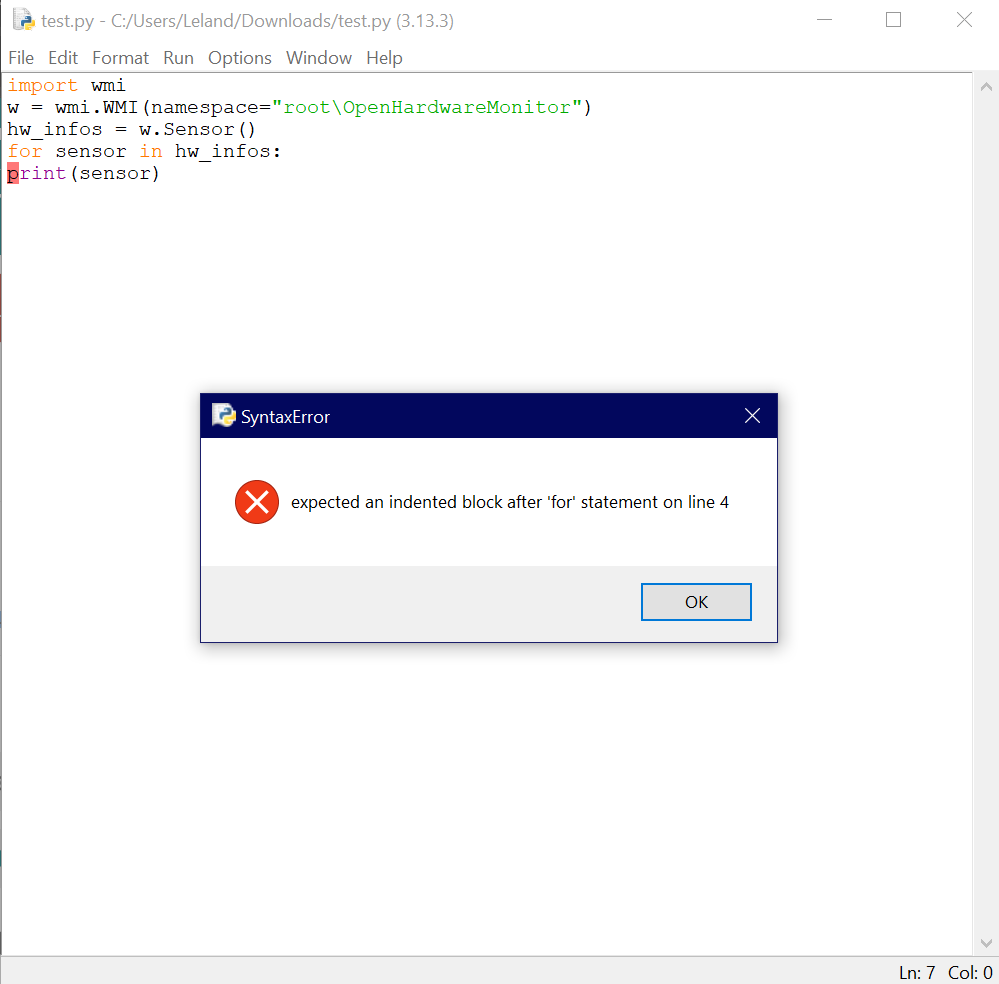
Remember, Python groups instructions by indentation. So the code following the "for" must be part of a group of lines that all share at least one tab indentation.