Getting trivial characters from serial port while printing to the LCD.

Hello guys,
i have been having some troubles with getting data from serial ports. I have made a program that gives you the % CPU usage and RAM through the serial ports. And I am printing them to the LCD with Arduino UNO R3. The program sends "*", "/" and "-" for commands second line first line and remove commands respectively. For example program sends data to Arduino through the serial port like this;

"/" + "percentage usage" + "*" + "RAM usage" + "-"

Print should be like this;

"percentage usage"
"RAM usage"
("-" cleans the screen for the next data")

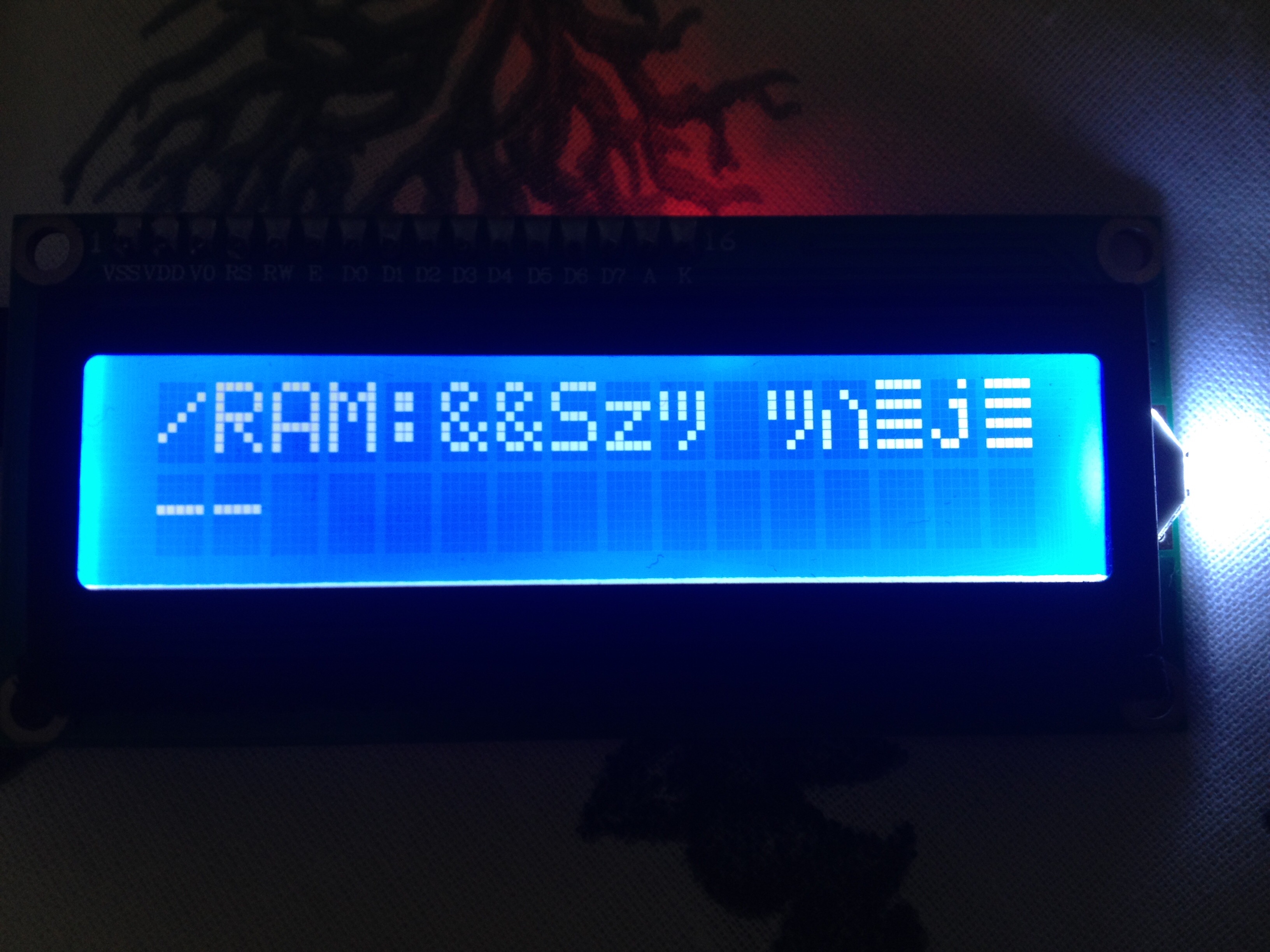
but i get this weird characters like in the attachment.

Here is my arduino code:

#include <LiquidCrystal_I2C.h>
#include <Wire.h>

LiquidCrystal_I2C lcd(0x27,16,2);


void setup() {
lcd.init();
lcd.backlight();
Serial.begin(9600);
}

void loop() {
 
  String content = "";
  char character;

  while(Serial.available()) {
      Serial.flush();
      
      character = Serial.read();
    //  Serial.flush();
      
      content.concat(character);
     // Serial.flush();
}
  

  if (content != "") {
   
    if (content == "/") {
  content = "";
  lcd.setCursor(0,0);
}

if (content == "*") {
  content = "";
  lcd.setCursor(0,1);
}
 
    lcd.print(content);
  }
 
    if (content == "-") {
    lcd.clear();
  }
  
}

If you guys can help me, i would appriciate all your affords. Thank you in advance.

Why are you using Serial.flush() ?

I don't know it sounds like a nice thing to write ;D

But it does not change anything.

I don't know it sounds like a nice thing to write

"I wandered lonely as a cloud" is a nice thing to write, but the C compiler is innoculated against nice things before it it is shipped.

AWOL:
"I wandered lonely as a cloud"

I always prefered "I walked about, a bit, on my own" :slight_smile:

Okay i removed the flushes so what else i can do now?

I suspect that you're sending the values you want printed, rather than a string representation of them.

Either that or you haven't set the same baud rate on your computer as you're using on the arduino.

Does the program on the PC side send the data exactly as you think it does? Send some mock data (e.g. cpu_usage = 0, 1, 48, 65; then same for RAM) and see if you can detect a pattern in the LCD output.

I just modified the code and it is working very nice but there is a little problem about refresh. Sometimes 2nd like does not appear. I think im gonna try some other methods for lcd.clean(); part. I will keep updating this post in order to help other people thay may having the same problem.
#include <LiquidCrystal_I2C.h>
#include <Wire.h>

LiquidCrystal_I2C lcd(0x27,16,2);


void setup() {
lcd.init();
lcd.backlight();
Serial.begin(9600);
}

void loop() {
char character;

while(Serial.available()){

  character = Serial.read();

  if(character == '+'){

    lcd.setCursor(0,0);
  }
  
  else if(character == '*'){

    lcd.setCursor(0,1);
  }
  
  else if(character == '-'){

    lcd.clear();
  }
  else 
  lcd.print(character);

}

}