Have one nRF24L01 transmit to two nRF24L01 receivers?

Is it possible to use one nRF24L01 transmit to two nRF24L01 receivers?

I tried it using a single unit but the second receiver didn't work reliably. I loved it by making two transmitters on different addresses. Ultimately I want to send to 6 receivers from one transmitter.

Thanks for ANY GUIDANCE.

Here is the transmit code

#include <frequencyToNote.h>
#include <MIDIUSB.h>
#include <MIDIUSB_Defs.h>
#include <pitchToFrequency.h>
#include <pitchToNote.h>
#include <SPI.h>
#include <nRF24L01.h>
#include <RF24.h>

/*
 * MIDI Packet:
 * Byte 1 high nibble (most significant 4 bytes): MIDI message
 * Byte 1 low nibble (least significant 4 bytes): Channel number
 * Byte 2: Note number or control change
 * Bytes 3: Velocity or value
 */
 
RF24 radio(7, 8); // CE, CSN
const byte address[6] = "00666";
//const byte addresses[][6] = {"00666", "00667"};
#define MIDI_CHANNEL_1_OFF 0b10000000
#define MIDI_CHANNEL_1_ON 0b10010000
#define MIDI_SERVO_MESSAGE 0b10110000 // 0xB0 is "control change message", 0x00 is channel 1 (servo channel)
midiEventPacket_t MIDIdata, MIDIack;

void setup() {
  // put your setup code here, to run once:
  pinMode(5, OUTPUT); //yellow LED - turns on at Transmit
  radio.begin();
  radio.openWritingPipe(address);
  radio.setPALevel(RF24_PA_MAX);
}

void loop() {
  if (radio.available()) {
    MidiUSB.flush();
  }
  
  MIDIdata = MidiUSB.read();
  if (MIDIdata.header > 0) {
    // A MIDI message is available
    // Send the message on to all receivers on this address and let them figure it out
    radio.write(&MIDIdata, sizeof(MIDIdata)); // Send the MIDI packet
    digitalWrite(5, HIGH);   // turn the LED on (HIGH is the voltage level)
    delay(1000);              // wait for a second
    digitalWrite(5, LOW);    // turn the LED off by making the voltage LOW
  }
}

AND Here is the receiver code:

/*
* Arduino Wireless Communication Tutorial
*       Example 1 - Receiver Code
*                
* by Dejan Nedelkovski, www.HowToMechatronics.com
* 
* Library: TMRh20/RF24, https://github.com/tmrh20/RF24/
*/
#include <SPI.h>
#include <nRF24L01.h>
#include <RF24.h>
#include <MIDIUSB_Defs.h>
#include <Servo.h> 

#define MIDI_SERVO_MESSAGE 0b10110000 // 0xB0 is "control change message", 0x00 is channel 1 (servo channel)
#define MIDI_LED_MESSAGE   0b10110001 // 0xB0 is "control change message", 0x01 is channel 2 (LED channel)

Servo dowser;  // create servo object to control a servo 
Servo balldrop;  // create servo object to control a servo 
RF24 radio(7, 8); // CE, CSN
const byte address[6] = "00666";
midiEventPacket_t MIDIdata;

void setup() {
  pinMode(5, OUTPUT); //Dowser LED Green
  pinMode(3, OUTPUT); //Dowser LED Red
  pinMode(6, OUTPUT); //Ball Drop LED
  Serial.begin(9600);
  radio.begin();
  radio.openReadingPipe(0, address);
  radio.setPALevel(RF24_PA_MAX);
  radio.startListening();
  dowser.attach(9);  // attaches the servo on pin 9 to the servo object 
  dowser.write(90);
  balldrop.attach(4);  // attaches the servo on pin 9 to the servo object 
  balldrop.write(90);
  
  digitalWrite(6, HIGH);   // turn the LED on (HIGH is the voltage level)
  digitalWrite(5, HIGH);   // turn the LED on (HIGH is the voltage level)
  digitalWrite(3, HIGH);   // turn the LED on (HIGH is the voltage level)
  delay(1000);              // wait for a second
  digitalWrite(5, LOW); 
  digitalWrite(3, LOW); 
  digitalWrite(6, LOW); 
}

void loop() {
  if (radio.available()) {
    radio.read(&MIDIdata, sizeof(MIDIdata));
    if (MIDIdata.byte1 == MIDI_SERVO_MESSAGE) {
      // This is a control change message for the first channel (channel 1 in QLab)
      if (MIDIdata.byte2 == 1) {
        // This is a control change message on the first channel for the first device
        // We map the MIDI value/velocity range (0 to 127) to the servo's range (0 to 180 degrees)
        dowser.write(map(MIDIdata.byte3, 0, 127, 0, 180));
        digitalWrite(3, LOW);   // turn the Red LED on Pin 3 OFF
        digitalWrite(5, HIGH);   // turn the LED on (HIGH is the voltage level)
        delay(2000);              // wait for a second
        digitalWrite(5, LOW);    // turn the LED off by making the voltage LOW
      } else if (MIDIdata.byte2 == 2) {
        dowser.write(map(MIDIdata.byte3, 0, 127, 0, 180));
        digitalWrite(3, HIGH);   // turn the Red LED on Pin 3 ON (HIGH is the voltage level)
      } else if (MIDIdata.byte2 == 3) {
        // This is a control change message on the first channel for the third device
        digitalWrite(6, HIGH);   // turn the LED on (HIGH is the voltage level)
        balldrop.write(map(MIDIdata.byte3, 0, 127, 0, 180));
        delay(5000);              // wait for a second
        digitalWrite(6, LOW);    // turn the LED off by making the voltage LOW
      }
    } else if (MIDIdata.byte1 == MIDI_LED_MESSAGE) {
      if (MIDIdata.byte2 == 1) {
        if (MIDIdata.byte3 == 1) {
          // start LED sequence
        } else if (MIDIdata.byte3 == 0) {
          // stop LED sequence        
        }
      }
    }
    // Send acknowledgement back to the PC so we know the message was received
    //sendAck(MIDIdata);
  }
}
If you want to send the same message to several receivers you can do so by giving all the receivers the same address. However you will need to disable the auto-acknowledgement feature on all but one of the receivers otherwise the multiple acknowledgements will corrupt each other. This means that your TX won't know if they all receive the message.

A more reliable way is to give each receiver a separate address and send the message to each of them in turn.

This Simple nRF24L01+ Tutorial includes an example for a master and 2 slaves that can easily be extended to a larger number of slaves. Even if you don't need to receive data from the slaves it will illustrate how to send to different slaves.

...R

@Robin2 Thank you so much for the reply. I really appreciate your careful and detailed tutorials.

I read thru the example here Simple nRF24L01+ 2.4GHz transceiver demo - Exhibition / Gallery - Arduino Forum but have a couple questions.

Is this an actual address or just a place holder?

const byte thisSlaveAddress[5] = {'R','x','A','A','A'};

Would an actual address be 1.123?

Also, your example only has one master and one slave. I don't see how to have two slaves and be able to switch between them?

What would the address of slave two be?

Is this an actual address or just a place holder?

It is the actual address. I find it easier to use characters rather than obscure numbers. The characters RxAAA translate to the numbers 82, 120, 65, 65, 65

In my Tutorial Reply #17 illustrates how to work with 2 slaves

...R

OK thank you. I will try to incorporate that in my sketch.

BTW. how do you disable the auto reply in one receiver in a two receiver set up, if both have the same address?

nizer:
BTW. how do you disable the auto reply in one receiver in a two receiver set up, if both have the same address?

You need to study the RF24 library documentation. See the function setAutoAck()

...R

Great stuff. I got the example working from here and can see the 2 radios working. I can't see where in the code each radios instructions go.

Say I wanted to blink a LED on pin 6 on radio 1 and a LED on pin 4 on Radio 2.

I know:

void setup() {
pinMode(4, OUTPUT); //LED on Radio 2
pinMode(6, OUTPUT); //LED on Radio 1

and:

void loop() {
digitalWrite(4, HIGH); // turn the LED on (HIGH is the voltage level)
delay(2000); // wait for a second
digitalWrite(4, LOW); // turn the LED off by making the voltage LOW

But where in that code would that go?

First off, you don't want to use delay() because the functions delay() and delayMicroseconds() block the Arduino until they complete. That means you are likely to miss radio messages

Have a look at how millis() is used to manage timing without blocking in Several Things at a Time.

And see Using millis() for timing. A beginners guide if you need more explanation.

If you want the LED to blink continuously (or not at all) depending on the wireless message then you need a variable that gets updated by the wireless message - for example ledBlink = true; (or false);

Then you can have code that is called from loop() like this

if (ledBlink == true) {
   flashLed();
}

and the function flashLed() could be like this

void flashLed() {
  static unsigned long lastFlashTime = 0;
  if (millis() - lastFlashTime >= flashInterval) {
     lastFlashTime = millis();
     digitalWrite(ledPin, ! digitalRead(ledPin));
  }
}

The line

  digitalWrite(ledPin, ! digitalRead(ledPin));

reads the ledPin value and then writes the opposite value to the pin - that is what the NOT operator ! does

...R

I guess I really didn't explain my goal. I have the master and 2 slave set up working as the tutorial.

I ultimately want to have a servo move (and a LED light up) on slave 1 and a different servo move (and a LED light up) on slave 2. Each would receive a different signal (in my case MIDI from QLab via a MIDI USB to the RF board.

I have the MIDI part and servo and LED part done and working on individual RF to RF units but don't know where to put this code in the new Master to have it head on to the 2 slaves as it is fired from QLab.

Here is the code for the Transmitter with only 1 RF unit and no feedback. As you can see we send out a generic MIDI message and let the receiver sort it out. My friend wrote this and knows way more than I.

#include <frequencyToNote.h>
#include <MIDIUSB.h>
#include <MIDIUSB_Defs.h>
#include <pitchToFrequency.h>
#include <pitchToNote.h>
#include <SPI.h>
#include <nRF24L01.h>
#include <RF24.h>

/*

  • MIDI Packet:
  • Byte 1 high nibble (most significant 4 bytes): MIDI message
  • Byte 1 low nibble (least significant 4 bytes): Channel number
  • Byte 2: Note number or control change
  • Bytes 3: Velocity or value
    */

RF24 radio(7, 8); // CE, CSN
const byte address[6] = "00666";
//const byte addresses[][6] = {"00666", "00667"};
#define MIDI_CHANNEL_1_OFF 0b10000000
#define MIDI_CHANNEL_1_ON 0b10010000
#define MIDI_SERVO_MESSAGE 0b10110000 // 0xB0 is "control change message", 0x00 is channel 1 (servo channel)
midiEventPacket_t MIDIdata, MIDIack;

void setup() {
// put your setup code here, to run once:
pinMode(5, OUTPUT); //yellow LED - turns on at Transmit
radio.begin();
radio.openWritingPipe(address);
radio.setPALevel(RF24_PA_MAX);
}

void loop() {
if (radio.available()) {
MidiUSB.flush();
}

MIDIdata = MidiUSB.read();
if (MIDIdata.header > 0) {
// A MIDI message is available
// Send the message on to all receivers on this address and let them figure it out
radio.write(&MIDIdata, sizeof(MIDIdata)); // Send the MIDI packet
digitalWrite(5, HIGH); // turn the LED on (HIGH is the voltage level)
delay(1000); // wait for a second
digitalWrite(5, LOW); // turn the LED off by making the voltage LOW
}
}

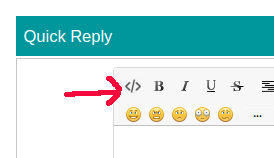
To make it easy for people to help you please modify your post and use the code button </>
codeButton.png

so your code 
looks like this

and is easy to copy to a text editor. See How to use the Forum

I had hoped you would follow the example of using the code button that I showed in Reply #7

Your code is too long for me to study quickly without copying to my text editor.

How is the Arduino supposed to know which Midi data should go to which slave? (By the way I know nothing about Midi or music)

...R

So sorry for the rookie error on the code formatting. I was using it but missed it on that one.

Basically, we made it so the transmitter just blasts out ANY midi it receives and let the receivers sort out what to do with it.

So my question is where does "the bit" get placed in your eloquent example.

Ultimately, this is "the bit" that needs to head off to ALL receivers.

MIDIdata = MidiUSB.read();
if (MIDIdata.header > 0) {
  radio.write(&MIDIdata, sizeof(MIDIdata));

For reference I am including the full Transmitter sketch below as well.

#include <frequencyToNote.h>
#include <MIDIUSB.h>
#include <MIDIUSB_Defs.h>
#include <pitchToFrequency.h>
#include <pitchToNote.h>
#include <SPI.h>
#include <nRF24L01.h>
#include <RF24.h>

/*
 * MIDI Packet:
 * Byte 1 high nibble (most significant 4 bytes): MIDI message
 * Byte 1 low nibble (least significant 4 bytes): Channel number
 * Byte 2: Note number or control change
 * Bytes 3: Velocity or value
 */
 
RF24 radio(7, 8); // CE, CSN
const byte address[6] = "00666";
//const byte addresses[][6] = {"00666", "00667"};
#define MIDI_CHANNEL_1_OFF 0b10000000
#define MIDI_CHANNEL_1_ON 0b10010000
#define MIDI_SERVO_MESSAGE 0b10110000 // 0xB0 is "control change message", 0x00 is channel 1 (servo channel)
midiEventPacket_t MIDIdata, MIDIack;

void setup() {
  // put your setup code here, to run once:
  pinMode(5, OUTPUT); //yellow LED - turns on at Transmit
  radio.begin();
  radio.openWritingPipe(address);
  radio.setPALevel(RF24_PA_MAX);
}

void loop() {
  if (radio.available()) {
    MidiUSB.flush();
  }
  
  MIDIdata = MidiUSB.read();
  if (MIDIdata.header > 0) {
    // A MIDI message is available
    // Send the message on to all receivers on this address and let them figure it out
    radio.write(&MIDIdata, sizeof(MIDIdata)); // Send the MIDI packet
    digitalWrite(5, HIGH);   // turn the LED on (HIGH is the voltage level)
    delay(1000);              // wait for a second
    digitalWrite(5, LOW);    // turn the LED off by making the voltage LOW
  }
}

I'm struggling to understand what exactly you are unsure about. The code in Reply #10 makes no attempt to send to two different devices and it is not derived from my MultiTx example.

Following is the send() function from that example with some extra comments about where your Midi code might go. It would be a lot more sensible to have the midi code in its own function called from loop() but this seems the best way to explain how it might work.

void send() {

// EXTRA COMMENT - if you want to send the same midi data to both slaves
//                  then gather the data here

        // call each slave in turn
    for (byte n = 0; n < numSlaves; n++){

// EXTRA COMMENT - if you want to send different midi data to both slaves
//                 then gather it here


            // open the writing pipe with the address of a slave
        radio.openWritingPipe(slaveAddress[n]);

            // include the slave number in the message
        dataToSend[5] = n + '0';

        bool rslt;
        rslt = radio.write( &dataToSend, sizeof(dataToSend) );
            // Always use sizeof() as it gives the size as the number of bytes.
            // For example if dataToSend was an int sizeof() would correctly return 2

        Serial.print("  ========  For Slave ");
        Serial.print(n);
        Serial.println("  ========");
        Serial.print("  Data Sent ");
        Serial.print(dataToSend);
        if (rslt) {

// EXTRA COMMENT - if you don't need your slaves to send back data then you won't need this piece

            if ( radio.isAckPayloadAvailable() ) {
                radio.read(&ackData, sizeof(ackData));
                newData = true;
            }
            else {
                Serial.println("  Acknowledge but no data ");
            }
            updateMessage();
        }
        else {
            Serial.println("  Tx failed");
        }
        showData();
        Serial.print("\n");
    }

    prevMillis = millis();
 }

Separately ...

This code in you example is pointless because the wireless is not listening

  if (radio.available()) {
    MidiUSB.flush();
  }

...R