Hi everyone,
I am trying to find a way to make Arduino CLI retain the intermediate assembly (.S) files generated during compilation. In the build folder, I only see the final .elf file.
I attempted to add a -S parameter directly in the command line, similar to how it's used with GCC, but it doesn't seem to work.
Could someone assist me with this? I appreciate your help very much.
PS: I do not want to disassemble the final .elf file to get the assembly (.S) files because my goal is to potentially modify the intermediate assembly(.S) files.
To retain the intermediate assembly (.S) files generated during Arduino CLI compilation, you can use the -save-temps option in the GCC command. Follow these steps:
Create a platform.local.txt file in your Arduino core folder (usually in Arduino/hardware/arduino/avr or similar).
Add the following line:
compiler.cpp.extra_flags=-save-temps
Save the file.
This will instruct the compiler to keep all intermediate files, including .S assembly files, in the build folder.
Now, compile your sketch using Arduino CLI, and you should see the .S files generated alongside the other output files
It probably doesn't work because (some) arduino compiles use "link time optimization", which means that not very much happens during the "compile" command. (it also means that the machine code generated from your .ino file is strongly influenced by other things, as well. For example, "blink" will end up with all the setup and loop code in main(), and perhaps use a specialized version of digitalWrite() that only manipulates pin 13.)
Given that, I don't know if there is a way to get the output you want. (perhaps, use minicore, which allows you to turn off link-time optimization...)
Unfortunately, after trying your method, the assembly (.S) files still weren't generated. Perhaps it's due to Link Time Optimization (LTO), as westfw mentioned?
You're right, the assembly (.S) files still weren't generated. I looked into Minicore and found that it's specifically designed for AVR microcontrollers, but I'm using an Arduino Zero, which means it has a SAMD microcontroller. Do you have any other suggestions that could help me generate the assembly (.S) files?
Copy the "compiling sketch" command from the build window, paste it into a command-line processor, and modify it to add the -S and remove -flto (and change the -ooutputfile.elf, too.)
It's sort-of sad how often I end up doing things like this (in my case, usually for -E output, or to change optimization...)
Secondly, I would also like to use the -E output and change optimization.
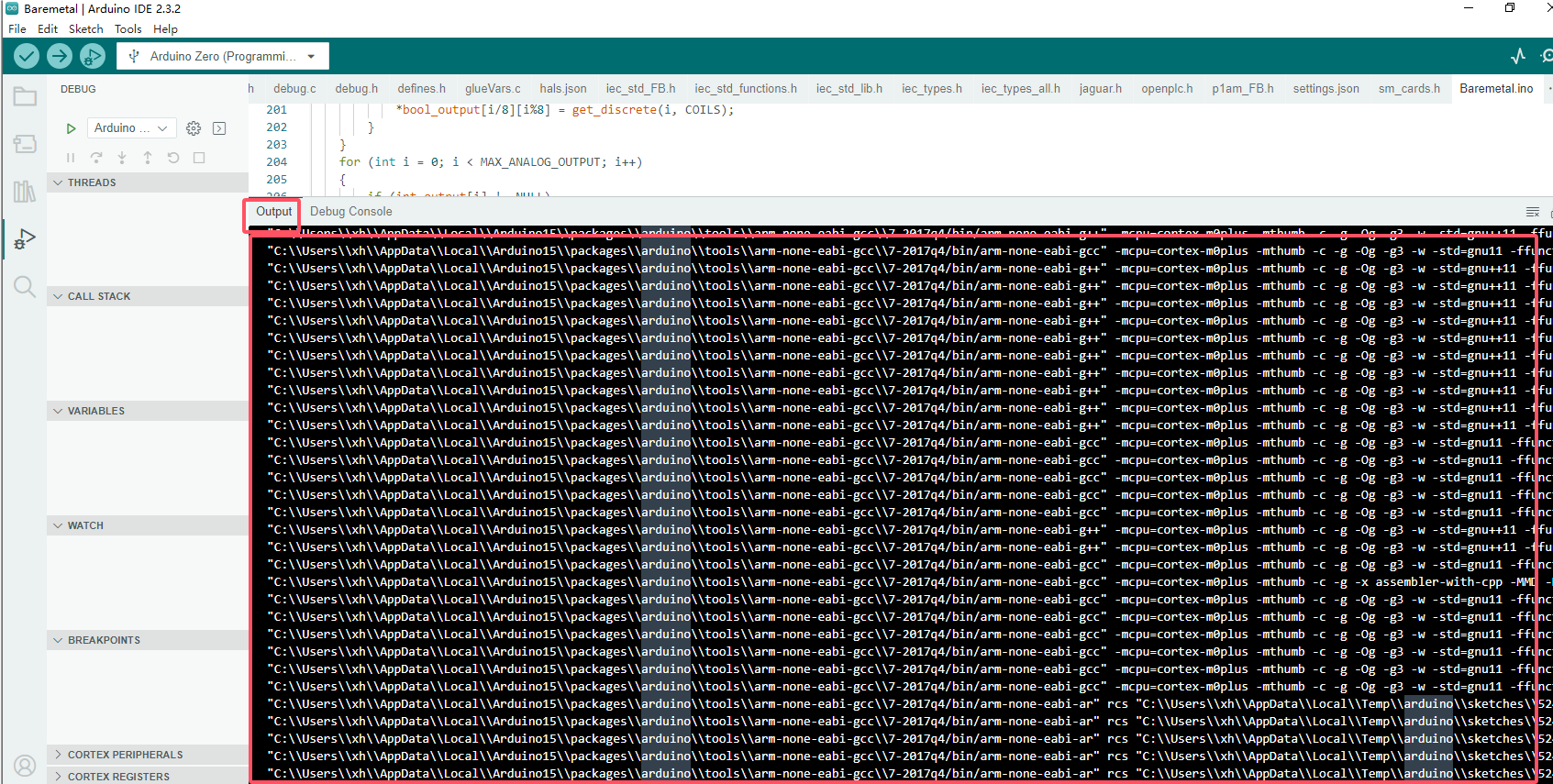
Therefore, I would like to ask where I can find the 'build window' you mentioned. Is it referring to the output in the Arduino IDE, as shown in the image below?
Yep, that’s the one. The “compiling sketch “ heading should be near the top. It might be worth introducing a small error to prevent the rest from being built…
"Okay, thanks, I see 'compiling sketch'.
Then I have another question: when I compile again, the 'compiling sketch' output seems incomplete, as if some cached items are no longer being compiled. Is there a way to ensure that it outputs the complete compilation information every time?"
The full build of a sketch involves the individual compilation of MANY files. Under ideal circumstances, that will result in many individual .S files, which would be assembled and linked together to make your final binary.
Is there a particular section that you are interested in looking at the ASM for?
Can you explain more about your actual purpose?
I think there are some specialty disassemblers that will produce asm files than can be assembled again (usually aimed at reverse engineering and patching binary-only programs.)
Got it. I checked and found that it doesn't support emulation for Arduino Zero, but I tried other boards and followed the steps to view their .lst files, such as the sketch.lst for Arduino Uno. It’s indeed great for reviewing and understanding assembly language. Thanks!