HELP! Can't make the ILI9341 show a full screen with Arduino or ESP32

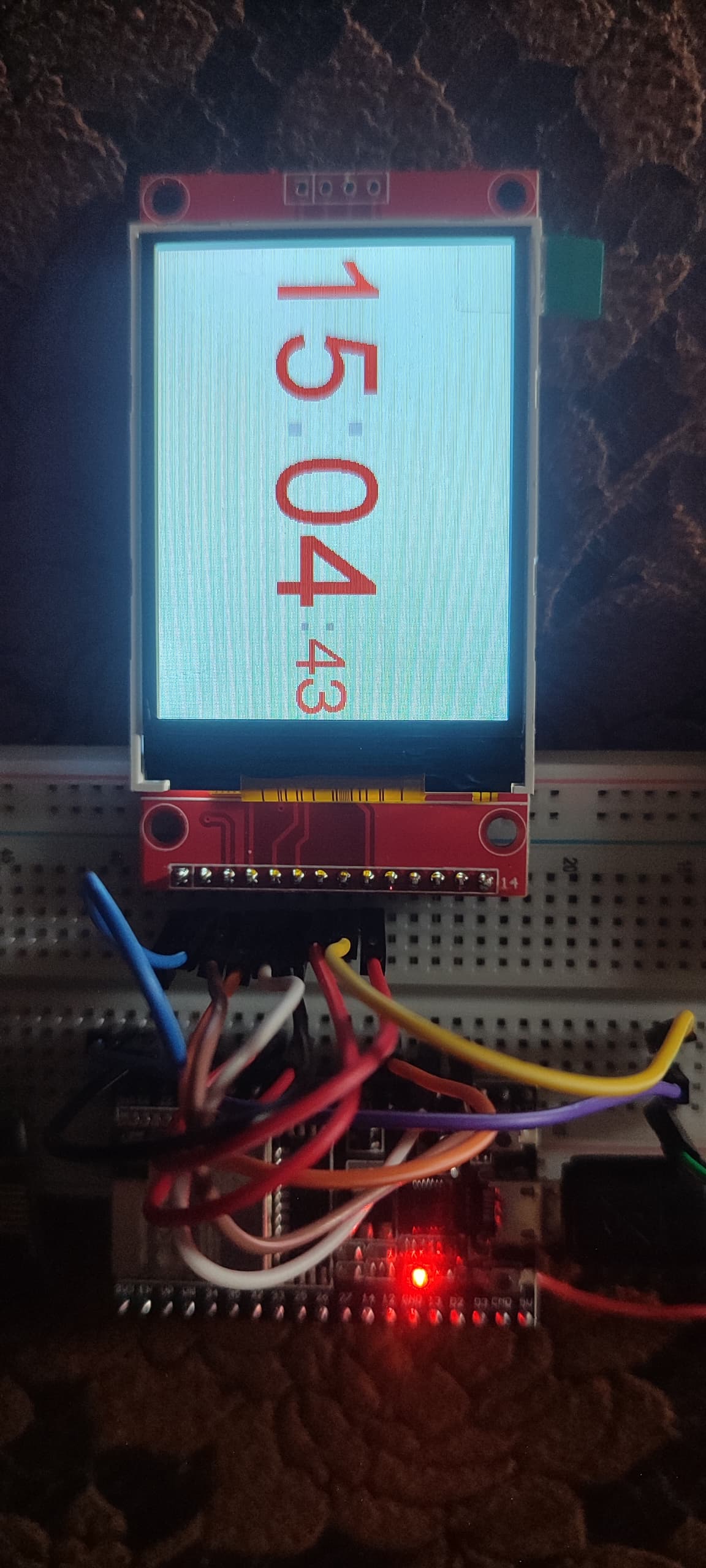
I just got into micro controllers. I bought an ILI9341 TFT display on AliExpress to get familiar with the ESP32 micro controller family. I am trying to print a simple text on the LCD, but it does not show a full screen. I don't know what I did wrong.
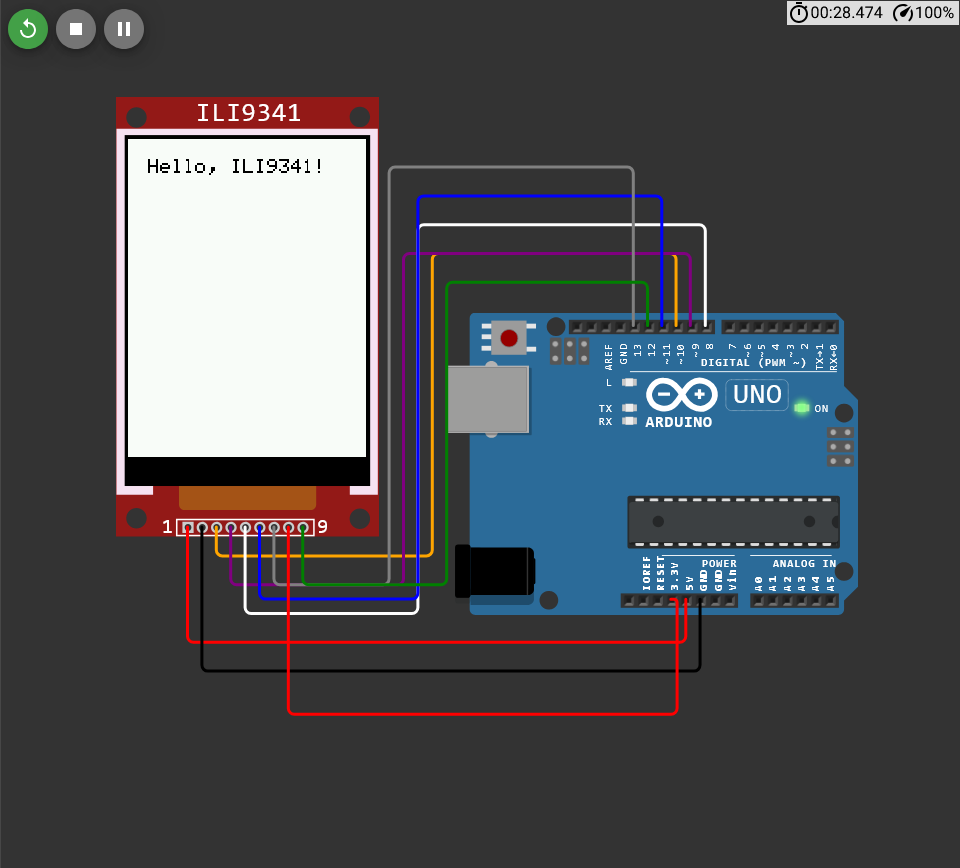
I tried using a simulator to see if the LCD i got was the issue, but even the ILI9341 on the simulator is not rendering a full screen of display. Please help.

Here are the pictures of the issue:
ESP32 Real Board and Display:

ESP32 Simulator:

Arduino UNO Simulator:

Here is the code I used:
For ESP32 (Simulator/Real Board):

#include <SPI.h>
#include <Adafruit_GFX.h>
#include <Adafruit_ILI9341.h>

#define TFT_CS    5
#define TFT_RST   4
#define TFT_DC    2
#define TFT_MOSI  23
#define TFT_SCK   18
#define TFT_MISO  19

Adafruit_ILI9341 tft = Adafruit_ILI9341(TFT_CS, TFT_DC, TFT_RST);

void setup() {
    tft.begin();
    
    tft.setRotation(3);
    tft.fillScreen(ILI9341_WHITE);

    tft.drawRect(0, 0, tft.width(), tft.height(), ILI9341_WHITE);

    int centerX = tft.width() / 2;
    int centerY = tft.height() / 2;
    int radius = min(tft.width(), tft.height()) / 2;

    tft.fillCircle(centerX, centerY, radius, ILI9341_PURPLE);
}

void loop() {
}

For Arduino UNO (Simulator):

#include <Adafruit_GFX.h>
#include <Adafruit_ILI9341.h>

// Define pins
#define TFT_CS   10
#define TFT_DC   8
#define TFT_RST  9  // Optional, can be connected to Arduino reset

Adafruit_ILI9341 tft = Adafruit_ILI9341(TFT_CS, TFT_DC, TFT_RST);

void setup() {
    tft.begin();
    tft.fillScreen(ILI9341_WHITE);
    tft.setCursor(20, 20);
    tft.setTextColor(ILI9341_BLACK);
    tft.setTextSize(2);
    tft.println("Hello, ILI9341!");
}

void loop() {
}


Please Help.

To me, the "snowy" part means "out of bounds," be it an array or memory.

Try the TFT_eSPI library on the ESP32, seems to be more commonly used than the Adafruit.

@obblit Tried both of your examples with an ESP32 wired as per your ESP32 (Simulator/Real Board) sketch cs-5 rst-4 dc-2 mosi - 23 sck - 18 miso -19. and they both worked fine.

The only difference I can see is that I powered my tft with 3.3v. Hard to see the pin numbers of the ESP32 in your simulation.

I drew two horizontal lines one at 0,1 and one at 0,318 just to see if the height looked right. They both looked good. My display has a wider black border along the side that has the connector and that is normal.

Your picture does not look good, possibly loose connections or bad display.

Turns out I made a mistake. The display is an ST7789 instead of an ILI9341. I used the TFT_eSPI library for the ILI9341, but it didn't work, so I changed the pins connection to match that of the ST7789 and changed the User_Setup.h configuration to match that of the ST7789.
It worked perfectly.
Thank you so much.

Thank you so much.
This helped me a lot.
Turns out I made a mistake. The display is an ST7789 instead of an ILI9341. I found that out by trying the TFT_eSPI library.
I change the configuration and pin connection that of the ST7789 and it worked.

Thank you.

those are your problems... if it were bad.. lol

I made a mistake. Sorry. The screen was an ST7789.
I didn't even know that black border is a normal thing. I thought it was an error on the code.

Thank you so much.

no problem, I'm glad you were able to figure it out.

So sorry guys. It was a mistake on my part. The display is an ST7789 not an ILI9341.
I used the TFT_eSPI library and set the configuration on the 'User_Setup.h' file to that of the ST7789, which I learnt from the video on this link tutorial video.
The display works well.

As for the simulator, I did not know that a black border at the bottom of the screen is a normal thing.

Thank you so much for the help.

LOL. Well... what to do... Have to work with what you've got.

The problem has been fixed. It was my mistake.
Thanks a lot.

haha no problem! I guess you do have to do what you have to do! but I would recommend digikey cause they have like... EVERYTHING!

just one hour ago on an other topic opened by yourself I recommended you Displays from AliExpress. It seemed like you have no idea what they are and where to buy. I wonder if you already bought one and tried it to say they are bad.
actually I buy all my stuff on AliExpress and never had major problems with it.

Umm, sorry. Maybe there's a mistake somewhere. This is my first post on the forum.

Maybe it's another user with a similar username.

sorry, I was talking to @jonathan-carre

Oh. Alright then. My bad.

oh sorry I'm just saying I've got some stuff of aliexpress and it came in pretty bad condition!