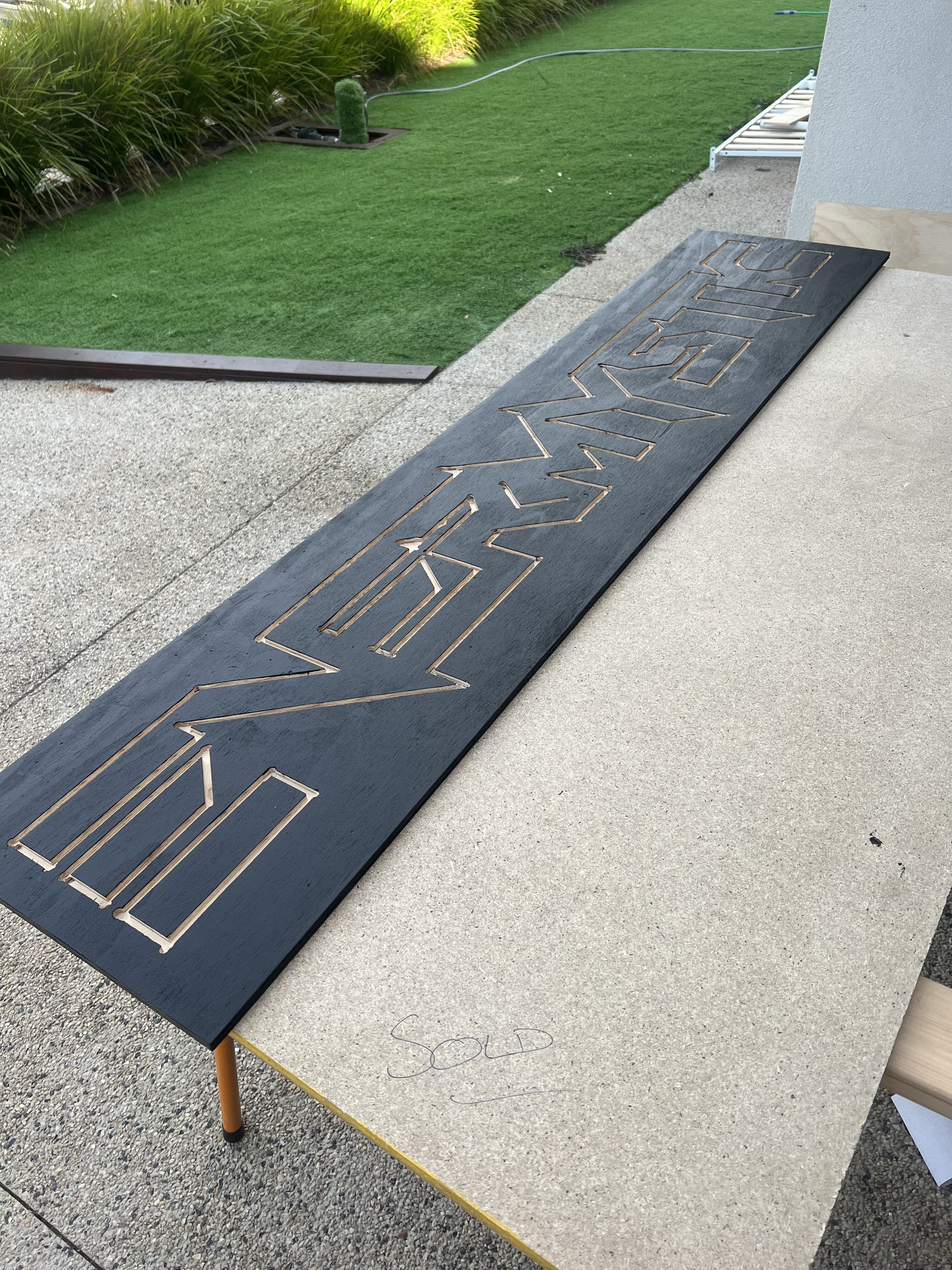
I have a sign made of 6 peace’s that make up a word EVERMYSTIC , how can I display each letter when all leds are in basically one strip connected together ? For example when I have part of E. Bottom , middle and top would be different parts of the strip, how can I code to turn all those parts on and off to make up that letter ? Thank you
Welcome to the forum
What type of LED strip are you using ?
I assume that the LEDs are not individually addressable
With continuous LED strips the best that you can do is to use multiple individual strips for the parts of the sign that you want to control
1 Like
Is it an addressable strip that is cut in parts and put together to make a matrix like display?
I’m using WS2811 12V LED strip
I'll thank you to post the code that runs this strip. from which it will be clear if you are hosed or only mildly inconvenienced by the facts in front of you.
a7
Then you can turn on any combination of LEDs that you choose
Is your question really about how to define the LEDs to be turned on for a portion of the strip ?
1 Like
Yes . So if I want Y for example it would be something like: 120 to 150 and 340 to 360 and so on, so I can just turn parts of the strip on and have them In a variable Y for example so I can Always just turn letter Y
Putting a set of ranges in a variable is not impossible but it is a bit complicated. I would have a function for each letter:
void LetterY(CRGB color)
{
  for (int i=120; i<=150; i++)
    strip.setPixelColor(i, color);
  for (int i=340; i<=360; i++)
    strip.setPixelColor(i, color);
}
Note that I don't know what library you are using so I can only guess what functions are available.
1 Like
If you define every character as a small 5x9 matrix, you can make one general function (assuming you have 9 lines in your matrix).
@madled79
Please confirm that the LEDs are in a matrix or, if not, then exactly how they are arranged
1 continuous strip connected with 6 pieces of cuts together
Please share a picture. You seem to have only 6 lines. That will not make very nice characters...
But it could do...
Using the Fastled library each led has a 3 byte color struct that you can chsnge the values and run the .show() function to load all of the array to the led modules.
I have WS2811 that I call led strings with nice hobby friendly wires between the diffused 12mm dia bulbs.
Your code could have a 2D array of how the bulbs are arranged physically where the value at each row&column is which led number in the fastled array which is 1D. How you make letters... it takes 48 pixels to make a single 6x8 char and my 2811's came 50 per string! Center to center, perhaps 25mm-30mm on black background.
Here's a tip, if you want lower case decenders on g's and p's, you can't get away with no-led-char borders at 8x6. I had a solid dot-matrix printer in the 80's that made gaps between text lines and raised small fonts. It was fast and built like a tank so it got used a lot even after I sold it.
Write somethong that works, then write what you know better from that and throw the first away! Just doing that will make you a better programmer.
1 Like
very cool. but if it programming question where is your program?
answer is easy, you will see. trust me, i made " Giant Hidden Shelf Edge Clock".
and count how much LEDs take each letter.
Ok, so no matrix...
Just make a list of ledNrs per character and do as suggested by john wasser.
Your software can keep an internal matrix just to map 2D physical positions to actual led numbers.
You know about 2D arrays, row and column is good old X and Y?
You have to do some abstracting here, model the reality of leds you wired and placed. Get it right once, works forever!
1 Like
This topic was automatically closed 180 days after the last reply. New replies are no longer allowed.