Hi,
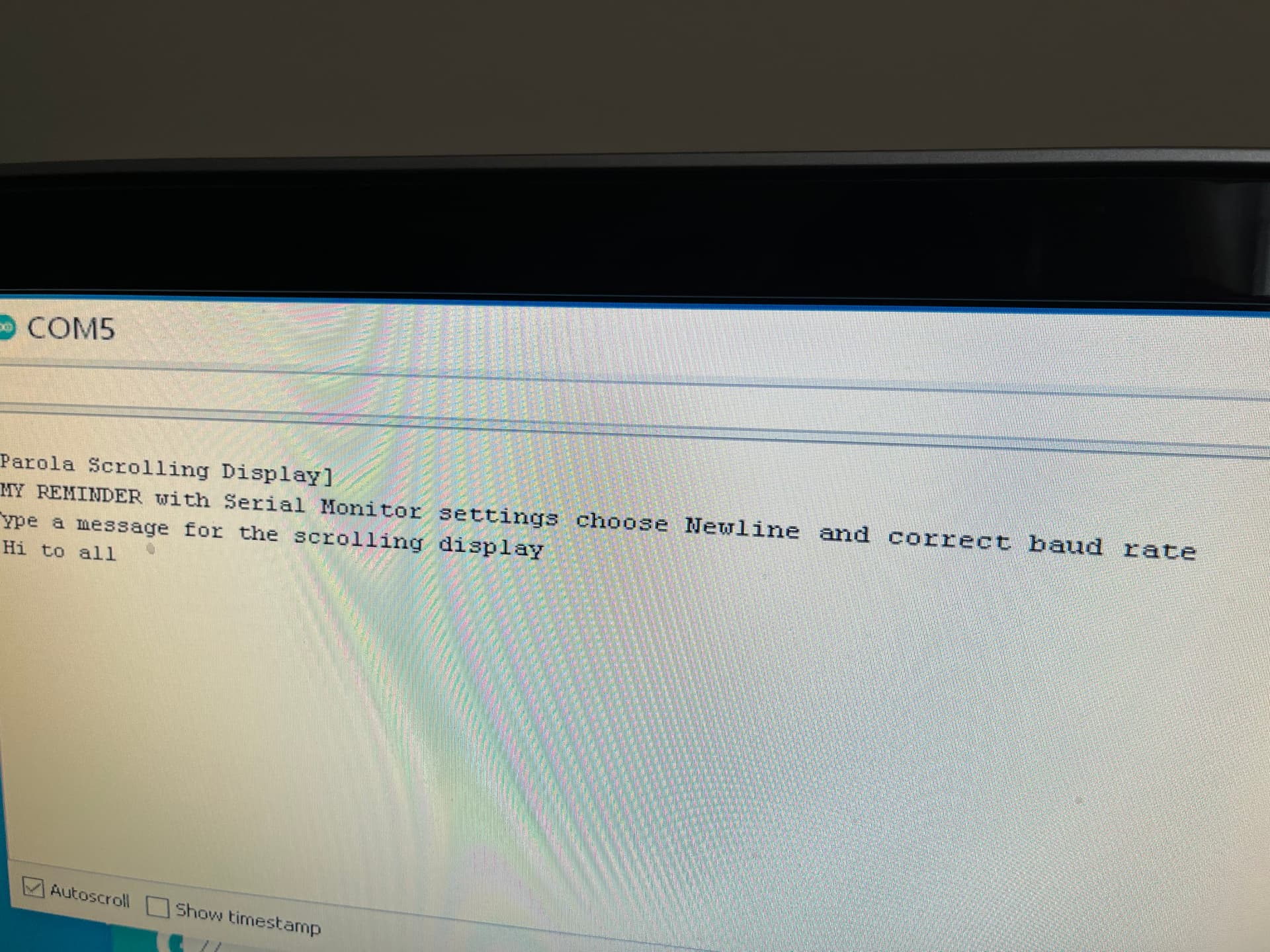
Sketch below is for Parola scrolling to MAX7219; works fine. I can type new message in Serial Monitor and press send it begins to scroll the new message.
Could someone advise what lines of code to add or change in my sketch so that:
when I press Send on the Serial Monitor,
the new message is also "printed out on the serial monitor"
Reason being, if my MAX7219 is not visible to me (that is, I'm not looking at it) I'd like to see on the serial monitor what message is currently scrolling.
Thank You
#include <MD_Parola.h>
#include <MD_MAX72xx.h>
#include <SPI.h>

// set to 1 if we are implementing the user interface pot, switch, etc
#define USE_UI_CONTROL 0

#if USE_UI_CONTROL
#include <MD_UISwitch.h>
#endif

// Turn on debug statements to the serial output
#define DEBUG 0

#if DEBUG
#define PRINT(s, x) { Serial.print(F(s)); Serial.print(x); }
#define PRINTS(x) Serial.print(F(x))
#define PRINTX(x) Serial.println(x, HEX)
#else
#define PRINT(s, x)
#define PRINTS(x)
#define PRINTX(x)
#endif

// Define the number of devices we have in the chain and the hardware interface
// NOTE: These pin numbers will probably not work with your hardware and may
// need to be adapted
#define HARDWARE_TYPE MD_MAX72XX::FC16_HW
#define MAX_DEVICES 11
#define CLK_PIN   13  // or SCK    52  13
#define DATA_PIN  11  // or MOSIB  51  11
#define CS_PIN    10  // or SS     53  10

// HARDWARE SPI
MD_Parola P = MD_Parola(HARDWARE_TYPE, CS_PIN, MAX_DEVICES);
// SOFTWARE SPI
//MD_Parola P = MD_Parola(HARDWARE_TYPE, DATA_PIN, CLK_PIN, CS_PIN, MAX_DEVICES);

// Scrolling parameters
#if USE_UI_CONTROL
const uint8_t SPEED_IN = A5;
const uint8_t DIRECTION_SET = 8;  // change the effect
const uint8_t INVERT_SET = 9;     // change the invert

const uint8_t SPEED_DEADBAND = 5;
#endif // USE_UI_CONTROL

uint8_t scrollSpeed = 35;    // default frame delay value
textEffect_t scrollEffect = PA_SCROLL_LEFT;
textPosition_t scrollAlign = PA_LEFT;
uint16_t scrollPause = 2000; // in milliseconds

// Global message buffers shared by Serial and Scrolling functions
#define	BUF_SIZE	75
char curMessage[BUF_SIZE] = { "" };
char newMessage[BUF_SIZE] = { "Hello World" };
bool newMessageAvailable = true;

#if USE_UI_CONTROL

MD_UISwitch_Digital uiDirection(DIRECTION_SET);
MD_UISwitch_Digital uiInvert(INVERT_SET);

void doUI(void)
{
  // set the speed if it has changed
  {
    int16_t speed = map(analogRead(SPEED_IN), 0, 1023, 10, 150);

    if ((speed >= ((int16_t)P.getSpeed() + SPEED_DEADBAND)) ||
        (speed <= ((int16_t)P.getSpeed() - SPEED_DEADBAND)))
    {
      P.setSpeed(speed);
      scrollSpeed = speed;
      PRINT("\nChanged speed to ", P.getSpeed());
    }
  }

  if (uiDirection.read() == MD_UISwitch::KEY_PRESS) // SCROLL DIRECTION
  {
    PRINTS("\nChanging scroll direction");
    scrollEffect = (scrollEffect == PA_SCROLL_LEFT ? PA_SCROLL_RIGHT : PA_SCROLL_LEFT);
    P.setTextEffect(scrollEffect, scrollEffect);
    P.displayClear();
    P.displayReset();
  }

  if (uiInvert.read() == MD_UISwitch::KEY_PRESS)  // INVERT MODE
  {
    PRINTS("\nChanging invert mode");
    P.setInvert(!P.getInvert());
  }
}
#endif // USE_UI_CONTROL

void readSerial(void)
{
  static char *cp = newMessage;

  while (Serial.available())
  {
    *cp = (char)Serial.read();
    if ((*cp == '\n') || (cp - newMessage >= BUF_SIZE - 2)) // end of message character or full buffer
    {
      *cp = '\0'; // end the string
      // restart the index for next filling spree and flag we have a message waiting
      cp = newMessage;
      newMessageAvailable = true;
    }
    else  // move char pointer to next position
      cp++;
  }
}

void setup()
{
  Serial.begin(57600);
  Serial.print("\n[Parola Scrolling Display]\n use Newline in Serial Monitor\nType a message for the scrolling display");

#if USE_UI_CONTROL
  uiDirection.begin();
  uiInvert.begin();
  pinMode(SPEED_IN, INPUT);

  doUI();
#endif // USE_UI_CONTROL

  P.begin();
  P.displayText(curMessage, scrollAlign, scrollSpeed, scrollPause, scrollEffect, scrollEffect);
}

void loop()
{
#if USE_UI_CONTROL
  doUI();
#endif // USE_UI_CONTROL

  if (P.displayAnimate())
  {
    if (newMessageAvailable)
    {
      strcpy(curMessage, newMessage);
      newMessageAvailable = false;
    }
    P.displayReset();
  }
  readSerial();
}