I'm trying to work my way through the built-in sketches in the Web Editor. When I got to the Communications category and the sketch called Dimmer I couldn't get it to work. I downloaded Processing 4.3 and extracted it but the project doesn't work as described. Even though these sketches are built-in, they sure are short on instructions. Can you help me with this? Thanks again for your help in the past.
is this the sketch you are talking about
const int ledPin = 9;      // the pin that the LED is attached to

void setup() {
  // initialize the serial communication:
  Serial.begin(9600);
  // initialize the ledPin as an output:
  pinMode(ledPin, OUTPUT);
}

void loop() {
  byte brightness;

  // check if data has been sent from the computer:
  if (Serial.available()) {
    // read the most recent byte (which will be from 0 to 255):
    brightness = Serial.read();
    // set the brightness of the LED:
    analogWrite(ledPin, brightness);
  }
}
What isn't working ? what board are you using ? have you wired a LED + resistor to the appropriate pin ?
Hello Deva,
Yes that is the correct sketch. You're supposed to be able to dim the light by moving your mouse, and that isn't happening. The point is I'm not sure what I'm supposed to do with this Processing 4.3 that I downloaded.
The board that I'm using is an Arduino Uno R3 clone. And I'm sure I've connected the LED and wires correctly, as I've gone over the diagram many times. Thanks for helping me out with this.
Maurice
As far as i can tell you are supposed to enter a value in the Serial monitor.
HI, @moecat
Does the example give you a Processing code as well?
You need to run some code in Processing so it can use your mouse movements and convert them to figures to pass onto the Arduino.
A Processing code file has a .pde suffix.
What model Arduino microcontroller are you using?
Thanks.. Tom.. 


That will not quite work if I look at the Arduino sketch; the code expects binary data, not a text.
In case there is no Processing example, this is possibly the simplest of simple Processing sketch to send data to an Arduino. It uses the mouse (x position) to calculate a value and sends it constantly to the Arduino.
import processing.serial.*;

Serial myPort;

void setup()
{
  // just a window
  size(300, 300);
  // open serial port
  myPort = new Serial(this, "COM8", 9600);
}


void draw()
{
  // get the mouse position
  int mousePos = mouseX;
  // calculate the value to be sent
  byte dimValue = (byte)(mousePos % 256);
  // write the value to the Arduino
  myPort.write(dimValue);
}
- Start Processing and paste the above in a new sketch.
- You will need to adjust
myPort = new Serial(this, "COM8", 9600);to reflect the correct serial port. <ctrl>Rwill run the sketch.
Moving the mouse horizontally will change the brightness of the LED.
Note:
Plenty of improvements possible in the Processing sketch.
Side note:
Please be aware that we do not exactly know where that Dim example is; in future, please post a link so it's easier for people to find it.
The Processing sketch is in a comment at the bottom of the example Arduino sketch. If for some reason the forum helpers don't want to look at the example in Arduino Cloud Editor or Arduino IDE, you can also see it here in the source repository for the examples:
Hi,
And here;
Tom... 


I obtained a copy of Make: Getting Started with Processing, and tried to do the first example of communicating with Arduino where you simply read a sensor. And even though I copied the codes directly out of the book for the Arduino board and for the Processing software, I still couldn't get it to work.
I got a syntax error message which I can't make sense of. See the photos below. Can anybody tell me what I got wrong. Thank you for your help.
Maurice
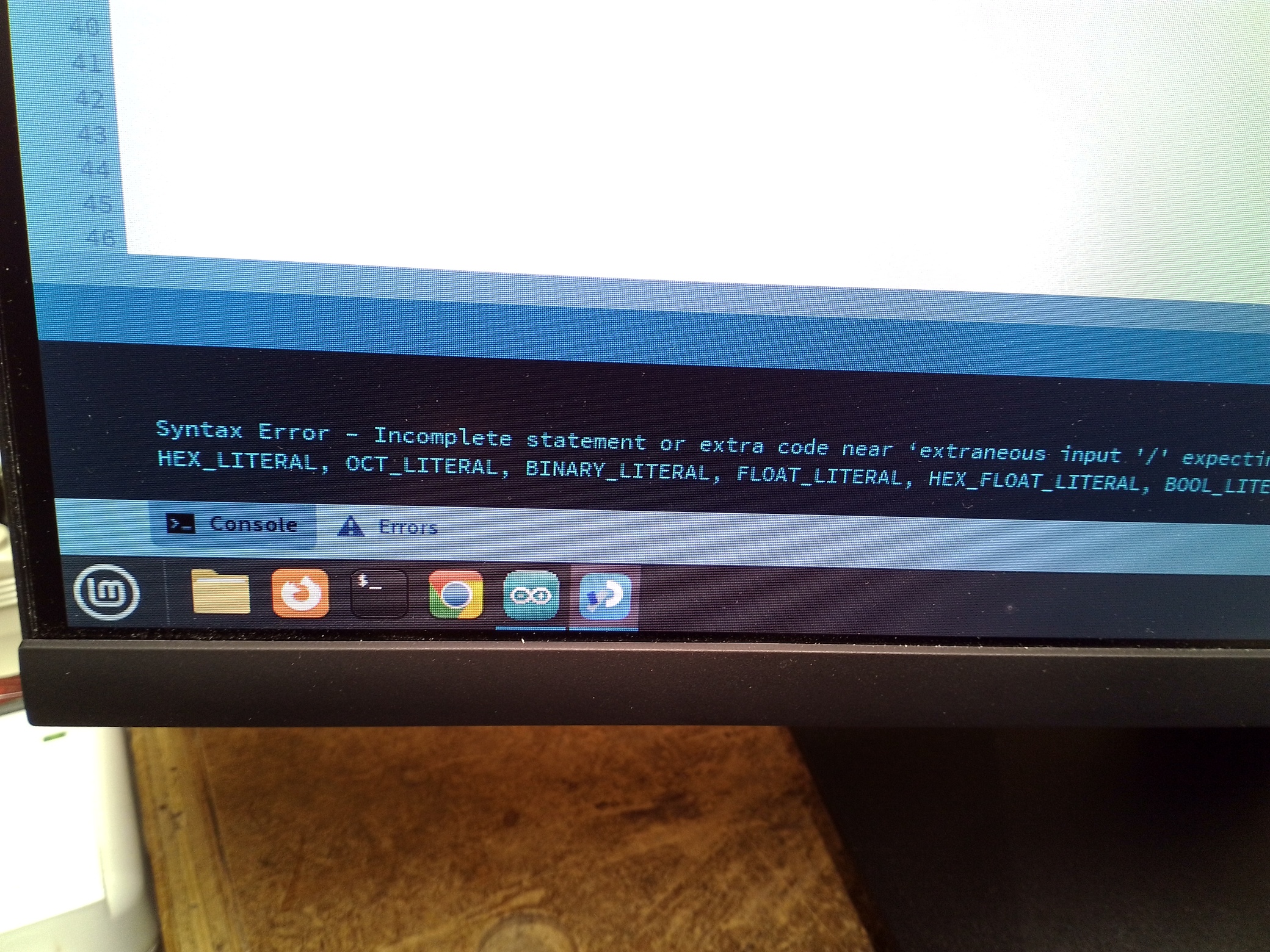
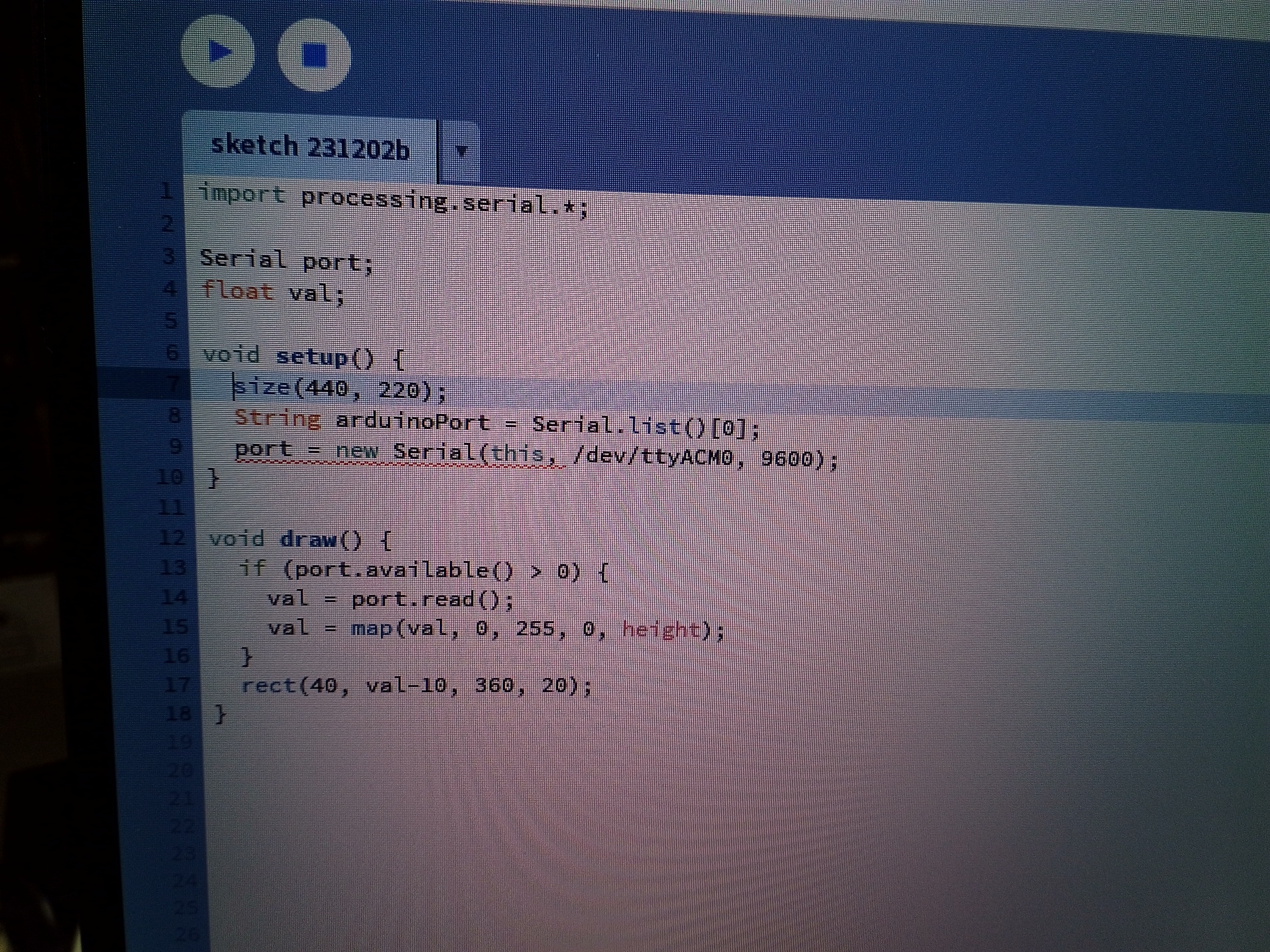
Don't post screenshots of code; copy and paste code here and use code tags.
The second argument needs to be a String; /dev/ttyACM0 is not a String.
Try this
port = new Serial(this, "/dev/ttyACM0", 9600);
That's pretty evil, hiding the code in a comment within the Dimmer.ino file.
Here it is extracted:
  // Processing code for this example

  // Dimmer - sends bytes over a serial port

  // by David A. Mellis
  // This example code is in the public domain.

  import processing.serial.*;
  Serial port;

  void setup() {
    size(256, 150);

    println("Available serial ports:");
    // if using Processing 2.1 or later, use Serial.printArray()
    println(Serial.list());

    // Uses the first port in this list (number 0). Change this to select the port
    // corresponding to your Arduino board. The last parameter (e.g. 9600) is the
    // speed of the communication. It has to correspond to the value passed to
    // Serial.begin() in your Arduino sketch.
    port = new Serial(this, Serial.list()[0], 9600);

    // If you know the name of the port used by the Arduino board, you can specify
    // it directly like this.
    //port = new Serial(this, "COM1", 9600);
  }

  void draw() {
    // draw a gradient from black to white
    for (int i = 0; i < 256; i++) {
      stroke(i);
      line(i, 0, i, 150);
    }

    // write the current X-position of the mouse to the serial port as
    // a single byte
    port.write(mouseX);
  }