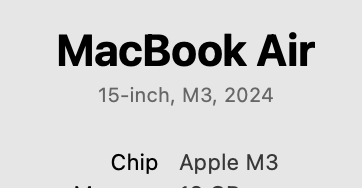
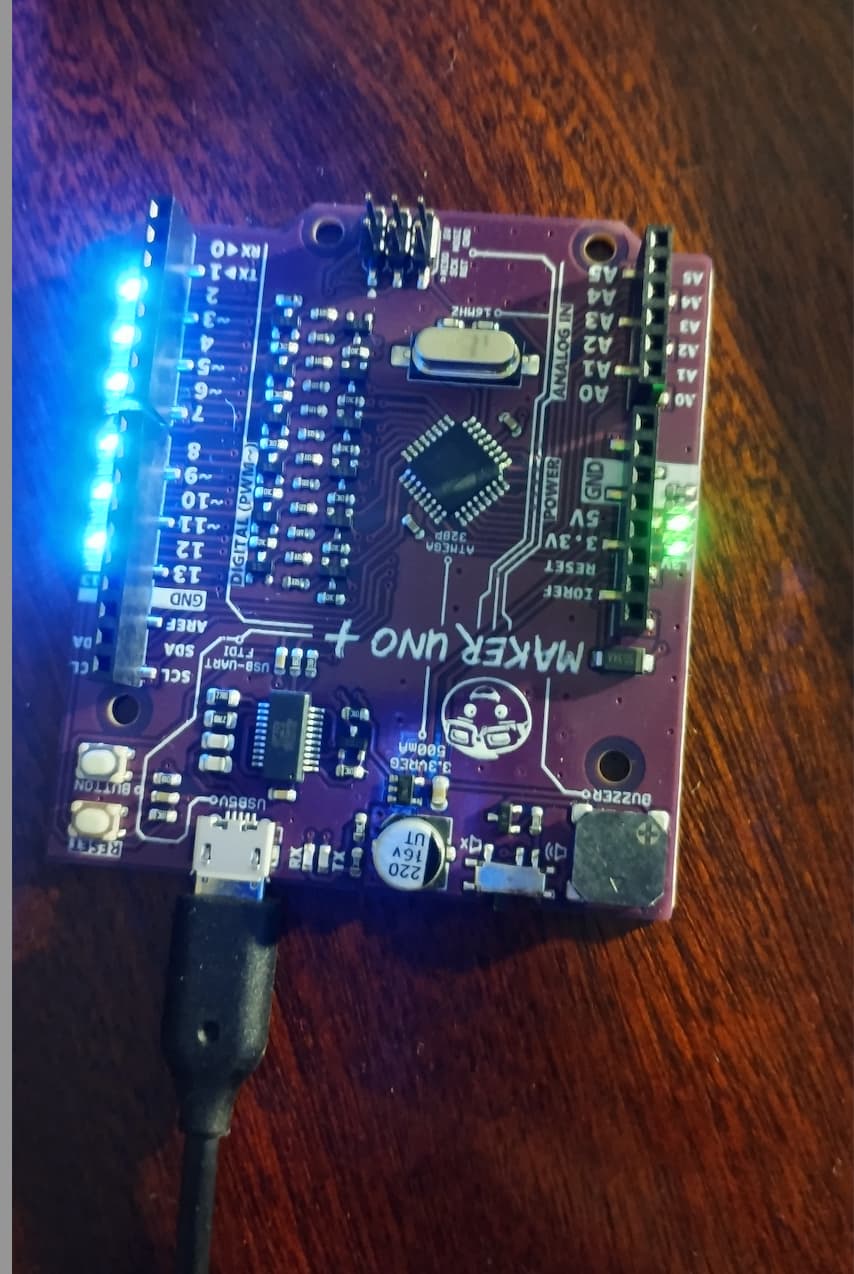
I recently got a Maker Uno and am using Arduino IDE to start to run a few programs. However I'm unable to get even basic examples running. I have a Apple M1 laptop
As soon as I connect Maker Uno to the laptop it lights up (this is before any program has even been uploaded) is this normal?
/*
  Blink

  Turns an LED on for one second, then off for one second, repeatedly.

  Most Arduinos have an on-board LED you can control. On the UNO, MEGA and ZERO
  it is attached to digital pin 13, on MKR1000 on pin 6. LED_BUILTIN is set to
  the correct LED pin independent of which board is used.
  If you want to know what pin the on-board LED is connected to on your Arduino
  model, check the Technical Specs of your board at:
  https://www.arduino.cc/en/Main/Products

  modified 8 May 2014
  by Scott Fitzgerald
  modified 2 Sep 2016
  by Arturo Guadalupi
  modified 8 Sep 2016
  by Colby Newman

  This example code is in the public domain.

  https://www.arduino.cc/en/Tutorial/BuiltInExamples/Blink
*/

// the setup function runs once when you press reset or power the board
void setup() {
  // initialize digital pin LED_BUILTIN as an output.
  pinMode(LED_BUILTIN, OUTPUT);
}

// the loop function runs over and over again forever
void loop() {
  digitalWrite(LED_BUILTIN, HIGH);  // turn the LED on (HIGH is the voltage level)
  delay(1000);                      // wait for a second
  digitalWrite(LED_BUILTIN, LOW);   // turn the LED off by making the voltage LOW
  delay(1000);                      // wait for a second
}
Code above and this is the error :Compilation error: fork/exec /Users/krisanharia/Library/Arduino15/packages/arduino/tools/avr-gcc/4.9.2-atmel3.5.4-arduino2/bin/avr-g++: bad CPU type in executable
You either downloaded the INTEL version but you own a Mac Silicon, or you downloaded the Mac Silicon and own an INTEL Mac.. Use an uninstaller to clean up the mess you made and install the correct version. I have a modern Mac Silicon. Here are some screen shots that may help you. IF you do not get the wrong stuff cleaned out, you might be fighting this mistake for years.
Hi @gamma69. Although Arduino IDE 2.x is a native Apple Silicon application, it uses various helper tools and some of these tools are only available in "Intel" (x86) builds.
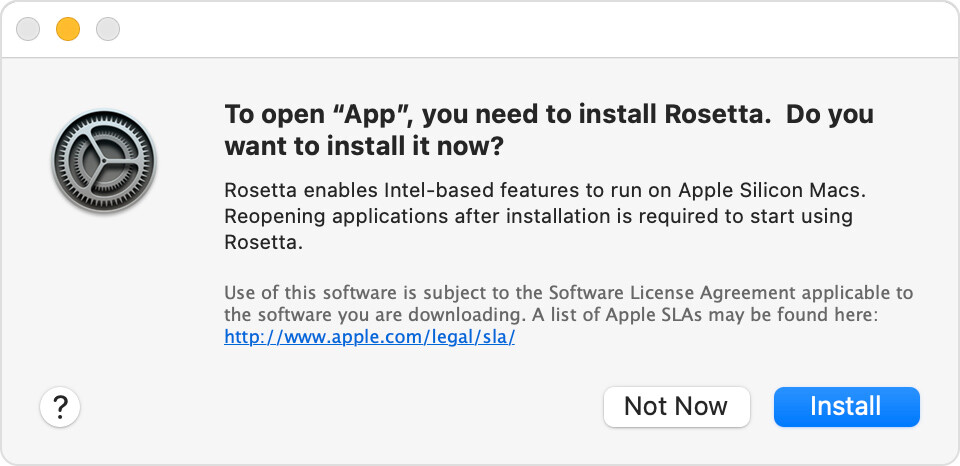
Apple has created a "binary translator" named Rosetta 2 that allows x86 applications to run on Apple Silicon machines. So the problem can be solved by simply installing Rosetta 2. You can do that by following these instructions:
I'm sure you saw that dialog at one point, clicked "Install", then never thought about it again.
But macOS isn't smart enough to do that when the Apple Silicon build of Arduino IDE attempts to invoke an x86 tool dependency so you only get this more cryptic "bad CPU type in executable" error.
I see. The problem is that this is an old version of the avr-gcc tool that was built for x86 32-bit. At the time this build was produced, macOS supported 32-bit applications, even on 64-bit machines. So 32-bit tool builds were produced as that meant a single build would work for all macOS users. However, Apple later dropped support for 32-bit applications, and unlike with the "Intel" vs. Apple Silicon, there isn't any way to work around the incompatibility.
The solution will be modify the configuration of the "Maker Uno" boards platform so that it will use the newer version of the avr-gcc tool that was built for macOS 64-bit Intel hosts. I'll provide instructions you can follow to do that:
Select Arduino > Quit Arduino from the Arduino IDE menus if it is running.
All Arduino IDE windows will close.
The /Users/krisanharia/Library folder is hidden by default. You can make it visible by pressing the Command+Shift+. keyboard shortcut.
Now start Arduino IDE and try compiling or uploading your sketch again. Hopefully this time everything will work fine.
Unfortunately I don't have any experience with the "Maker UNO" board. The LEDs being lit up is completely unrelated to the problem you are having when compiling the sketch.
I recommend you not worry about the LEDs for now. Just carry on with uploading a sketch to the board. If it works as expected, then all is well.
Thanks. So compile now works but when I try to upload get the following error:
Failed uploading: cannot execute upload tool: fork/exec /Users/krisanharia/Library/Arduino15/packages/arduino/tools/avrdude/6.3.0-arduino9/bin/avrdude: bad CPU type in executable
OK. It is the same problem, except for the AVRDUDE uploader tool this time instead of the avr-gcc compiler toolchain. We solve it in the same way:
Select Arduino > Quit Arduino from the Arduino IDE menus if it is running. ⓘ This is necessary because Arduino IDE won't recognize changes you make to the platform configuration while it is running.
All Arduino IDE windows will close.
Open the file at the following path in your text editor:
I think the errors have moved on..compile is fine, but when uploading getting the following:
Sketch uses 932 bytes (2%) of program storage space. Maximum is 32256 bytes.
Global variables use 9 bytes (0%) of dynamic memory, leaving 2039 bytes for local variables. Maximum is 2048 bytes.
avrdude: stk500_recv(): programmer is not responding
avrdude: stk500_getsync() attempt 1 of 10: not in sync: resp=0x00
avrdude: stk500_recv(): programmer is not responding
avrdude: stk500_getsync() attempt 2 of 10: not in sync: resp=0x00
avrdude: stk500_recv(): programmer is not responding
avrdude: stk500_getsync() attempt 3 of 10: not in sync: resp=0x00
avrdude: stk500_recv(): programmer is not responding
avrdude: stk500_getsync() attempt 4 of 10: not in sync: resp=0x00
avrdude: stk500_recv(): programmer is not responding
avrdude: stk500_getsync() attempt 5 of 10: not in sync: resp=0x00
avrdude: stk500_recv(): programmer is not responding
avrdude: stk500_getsync() attempt 6 of 10: not in sync: resp=0x00
avrdude: stk500_recv(): programmer is not responding
avrdude: stk500_getsync() attempt 7 of 10: not in sync: resp=0x00
avrdude: stk500_recv(): programmer is not responding
avrdude: stk500_getsync() attempt 8 of 10: not in sync: resp=0x00
avrdude: stk500_recv(): programmer is not responding
avrdude: stk500_getsync() attempt 9 of 10: not in sync: resp=0x00
avrdude: stk500_recv(): programmer is not responding
avrdude: stk500_getsync() attempt 10 of 10: not in sync: resp=0x00
Failed uploading: uploading error: exit status 1
That is unfortunate. I think that your board is probably defective.
My recommendation is to return it to Cytron for a refund. The fact that they have not bothered to update their tool dependencies to provide modern macOS support even five years after Apple dropped 32-bit application support is an indicator that the company is not going to provide good support for this product and that you will be better of with any of the many alternative boards.
You can support the work Arduino does to provide free open source software, documentation, and hardware designs to the community by purchasing official hardware. It is available from these sources:
The UNO R3 board is an excellent choice for getting started with Arduino.
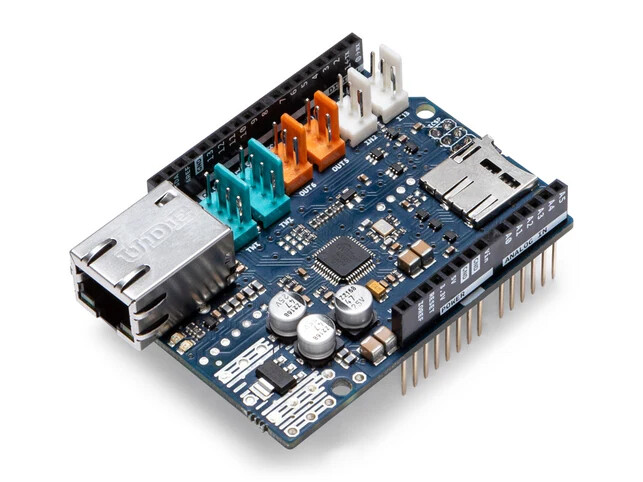
The nice thing about the boards with the form factor of the UNO R3 is that you can add additional hardware capabilities by plugging any of the many shields into the headers on the board. For example, the Ethernet Shield Rev2 adds Ethernet communication capabilities to the board:
If you aren't planning to use shields, the classic Nano is a great choice. This board has all the same capabilities as the UNO R3, but in a more compact form factor that is convenient for prototyping projects on a solderless breadboard, and for incorporating into finished projects.




 The
The