Hardware: Nano 33 BLE Sense
IDE: WebEditor
Software: MaxMSP (Max 8.3.1)
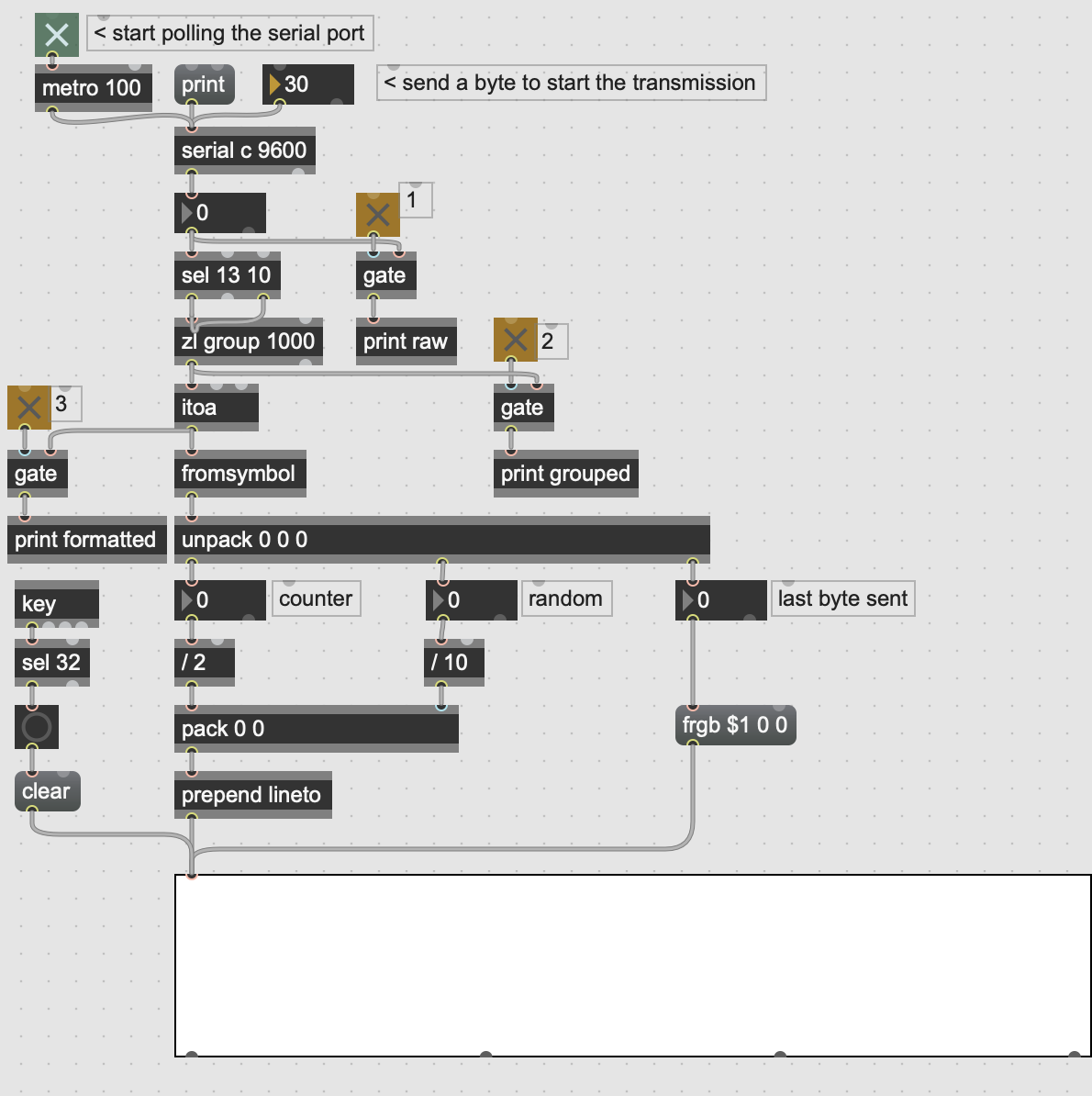
Hello! I'm trying to get my Nano 33 BLE Sense to talk to MaxMSP via serial port, but no luck so far. I'm starting as simply as possible, just following the MaxMSP tutorial for establishing serial communication between MaxMSP and Arduino, but I'm still getting no output in MaxMSP. The tutorial's Arduino Code requires no sensors and should just return a random number when it receives any data from MaxMSP, but either it's not receiving info from Arduino, or the Arduino is not sending info on to MaxMSP. I'm not sure what's going wrong, but I've tried a few other MaxMSP serial tutorials with the exact same result. My baud rates and serial ports match - is there anything else I can check for? Is there some other way I should be communicating with MaxMSP from this kind of Arduino? Any help is most appreciated!
ARDUINO CODE
// Arduino Serial Tester
// rld, cycling'74, 3.2008
// just waits for any input from the computer, then begins to stream a serial feed of numbers back

long randomvalue = 0; // random value
long countervalue = 0; // counter value
int serialvalue; // value for serial input
int started = 0; // flag for whether we've received serial yet

void setup()
{
  Serial.begin(9600); // open the arduino serial port
}


void loop()
{
  if(Serial.available()) // check to see if there's serial data in the buffer
  {
    serialvalue = Serial.read(); // read a byte of serial data
    started = 1; // set the started flag to on
  }
  if(started) { // loop once serial data has been received
    randomvalue = random(1000); // pick a new random number
    Serial.print(countervalue); // print the counter
    Serial.print(" "); // print a space
    Serial.print(randomvalue); // print the random value
    Serial.print(" "); // print a space
    Serial.print(serialvalue); // echo the received serial value
    Serial.println(); // print a line-feed
    countervalue = (countervalue+1)%1000; // increment the counter
    delay(100); // pause
  }
}
I have just tried with an Arduino Nano 33 BLE (not Sense, but it shouldn’t matter.)
In the Max patch ("02cSerialCommunication), what do you get in the console if you click on the "print" message at the top of the patch?
On my system, I get:
serial: port a: Bluetooth-Incoming-Port
serial: port b: usbmodem2101
My arduino is on the second port (usbmodem2101), which is 'b' according the messages in the console. I have tried changing "a" to "b" in serial, and just like you, I am not getting any success.
Just as a sanity check, I have just now also tried with an older Arduino Diecimila. That didn't work either.
The reference for "serial" says:
"The serial object works only with ports and devices supported by the standard serial driver. It does not work with USB ports and devices, unless a USB to Serial adaptor is connected."
I suspect that this may be the problem.
I'd be interested to know if someone else is having the same results.
I don't know about the BLE, but the issue for the BLE Sense turned out to be that the it had a non-standard type of serial communication because of the chip (nRF52840 DK virtual COM port). It uses a kind of communication protocol called DTR. Fortunately it's super easy to establish that! You just turn it on with a message to the serial object. It looks like this:
Thanks for that! Yes! It works perfectly over USB.
Thanks for that! I'm puzzled as to why without the 'dtr' message it didn't work with my older arduino... but that's a problem for another day!
Again, thanks for that!
It's a really good step forward. What I want to do next is to do the same but over BLE. There is a Max library (max-ble) but I couldn't get it to work on my mac (newer mac running the M1 chip) nor on a Windows 11 machine. Some people have success running it on older macs, however.
That can be easily tested using Serial Monitor. You can send any character from Serial monitor after which you should see random data arriving from the Nano 33 BLE sense.
I'm barely familiar with MaxMSP, I started to play with it yesterday to try to understand the serial communication that it uses.