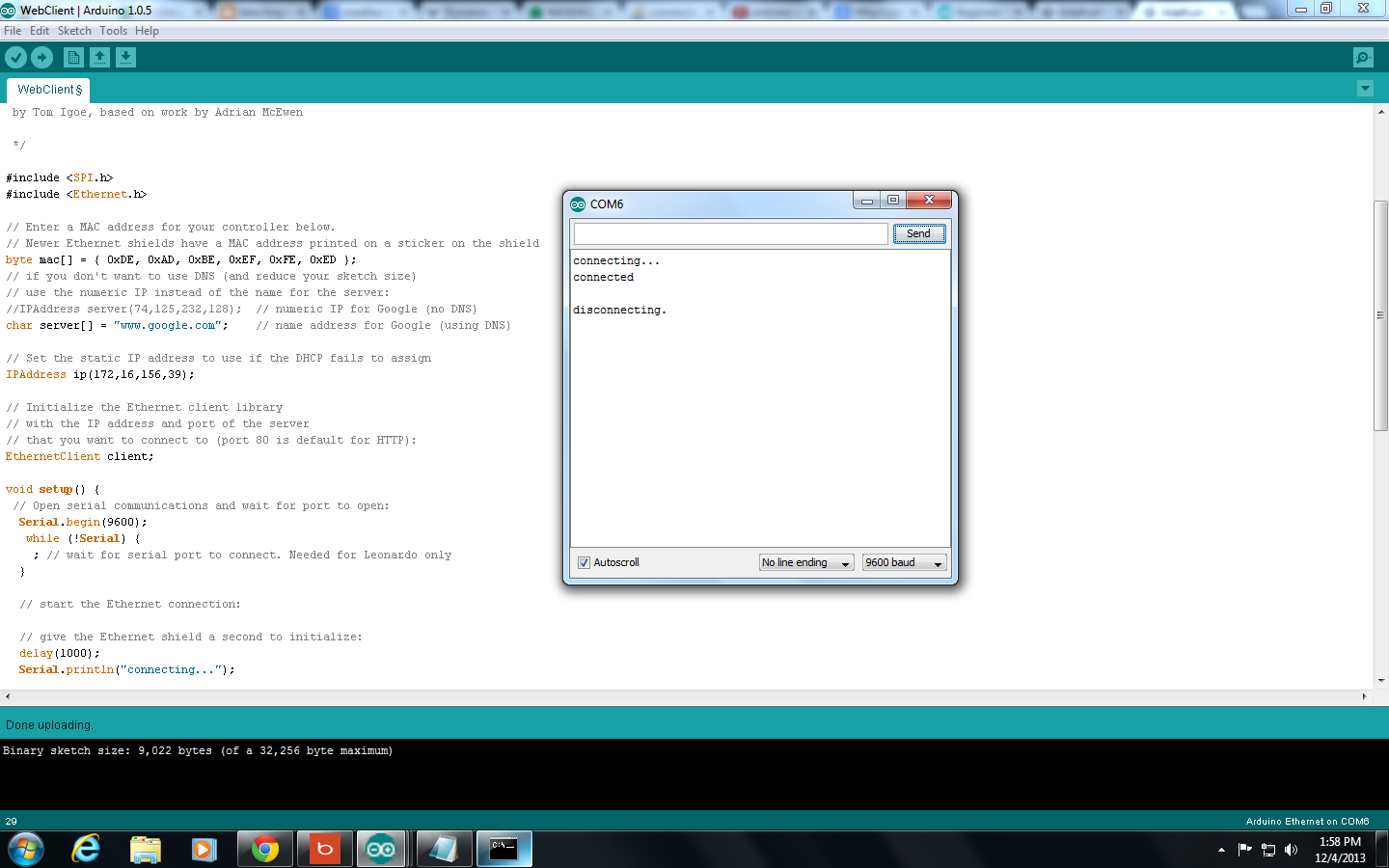
I can't seem to get my webclient working even after changing my ipaddress and searching through the web.
My Computer IP address is 172.16.156.53 is there any ip address that i can change to? i tried changing to 172.16.156.39 for the webserver testing and it works fine. Any help will be gladly appreciated. thanks.
Try the below client test code and see if it works.
//zoomkat 9-22-12
//simple client test
//for use with IDE 1.0.1
//with DNS, DHCP, and Host
//open serial monitor and send an e to test
//for use with W5100 based ethernet shields
//remove SD card if inserted

#include <SPI.h>
#include <Ethernet.h>

byte mac[] = { 0xDE, 0xAD, 0xBE, 0xEF, 0xFE, 0xED }; //physical mac address

char serverName[] = "web.comporium.net"; // zoomkat's test web page server
EthernetClient client;

//////////////////////

void setup(){

  if (Ethernet.begin(mac) == 0) {
    Serial.println("Failed to configure Ethernet using DHCP");
    // no point in carrying on, so do nothing forevermore:
    while(true);
  }

  Serial.begin(9600);
  Serial.println("Better client test 9/22/12"); // so I can keep track of what is loaded
  Serial.println("Send an e in serial monitor to test"); // what to do to test
}

void loop(){
  // check for serial input
  if (Serial.available() > 0) //if something in serial buffer
  {
    byte inChar; // sets inChar as a byte
    inChar = Serial.read(); //gets byte from buffer
    if(inChar == 'e') // checks to see byte is an e
    {
      sendGET(); // call sendGET function below when byte is an e
    }
  }
}

//////////////////////////

void sendGET() //client function to send/receive GET request data.
{
  if (client.connect(serverName, 80)) {  //starts client connection, checks for connection
    Serial.println("connected");
    client.println("GET /~shb/arduino.txt HTTP/1.1"); //download text
    client.println("Host: web.comporium.net");
    client.println("Connection: close");  //close 1.1 persistent connection
    client.println(); //end of get request
  }
  else {
    Serial.println("connection failed"); //error message if no client connect
    Serial.println();
  }

  while(client.connected() && !client.available()) delay(1); //waits for data
  while (client.connected() || client.available()) { //connected or data available
    char c = client.read(); //gets byte from ethernet buffer
    Serial.print(c); //prints byte to serial monitor
  }

  Serial.println();
  Serial.println("disconnecting.");
  Serial.println("==================");
  Serial.println();
  client.stop(); //stop client

}
But i can't seem to get it tested in the serial monitor.
We can't see what you are doing. We can't see what results you got. You need to be way more explicit when reporting results.
Something like:
I copied and pasted the code into the IDE (version x.x.x), and clicked upload. The code successfully compiled, linked, and uploaded.
I then opened the Serial Monitor, and confirmed that the baud rate was set to nnnn.
I saw "xxxxxxxxxxxxxxxxxxx" appear in the output pane, I then .....