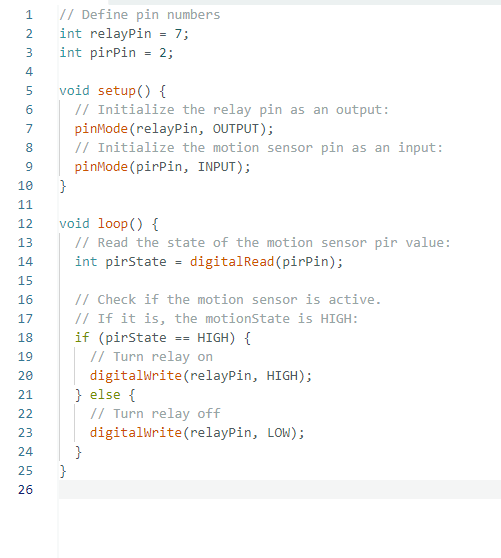
Good day everyone, Having a small problem with my sketch. I've been reading through some of the examples and some of the other topics similar to this and I'm not finding a solution. My initial sketch works as desired (PIR motion sensor senses a person and closes a relay contact for 1 second which activates a BLI Thunder and Lightning unit). That is except for one item. We need to add a delay timer after the motion is detected to give the unit time to play the event before another person activates the motion sensor.
So I added a delay at the end of the cycle so nothing happens for 30 seconds, but this sketch doesn't work properly, after 30 second (even as long as a minute or more) motion does not cause the relay to close, then out of the blue, the relay will close. No regularity in the timing at all.
Please post your full sketch, using code tags when you do
Posting your code using code tags prevents parts of it being interpreted as HTML coding and makes it easier to copy for examination
In my experience the easiest way to tidy up the code and add the code tags is as follows
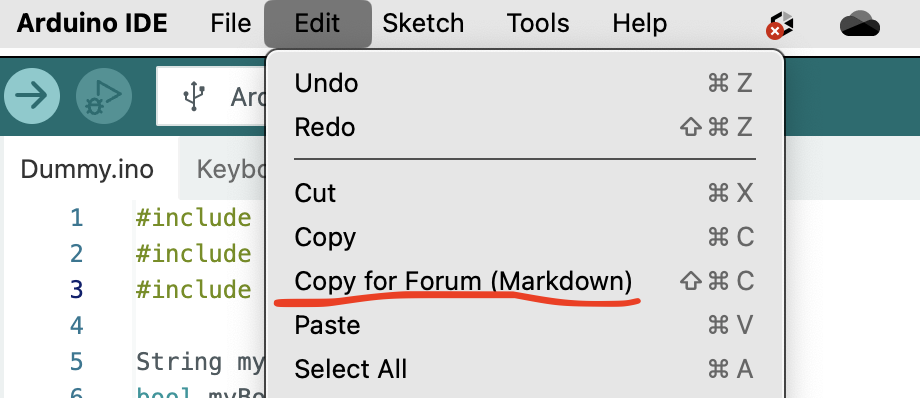
Start by tidying up your code by using Tools/Auto Format in the IDE to make it easier to read. Then use Edit/Copy for Forum and paste what was copied in a new reply. Code tags will have been added to the code to make it easy to read in the forum thus making it easier to provide help.
It is also helpful to post error messages in code tags as it makes it easier to scroll through them and copy them for examination
I thought I provided all the code from the two sketches, the one that works without the delay, followed by the one with the delay. I don't know what Code Tags are. I'm not a programmer by any stretch, but rather trying to solve a problem for the museum I volunteer at. I did review several examples in writing this sketch, both in the IDE software and on the internet. I'm sorry if I'm not following all the rules.
Read what I wrote in my reply and you will find that you don't even need to know what they are in order to use them to improve the presentation of your code
Long story short, do NOT use delay. You can search this forum on delay and read hundreds of replies saying the same thing but most with an explanation.
Instead use a millis() function. There are tutorials here on that. Also a tutorial on state machines may be educational. There are multiples of these tutorials, and some will take you hours to read, but you will be getting months of education.
If you want to get serious about programming Arduino's and similar boards, start with the Arduino cookbook.
To answer your OP
Your statement is wrong, I see no 1 sec timerf, I see no "BLI Thunder and Lightning unit" at all.
Care to try again?
BTW, learn how PIR's work, especially sensitivity.
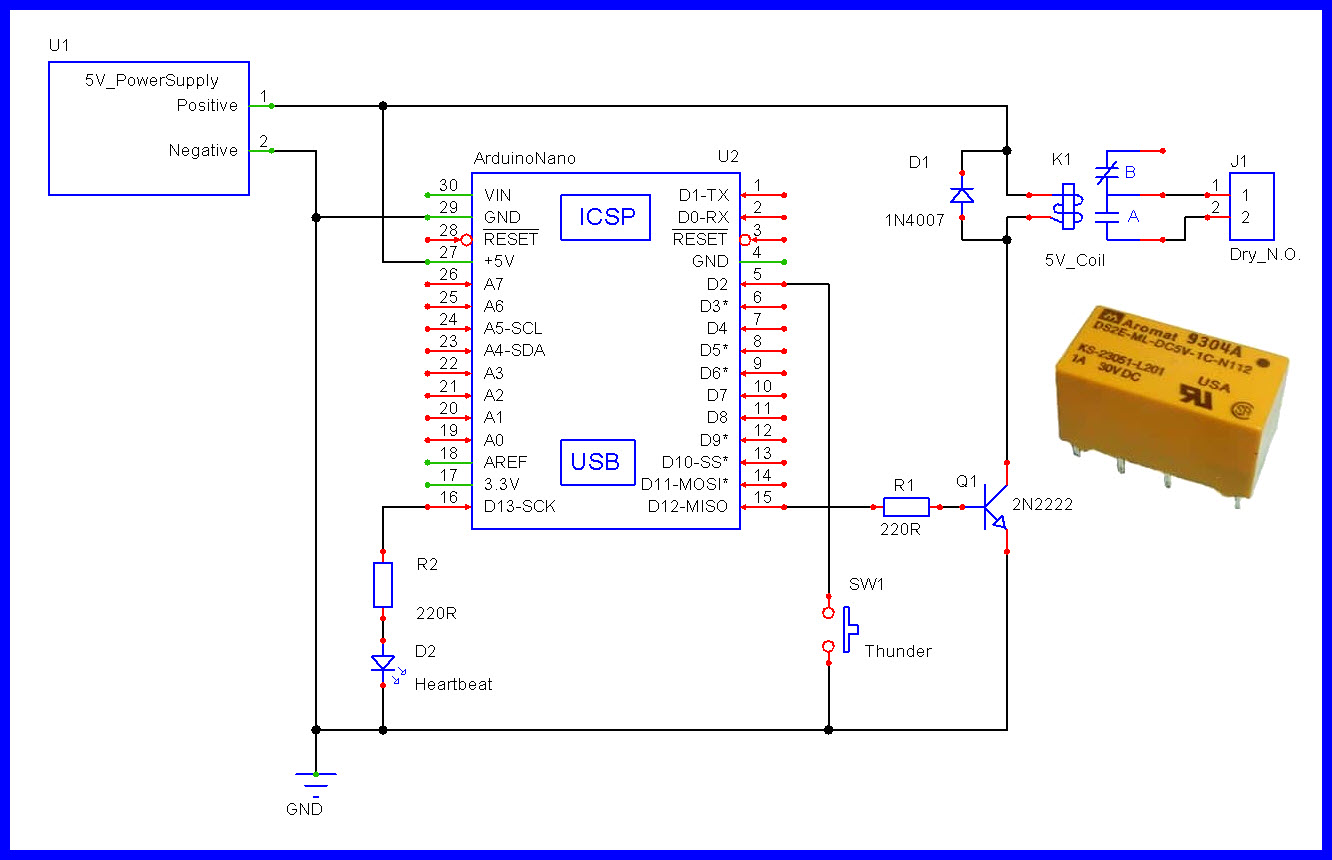
Thanks for the suggestion. I'll look into using the milliseconds function. I do already know how PIR sensors work. I have the sensitivity pot set to approx 3.5 feet. I have the PIR set for a single trigger. I have the time delay pot set for 2.5 seconds, which results in about a 1 second "on" time for the relay closure signal from the Arduino. The BLI unit is not mentioned in the code because it is external to the entire operation. The BLI unit provides two wires to the Com and NO contacts of the relay. When the relay closes the BLI unit activates. The BLI unit could just as easily be a light bulb as far as the Arduino programming is concerned.
As far as programming in the future, I'm not especially interested in that; I'm simply trying to solve a problem that came up in the installation and operation of the Lightning and Thunder system display on the Museum's Train Layout. We're trying to limit the operation to no more than once every 30 seconds as people walk by.
Again, thanks for your assistance. I'll dig into the millisecond function.
I didn’t mention that earlier, but thanks for the suggestion. That was tried and forces the relay to remain in the ON position longer than 2 seconds which changes the operational status of the BLI Thunder unit. If on for less than 2 seconds, the BLI unit runs a 10 second thunder and lightning sequence, but if on for 2 seconds or longer, it puts the BLI unit into a continuous mode even if no one is there to see/hear it. That’s why we are trying to force the time between cycles to a minimum of 30 seconds.
need to recognize when the PIR becomes high detecting a change in state becoming HIGH and turning the relay on and then off after the approapriate delay.
an additional delay can prevent triggering the thunder too soon. at that point, the thunder can be retriggered if the PIR is HIGH or only retriggered when there's a state change becomming HIGH
void check ()
{
    byte pir = digitalRead (PirPin);
    if (pirState != pir)  {
        pirState  = pir;
        if (HIGH == pir)  {
            // trigger thunder
        }
    }
}
Yes, the Museum wanted to use a motion sensor to detect a person. Using a PIR module and a Relay module we have everything working as it should other than obtaining the 30 second minimum between cycles. That seems to be the trouble at this point.