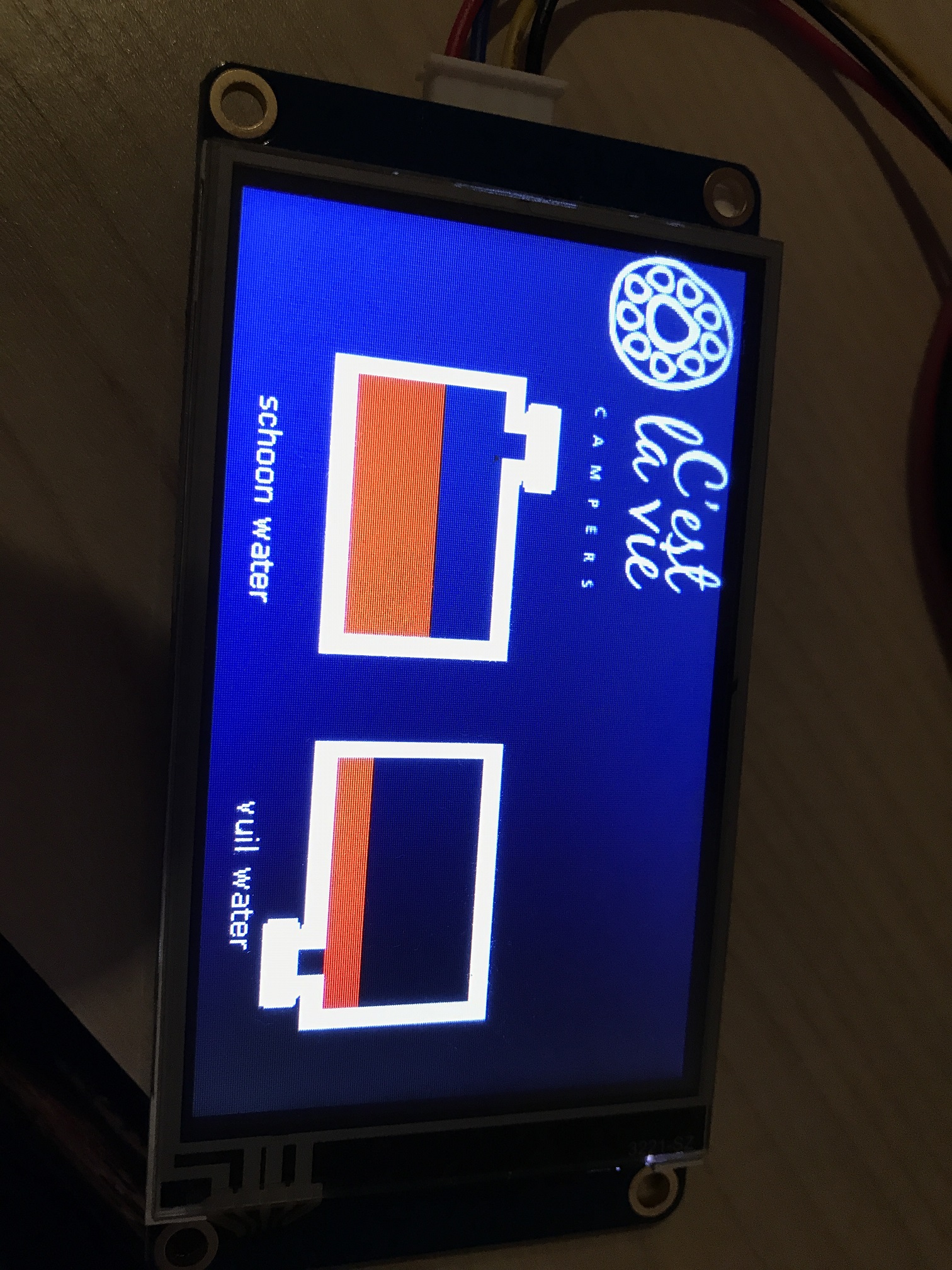
now i got a bit further and ordered me a nextion 3,2 inches touch display.
I get the values from the uno to the nextion, no problem.
I added a button to the nextion, which i can push on the screen.
Burt how do i get the value of the button for example: "print 1" into the arduino.
Now i am just trying to light a led on and of, but i cannot get it done.
The screen is on a UNO, wit the tx and rx put on digital input 0 and 1, also the rx and tx on the board.
If i push the button on the screen, even holding it, the rx led doens't light on on the board.
The code for reading out 2 voltages is:
#include "Nextion.h"
long lastUpdate;
int SENSOR = A0;
int SENSOR1 = A1;
float vout = 0.0;
float vin = 0.0;
float vout1 = 0.0;
float vin1 = 0.0;
float R1 = 30000.0; //
float R2 = 7500.0; //
int value = 0;
int LED = 13;

NexText t0 = NexText(0, 2, "t0");
NexText t1 = NexText(0, 2, "t1");
void
checkSensor()
{
   int val = (analogRead(SENSOR));
   int val1 = (analogRead(SENSOR1));

   vout = (val * 5.0) / 1024.0; // see text
   vin = vout / (R2/(R1+R2));
   String displayText = String(vin) ;
   vout1 = (val1 * 5.0) / 1024.0; // see text
   vin1 = vout1 / (R2/(R1+R2));
   String displayText1 = String(vin1) ;


   t0.setText(displayText.c_str());
   t1.setText(displayText1.c_str());
}
void setup(void)
{
   lastUpdate = millis();
   pinMode(SENSOR, INPUT);
   pinMode(SENSOR1, INPUT);
   pinMode(LED,OUTPUT);
   nexInit();
}
void loop(void)
{

   nexLoop(NULL);
   if (millis() - lastUpdate > 100)
   {
     checkSensor();
     lastUpdate = millis();
   }
}
The screen is on a UNO, wit the tx and rx put on digital input 0 and 1
A Uno has 1 serial port, which is used for the USB connection to your PC. Pins 0 and 1 on a Uno are the same serial port as the USB connection, so they conflict with each other. If you want to use a Uno with a Nextion then you can use the USB port or you can use the Nextion, but not both at the same time. You need to disconnect the USB cable and power the Uno and Nextion from a 5V PSU.
Although not relevant to your question please be aware that support for Nextion on these fora is pretty much as follows:
You can follow the methods I set out in using Nextion displays with Arduino. My methods do not use the Nextion libraries, so while I am happy to offer help on using my methods I cannot offer anything very helpful for any Nextion library.
The original Nextion libraries are full of bugs. There is a link from my tutorial to some improved Nextion libraries created by Ray Livingston, I suggest those might be worth trying if you prefer to use a library.
There's also a separate tutorial on how to write code with Nextion and Arduino. by Seithan, his methods are different to mine, chose which works best for you.
Beyond that the odd person occasionally offers a bit of help but not much.
Ah ok. Thx.
I will try to power the uno with an external power unit.
Could that be the issue, as the traffic from arduino to Nextion comes in at the Nextion, but not from the Nextion to the Arduino?
bert67:
Could that be the issue, as the traffic from arduino to Nextion comes in at the Nextion, but not from the Nextion to the Arduino?
That's exactly what I think the problem is, and what I would expect.
From the Arduino to the Nextion is also from the Arduino the USB port; one output driving 2 inputs. The other way around you have data from the Nextion and data from the USB port coming together and messing each other up before they get to the processor on the Uno.
I would expect that you cannot upload code to the Uno with the Nextion connected for the same reasons.
Thanks for the update, it's good to know when someone has made progress after helping them
TBH I don't think the Uno is the best board for driving a Nextion because of the serial port being used for the USB port. You will notice my tutorial photos show a Mega.
But when the project is finished, the usb port will not be used, but an external powerunit. The usb is only used to program it.
The project will be used in a campervan to check the voltages, and state of the watertanks and gastank.
In the picture you can see the status of the 2 watertanks.