I am using a Windows 11 laptop. I have connected to several ESP boards using IDE without a problem. Recently my laptop refuses to recognize any ESP board and IDE shows no, ports available. This just happened in the last couple of days. I’ve spent hours troubleshooting windows, security, power, settings, cables, etc. I have reinstalled the serial Driver and nothing seems to help. Has anyone else experienced that?
Hi @pkewin. Please try this troubleshooting procedure and then report the results:
 This procedure is not intended to solve the problem. The purpose is to gather more information.
- Disconnect the USB cable of the Arduino board from your computer.
- Open the Windows Device Manager.
- Select View > Devices by type from the Device Manager menus.
- Open the "View" menu.
- If there is a ✓ to the left of the "Show hidden devices" menu item, click on "Show hidden devices" to disable it.
- Take note of the contents of the "Other devices" and "Ports (COM & LPT)" sections of the Device Manager tree.
- Connect the Arduino board to your computer with a USB cable.
- Select Action > Scan for hardware changes" from the Device Manager menus.
Now please reply here on this forum topic with the answers to the following questions:
- Did you see any new device appear in the Device Manager tree after following those instructions?
- If you did see a new device, where is it located in the tree, and what is it named?
You can repeat the procedure multiple times if you are not sure.
Thank you for the reply. I had tried all of those things. What actually seem to fix it though was I rolled back my windows a couple of days to where I had updated direct X. That seemed to fix it and I’m back in business. Wish I had done that a lot sooner though.
Thanks for taking the time to post an update with your solution!
I fear that other Arduino community members might also be affected by the same problem. In order to allow us to more effectively assist those community members, it would be helpful if you would tell us which USB chip is present on your ESP boards:
If your ESP32 boards use one of the chips from the "ESP32" family that have native USB capability, which is any of the chips other than the original ESP32, then the board may not have a separate USB interface chip (though some boards that use these ESP32 chips do have a separate USB chip anyway). If your boards have the original ESP32, then they definitely have a separate USB chip.
The USB chip will be a black chip near the USB socket.
The chip will usually be identified by writing on the top. This might say something like "WCH CH340G" or "SILABS CP2102".
Examples:
WCH CH340

There are some boards on the market that have a USB chip with the same IC package as the WCH CH340, and which are identified by the computer as a CH340. However, these chips don't have the "WCH CH340C ..." labeling like you see on the chip in the picture above:
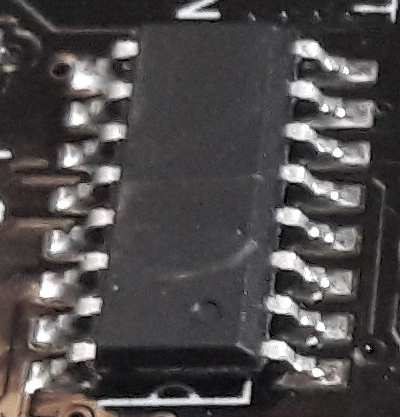
These mysterious unlabeled chips have different characteristics than the labeled CH340 chips, so please let us know if yours is labeled or not.
Silicon Labs CP2102

If it isn't clear, alternatively you can provide the link to where you bought the board from and we'll see if we can determine the chip from the product listing.
I see this in the IDE 2.x when selecting a board (sometimes) when switching boards. I close the Serial Monitor and exit the IDE, then restart the IDE and wait for updates to stop.
I just swapped between ATtiny88 and ESP32-C3-Zero, and I had to wait for the updates before a COM port showed... then select the COM port a second time in the IDE (I do not know why)...then all went well with the compile and upload.
Keep trying, give it time, especially with ESP32.


It has a SILABS CP2102 chip