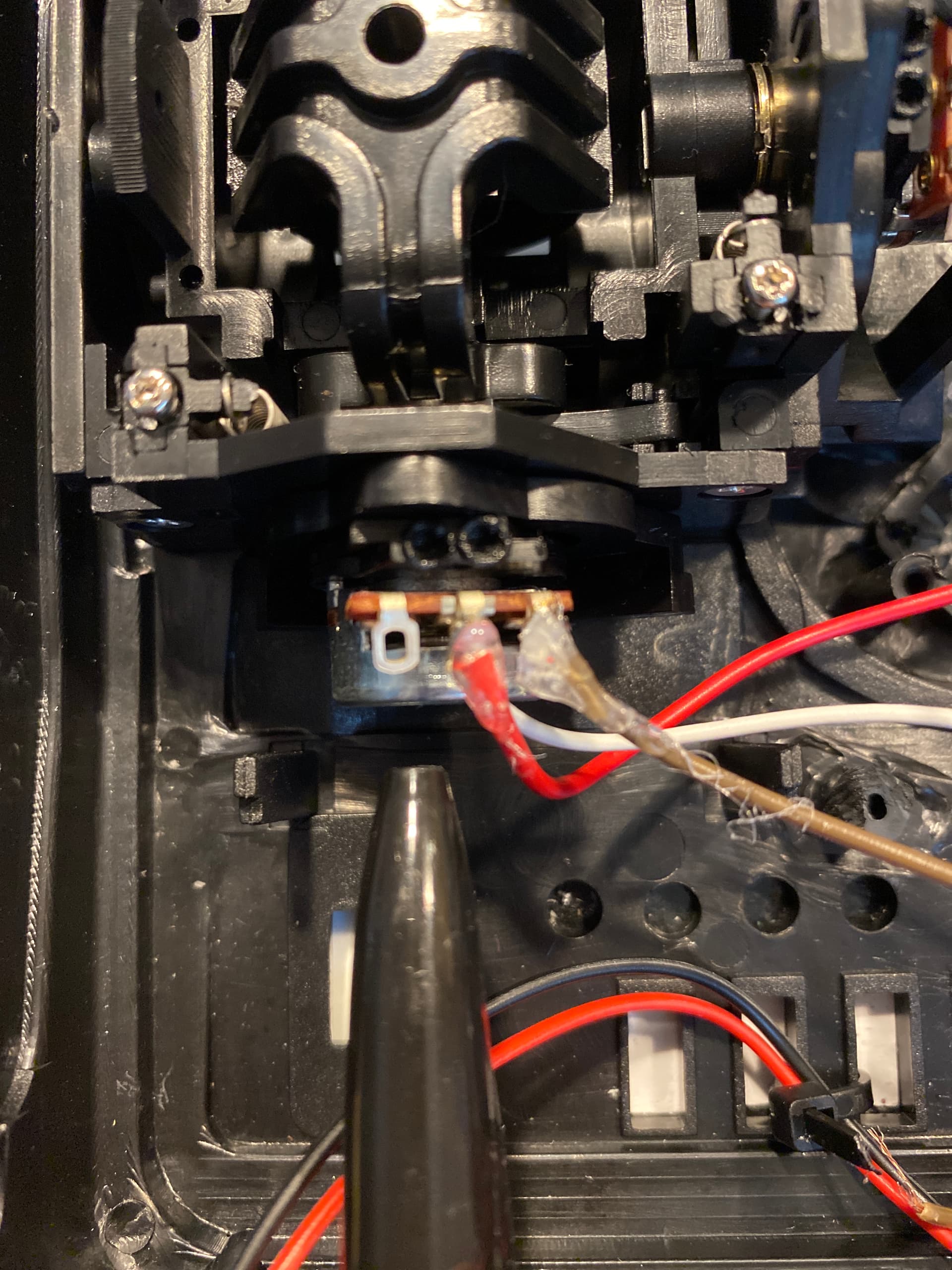
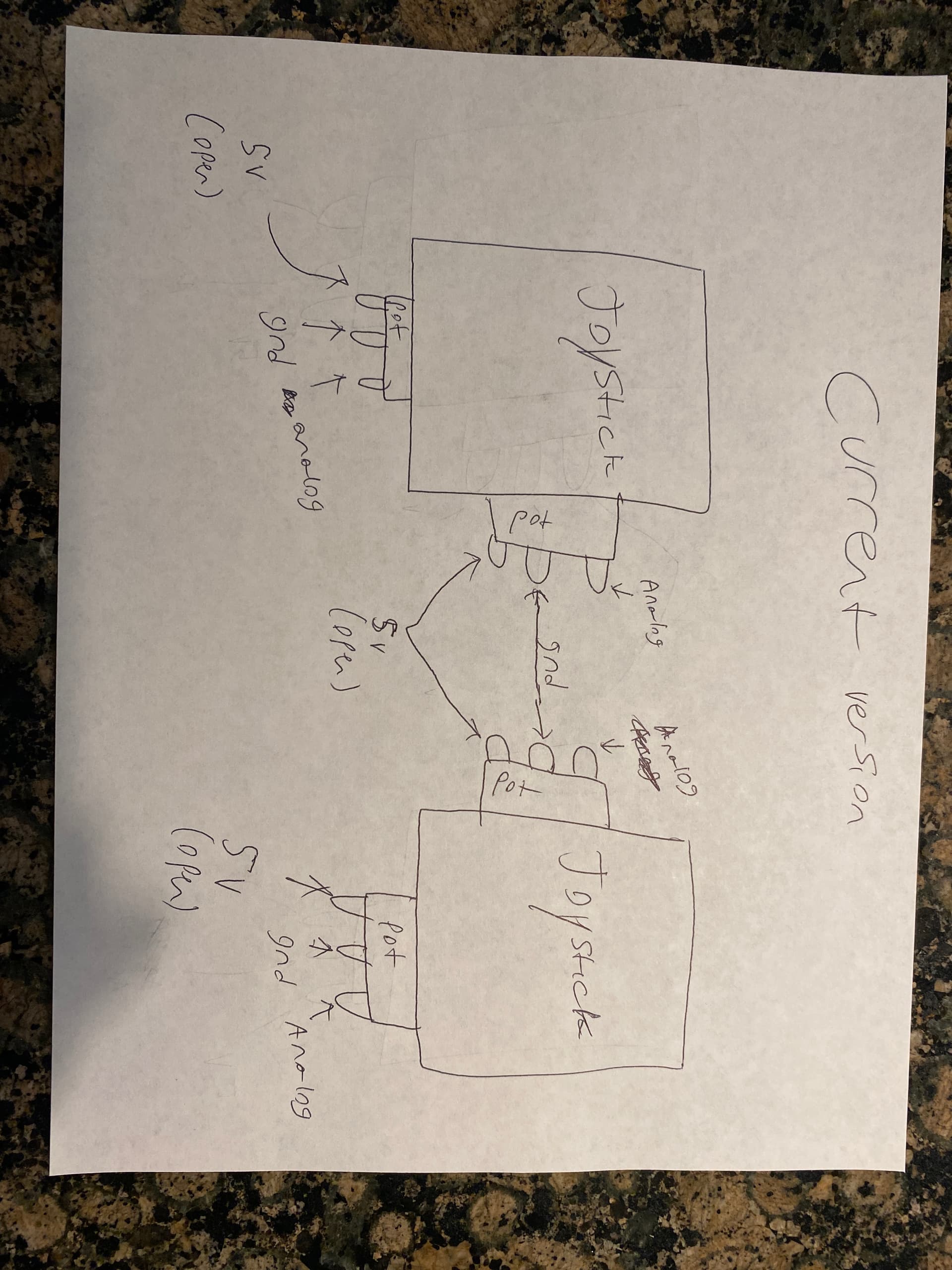
Hello, I have a rc 7 channel transmitter that I took the electronics out of it and only left the joysticks, the potentiometer, and the 2 toggle switches. Im only working with the joysticks for now but I'm trying to put an Arduino nano into the transmitter and an nRF24L01 module with an antenna. The receiver will have an Arduino Nano, the nRF24L01, and some Male pin headers to plug in a brushless esc and motor. I followed this tutorial (link below) by Drone Bot Workshop and I am currently on the Receiver and Transmitter DEMO Code and I have the correct pin connections and program, but for some reason, the code values that are displayed on the serial monitor dont change when i move the joysticks like they should?
->Link to Drone Bot workshop Project: nRF24L01 Wireless Joystick for Arduino Robot Car | DroneBot Workshop
Basically, I uploaded these programs(the transmitter demo to the transmitter, and the receiver demo to the receiver) and connected the wires correctly to the arduino nano for both the transmitter and receiver but the joystick values are not changing when I move the joysticks.
Transmitter code I am currently using: /*
nRF24L01+ Joystick Transmitter
nrf24l01-joy-xmit-demo.ino
nRF24L01+ Transmitter with Joystick
Use with Joystick Receiver Demo
DroneBot Workshop 2018
https://dronebotworkshop.com
*/
// Include RadioHead ReliableDatagram & NRF24 Libraries
#include <RHReliableDatagram.h>
#include <RH_NRF24.h>
// Include dependant SPI Library
#include <SPI.h>
// Define Joystick Connections
#define JoyStick_X_PIN A0
#define JoyStick_Y_PIN A1
// Define addresses for radio channels
#define CLIENT_ADDRESS 1
#define SERVER_ADDRESS 2
// Create an instance of the radio driver
RH_NRF24 RadioDriver;
// Sets the radio driver to NRF24 and the client address to 1
RHReliableDatagram RadioManager(RadioDriver, CLIENT_ADDRESS);
// Declare unsigned 8-bit joystick array
uint8_t joystick[3];
// Define the Message Buffer
uint8_t buf[RH_NRF24_MAX_MESSAGE_LEN];
void setup()
{
// Setup Serial Monitor
Serial.begin(9600);
// Initialize RadioManager with defaults - 2.402 GHz (channel 2), 2Mbps, 0dBm
if (!RadioManager.init())
Serial.println("init failed");
}
void loop()
{
// Print to Serial Monitor
Serial.println("Reading joystick values ");
// Read Joystick values and map to values of 0 - 255
joystick[0] = map(analogRead(JoyStick_X_PIN), 0, 1023, 0, 255);
joystick[1] = map(analogRead(JoyStick_Y_PIN), 0, 1023, 0, 255);
joystick[2] = 100;
//Display the joystick values in the serial monitor.
Serial.println("-----------");
Serial.print("x:");
Serial.println(joystick[0]);
Serial.print("y:");
Serial.println(joystick[1]);
Serial.println("Sending Joystick data to nrf24_reliable_datagram_server");
//Send a message containing Joystick data to manager_server
if (RadioManager.sendtoWait(joystick, sizeof(joystick), SERVER_ADDRESS))
{
// Now wait for a reply from the server
uint8_t len = sizeof(buf);
uint8_t from;
if (RadioManager.recvfromAckTimeout(buf, &len, 2000, &from))
{
Serial.print("got reply from : 0x");
Serial.print(from, HEX);
Serial.print(": ");
Serial.println((char*)buf);
}
else
{
Serial.println("No reply, is nrf24_reliable_datagram_server running?");
}
}
else
Serial.println("sendtoWait failed");
delay(100); // Wait a bit before next transmission
}
Receiever Code I am currently using:
/*
nRF24L01+ Joystick Receiver Demo
nrf24l01-joy-rcv-demo.ino
nRF24L01+ Receiver with Joystick Decode
Use with Joystick Transmitter Demo
DroneBot Workshop 2018
https://dronebotworkshop.com
*/
// Include RadioHead ReliableDatagram & NRF24 Libraries
#include <RHReliableDatagram.h>
#include <RH_NRF24.h>
// Include dependant SPI Library
#include <SPI.h>
// Define addresses for radio channels
#define CLIENT_ADDRESS 1
#define SERVER_ADDRESS 2
// Create an instance of the radio driver
RH_NRF24 RadioDriver;
// Sets the radio driver to NRF24 and the server address to 2
RHReliableDatagram RadioManager(RadioDriver, SERVER_ADDRESS);
// Define a message to return if values received
uint8_t ReturnMessage[] = "JoyStick Data Received";
// Define the Message Buffer
uint8_t buf[RH_NRF24_MAX_MESSAGE_LEN];
void setup()
{
// Setup Serial Monitor
Serial.begin(9600);
// Initialize RadioManager with defaults - 2.402 GHz (channel 2), 2Mbps, 0dBm
if (!RadioManager.init())
Serial.println("init failed");
}
void loop()
{
if (RadioManager.available())
{
// Wait for a message addressed to us from the client
uint8_t len = sizeof(buf);
uint8_t from;
if (RadioManager.recvfromAck(buf, &len, &from))
//Serial Print the values of joystick
{
Serial.print("got request from : 0x");
Serial.print(from, HEX);
Serial.print(": X = ");
Serial.print(buf[0]);
Serial.print(" Y = ");
Serial.print(buf[1]);
Serial.print(" Z = ");
Serial.println(buf[2]);
  // Send a reply back to the originator client, check for error
  if (!RadioManager.sendtoWait(ReturnMessage, sizeof(ReturnMessage), from))
    Serial.println("sendtoWait failed");
}
}
}
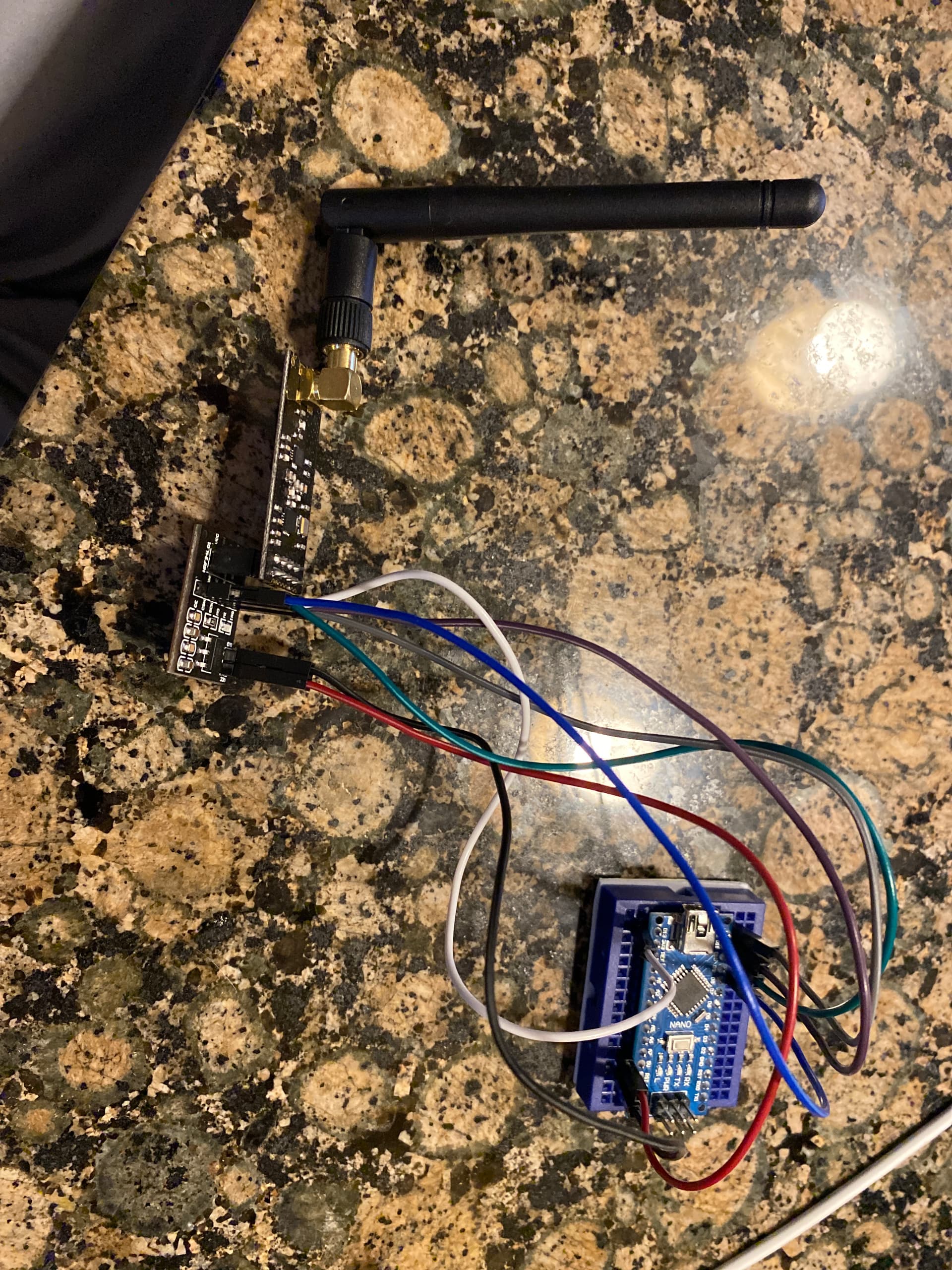
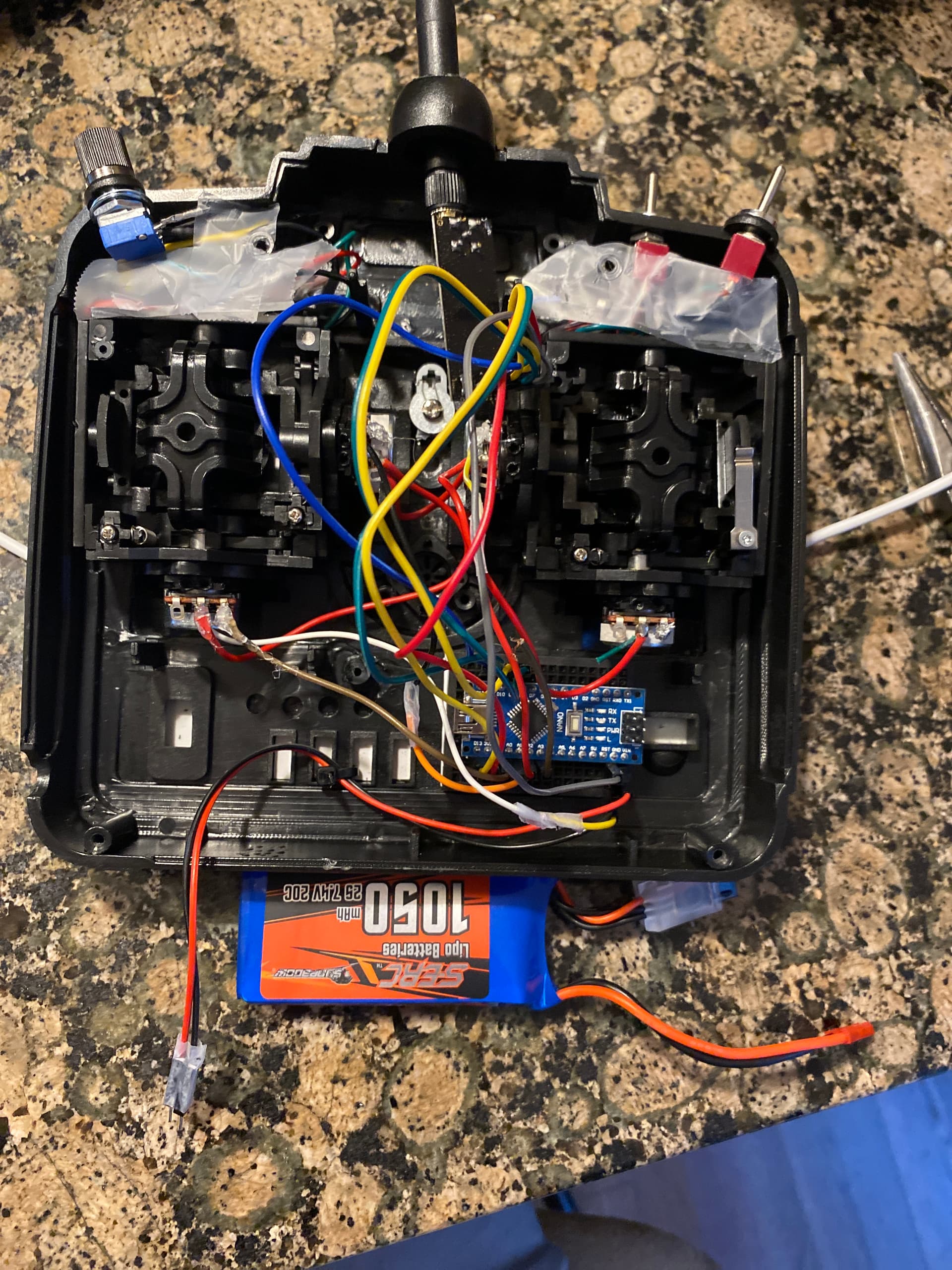
This is a picture of the transmitter that I’m using and of the receiver so far
Receiver:
Transmitter:

If anyone could help me to realize why the joystick value isnt changing, that would be great! Thanks!