About 2 meters of the led, so 120 individual LEDs, one singular strip
You have it to hundredths of seconds (centiseconds). I think that should be good enough.
Ok, so the code needs to be easy to modify, as you will probably be doing a lot of fine tuning.
I think most (maybe all) of your sequence can be represented as a simple dataset. Each record in the set consisting of a time and the r, g, b components of the target colour that is to be reached by that time.
A macro can be used to avoid having to laboriously convert each time into a millis value:
#define CENTISECS(m, s, c) ((m)*60000UL+(s)*1000UL+(c))
This can then be used in the code like this
unsigned long t1 = CENTISECS(1,56,63);
$50 for 2 metres???
So dim blue would be (0,0,127)
I know it’s most likely a little excessive for the project I’d be using them for but I really liked the amount of customization options with these ones, being able to individually control each led separately if I wanted to is very useful- especially if I want to program more complex lighting in the future
But if there’s other LEDs that you’d recommend that would work just as well for this project I’d be happy to see some other options, these ones are just what have been recommended to me from other cosplayers
Any ws2812 strip can do that. Shop around and see if you still think those Adafruit branded ones are good value.
Yes correct. For now since I will be doing light mapping for 9 different costumes, I just want to make sure that all of the colors are identical, so for now I decided not to write the dimmed version of the rgb code. For blue this is less important since it’s just going to showing a single color but for more varied colors like purple or pink etc I want the fully bright version to be the same color as the dimmed version if that makes since? So for now I’m picking out my colors and putting them where I need them but once I have all 9 light maps done I’ll go back through and replace the dimmed versions with their correct color code
Provide a simple drawing of the NeoPixel layout.
Here is a neopixel sequencer in zip formatter...
https://thingm.com/products/blinkm/
https://github.com/todbot/LinkM/releases/download/v20150915/BlinkMSequencer2-win.zip
It's not always possible with this type of LED. They have limited colour precision: 8 bits for each channel (r, g, b) which means that at lower brightness levels, the range of possible colours is reduced. But probably still good enough, I would imagine, if you are prepared to compromise a little.
It doesn’t have to be exact as long as it’s close enough
At this time I don’t have anything set up like that. Would that really be necessary for a project like this? This is how the leds would look on the costume, quite literally just one simple strip that would occasionally change color, with only one single animation in the entire light map I have planned so far, that being a graduating rainbow
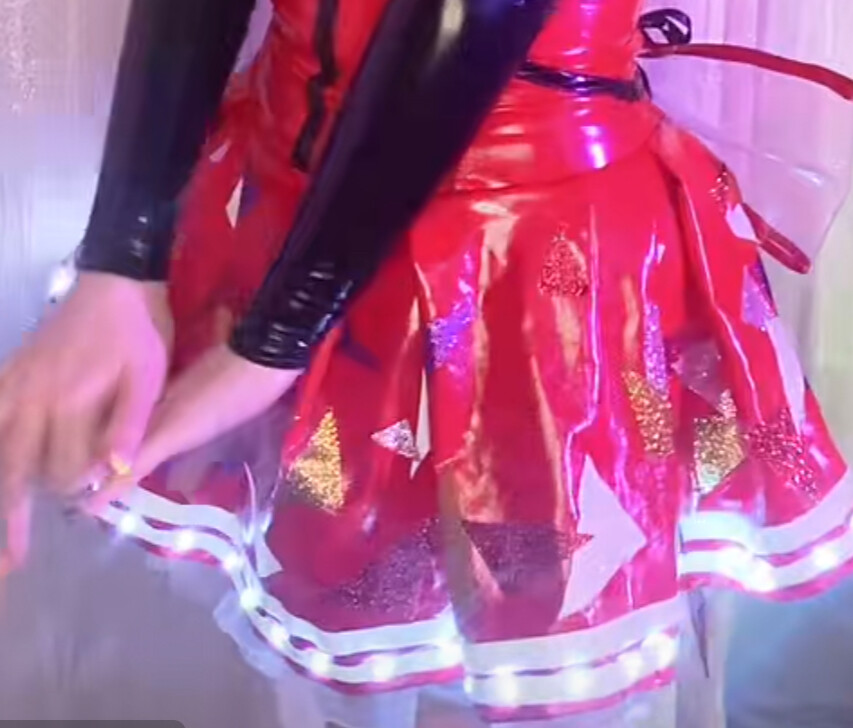
Example of graduating rainbow animation (except you know,, not a still photo)
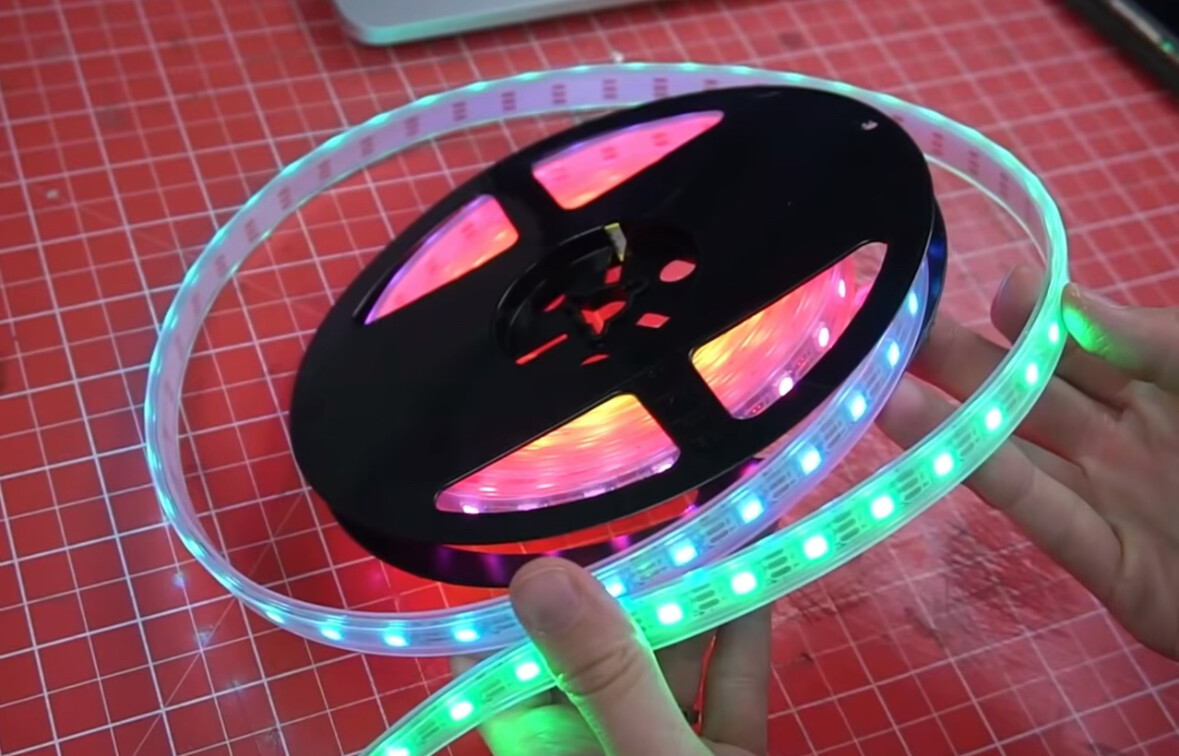
Please be reminded that this will be my first time programming lighting so I am entirely new to literally everything, besides the small amount of html coding I used to do as a hobby like 10 years ago
No need for a sequencer.
Very good.
(I was imagining "head", "arms", "legs", "torso")
Oh goodness no! I mean it’s already a bit silly of me to attempt something like this as a first project but it would just be comical to attempt something even more complex, I at least know my limits to that extent
Hi, @pixie_beanz
Have you Googled;
arduino sync sound to light cosplay
or;
arduino sync sound to light
Tom.. 


If anyone else is using intervals in milliseconds (and not a fan of transcribing minutes to millis), these are the contents of my intervals.h file, each element is type long interval[x] because type UINT_MAX is only 65535.
/*
  Song one/ dancer #3 (red) light mapping draft one

  ALL EFFECTS
   0. black
   1. white
   2. rainbow
   3. fade white to black
   4. fade black to white
   5. red
   6. blue
   7. purple (160, 32, 240)
   8. light blue (143, 217, 251)
   9. orange (255, 102, 0)
  10. pink (255, 2, 141)
  11. yellow (255, 245, 0)
  12. green
  13. fade green to white
  14. fade blue to black
  15. fade red to white
*/

long interval[] {
  //START       EFFECT   EVENT  START   STOP
       0,   3990,  0, //  0 0:00.00 - 0:04.00 black
    4000,   6900,  1, //  1 0:04.00 - 0:06.90 white
    7000,  10660,  2, //  2 0:07.00 - 0:10.66 rainbow
   10670,  32590,  1, //  3 0:10.67 - 0:32.59 white
   32600,  33020,  3, //  4 0:32.60 - 0:33.02 fade white to black
   33030,  35290,  4, //  5 0:33.03 - 0:35.29 fade black to white
   35300,  40490,  1, //  6 0:35.30 - 0:40.49 white
   40500,  62690,  0, //  7 0:40.50 - 1:02.69 black
   62700,  81460,  5, //  8 1:02.70 - 1:21.46 red (255, 0, 0)
   81470,  88560,  6, //  9 1:21.47 - 1:28.56 blue (0, 0, 255)
   88570, 108340,  1, // 10 1:28.57 - 1:48.34 white
  108350, 109000,  3, // 11 1:48.35 - 1:49.00 fade white to black
  109010, 111000,  4, // 12 1:49.01 - 1:51:00 fade black to white
  111010, 116530,  1, // 13 1:51.01 - 1:56.53 white
  116540, 124030,  6, // 14 1:56.54 - 2:04.03 blue (0,0,255)
  124040, 131260,  7, // 15 2:04.04 - 2:11.26 purple (160,32,240)
  131270, 138960,  8, // 16 2:11.27 - 2:18.96 light blue (143,217,251)
  139970, 145290,  9, // 17 2:19.97 - 2:25.29 orange (255,102,0)
  145300, 149490, 10, // 18 2:25.30 - 2:29.49 pink (255,2,141)
  149500, 153530,  5, // 19 2:29.50 - 2:33.53 red (255,0,0)
  153540, 155260, 11, // 20 2:33.54 - 2:35.26 yellow (255,245,0)
// here
  155270, 157220, 12, // 21 2:35.27 - 2:37.22 green (0,255,0)
  157230, 164360, 4, // 22 2:37.23 - 2:44.36 fade black to white
// here
  164370, 166160,  0, // 23 2:44.37 - 2:46.16 black
  166170, 184160,  1, // 24 2:46.17 - 3:04.16 white
  184170, 184690,  3, // 25 3:04.17 - 3:04.69 fade white to black
  184700, 186640,  4, // 26 3:04.70 - 3:06.64 fade black to white
  186650, 191940,  3, // 27 3:06:65 - 3:11.94 fade white to black
  191950, 199530,  0, // 28 3:11.95 - 3:19.53 black
  199540, 216030,  6, // 29 3:19.54 - 3:36.03 blue
  216040, 232260,  1, // 30 3:36.04 - 3:52.26 white
  232270, 234160,  8, // 31 3:52.27 - 3:54.16 light blue (143,217,251)
  234170, 235830,  6, // 32 3:54.17 - 3:55.83 blue
  235840, 236410, 14, // 33 3:55.84 - 3:56.41 fade blue to black
  236420, 238190,  4, // 34 3:56.42 - 3:58.19 fade black to white
  238200, 245460,  1, // 35 3:58.20 - 4:05.46 white
  245470, 251530,  3, // 36 4:05.47 - 4:11.53 rainbow
//here
  251540, 253290,  0, // 37 4:11.54 - 4:13.29 black
  253300, 255080, 15, // 38 4:13.30 - 4:15.08 fade red to white
//here
  255090, 260000,  1, // 39 4:15.09 - 4:20.00 fade white to black
};
- A "stop" time is not needed. "start" automatically stops the previous effect.
@pixie_beanz - In event #21 (my numbering, this post) and event #37 you have a color followed by fading a different color. This can easily be programmed without changing any of the timing, but all of your transitions have been pre-set and transition from the pre-set. Did you intend to have a "black" before the "fade black to white" and "red" before "fade red to white"?
@pixie_beanz - Here is a simulation of the lighting effects you described. Please, post comments for improvements.
In loop() there are two functions. Only run one function at a time (comment-out the other function).
pixie() displays the lighting effects,
showTiming() displays the timing.
If you watch the light effects, you can follow along with reading the "intervals.h" file.
Files for WOKWI.COM
sketch.ino
#include <FastLED.h>
#include "intervals.h" // contains timing start, stop and effect

#define NUMPIX    120
#define DATAPIN   4
#define MAXBRIGHT 255
#define BUTTONPIN 2
CRGB led[NUMPIX];

int eventCount;
byte numEvents = (sizeof(interval) / sizeof(interval[0])) / 3; // number of events to start
unsigned long startTime;

void setup() {
  FastLED.addLeds<WS2812B, DATAPIN, GRB>(led, NUMPIX);
  FastLED.setBrightness(MAXBRIGHT);
  FastLED.clear();
  FastLED.show();
  Serial.begin(115200);
  randomSeed(analogRead(A0));

  while (!digitalRead(BUTTONPIN));
  delay(random(255)); // not needed
  startTime = millis(); // this is time zero
}

void loop() {
  pixie(); // the effects - follow along in "intervals.h" (remember offset vs realtime)
  // showTiming(); // the timing, no lights
  // readEventStats();
}

void pixie() {
  unsigned long thisEvent = millis() - startTime;
  if (thisEvent > 255091UL ) // One ms after start of last effect
    while (1); // STOP THE SHOW

  if (thisEvent > interval[eventCount]) {
    Serial.print("(C");
    Serial.print(eventCount / 3);
    Serial.print(".E");
    Serial.print(interval[eventCount + 2]);
    Serial.print(")");

    switch (interval[eventCount + 2]) {
      case (0):  fill_black(); break;
      case (1):  fill_white(); break;
      case (2):  rainbow(); break;
      case (3):  fadetoblack(); break;
      case (4):  fadetowhite(); break;
      case (5):  fill_red(); break;
      case (6):  fill_blue(); break;
      case (7):  fill_purple(); break;
      case (8):  fill_light_blue(); break;
      case (9):  fill_orange(); break;
      case (10): fill_pink(); break;
      case (11): fill_yellow(); break;
      case (12): fill_green(); break;
      case (13): fade_green_to_white(); break;
      case (14): fade_blue_to_black(); break;
      case (15): fade_red_to_white(); break;
    }
    eventCount += 3;
  }
}

//**************************************************
// EFFECTS
//**************************************************

void fill_black() { // effect 00
  fill_solid (led, NUMPIX, CRGB::Black);
  FastLED.show();
}

void fill_white() { // effect 01
  fill_solid (led, NUMPIX, CRGB::White);
  FastLED.show();
}

void rainbow() { // effect 02
  uint8_t thisHue = beatsin16(10, 0, 255);
  fill_rainbow(led, NUMPIX, thisHue, 10);
  FastLED.show();
}

void fadetoblack() { // effect 03
  for (int i = 0; i < 256; i++) {
    for (int j = 0; j < NUMPIX; j++) {
      led[j] = CRGB(255 - i, 255 - i, 255 - i);
    }
    FastLED.show();
  }
}

void fadetowhite() { // effect 04
  for (int i = 0; i < 256; i++) {
    for (int j = 0; j < NUMPIX; j++) {
      led[j] = CRGB(i, i, i);
    }
    FastLED.show();
  }
}

void fill_red() { // effect 05
  fill_solid (led, NUMPIX, CRGB::Red);
  FastLED.show();
}

void fill_blue() { // effect 06
  fill_solid (led, NUMPIX, CRGB::Blue);
  FastLED.show();
}

void fill_purple() { // effect 07 - purple (160, 32, 240)
  fill_solid (led, NUMPIX, CRGB(160, 32, 240));
  FastLED.show();
}

void fill_light_blue() { // effect 08 - light blue (143, 237, 251)
  fill_solid (led, NUMPIX, CRGB(143, 237, 251));
  FastLED.show();
}

void fill_orange() { // effect 09 - orange (255, 102, 0)
  fill_solid (led, NUMPIX, CRGB(255, 102, 0));
  FastLED.show();
}

void fill_pink() { // effect 10 - pink (255, 2, 141)
  fill_solid (led, NUMPIX, CRGB(255, 2, 141));
  FastLED.show();
}

void fill_yellow() { // effect 11 - yellow (255, 245, 0)
  fill_solid (led, NUMPIX, CRGB(255, 245, 0));
  FastLED.show();
}

void fill_green() { // effect 12
  fill_solid (led, NUMPIX, CRGB(0, 255, 0));
  FastLED.show();
}

void fade_green_to_white() { // effect 13
  for (int i = 0; i < 256; i++) {
    for (int j = 0; j < NUMPIX; j++) {
      led[j] = CRGB(i, 255, i);
    }
    FastLED.show();
  }
}

void fade_blue_to_black() { // effect 13
  for (int i = 0; i < 256; i++) {
    for (int j = 0; j < NUMPIX; j++) {
      led[j] = CRGB(0, 0, 255 - i);
    }
    FastLED.show();
  }
}

void fade_red_to_white() { // effect 13
  for (int i = 0; i < 256; i++) {
    for (int j = 0; j < NUMPIX; j++) {
      led[j] = CRGB(255, i, i);
    }
    FastLED.show();
  }
}

//**************************************************
// MORE EFFECTS
//**************************************************

void twinkle_fill() {
  for (int i = 0; i < 150; i++) {
    led[random(120)] = CRGB::White;
    FastLED.show();
  }
}

//**************************************************
// UTILITY FUNCTIONS
//**************************************************
void numberOfEvents() { // show number of events
  Serial.print("Number of events: ");
  Serial.println(numEvents);
}

void spacePad(unsigned long value) { // format values on the serial monitor
  for (double i = 100000; i > 1; i /= 10) {
    if (value < i) Serial.print(" ");
  }
}

void readEventStats() { // read and print event start times
  Serial.println(startTime);
  for (int i = 0; i < numEvents; i++) {
    long startTime = interval[eventCount];
    Serial.print(i); Serial.print(" "); Serial.println(startTime);
    eventCount += 3;
    delay(250);
  }
}

void showTiming() { // show event timing offset (from zero), realtime and effect
  unsigned long thisEvent = millis() - startTime;
  if (thisEvent > 255091UL ) // one ms after start of last effect
    while (1); // STOP THE SHOW
  if (thisEvent > interval[eventCount]) {
    Serial.print("START (offset ");
    spacePad(interval[eventCount]);
    Serial.print(interval[eventCount]);
    Serial.print(" | realtime ");
    spacePad(interval[eventCount]);
    Serial.print(interval[eventCount] + startTime);
    Serial.print(")");

    Serial.print(" END (offset ");
    spacePad(interval[eventCount + 1]);
    Serial.print(interval[eventCount + 1]);
    Serial.print(" | realtime ");
    spacePad(interval[eventCount + 1]);
    Serial.print(interval[eventCount + 1] + startTime);
    Serial.print(")");

    Serial.print(" STEP ");
    Serial.print(eventCount / 3);
    Serial.print(" EFFECT ");
    Serial.print(interval[eventCount + 2]);

    eventCount += 3;
    Serial.println();
  }
}
intervals.h
/*

  https://forum.arduino.cc/t/programming-led-lights-for-a-performance/1272933/

  Song one/ dancer #3 (red) light mapping draft one

  THE EFFECTS
   0. black
   1. white
   2. rainbow
   3. fade white to black
   4. fade black to white
   5. red
   6. blue
   7. purple (160, 32, 240)
   8. light blue (143, 217, 251)
   9. orange (255, 102, 0)
  10. pink (255, 2, 141)
  11. yellow (255, 245, 0)
  12. green
  13. fade green to white
  14. fade blue to black
  15. fade red to white
*/

unsigned long interval[] {
  //START (ms)   EFFECT  EVENT START   STOP
       0,   3990,  0, //  0 0:00.00 - 0:04.00 black
    4000,   6900,  1, //  1 0:04.00 - 0:06.90 white
    7000,  10660,  2, //  2 0:07.00 - 0:10.66 rainbow
   10670,  32590,  1, //  3 0:10.67 - 0:32.59 white
   32600,  33020,  3, //  4 0:32.60 - 0:33.02 fade white to black
   33030,  35290,  4, //  5 0:33.03 - 0:35.29 fade black to white
   35300,  40490,  1, //  6 0:35.30 - 0:40.49 white
   40500,  62690,  0, //  7 0:40.50 - 1:02.69 black
   62700,  81460,  5, //  8 1:02.70 - 1:21.46 red (255, 0, 0)
   81470,  88560,  6, //  9 1:21.47 - 1:28.56 blue (0, 0, 255)
   88570, 108340,  1, // 10 1:28.57 - 1:48.34 white
  108350, 109000,  3, // 11 1:48.35 - 1:49.00 fade white to black
  109010, 111000,  4, // 12 1:49.01 - 1:51:00 fade black to white
  111010, 116530,  1, // 13 1:51.01 - 1:56.53 white
  116540, 124030,  6, // 14 1:56.54 - 2:04.03 blue (0,0,255)
  124040, 131260,  7, // 15 2:04.04 - 2:11.26 purple (160,32,240)
  131270, 138960,  8, // 16 2:11.27 - 2:18.96 light blue (143,217,251)
  139970, 145290,  9, // 17 2:19.97 - 2:25.29 orange (255,102,0)
  145300, 149490, 10, // 18 2:25.30 - 2:29.49 pink (255,2,141)
  149500, 153530,  5, // 19 2:29.50 - 2:33.53 red (255,0,0)
  153540, 155260, 11, // 20 2:33.54 - 2:35.26 yellow (255,245,0)

// here - do you want to fade to white from green or black?
  155270, 157220, 12, // 21 2:35.27 - 2:37.22 green (0,255,0)
  157230, 164360,  4, // 22 2:37.23 - 2:44.36 fade black to white
// here

  164370, 166160,  0, // 23 2:44.37 - 2:46.16 black
  166170, 184160,  1, // 24 2:46.17 - 3:04.16 white
  184170, 184690,  3, // 25 3:04.17 - 3:04.69 fade white to black
  184700, 186640,  4, // 26 3:04.70 - 3:06.64 fade black to white
  186650, 191940,  3, // 27 3:06:65 - 3:11.94 fade white to black
  191950, 199530,  0, // 28 3:11.95 - 3:19.53 black
  199540, 216030,  6, // 29 3:19.54 - 3:36.03 blue
  216040, 232260,  1, // 30 3:36.04 - 3:52.26 white
  232270, 234160,  8, // 31 3:52.27 - 3:54.16 light blue (143,217,251)
  234170, 235830,  6, // 32 3:54.17 - 3:55.83 blue
  235840, 236410, 14, // 33 3:55.84 - 3:56.41 fade blue to black
  236420, 238190,  4, // 34 3:56.42 - 3:58.19 fade black to white
  238200, 245460,  1, // 35 3:58.20 - 4:05.46 white
  245470, 251530,  2, // 36 4:05.47 - 4:11.53 rainbow

//here - do you want to fade to white from red or black?
  251540, 253290,  0, // 37 4:11.54 - 4:13.29 black
  253300, 255080, 15, // 38 4:13.30 - 4:15.08 fade red to white
//here

  255090, 260000,  3, // 39 4:15.09 - 4:20.00 fade white to black
};
diagram.json
{
  "version": 1,
  "author": "Anonymous maker",
  "editor": "wokwi",
  "parts": [
    { "type": "wokwi-arduino-nano", "id": "nano", "top": -532.8, "left": -10.1, "attrs": {} },
    {
      "type": "wokwi-led-ring",
      "id": "ring1",
      "top": -1364.23,
      "left": -302.04,
      "attrs": { "pixels": "120" }
    },
    { "type": "wokwi-vcc", "id": "vcc1", "top": -604.04, "left": -38.4, "attrs": {} },
    { "type": "wokwi-gnd", "id": "gnd1", "top": -537.6, "left": -39, "attrs": {} },
    {
      "type": "wokwi-pushbutton",
      "id": "btn1",
      "top": -589,
      "left": 134.4,
      "attrs": { "color": "green" }
    },
    {
      "type": "wokwi-text",
      "id": "legendservo1",
      "top": -576,
      "left": 211.2,
      "attrs": { "text": "START" }
    }
  ],
  "connections": [
    [ "nano:4", "ring1:DIN", "green", [ "v0" ] ],
    [ "nano:GND.2", "btn1:2.l", "black", [ "v0" ] ],
    [ "nano:2", "btn1:1.l", "green", [ "v0" ] ],
    [ "gnd1:GND", "ring1:GND", "black", [ "v-9.6", "h86.4" ] ],
    [ "vcc1:VCC", "ring1:VCC", "red", [ "v19.2", "h96" ] ]
  ],
  "dependencies": {}
}
try to this project as a start: