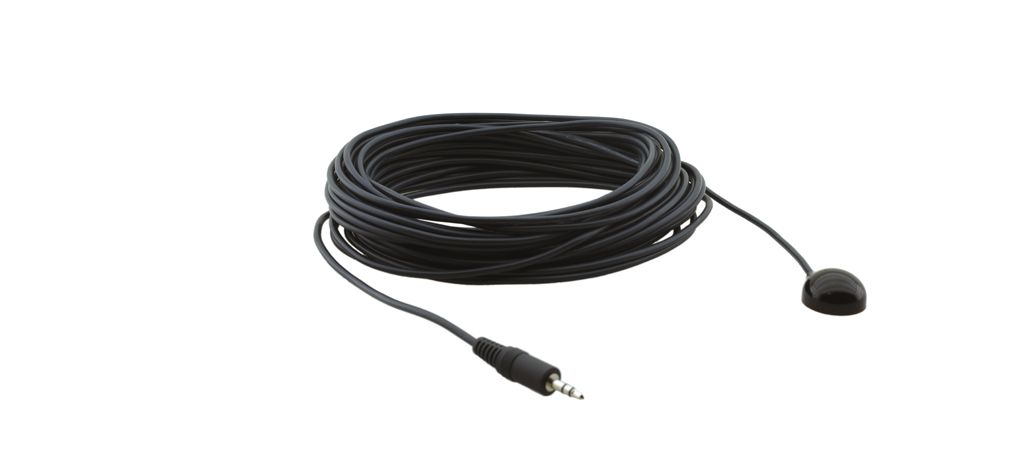
I have an Arduino micro and a display-unit with an IR-in connector. There I can plug in an IR cable. (see attached picture) When using the remote control it works with the sensor on the cable.
My goal is, to cut the sensor from the cable and connect it with the Arduino instead. The Arduino now should emit some remote-control signals.
The cable only consists of 3 Wires:
VIN
GND
Data
Now with the Arduino I want to send the appropriate (extended) NEC Signals. But no matter what I try, I am not able to get it running. There are tons of tutorials out there, how to build an IR-Receiver / Emitter with an Arduino, but unfortunately none of them fits my needs. I seem to be the only one, who wants to do it with an IR cable instead of a sensor...
Here is what I tried:
I have included the Arduino-IRremote-library, connected the data-cable to PIN 3 (I also tried the other PINs because of the hint here). I also connected the VIN and GND to Power up the Arduino (works fine!), but for testing I leave that out and Power the Arduino over USB.
Now I want to send some signals, but the display does not recognize anything:
#include <IRremote.h>
IRsend irsend;

void loop() {

  for (int i = 0; i < 2; i++) {
    irsend.sendNEC(0x004eff71, 32);
    delay(40);

  }
  delay(1000);
}
It seems like this library only works for sensors, not for cables?
A real-life situation for an IR-passthrough would be, if you need to control a device, which is not in reach of the IR signal. So in this case the displays just passes thorugh the IR signal to a (hidden) DVD-Player. So I think this should be possible with the Arduino, too? But how? Can you guys help me and give me some hints?
The Arduino IR library sends NEC protocol signals modulated onto a 38kHz carrier.
The 3-pin receiver chip strips off the carrier before outputting the data.
So you need to send unmodulated NEC signals down your wire, which requires that you write your own code to do it. The library is not intended for your purpose.
See here for a good explanation of IR modulation for domestic remote control.
I am very new to Arduino, but I cannot imagine why you would want to use an analogue function.
You need to toggle a digital output between "1" and "0" in the correct timing sequence for NEC protocol.
Three-pin receivers usually put out an inverted signal, just to add a little confusion.
Unless you are an intermediate to experienced programmer, I think it would be much simpler if you restored the original IR receiver, and connect an IR LED to your Arduino, with suitable current limiting resistor to prevent burn-out.
Tape, or otherwise physically mount the IR LED near to the IR receiver, and send the appropriate NEC codes using Arduino IR library functions.
Thank you for your reply. Unfortunately I cannot use an IR LED. I am just able to use the wired connection.
For testing purposes I just made the setup the other way round:
I put the cable in the IR-OUT of the display, and started the IR Receiver on the Arduino:
void setup() {
  Serial.begin(9600);
  delay(5000);
  irrecv.enableIRIn(); // Start the receiver
  Serial.println("Start Receiving IR Signals...");
}

void loop() {

      if (irrecv.decode(&results)) {
        Serial.println(results.value, HEX);
        irrecv.resume(); // Receive the next value
      }
    delay(100)
}
Now when I push the buttons of the IR Remote, I receive some Hex values:
E.g. The documentation for the display says, for "Louder" I have to send 4EFF6D (4EFF = Device address).
When I press the button, I get the Hex value "72FF20DF" from the IR-Out of the display.
So why is this signal different? Is this the unmodulated signal?
Do I have to send this (72FF20DF) to the display in the NEC timing?
I think changing or extending the IRremote lib would be the best way to generate the signal.
A quick look into it makes me believe that the carrier is generated by PWM, so changing the enabling/disabling of the PWM into setting/resetting a pin (reversed if needed) should do the job.
But look at that mini snippet yourself
//+=============================================================================
// Sends an IR mark for the specified number of microseconds.
// The mark output is modulated at the PWM frequency.
//
void  IRsend::mark (unsigned int time)
{
 TIMER_ENABLE_PWM; // Enable pin 3 PWM output
 if (time > 0) custom_delay_usec(time);
}

//+=============================================================================
// Leave pin off for time (given in microseconds)
// Sends an IR space for the specified number of microseconds.
// A space is no output, so the PWM output is disabled.
//
void  IRsend::space (unsigned int time)
{
 TIMER_DISABLE_PWM; // Disable pin 3 PWM output
 if (time > 0) IRsend::custom_delay_usec(time);
}
You just add the code to handle a pin (supplied by a changed constructor) and have modulated and unmodulated output in parallel.
Hey Maikell84, I am currently on a projet and have the same problem as you. I saw you got it working, would you mind showing me how you modified the code of the library ?