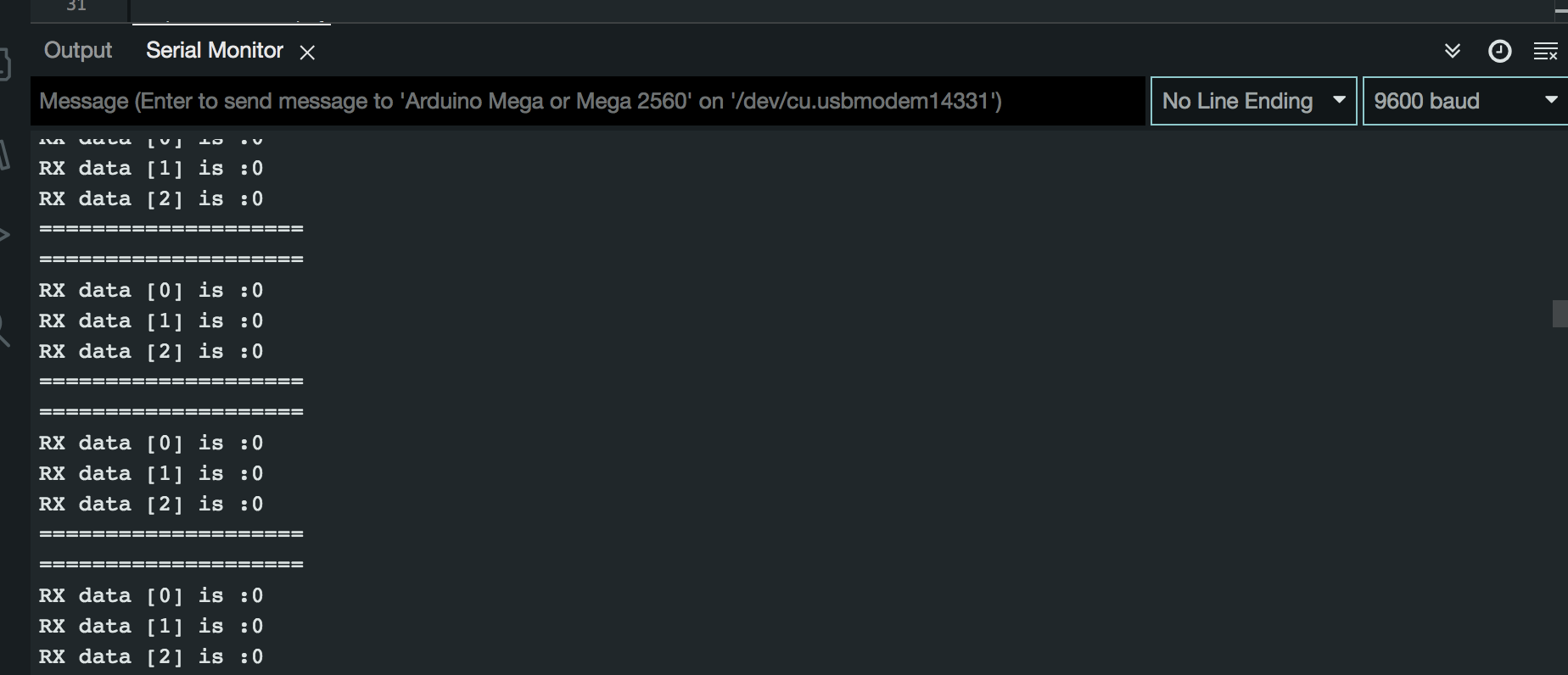
Hi All
As many will know from reading my previous posts Im trying to achieve full duplex communication, no one seems to know how to write this code for arduino or at least not willing to, so i hired a professional to write the code example for me that i could integrate into my project.
Well that was a complete waste of time, below is the code i got, it doesn't work , just get random junk data, however this is the closest code i have to achieving my goal.
Just to give you a heads up before you read the code, my requirements provided to a professional are as attached.
Project Details.pdf (89.5 KB)
Hoping someone here can see the issue and advise on how to correct it.
Master Code
#include <Arduino.h>
#include <SPI.h>

#define SLAVE_1_CS 1
#define SLAVE_2_CS 2
#define SLAVE_3_CS 3
#define SLAVE_4_CS 4

#define RESPONSE_LENGTH 4  //bytes

byte S1_data_out[] = { 0, 0, 0 };
byte S2_data_out[] = { 0, 0, 0 };
byte S3_data_out[] = { 0, 0, 0 };
byte S4_data_out[] = { 0, 0, 0 };

byte S1_data_in[] = { 0, 0, 0, 0 };
byte S2_data_in[] = { 0, 0, 0, 0 };
byte S3_data_in[] = { 0, 0, 0, 0 };
byte S4_data_in[] = { 0, 0, 0, 0 };

void setup() {
  Serial.begin(9600);
  SPI.begin();
  pinMode(SLAVE_1_CS, OUTPUT);
  pinMode(SLAVE_2_CS, OUTPUT);
  pinMode(SLAVE_3_CS, OUTPUT);
  pinMode(SLAVE_4_CS, OUTPUT);
  digitalWrite(SLAVE_1_CS, HIGH);
  digitalWrite(SLAVE_2_CS, HIGH);
  digitalWrite(SLAVE_3_CS, HIGH);
  digitalWrite(SLAVE_4_CS, HIGH);
}

void loop() {
  S1_data_out[0] = 0;
  S1_data_out[1] = 0;
  S1_data_out[2] = 0;
  Slave_1_tr(S1_data_out, 3);                     //send content of packet length 3, and recieve its data
  print_response(S1_data_in, RESPONSE_LENGTH);  //print data whose length is slave_1_data_len

  S2_data_out[0] = 0;
  S2_data_out[1] = 0;
  S2_data_out[2] = 0;
  Slave_2_tr(S2_data_out, 3);
  print_response(S2_data_in, RESPONSE_LENGTH);

  S3_data_out[0] = 0;
  S3_data_out[1] = 0;
  S3_data_out[2] = 0;
  Slave_3_tr(S3_data_out, 3);
  print_response(S3_data_in, RESPONSE_LENGTH);

  S4_data_out[0] = 0;
  S4_data_out[1] = 0;
  S4_data_out[2] = 0;
  Slave_4_tr(S4_data_out, 3);
  print_response(S4_data_in, RESPONSE_LENGTH);
}

void Slave_1_tr(uint8_t *Data_to_send, uint8_t command_length) {
  digitalWrite(SLAVE_1_CS, LOW);

  // uint8_t response_len = SPI.transfer(command_length);

  // uint8_t receivedData[response_len];

  for (int i = 0; i < RESPONSE_LENGTH; i++) {
    S1_data_in[i] = SPI.transfer(i < command_length ? Data_to_send[i] : 0x0);
  }

  digitalWrite(SLAVE_1_CS, HIGH);

  // memcpy(response_data, receivedData, response_len);

  // return response_len;
}

void Slave_2_tr(uint8_t *Data_to_send, uint8_t command_length) {
  digitalWrite(SLAVE_2_CS, LOW);

  // uint8_t response_len = SPI.transfer(command_length);

  // uint8_t receivedData[response_len];

  for (int i = 0; i < RESPONSE_LENGTH; i++) {
    S2_data_in[i] = SPI.transfer(i < command_length ? Data_to_send[i] : 0x0);
  }

  digitalWrite(SLAVE_2_CS, HIGH);

  // memcpy(response_data, receivedData, response_len);

  // return response_len;
}

void Slave_3_tr(uint8_t *Data_to_send, uint8_t command_length) {
  digitalWrite(SLAVE_3_CS, LOW);

  // uint8_t response_len = SPI.transfer(command_length);

  // uint8_t receivedData[response_len];

  for (int i = 0; i < RESPONSE_LENGTH; i++) {
    S3_data_in[i] = SPI.transfer(i < command_length ? Data_to_send[i] : 0x0);
  }

  digitalWrite(SLAVE_3_CS, HIGH);

  // memcpy(response_data, receivedData, response_len);

  // return response_len;
}

void Slave_4_tr(uint8_t *Data_to_send, uint8_t command_length) {
  digitalWrite(SLAVE_4_CS, LOW);

  // uint8_t response_len = SPI.transfer(command_length);

  // uint8_t receivedData[response_len];

  for (int i = 0; i < RESPONSE_LENGTH; i++) {
    S4_data_in[i] = SPI.transfer(i < command_length ? Data_to_send[i] : 0x0);
  }

  digitalWrite(SLAVE_4_CS, HIGH);

  // memcpy(response_data, receivedData, response_len);

  // return response_len;
}

void print_response(uint8_t *data, uint8_t length) {
  // Serial.println("Received  ");
  // Serial.print("Bytes: ");
  // for (uint8_t i = 0; i < length; i++) {
  //   Serial.print(data[i], HEX);
  // }
  // Serial.println("");

  uint32_t combinedValue = (static_cast<uint32_t>(data[0]) << 24) | (static_cast<uint32_t>(data[1]) << 16) | (static_cast<uint32_t>(data[2]) << 8) | static_cast<uint32_t>(data[3]);
  Serial.print("Received Value: ");
  Serial.println(combinedValue);
}
Slave Code
#include <Arduino.h>
#include <SPI.h>

uint8_t txData[] = { 0, 0, 0, 0 };
uint8_t rxData[4];
volatile bool flag = false;
volatile int index = 0;

void setup() {
  Serial.begin(9600);
  pinMode(SS, INPUT_PULLUP);
  pinMode(MISO, OUTPUT);
  bitClear(SPCR, MSTR);   //board is Slave
  bitSet(SPCR, SPE);      //SPI Port is created
  SPI.attachInterrupt();  //LIE, GIE are active
}

void loop() {
  preparedata();
  if (flag == true) {
    noInterrupts();  //critical section
    interrupts();
    Serial.println("====================");
    for (int i = 0; i < 4; i++) {
      Serial.println("RX data [" + String(i) + "] is :" + String(rxData[i]));
    }
    Serial.println("====================");
    flag = false;
  }
}

ISR(SPI_STC_vect) {
  rxData[index] = SPDR;
  SPDR = txData[index];
  index++;
  if (index >= 4) {
    index = 0;
    flag = true;
  }
}

void preparedata() {
  uint32_t value = 0xABCD1234;  // 32-bit value

  txData[0] = (value >> 24) & 0xFF;  // Most significant byte (MSB)
  txData[1] = (value >> 16) & 0xFF;
  txData[2] = (value >> 8) & 0xFF;
  txData[3] = value & 0xFF;  // Least significant byte (LSB)
}