What chip you have?
I don't think there is ST-Link upload method.
usb support CDC (generic 'Serial' supersede U(S)ART)
No , dont select upload in ide , select compile/verify after succssfull compile the hex and bin file is saved in windows/temp
Good alternative.
Anyway, I newer had problem to upload different bluepills in ide (after initial setup hassle).
I can use this alternative. @mikedb where should I find the windows/temp. I am having hard time looking for it, is it in Arduino IDE or local files?
you can do Sketch > Export compiled binary , then Sketch > Show sketch folder
ps did you have this on ide CDC (generic 'Serial' supersede U(S)ART)?
1 Like

This is my PC , look for arduino_build folder , I just compiled it .
No I don't have that but I do have STCubeProgrammer(Serial).

When I used Roger's core I could program the Bluepill from the ide (change the jumpers and press reset) this core is not maintained anymore.
Using the STM core from board manager I gave up trying to program the STM from the ide.
try like this

for third and fourth line
That looks good (it's been a while since I programmed an STM32 from Arduino IDE).
What happens if you upload code with those settings to your device?
I get this "upload error: Faild uploading:uploading error:exit status 127"
I also just try your settings .. does not work for me.
At what stage does the ST LINK connect and change the LED status?
I found it under the USB support. Sorry I wasn't looking at the right thing last time. I selected the (generic 'Serial' supersede U(S)ART) but still no luck.
That's unrelated to firmware upload to the device.
Full error output, please (copy-paste)?

I can confirm this is the correct setting for the generic STLink devices:

Works OK with the STM32 board I just tested with.
Can you show how you've connected your board to the STLink?
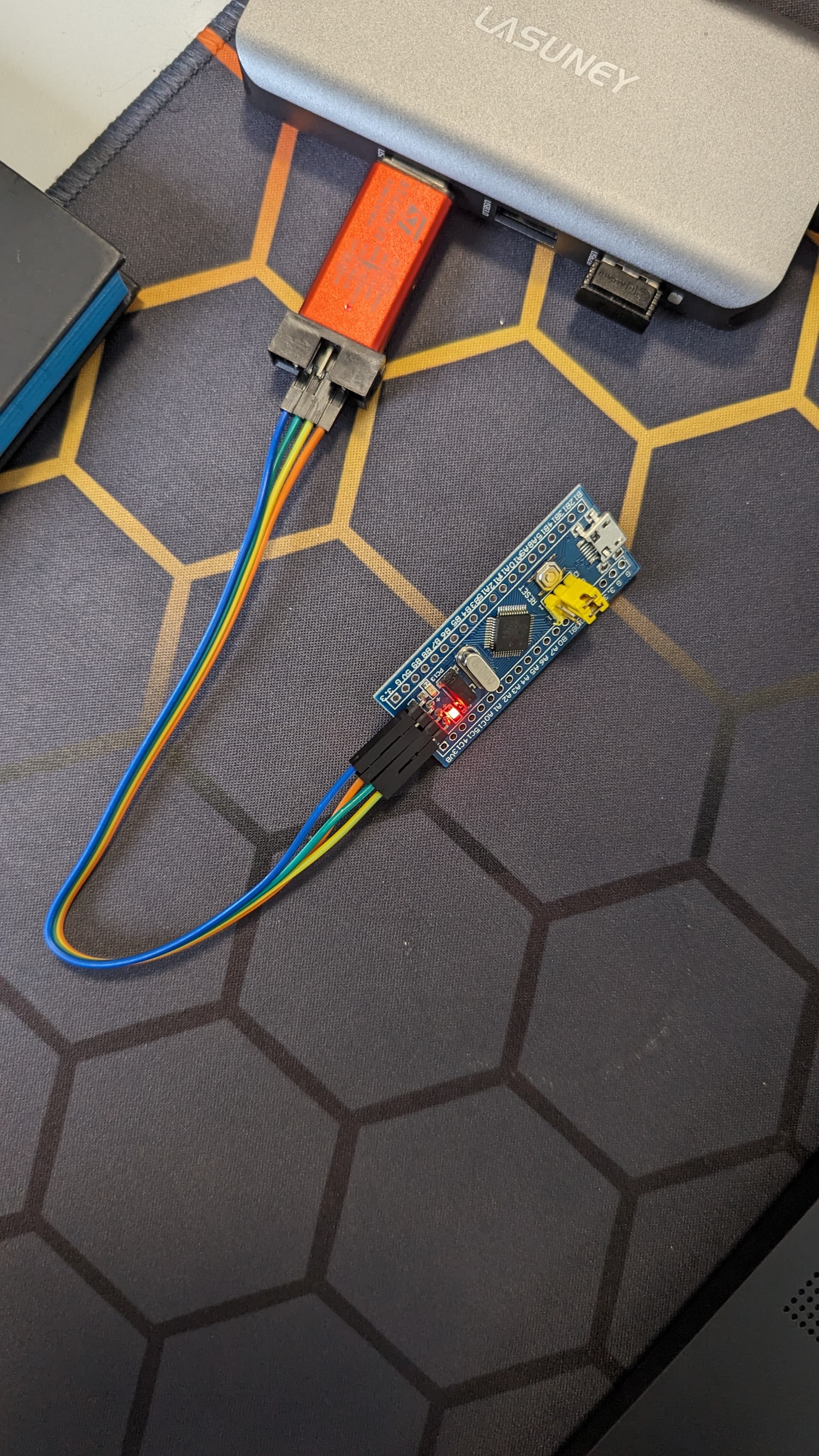
A hub? 
Is it not a good idea? Well, nothing connected to the Hub other than ST-link.
Same error even after connecting the ST-link directly to the PC.