Why the loop time changes randomly when the Arduino is running?

Hello,

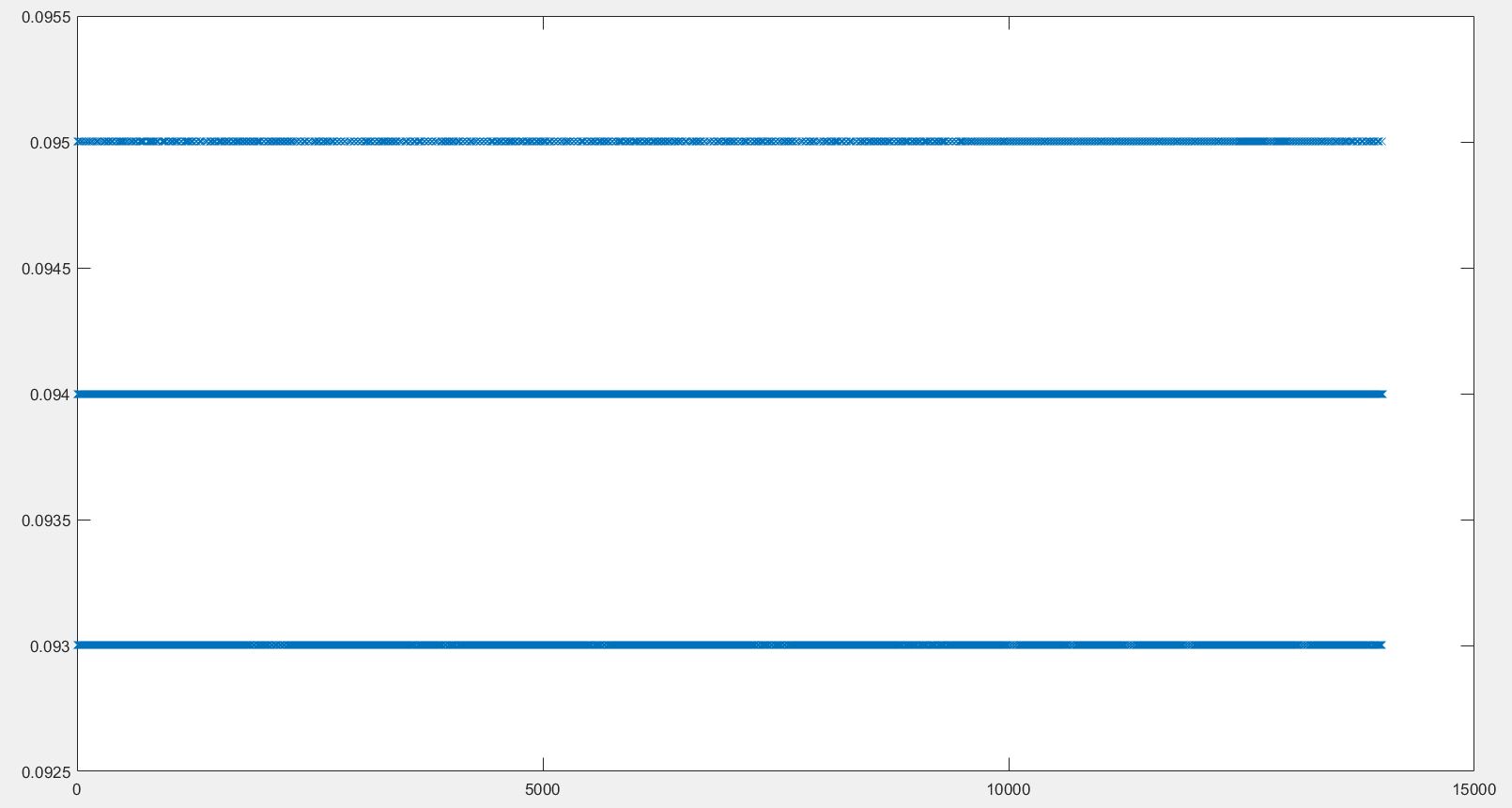
I found the Arduino Uno board could not output data with the same time span, which means each loop takes different time. I posted the time intervals of my code, and it shows there are three main different time spans which are randomly distributed (the y axis represents time inverval in seconds, x axis is the sample number ). I've checked several Arduino boards, they all have the same acts. Does anyone know how to solve it? How to make every loop really run the same time?? Thanks!

Can't see your code.
I shouldn't have to point this out.

maybe it's just jitter / aliasing on your sampling / measuring device?

What is that image supposed to show? Unless I'm missing something, it's not showing anything just three static voltages...

Boyce:
How to make every loop really run the same time??

That is not possible (and not neccessary).

Base your timing on millis() or micros().

DrAzzy:
What is that image supposed to show? Unless I'm missing something, it's not showing anything just three static voltages...

Hi, the plot is the time interval between samples versus the # of samples. I just Serial.print the millis(), and plot it.

Six replies in, and no code.
Sigh.

It's timing on millis(). And this is a serious issue that If I want to use if command to make the code do something when the time is 1 x looptime, 2 x looptime,3 x looptime,...n x looptime...

Eight replies in, and still no code.
Sigh.

Boyce:
Hi, the plot is the time interval between samples versus the # of samples. I just Serial.print the millis(), and plot it.

So it is yout method that causes it and the loop (if same code) is exactly the same in duration (at same temperature and supply).

try micros()

AWOL:
Six replies in, and no code.
Sigh.

I am sorry, I am new to this forum and don't know how to post a code (I just attached it). I just define the now == millis() at the beginning of the loop and Serial.print it. I think it's probably the hardware issue, just make sure if it's solvable. Thanks!

#include <PID_v1.h>
#include <PID_AutoTune_v0.h>
#define thermistor_pin A0
int outputPin = 9;
int k = 0;
int Num_samples = 30;
double T,R;
double R0 = 99300.0; 
double R_25 = 100000.0;
double T0 = 25;
double B = 4150;
byte ATuneModeRemember=2;
double input ;   
double output;	 
double setpoint= 150;	
double kp=2.36, ki=0.06, kd= 0;	     
double aTuneStep = 20;          
double aTuneNoise = 1;            
double aTuneStartValue = 15;	
unsigned int aTuneLookBack = 60;
boolean tuning = false;
PID myPID(&input, &output, &setpoint,kp, ki, kd, DIRECT);
PID_ATune aTune(&input, &output);

void setup()
{
  Serial.begin(19200);
  pinMode(outputPin,OUTPUT);
  myPID.SetMode(AUTOMATIC);
  if(tuning)
  {
    tuning=false;
    changeAutoTune();
    tuning=true;
  }
}

void loop()
{
  unsigned long now = millis();
  double dif = abs(input - setpoint);
  if((now > 600000) &&  (dif <= 1))   
  {
  tuning = true;
  }

  
 double average = 0;
  for (k = 0; k < Num_samples; k++) {
    average += analogRead(thermistor_pin);
    delay(10);
  }
  
 //double average = analogRead(thermistor_pin);
  
  T = resistanceToC(inputToResistance(average));
 
  
  input = T;
    
  if(tuning)
  {
    byte val = (aTune.Runtime());
    if (val!=0)
    {
      tuning = false;
    }
    if(!tuning)
    { //we're done, set the tuning parameters
      kp = aTune.GetKp();
      ki = aTune.GetKi();
      kd = aTune.GetKd();
      Serial.print("\t");
      Serial.print(kp);
      Serial.print("\t");
      Serial.print(ki);
      Serial.print("\t");
      Serial.print(kd);
      Serial.print("\t");
      
      myPID.SetTunings(kp,ki,kd);
      AutoTuneHelper(false);
    }
  }
  else myPID.Compute();
  //analogWrite(outputPin, output);
  if (input >= 235.0)
  {
   analogWrite(outputPin,output = 0);
  }
   else
   {
   analogWrite(outputPin,output);
  }
  
  Serial.print(now);
  Serial.print("\t");
  Serial.print(T);
  Serial.print("\t");
  Serial.print(output);
  Serial.print("\n");

}

void changeAutoTune()
{
 if(!tuning)
  {
    //Set the output to the desired starting frequency.
    output=aTuneStartValue;
    aTune.SetNoiseBand(aTuneNoise);
    aTune.SetOutputStep(aTuneStep);
    aTune.SetLookbackSec((int)aTuneLookBack);
    aTune.SetControlType(1);
    AutoTuneHelper(true);
    tuning = true;
  }
  else
  { //cancel autotune
    aTune.Cancel();
    tuning = false;
    AutoTuneHelper(false);
  }
}

void AutoTuneHelper(boolean start)
{
  if(start)
    ATuneModeRemember = myPID.GetMode();
  else
    myPID.SetMode(ATuneModeRemember);
}

double inputToResistance(double input) {
  input = 1023.0 / input - 1;
  R = R0 / input;
  return R;
} 
double resistanceToC(double resistance) {
  T = 1.0/(1.0/(T0+273.15) + 1.0/B*log(R/R_25)) - 273.15;
  return T;
}

Moderator edit: code added inline

auto_fix_CJD.ino (2.69 KB)

What baud rate are you using for the serial connection? Serial is slow relative to most other things on the microcontroller (19200 baud is about 2k/second) - it's got a 64-byte output buffer, but when that finishes, writing to the serial port becomes blocking, and so your sketch winds up waiting for stuff to send via the serial port most of the time.

i still guess it is just the way you measure meaning resolution. Why is a year not always 365 days? because the loop time of the earth has a fraction of a day in it. So your loop is likely to have fractions of millis - ok now?

DrAzzy:
What baud rate are you using for the serial connection? Serial is slow relative to most other things on the microcontroller (19200 baud is about 2k/second) - it's got a 64-byte output buffer, but when that finishes, writing to the serial port becomes blocking, and so your sketch winds up waiting for stuff to send via the serial port most of the time.

papa_avr:
i still guess it is just the way you measure meaning resolution. Why is a year not always 365 days? because the loop time of the earth has a fraction of a day in it. So your loop is likely to have fractions of millis - ok now?

Thanks! I am a beginner of Arduino, the explanation makes sense, I just need much more time to digest it. Do you know how to solve it? If I want to run the PID control every loop time, it seems hard to set the PID sample time, i.e. If I want PID run every 100 ms, life is easier if the loop time happens to be 10ms or 20ms etc. Is it possible to measure the real loop time and make sure it does not change?

nasty solution (as i wrote above) - use micros()
professional solution - use a TIMER INTERRUPT

Or, I should ask is it possible to maintain the loop time to be same? If the original loop takes 94ms,95ms and 96ms, how to make the loop starts over every 100ms? Add some delay()?
Have you looked at the blink without delay example in the IDE?

papa_avr:
nasty solution (as i wrote above) - use micros()
professional solution - use a TIMER INTERRUPT

TIMER INTERRUPT sounds good, I'll check it. Thank you so much!!!

Boyce:
TIMER INTERRUPT sounds good, I'll check it.

Try the blink without delay approach first - it's much simpler and may well be perfectly adequate.

AWOL:
Have you looked at the blink without delay example in the IDE?

No, I'll go and look at it. Thanks.