Arduino Leonardo does not send data via TX

Hello everyone, I am asking for your help with the following.

I made this simple program on Arduino, it involves making an echo in the TX. If I try it on the Arduino IDE serial monitor it works fine, but if I try it on another serial monitor different from the IDE the Arduino receives but does not send via TX.

void setup()
{
  Serial.begin(9600);
  delay(10);
}
////////////////////////////////////////////////////////
void loop()
{
  cheq_rx();
}
//******************************************************************************
void cheq_rx()
{
  if (Serial.available() > 0)
  {
    caracter = Serial.read();
    Serial.println(caracter);
  }
}

Tx and Rx on the Leonardo are Serial1, not Serial. Serial is for the PC communication.

Ok, I understand this, but I need to use the USB serial for a specific application, can't this be done?

Serial.begin is the USB/serial monitor
Serial1.begin is for the UART on 0 and 1.
(It's different from the 'Uno' situation.)

I want to make an application in which I will use the USB serial to load some data into the arduino and I will use serial1 for something else, but the problem is what I mentioned, it can receive but it does not send through the USB serial, except in the IDE serial monitor

What is the mystery peripheral ?

It is very simple, I will connect serial1 to an RS485 network and through the USB serial I need to upload some configuration data, either from a PC or from a smartphone

You're missing
char caracter;

e.g.

char inChar;

void setup() 
{
  Serial.begin(9600);
  pinMode(13, OUTPUT);
  digitalWrite(13, LOW);
}

void loop() 
{
  if(Serial.available() > 0)
  {
    inChar = Serial.read();
    if(inChar == 'N')
    {
      digitalWrite(13, HIGH);
      delay(2000);
      digitalWrite(13, LOW);
    }
  }
}

This works fine on the IDE monitor, but on a different monitor the command "Serial.println("hello");" does not work.

char inChar;

void setup() 
{
  Serial.begin(9600);
  pinMode(13, OUTPUT);
  digitalWrite(13, LOW);
}

void loop() 
{
  if(Serial.available() > 0)
  {
    inChar = Serial.read();
    if(inChar == 'N')
    {
      Serial.println("hello");

      digitalWrite(13, HIGH);
      delay(2000);
      digitalWrite(13, LOW);
    }
  }
}

For instance ?

I am using this other serial terminal to do the tests

In setup, after Serial.begin(), insert a line with

while (!Serial);

that will wait for the USB connection to be established. Your 10mS delay is likely not sufficiently long.

How do you know that the Arduino is receiving data correctly?
Are you certain that you have selected the correct COM port?

Hello David, the port is selected correctly, I check it because it receives data, when I send "a" pin 13 turns on, but I do not receive the response on the serial terminal
But on the IDE monitor it works fine

void cheq_rx()
{
  if (Serial.available() > 0)
  {
    caracter = Serial.read();
    Serial.println(caracter);

    if(caracter == 'a')
    {
      digitalWrite(13, 1);
      delay(1000);
      digitalWrite(13, 0);
    }    
  }
}

Tried TeraTerm ?

Do you have anything else on the computer that might be trying to use the same COM port?

I tried TeraTerm and it works fine, I don't understand why it works with one monitor and not with another. I also tried with the appinventor serial port and it doesn't work (it only receives but does not send)
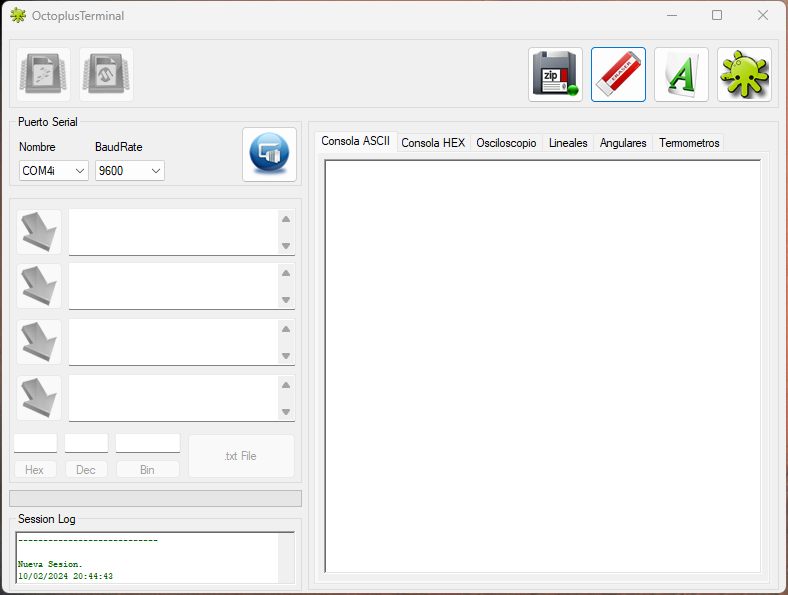
Hello, I already solved the mystery.
In order for Arduino Leonardo to send data via USB Serial, the monitor must have the RtsEnable option activated.