First, thanks for looking!
I want to make a project, already invented. But unfurtunatly i´ts not working.
I want to copy data from one computer and send to another one but simulating that I typing on the keyboard.
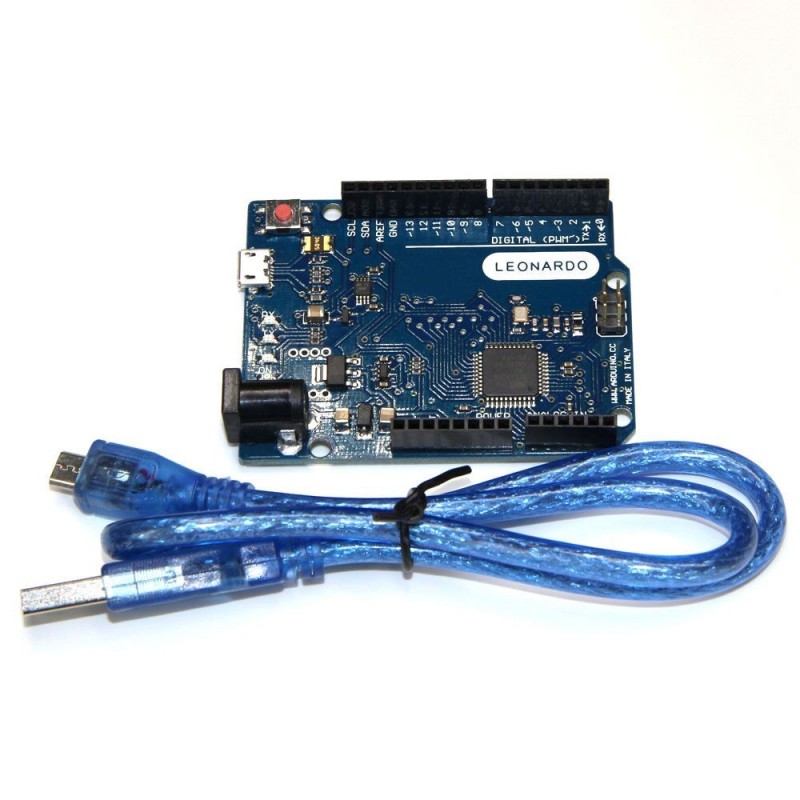
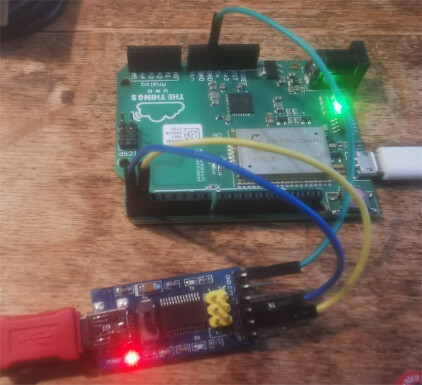
Im using a leonardo and a FT232RL. I leave a link to video that I uploaded-> https://youtu.be/VIgG78R5vmk
And this is the code for debugging (created my chatGPT):
void setup() {
  Serial.begin(9600);   // Start USB Serial communication
  Serial1.begin(9600);  // Start Serial1 communication via TX/RX pins

  // Send an initial debug message
  Serial.println("Arduino Leonardo ready! Waiting for data...");
}

void loop() {
  // Check if data is available from the USB Serial (Serial)
  if (Serial.available()) {
    char character = Serial.read();  // Read the received character from USB
    Serial1.write(character);        // Send the character via Serial1 (TX/RX pins)

    // Debug: Print the character to the Serial Monitor (USB)
    Serial.print("Character received via USB: ");
    Serial.println(character);

    // Debug: Confirm the character was sent via Serial1 (TX/RX)
    Serial.println("Character sent via Serial1 (TX/RX)");
  }
}
what does it do? not compile, link and upload? not give correct results?
for Serial1 test try
// Arduino Leonardo Serial1 test

// Serial leonardo has native USB (uart0)
// Serial1 is hardware serial port pin 1 is Tx and pin 0 is Rx

// for loopback test connect pin 0 to pin 1

// for RS232 shield connect pin 1 to Tx and pin 0 to Rx
// for loopback test connect 9 pin D connector pins 2 and 3

unsigned long time;

void setup() {
  Serial.begin(115200);   // initialise serial monitor port
    while(!Serial);       // wait for serial stream to open
  Serial1.begin(115200);  // initialise Serial1
  Serial.write("Arduino Leonardo Serial1 test -  for loopback test connect pin 1 Tx to pin 0 Rx\n");
}

void loop() {
  if (Serial1.available()) {      // read from Serial1 output to Serial
    Serial.write(Serial1.read());
  }
  if (Serial.available()) {       // read from Serial outut to Serial1
    char inByte = Serial.read();
    //Serial.write(inByte);     // local echo if required
    Serial1.write(inByte);
  }
}
to test connect pin 0 to pin 1 - characters entered on serial monitor keyboard should echo back to display
how have you connected the FT232RL? give a link to it?
Thanks for your reply. I connect the PC "A" the one I want to send the data, to leanerdo by USB cable, than the on PIN 0 (RX) of Leonardo I conect it to the PIN TX on the FT232RL.
Leonardo PIN1 (TX) to FT232RL (RX). that the FT232RL to PC "B" with a USB cable. I left a video on the post, I dont know if you saw irt or not, if not please take a look.
Arduino Leonardo Serial1 test -  for loopback test connect pin 1 Tx to pin 0 Rx
hello from PC
test2 from PC 1234567890
test3 from pc 1111111111111111111111111111111