I've checked ports the way I have in the past, and it's being read clearly I believe (the arduino IDE worked at least). There is a light that's blinking when I hit install, and STREAM doesn't do or show anything to indicate that it didn't upload properly. But after the process finishes, the original blink function is still there.
gdadourian:
I've checked ports the way I have in the past, and it's being read clearly I believe (the arduino IDE worked at least). There is a light that's blinking when I hit install, and STREAM doesn't do or show anything to indicate that it didn't upload properly. But after the process finishes, the original blink function is still there.
Well, you could try to upload with the batch script instead of using the GUI. That way you can see if anything is going wrong.
I included this for just such an occasion. In the background, all the GUI is really doing is calling the same command as this script, but the output is hidden from the user.
There are instructions for how to configure it at the top of the file. All you should have to change is the COM port, the Baud Rate, and the name of the firmware you want to upload (probably firmware/Brewboard_Pixel.hex). If there are any errors, you should be able to see them in the output from this command.
Howdy,
Sorry it's taken me so long to respond, but I can only try this out on my work computer, and I've been quite swamped. So I pasted that sketch into the IDE, got my board hooked up and adjusted the -PCOMX- to the right com, but the code couldn't compile. First, it said there were stray @ symbols, so I tried removing those, then it said rem does not name a type, so I tried commenting that out, cause it just looked instructional, then it said expected constructor, destructor, or type conversion before 'Be'. Unfortunately, I don't know the arduino coding language, so I'm at a loss.
What should I be doing here that I'm not doing properly?
gdadourian:
First, it said there were stray @ symbols, so I tried removing those, then it said rem does not name a type, so I tried commenting that out, cause it just looked instructional, then it said expected constructor, destructor, or type conversion before 'Be'.
The .bat file is a file that runs on your computer, not something for Arduino. STREAM is a PC application that installs the firmware and controls the settings, it is pre-compiled and there is no way to edit it in the Arduino IDE.
Just download the files to your computer and double click the bat file.
Ah. Thanks for the clarity. I edited the file, and ran it as instructed, and still nothing. Same 5 second blink file is still there. But, while I was just sitting and doing something else, it played a sound from the sd card for some reason.... Then went back to doing nothing but the blink function.
Otherwise, the cmd window says "avrdude: stk500_getsync(): not in sync: resp=0x00"
What's not happening?
One thing I did recently think about: When I'm using this nano clone in the IDE, it only likes to work if I tell the IDE that the board is an arduino uno. Could that have impact on the "patmega328p" callout?
That error usually means that the board is not what you think it is. For some reason, it's not registering as an ATMega328p. The fact that you can't program your "Nano" as a Nano is problematic. Even if it was a Nano which has the Uno's boot loader, the upload should still work. The Protowerkstatt DIYino Stardust V3 boards for which STREAM was originally developed used ATMega328p chips with Uno boot loaders and it was fine.
The binaries for STREAM are specifically compiled for 328, so if you have some other chip on the board, then all bets are off, I'm afraid. You need to know exactly what chip is actually on your board.
So I tinkered around with the IDE again, and I can program it as a nano with a ATmega328p selected for processor. I don't know why I thought I couldn't.... So the IDE is recognizing it appropriately and loading blinks without issue.... And by visual inspection, the chip says atmel mega328p, although I suppose that may not mean what I think it means.
REGARDLESS
as I was typing this out, I changed the baud rate to the standard 11200 in the gui because I had a feeling I hadn't tried that, and it worked perfectly the first try. Sorry for all of this, I have not been using good engineering practices with this hobby project, and just get spacy when I try to work with electronics.....
Now to wire it together. Hopefully my recharging circuit doesn't explode.
Thanks for the help!
Oooh, I thought you had already tried the other baud rate! Ok, well I'm glad it's working for you. I was out of ideas.
Obligatory annual post.

also,. DF Player No Library Code,
So you can trigger the DF like you would the Waytronic. with play track commands.
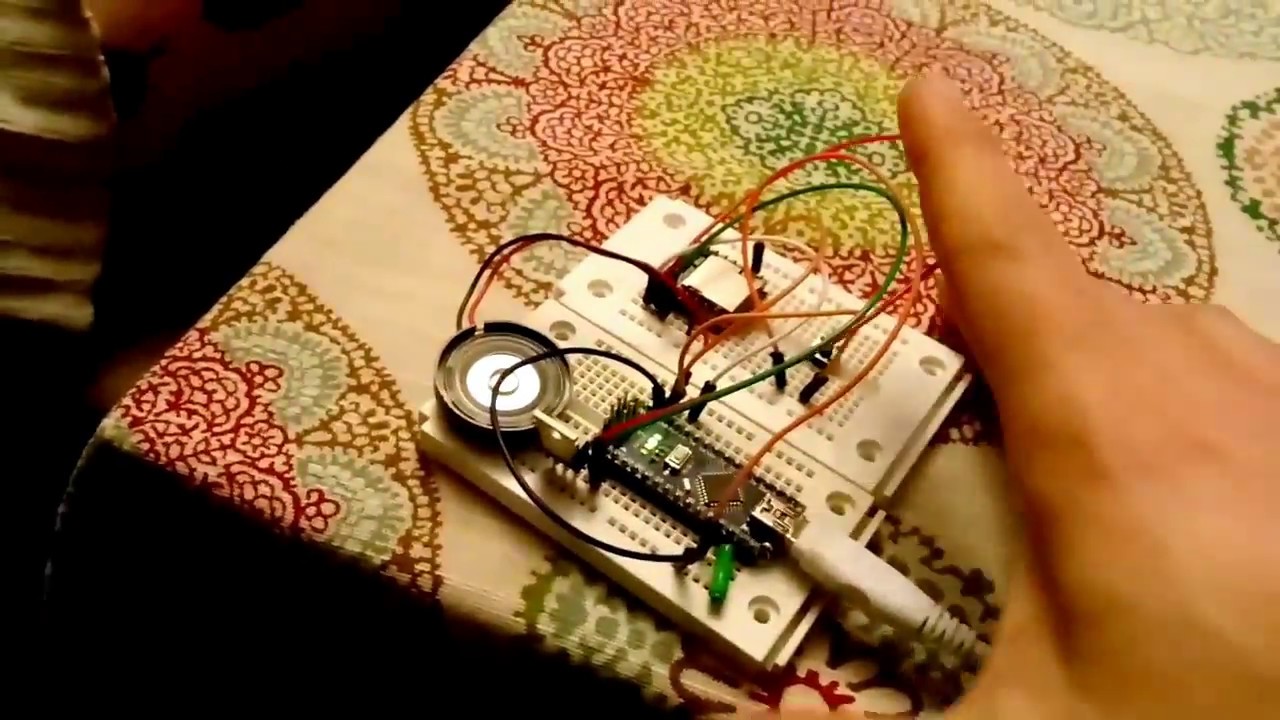
[iurl=https://www.youtube.com/channel/UCpzypxsbyPblxsvATKza_pg][/iurl]

[color=var(--yt-spec-text-primary)]//billpealer@gmail.com  Simple Blaster Core Arduino Nano and DFPlayer
// Disclaimer- you have been warned.

# define Start_Byte 0x7E
# define Version_Byte 0xFF
# define Command_Length 0x06
# define End_Byte 0xEF
# define Acknowledge 0x00 //Returns info with command 0x41 [0x01: info, 0x00: no info]
int trigger = 9;
int reload = 11;
bool isPlaying;
int LED = 13;

void setup () {

pinMode(trigger, INPUT);
digitalWrite(trigger, HIGH);
pinMode(reload, INPUT);
digitalWrite(reload, HIGH);
isPlaying = false;
Serial.begin(9600);
execute_CMD(0x3F, 0, 0); // Send request for initialization parameters
pinMode(LED, OUTPUT);

 while (Serial.available()<10) // Wait until initialization parameters are received (10 bytes)
 delay(50); // Pretty long delays between succesive commands needed (not always the same)
 // Initialize sound to medium volume. Adapt according used speaker and wanted volume
 execute_CMD(0x15, 0, 5); // Set the volume to medium (0x00~0x30)
delay(500);
}

void loop() {

//your code for on/off and sound triggers
 if (digitalRead(trigger) == LOW)
  {
    if(isPlaying)
    {
      execute_CMD(0x03, 0, 1);
      isPlaying = false;
      digitalWrite (LED, LOW);
      delay(150);
    }
    else
    {
      isPlaying = true;
      execute_CMD(0x03, 0, 1);
      digitalWrite (LED, HIGH);
      delay(150);
      digitalWrite (LED, LOW);
    }
  }
  if (digitalRead(reload) == LOW)
  {
    if(isPlaying)
    {
      execute_CMD(0x03, 0, 2);
      isPlaying = false;

      delay(150);

    }
    else
    {
      isPlaying = true;
      execute_CMD(0x03, 0, 2);

      delay(150);
    }
  }
}
// DF serial command code
void execute_CMD(byte CMD, byte Par1, byte Par2) // Excecute the command and parameters
{
 // Calculate the checksum (2 bytes)
 int16_t checksum = -(Version_Byte + Command_Length + CMD + Acknowledge + Par1 + Par2);

 // Build the command line
 byte Command_line[10] = { Start_Byte, Version_Byte, Command_Length, CMD, Acknowledge, Par1, Par2, checksum >> 8, checksum & 0xFF, End_Byte};

 //Send the command line to the module
 for (byte k=0; k<10; k++)
 {
  Serial.write( Command_line[k]);
 }
}[/color]
My next S.T.R.E.A.M. (XSTREAM) system is now live for open beta.
See it in action here: XSTREAM Demo Video
Parts list here: XSTREAMOS/HomeBrewPartsList.txt at v1_Beta · JakeS0ft/XSTREAMOS · GitHub
Wiring diagram (NeoPixel) here: XSTREAMOS/HomeBrew_NeoPixel.jpg at v1_Beta · JakeS0ft/XSTREAMOS · GitHub
Use Guide: XSTREAMOS/XSTREAM_UserGuide.pdf at v1_Beta · JakeS0ft/XSTREAMOS · GitHub
It's still got some rough edges, but it's serviceable as is. Up to 10 sound fonts can be loaded. NEC-style fonts should be drop-in compatible (we used the same file name conventions and sample rate). Just make sure you strip off any metadata from the wav files, as the user guide states.
It supports both RGB in-hilt LEDs and NeoPixel, but we just have not made an RGB wiring diagram yet. Expect that to be updated soon.
Hi. I am currently working on an Arduino lightsaber of my own and my only issue is detecting collision with my MPU6050. Can anyone help? I looked on google and I couldn't really find anything useful.
Sorry for the late reply. I made a library that can handle detecting swings and clashes with an MPU6050 (and a few other sensors too).
Check out the example here:
I am almost 100% sure im doing this wrong, but hi jake! big fan of your work, recently saw that Omni swing was a thing, would that work with the vanilla DIYino set up? meaning the nano, the motion detector and the mp player?
Thanks for your interest. Unfortunately, no; XSTREAM (with Omniswing) is designed for a totally different architecture based on nRF52 and won't work with the older DIYino setup. The 8-bit AVR chips just don't have the power required to do the audio processing and the MP3 chip isn't up to the task.
Houston we have a problem. I ordered DFPlayers from few vendors from china, and them all have 16 pin main chip instead of older 24 pin. Old ones marked YX5200 or MH2024k-24SS are no longer produced AFAIK. New ones have 16 legs and are GD3200B or MH2024K-16SS. Did anyone tried them in this project? Or any other lightsaber project?


Hi, I'm following your schematic, since I have 0 experience I have a couple of questions, first one is about the battery, I'll use a 18650 20A, is it ok?
Second, the recharge port says battery(+) and board(+), which one is the board(+) on the board? or I can just connect it to the battery(+)?
I know they sounds stupid but I have 0 experience sorry.
An 18650 20A should be fine.
What the diagram is trying to say is to connect both battery positive and the board positive to that same terminal.
Now that I'm looking at this diagram, it's a little muddled the way the positive battery line is drawn. What you'll want is the positive lines from the micro-controller board's BAT pin and the positive wire from the battery spliced together and both soldered to the pin on the recharge port as drawn.
If you're new, I'd recommend researching "how to wire a recharge port" on your favorite search engine. There are many videos and form posts on the topic that are far better than I could explain.
1 Like
Hi, thank you for your quick response  , Before writing here I saw a couple of videos showing how to wire a recharge port, but I wanted to ask you directly to be sure, so if I have understood correctly what I'm gonna do is this wire - YouTube, right?
Hello thank you for all your work firstly.
Then second I've wired up a homebrew based on the nano mpu df player. Hit two challenges. Number one. Powered everything up and if an SD card is in the play power goes off on the df player. Any one seen this.
The other has been code issues on my non coder brain. I've followed things along as best I can but I continue to get a number of issues during compiling.
EXample below:
In file included from C:\Users\chris\Documents\FXSaberOS\Buttons.cpp:11:0:
C:\Users\chris\Documents\FXSaberOS\Config_HW.h:89:7: warning: extra tokens at end of #else directive [-Wendif-labels]
#else if defined DIYINO_STARDUST_V2 or defined DIYINO_STARDUST_V3
^~
In file included from C:\Users\chris\Documents\FXSaberOS\Buttons.cpp:11:0:
C:\Users\chris\Documents\FXSaberOS\Config_HW.h:109:9: warning: extra tokens at end of #else directive [-Wendif-labels]
#else if defined DIYINO_STARDUST_V2 or defined DIYINO_STARDUST_V3
^~
In file included from C:\Users\chris\Documents\FXSaberOS\Buttons.cpp:11:0:
C:\Users\chris\Documents\FXSaberOS\Config_HW.h:155:9: warning: extra tokens at end of #else directive [-Wendif-labels]
#else if defined DIYINO_STARDUST_V2 or defined DIYINO_STARDUST_V3
^~
C:\Users\chris\Documents\FXSaberOS\Config_HW.h:177:7: warning: extra tokens at end of #else directive [-Wendif-labels]
#else if defined DIYINO_STARDUST_V2 or defined DIYINO_STARDUST_V3
^~
In file included from C:\Users\chris\Documents\FXSaberOS\Buttons.cpp:13:0:
C:\Users\chris\Documents\FXSaberOS\Soundfont.h:23:7: warning: extra tokens at end of #else directive [-Wendif-labels]
#else if defined DIYINO_STARDUST_V2
^~
C:\Users\chris\Documents\FXSaberOS\Soundfont.h:97:9: warning: extra tokens at end of #else directive [-Wendif-labels]
#else if DIYINO_STARDUST_V2
Any thoughts on where I may have gone sideways upside down and backward.
Cheers
Chris
Hi everyone!
Hope you all had a nice May the 4th!
I'm curious how is it now going with the DIY smooth swing, I know that @JakeSoft was developing a solution for this together with @Protonerd. Also that a board from Adafruit could be used for the case.
Are you guys aware if any changes/progress in this area?
Cheers!