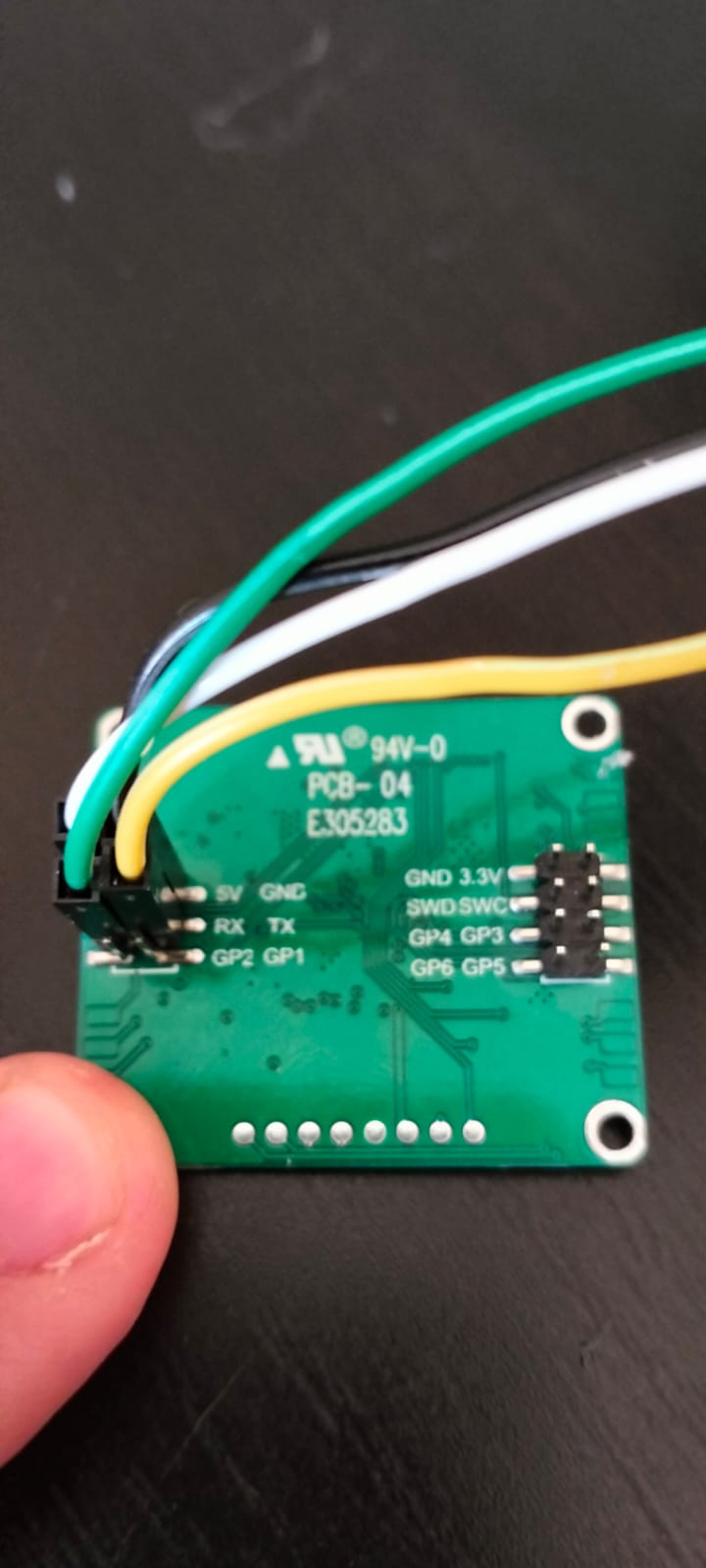
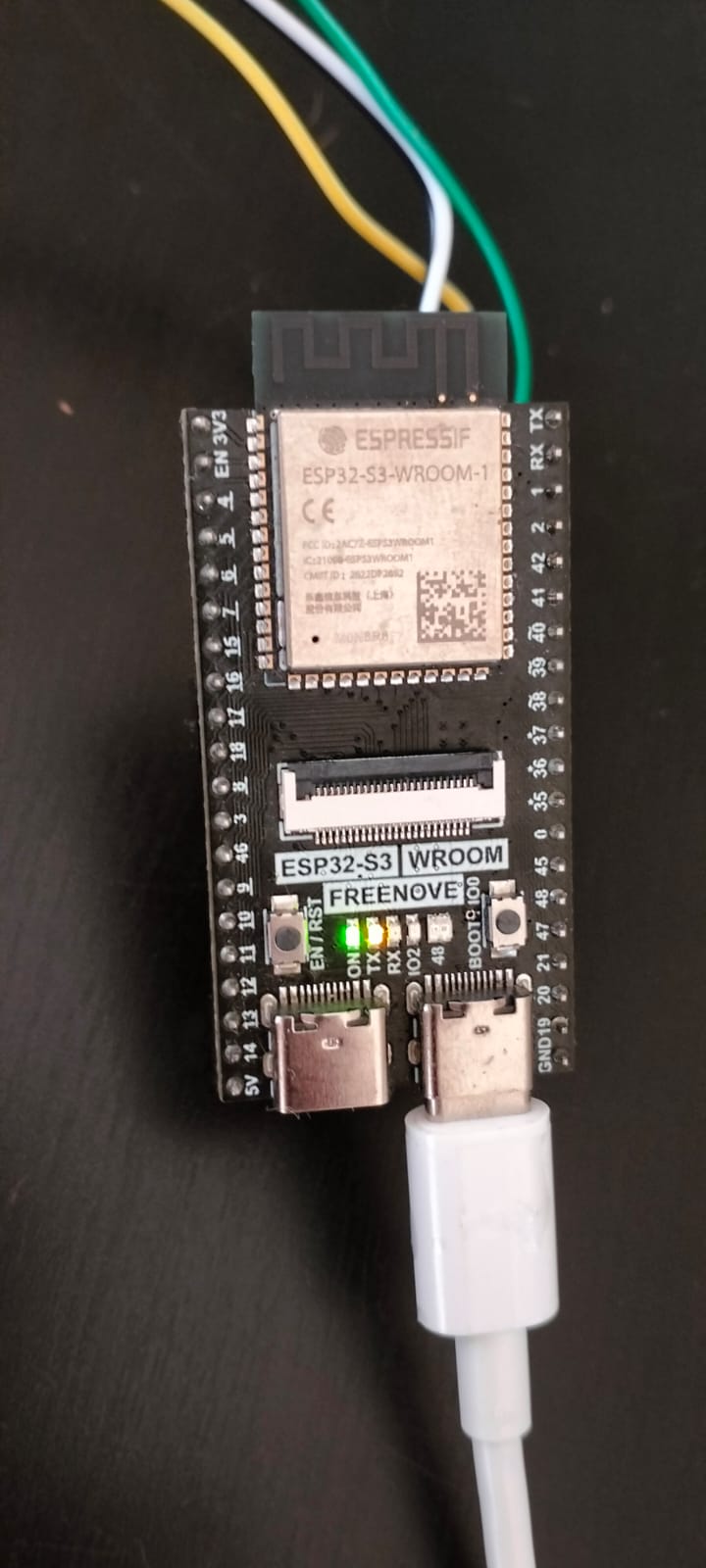
Hi everyone! I have just received my 60 GHz mmWave sensory - Human Static Sleep Breathing Monitoring (MR60BHA1) Link to product and info and I am currently trying to make it work (which setting it up initially should not be too difficult). However when running the example code provided (see the tutorial at the product link) nothing is happening in my serial monitor. So help! Does anyone have any experience with this or know what is wrong? I am using an Arduino mega and making the following connections.
My serial monitor is set to a baud rate of 115200. I have also tried it with an ESP32 but that also did not make a difference... The only output my serial monitor is printing is "Readily"...
This is the code I am using:
#include "Arduino.h"
#include <60ghzbreathheart.h>

#include <SoftwareSerial.h>
// Choose any two pins that can be used with SoftwareSerial to RX & TX
#define RX_Pin A2
#define TX_Pin A3

SoftwareSerial mySerial = SoftwareSerial(RX_Pin, TX_Pin);

// we'll be using software serial
BreathHeart_60GHz radar = BreathHeart_60GHz(&mySerial);

void setup() {
  // put your setup code here, to run once:
  Serial.begin(115200);

  mySerial.begin(115200);

  while(!Serial);   //When the serial port is opened, the program starts to execute.

  Serial.println("Readly");
}

void loop()
{
  // put your main code here, to run repeatedly:
  radar.recvRadarBytes();           //Receive radar data and start processing
  radar.showData();                 //Serial port prints a set of received data frames
  delay(200);                       //Add time delay to avoid program jam
}
Post the revised code in your next post, and a complete wiring diagram (hand drawn is preferred), with pins and connections clearly labeled at both ends. Note that RX on the sensor is connected to TX on the Arduino.
A photo would help too.
Did you connect the grounds? How is the sensor powered?
I was just about to upload the pictures and code and all of a sudden it started working! Did not change anything but apparently I did Thanks for the help! Discussing it with someone always magically makes it work
Hey Anotherone1234,
I am running into the same issue getting this to work on an Seeed Studio Xiao ESP32 S3. Could you please share with us the final code and hardware setup that worked in your case?
Would be greatly appreciated!
using the ESP32-S3 DevKit 1 I can assign the Serial1 port pins so
// ESP32-S3 DevkitC-1 Serial1 test - for loopback test connect pin GPIO17 U1TXD to pin GPIO18 U1RXD"
// ss https://docs.espressif.com/projects/esp-idf/en/latest/esp32s3/_images/ESP32-S3_DevKitC-1_pinlayout_v1.1.jpg
#define RXD1 18
#define TXD1 17
void setup() {
// initialize both serial ports:
Serial.begin(115200);
Serial1.begin(115200, SERIAL_8N1, RXD1, TXD1);
Serial.println();
Serial.println("\n\nESP32-S3 DevkitC-1 serial1 test pin GPIO17 U1TXD pin GPIO18 U1RXD");
Serial.write(" for loopback test connect pin GPIO17 U1TXD to pin GPIO18 U1RXD\n");
}
void loop() {
// read from port 1, send to port 0:
if (Serial1.available()) {
int inByte = Serial1.read();
Serial.write(inByte);
}
// read from port 0, send to port 1:
if (Serial.available()) {
int inByte = Serial.read();
//Serial.write(inByte);
Serial1.write(inByte);
}
}
working from the XIAO-ESP32S3 pinout you should be able to use two of the GPIO pins, e.g. GPIO 3 and 4??
Good morning everyone, I am also using the MR60BHA1 module from seed studio. But I am having stability problems. The data is detected randomly, sometimes I turn it on and it works perfectly other times it does not want to know about working and detecting correct data. I am publishing the sketch I am using and a photo of the connections. I am using an ESP 32 S3. I would like to thank anyone who can help me solve this problem.
#include "Arduino.h"
#include <60ghzbreathheart.h>
// can also try hardware serial with
BreathHeart_60GHz radar = BreathHeart_60GHz(&Serial1);
void setup() {
// put your setup code here, to run once:
Serial.begin(115200);
Serial1.begin(115200, SERIAL_8N1, 18, 17);
while(!Serial); //When the serial port is opened, the program starts to execute.
Serial.println("Readly");
}
void loop()
{
// put your main code here, to run repeatedly:
radar.Breath_Heart(); //Breath and heartbeat information output
if(radar.sensor_report != 0x00){
switch(radar.sensor_report){
case HEARTRATEVAL:
Serial.print("Sensor monitored the current heart rate value is: ");
Serial.println(radar.heart_rate, DEC);
Serial.println("----------------------------");
break;
case HEARTRATEWAVE: //Valid only when real-time data transfer mode is on
Serial.print("The heart rate waveform(Sine wave) -- point 1: ");
Serial.print(radar.heart_point_1);
Serial.print(", point 2 : ");
Serial.print(radar.heart_point_2);
Serial.print(", point 3 : ");
Serial.print(radar.heart_point_3);
Serial.print(", point 4 : ");
Serial.print(radar.heart_point_4);
Serial.print(", point 5 : ");
Serial.println(radar.heart_point_5);
Serial.println("----------------------------");
break;
case BREATHNOR:
Serial.println("Sensor detects current breath rate is normal.");
Serial.println("----------------------------");
break;
case BREATHRAPID:
Serial.println("Sensor detects current breath rate is too fast.");
Serial.println("----------------------------");
break;
case BREATHSLOW:
Serial.println("Sensor detects current breath rate is too slow.");
Serial.println("----------------------------");
break;
case BREATHNONE:
Serial.println("There is no breathing information yet, please wait...");
Serial.println("----------------------------");
break;
case BREATHVAL:
Serial.print("Sensor monitored the current breath rate value is: ");
Serial.println(radar.breath_rate, DEC);
Serial.println("----------------------------");
break;
case BREATHWAVE: //Valid only when real-time data transfer mode is on
Serial.print("The breath rate waveform(Sine wave) -- point 1: ");
Serial.print(radar.breath_point_1);
Serial.print(", point 2 : ");
Serial.print(radar.breath_point_2);
Serial.print(", point 3 : ");
Serial.print(radar.breath_point_3);
Serial.print(", point 4 : ");
Serial.print(radar.breath_point_4);
Serial.print(", point 5 : ");
Serial.println(radar.breath_point_5);
Serial.println("----------------------------");
break;
}
}
delay(200); //Add time delay to avoid program jam
}
 Thanks for the help! Discussing it with someone always magically makes it work