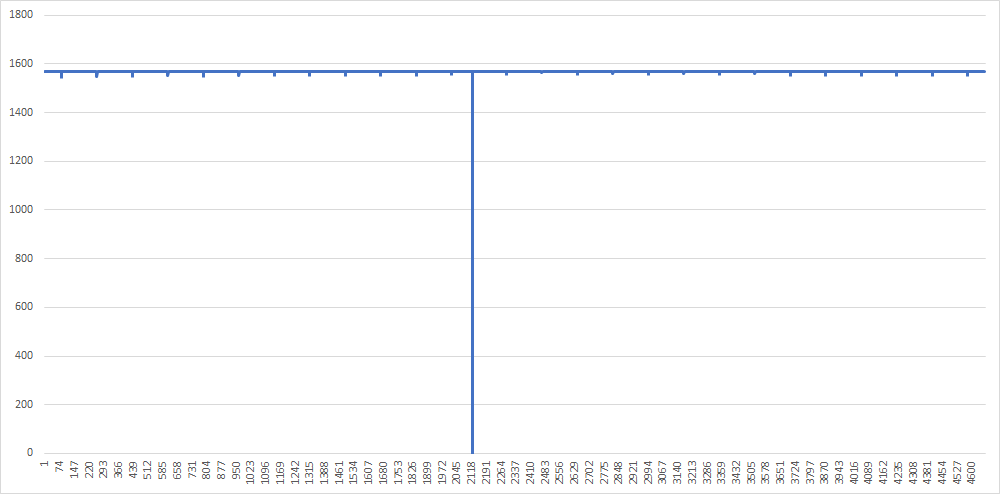
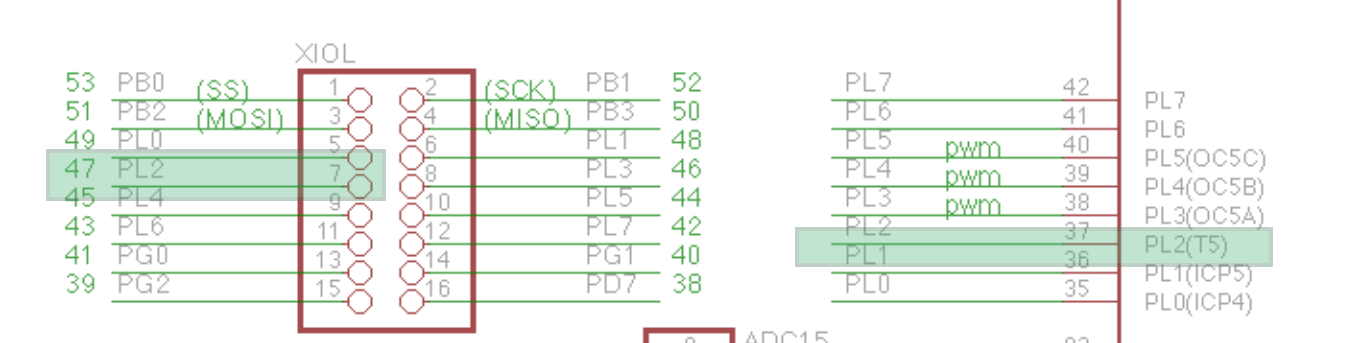
Hi everyone, i have a little problem with the counter. I want to get the numerator value only in the rising edges. According to the code it is done, but sometimes the numerator values vary by 30-40 units. For this reason, the final result of the calculated frequency varies by up to 15%. What could I correct or change to find the signal period based on the counter in input capture mode? I receive data on the computer side with the Realterm program and with the code written in python.
Arduino code:
You shouldn't enable an interrupt and not define a handler for it.
In my calculations the frequencies vary by about 2-3%, I don't know how you get to 15%.
My guess is that the time keeping interrupt (timer0) may cause the variations. As you don't need that functionality you can disable timer0. Another cause could be the serial interrupt which is also higher prioritized than timer4 capture interrupts. This may be avoided by using timer 2 instead.
thanks for response. So at first i will change variables to volaitle. But why timer 0 could give to me this problems ? About code, could you show me example about your idea? Im trully new in this and i dont wanna do another mistakes.
No, in your code you enable the overflow interrupt for timer 4 (TOIE4) but you don't define a handler for that interrupt.
Only variables used in interrupt handlers and normal code must be declared volatile.
Because timer 0 is used for Arduino time keeping (millis(), delay(), etc.) and timer 0 interrupts are higher prioritized than timer 4 interrupts. Additionally interrupts are disabled during interrupt handlers by default.
The lowest addresses in the program memory space are by default defined as the Reset and
Interrupt Vectors. The complete list of vectors is shown in “Interrupts” on page 105. The list also
determines the priority levels of the different interrupts. The lower the address the higher is the
priority level. RESET has the highest priority, and next is INT0 – the External Interrupt Request
0.
Post the results you get if you disable the timer 0 interrupts:
This is output from my code. Signal used to test - 10kHz
If you count frequency from this output, you will see this data is a little invalid.
Maybe instead of clear TCNT4 when edge occurred, just sending tiler state to PC and then count period with simple math?
I dont even know about that, thanks
One question, if i had non-periodic signals which varies in the range of e.g. 10kHz 100kHz, will this method be very accurate?
It will average at the sampling rate. So if the sampling is at 0.5 seconds, then it's the average frequency for that time. You can change the sampling to say 100 ms and you will get better resolution since it will calculate the frequency value every 100 ms.
There's no stopping you from calculating the frequency every 1ms but then how do you display that data since serial.print takes in the tens of ms to print data out. Unless you want to save the data for processing later, but then again, if you are collecting 1000 measurements a second, you need a fast storage or large amount of SRAM
Just for example, lets say your serial speed is 9600 (using Serial.begin(9600)).
To print out "hello world" would take around ~10ms to print. If you are collecting data at 1000 Hz or 1 each ms, you obviously can't print out all the data. To be able to print all the collected the data out, you have to collect it at around every 15 ms or so. You can make serial faster but there's a limit in hardware. You might be able to print at 1 Mbps...
Thanks a lot, i will test that for sure
Could you look on my second question ? Its almost the same but i dont know why timer give this output.
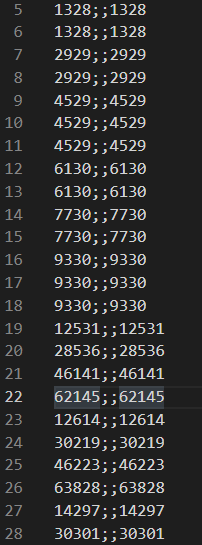
In pic is raw data from arduino. left column (ICR4L and ICR4h packed, right column ICR4)
This is wrong. It takes a few µs to print that because the print will write the characters into a buffer. The first byte will be written into a hardware register to send it out and once it was sent an interrupt handler will get the next byte from the buffer and so on until the whole content is sent. These interrupts (to get another byte from the buffer) may influence your measuring result.
No, you wont' get it much faster if you do it yourself. You can disable the interrupt and do polling in the loop which may increase the measuring accuracy but may make the data transfer much slower. You definitely should increase the baud rate.
Which one? The one I already answered but you don't react?
If I increase the baud rate to 38400 for example, I will have the data without errors, but with a higher value I will get a lot of errors such as reordering the transmitted bits.