yes, it’s automatic upload, it’s connect to dtr
I am assuming a decent temperature controllable soldering station, but yes it is tricky.
I connect capacitor, get other ws2812b but nothing to change....
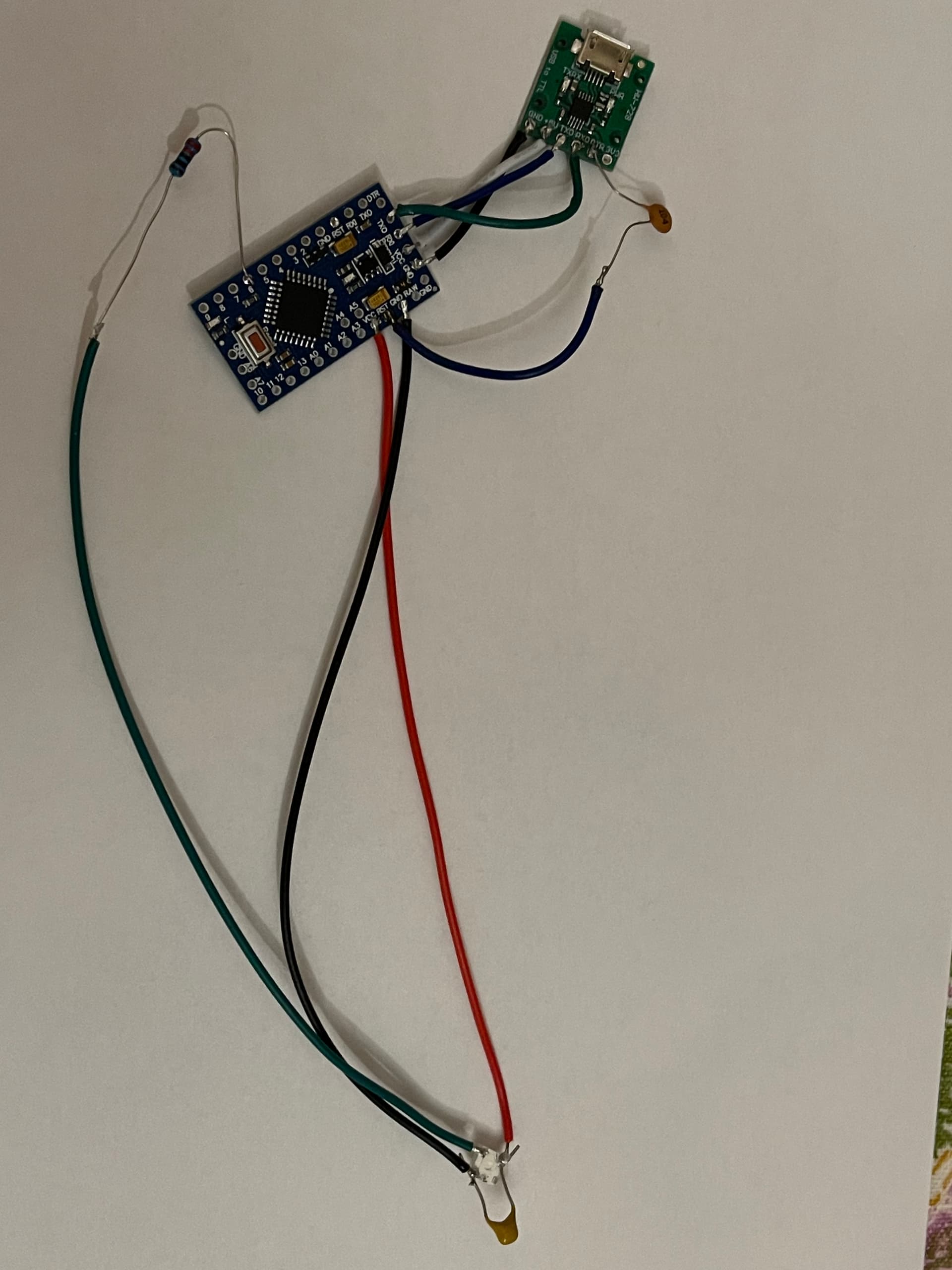
I tested the code, it works. Show us ALL your wiring.
Wouldn't DTR be the right pin for that?
i use dtr


Not on the mini...
what you mean?…
The series capacitor on the reset line is unnecessary - if you use the "DTR" pin instead, that capacitor is already included on the Pro Mini.
So we must understand that you have in fact, successfully loaded the "blink" program and the LED on the Pro Mini would blink, then loaded your WS2812 code and the LED on the Pro Mini no longer blinks. If the IDE indicates that the upload is successful, the (correct) code should indeed be running.
I haven't checked the pinout, but just double check that it is the "DIN" pin on the WS2812 that you are connecting, not "DOUT". That said, it is a bit strange the LED actually goes to white at startup and does not respond at all. Just try a 10k resistor between pin 6 of the Pro Mini and ground; no more unnecessary soldering of the WS2812. The series resistor is quite unnecessary for such short wiring though in general you should be keeping all the wires bunched together.
The ProMini has a dedicated pin / pad for the DTR; it's next to TXO in the left bottom corner in your image of the ProMini in post #5. If you look at the schematic, that DTR pin is connected through some additional circuitry to the reset pin of the processor.
If you can upload e.g. blink and it works, that however is not the problem.
I had.. Connections are correct.
I remove dtr connections and upload sketch with button, but get the same, it really mystic...
When I test with Adafruit_NeoPixel, I get than LED is led on by this command:
strip.show();
, but how I found in example it must "Initialize all pixels to 'off'"...
They initialize all pixels to 'off', because the pixels may not be 'off' for starters, it is not an absolute 'must'. Then you use setPixelColor() and call .show() again. The libraries are not hugely different, mainly the memory allocation is done differently. The FastLED object requires a reference to an array with color values for each pixel. the neopixel object allocates the memory required (on the heap) and controls all writing and reading to it. The advantage in that is that a user can not write beyond the size of the array (which is a common newbie mistake)
I don't think the issue is in your code, I am to lazy to confirm it with a full test, but i do not see anything wrong in it.
I am nearly at the end of my suggestions, Hardware wise i am satisfied that you have connected the LED properly, and it obviously gets enough power.
That the Pro-mini is working , is also a sure thing, but we have not tried another output pin.
The processor looks like it is unmarked. Could it be counterfeit?
Try D_in on the unused pin (??).

When i look at the picture and compare to this, i conclude the pin is correct. I've used this exact picture to connect the ones i have, and mine work.
The problem is that this is your first WS281x project. If you already had strip working, it would be easier to locate the problem through process of elimination.
I change to PIN 7 - the same... (
Remove the resistor ?