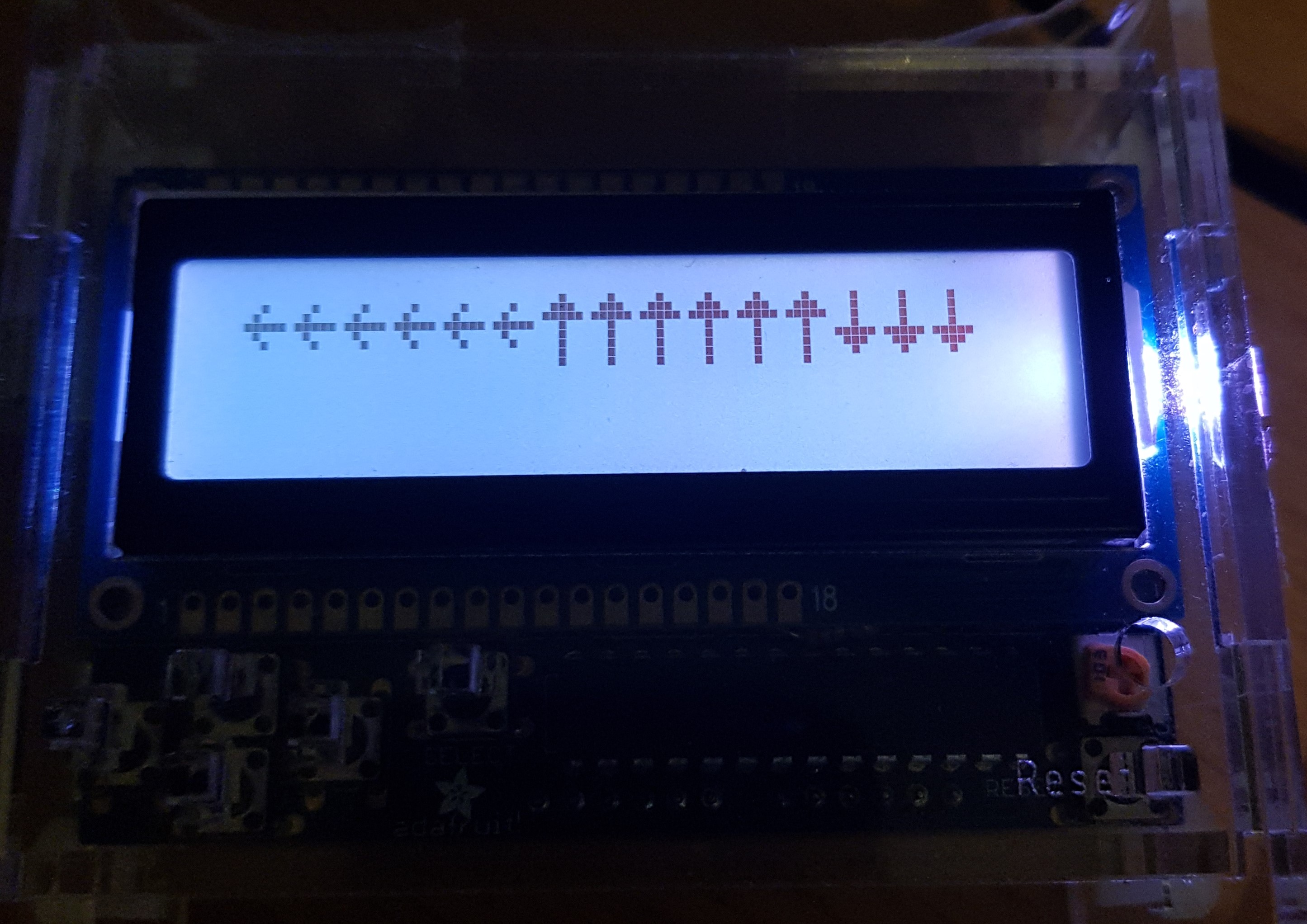
Whenever I attempt to run this code:
#include <Wire.h>
#include <Adafruit_RGBLCDShield.h>
#include <utility/Adafruit_MCP23017.h>
Adafruit_RGBLCDShield lcd = Adafruit_RGBLCDShield();

unsigned long timStart =  0;
long timEnd = 0;
int pause = 500;
boolean flash = true;

byte flasherChar[] = {
  B11111,
  B11111,
  B11111,
  B11111,
  B11111,
  B11111,
  B11111,
  B11111
};

byte upChar[] = {
  B00100,
  B01110,
  B11111,
  B00100,
  B00100,
  B00100,
  B00100,
  B00100
};

byte downChar[] = {
  B00100,
  B00100,
  B00100,
  B00100,
  B11111,
  B01110,
  B00100,
  B00000
};

void setup() {
  // put your setup code here, to run once:
  Serial.begin(9600);
  lcd.begin(2, 16);
  lcd.createChar(0, flasherChar);
  lcd.createChar(1, upChar);
  lcd.createChar(2, downChar);
  lcd.setCursor(0, 0);

}

void loop() {
  // put your main code here, to run repeatedly:
  timStart = millis();

  int i;
  int charNo;
  String charList[] = {"u", "d"};

  Serial.println(i);
  if (lcd.readButtons() == 8 ) {
    Serial.println("u");
    charNo = 1;
  } else if (lcd.readButtons() == 4 ) {
    charNo = 2;
  }


  if (timStart - timEnd >= pause) {
    if (charNo > -1) {
      lcd.write(charNo);
      charNo = -1;
    }


    timEnd = timStart;
  }


}
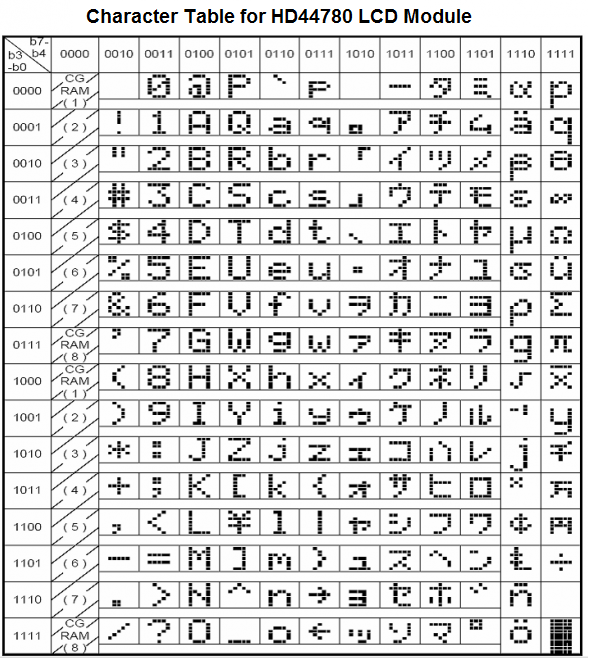
a left pointing arrow is continuously written on the lcd screen, one after the other, despite never having a left pointing arrow custom character defined in this program (I wouldn't expect it to do this with one of the defined characters either).
I believe this is because it somehow remembers the character from a previous sketch, though I cannot find that sketch anywhere. I realise there are flaws in the code but it does still run, I am just confused as to how a leftt pointing arrow ( a different style to the defined ones too) is being written to the screen.
Thanks this is my first forum post so apologies for any incorrect formatting or missing info.