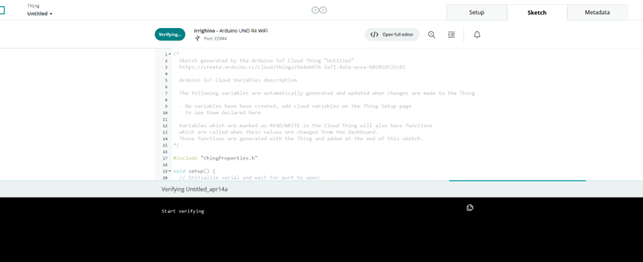
Thank you for the all the suggestions.
My bad I don't have the old version. But the changes were minor, just a few values in a constant array matrix.
I've made another attempt, an almost empty project with the desktop ide and it still doesn't work. Below you can see the entire code.
void setup() {
  // Initialize serial and wait for port to open:
  Serial.begin(9600);
  // This delay gives the chance to wait for a Serial Monitor without blocking if none is found
  while (!Serial) {
    ;  // wait for serial port to connect. Needed for native USB port only
  }

  Serial.println("setup() start");
  initProperties();
  // Connect to Arduino IoT Cloud
  ArduinoCloud.begin(ArduinoIoTPreferredConnection, false);
  Serial.println("setup() end");
}

void loop() {
  Serial.println("loop()");
  if (ArduinoCloud.connected() == 0) {
    Serial.println("Not connected!");
    //delay(500);
  } else {
    Serial.println("connected!");
    ArduinoCloud.update();
  }
}
The code as it is now "works" because it shows in the serial output "loop()" followed by "Not connected" forever. It doesn't work because it does not connect to the cloud.
The weird thing is that if I uncomment the //delay(500); the Arduino stops working and it executes only once the loop() function, so the output is.
setup() start
SHA256: 128176 bytes (of 128176) read
setup() end
loop()
Not connected!
So it doesn't manage to connect to the cloud and it stops executing the loop after just one iteration, why? Also my wifi name and password are right. This is really weird.
Maybe it is something wrong with the boars itself? It has less than a year of life
You may wish to post a message on the IotCloud forum . If you include the simplest setup you can that demonstrates the issue, you will hopefully get an answer. If I get time, I may try to set up the cloud here, and if I can recreate your issue, I will let you know.
I just tried to set up the iot cloud, but it is far from user-friendly. I have no idea why it can't access my serial port. Sorry, but I won't be able to test here.
Hello all. I have an Arduino IoT project that controls the humidity and temperature of my greenhouse plus it opens some valves following a schedule. A few days ago I noticed some disconnections and some issue with the synchronization between the dashboard and the Arduino.
I made some changes tring to solve the issue but after the upload via web of the new sketch everyting is broken. I'm no longer able to connect the arduino to the internet.
I've tried to make from scratch an empty project to check if I was able to connect the Arduino to the cloud. I removed and the added the thing and I made an empty project with only some output to the serial port. Let me post the code below
void setup() {
  // Initialize serial and wait for port to open:
  Serial.begin(9600);
  // This delay gives the chance to wait for a Serial Monitor without blocking if none is found
  while (!Serial) {
    ;  // wait for serial port to connect. Needed for native USB port only
  }

  Serial.println("setup() start");
  initProperties();
  // Connect to Arduino IoT Cloud
  ArduinoCloud.begin(ArduinoIoTPreferredConnection, false);
  Serial.println("setup() end");
}

void loop() {
  Serial.println("loop()");
  if (ArduinoCloud.connected() == 0) {
    Serial.println("Not connected!");
    //delay(500);
  } else {
    Serial.println("connected!");
    ArduinoCloud.update();
  }
}
There are many weird things happening:
With this code my Arduino runs but it doesn't manage to connect to the cloud (it prints always "Not connected!"). My Wifi parameters are 100% correct.
If I uncomment the row with //delay(500) suddently it stops working and it runs the loop function only once and then nothing is displayed in the serial port.
void loop(){
  RTCTime currentTime;
  RTC.getTime(currentTime);
  Serial.println("The RTC was just set to: " + String(currentTime));
  delay(1000);
}
Any idea on what's happening here? What am I doing wrong here? To me it seems like an issue with the IoT projects but a few months ago everything was working with the cloud perfectly. Maybe some changes in the backend of the cloud that require some changes in the code?
This indicates your wifi is not configured correctly. To find the cause, post a description of the devices you use, a wiring diagram, and a sketch of minimal function to make the configuration work (before trying to fix the cloud sketch). Your RTC configuration seems to have worked. Start there?
There is no wiring diagram because with the sketch I posted above my Arduino R4 WiFi is not connected to anyting, only to my usb. My issue is very basic, I follow the Arduino guide to setup and empty IoT device and the device doesn't connect to the cloud with the WiFi. And I'm sure that the wifi settings are fine because are copied from my pc and are the same used months ago (when the device was able to connect to the cloud).
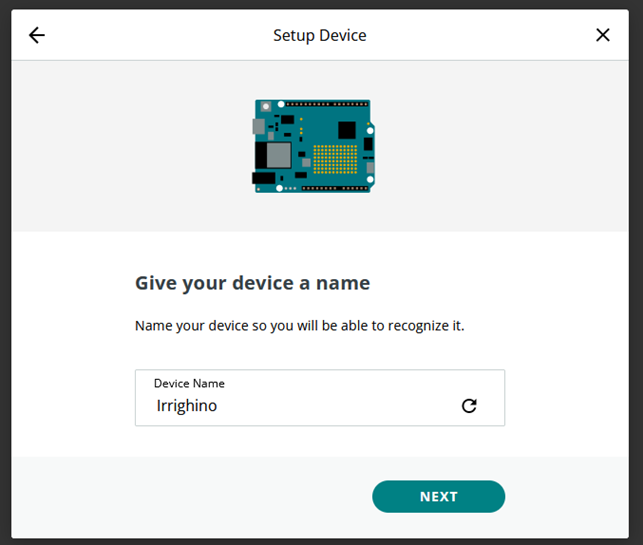
I've done the entire procedure from scratch, but it doesn't seem to work.
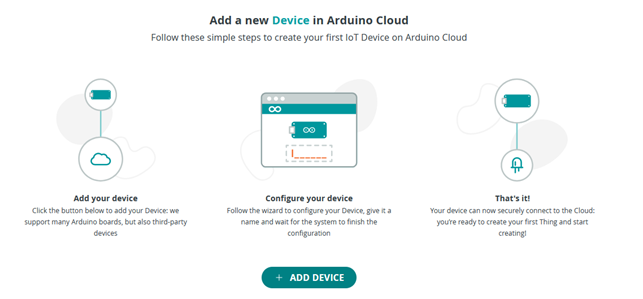
1 Add the device
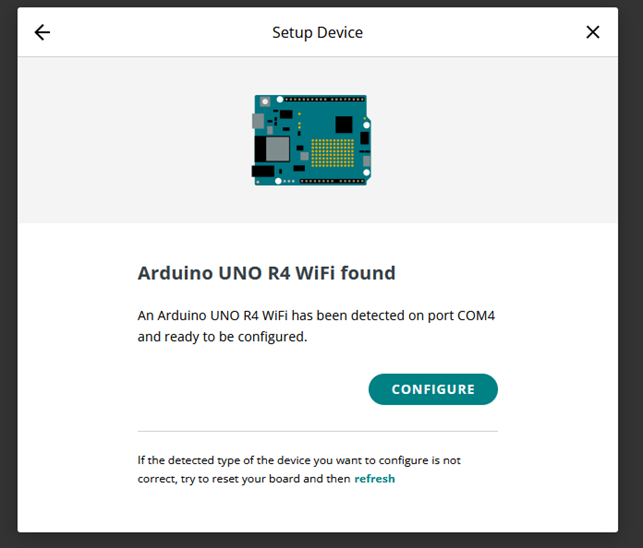
2 I pick Arduino device, since it is an R4 WiFi
6 At this point there is a button to create a new thing/sketch I press the button and i get the page where I can add variables, etc. I press the button to add a WiFi network
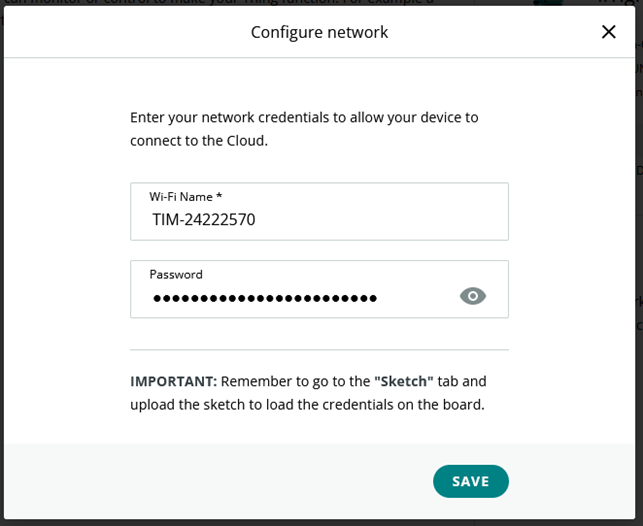
7 Put my wifi parameters (taken from my pc)
8 Here i have the initial sketch, empty
9 I add a line of code to print something in the loop function
10 I upload the sketch, no errors, when i open the serial output I get this
So the loop function is executed only once and it stop executing at ArduinoCloud.update(); (likely because there is no network.
Thank you for the reply, but unfortunately It didn't solve the issue
1 The country change is not my case.
2 I've tried to change wifi name and password to 8 characters and no special characters.
Yeah, I already know that since there is only one command in the loop. The question is why it doesn't find a connection (and so gets stuck the call to the update)!
To mee it seems like I've done everything correctly.
You should name the function causing the problems, ArduinoCloud.update() - not loop()
I see all your facts, but to me this still points to user input. In the following "Arduino R4 wifi not connecting to the cloud" thread, the user inserted special characters which blocked the connetion, and removing the special characters solved the issue. Check your variables.
This result is expected from this specific code. The reason is that the connection is handled asynchronously by the ArduinoCloud.update() call so you have set up a "catch 22" situation where ArduinoCloud.update() is only called if the Thing is connected to Arduino Cloud, but the Thing could only connect to Arduino Cloud by calling ArduinoCloud.update().
This result is unexpected. Please change This line of your sketch:
setDebugMessageLevel(2);
to this:
setDebugMessageLevel(4);
Then upload the sketch again and check the contents of the Serial Monitor. Hopefully the increased debug message level will result in some useful clue about the cause of the problem being revealed.
Please also make sure to post textual information (e.g., code, serial monitor output) to the forum as text, not as screenshots.
It's not my case, I've tried connect to my hotsport phone which has name "Galaxy20" and password/secret key "password", so it's not a problem with special characters or password length
but the output to the serial port it seems to be the same
SHA256: 128176 bytes (of 128176) read
***** Arduino IoT Cloud - configuration info *****
Device ID: 44eaa8da-6024-4a74-9d4a-dd068ab26843
MQTT Broker: iot.arduino.cc:8883
loop() start
You said that the result is unexpected. This anomaly might be related to some hardware fault/defective/broken?
There is also another weird thing happening, if i put a delay(500); just before the setDebugMessageLevel the loop is never executed. So i change from this
For the entire time the Arduino had the VRTC pin connected to a battery to keep the RTC alive. I accidentally removed the cables and now it seems to be working. I feel so stupid now. I didn't see that battery as something that might interfere with the functioning of my sketches.
Maybe it is something related to the update of the firmware? Should I really remove the battery each time I change the sketch to make sure nothing breakes? I don't see any reference to the backup battery in the tutorioals on how to reset the board. Is it something to take into account when tring to reset 100% the board?