I‘m having trouble uploading codes to a ATMEGA644P where I’m using an Arduino as ISP. I’m using the ATMEGA644P core from the MigthyCore bundle by MCUdude v2.0.1. The Arduino I use as ISP (and the accompanying cables I use) works without issue for uploading sketches to other chips so I’ve determined that the issue is either:
- The ATMEGA644P settings in the Arduino IDE
• My initial setup uses the standard pinout, 1MHz internal clock, Compiler LTO disabled, 644P/644PA, BOD 2.7v. I’ve tried variations on all of these without any luck. I'm not entirely sure what the BOD and LTO settings mean. - The PCB where the ATMEGA644P is seated
• The ATMEGA644P is in a TQFP44 package. I followed this pinout for the circuitry: https://camo.githubusercontent.com/178242e7684d9ab642e0c43fcb64b3a0bcb5c289/68747470733a2f2f692e696d6775722e636f6d2f4b3334785a62342e6a7067
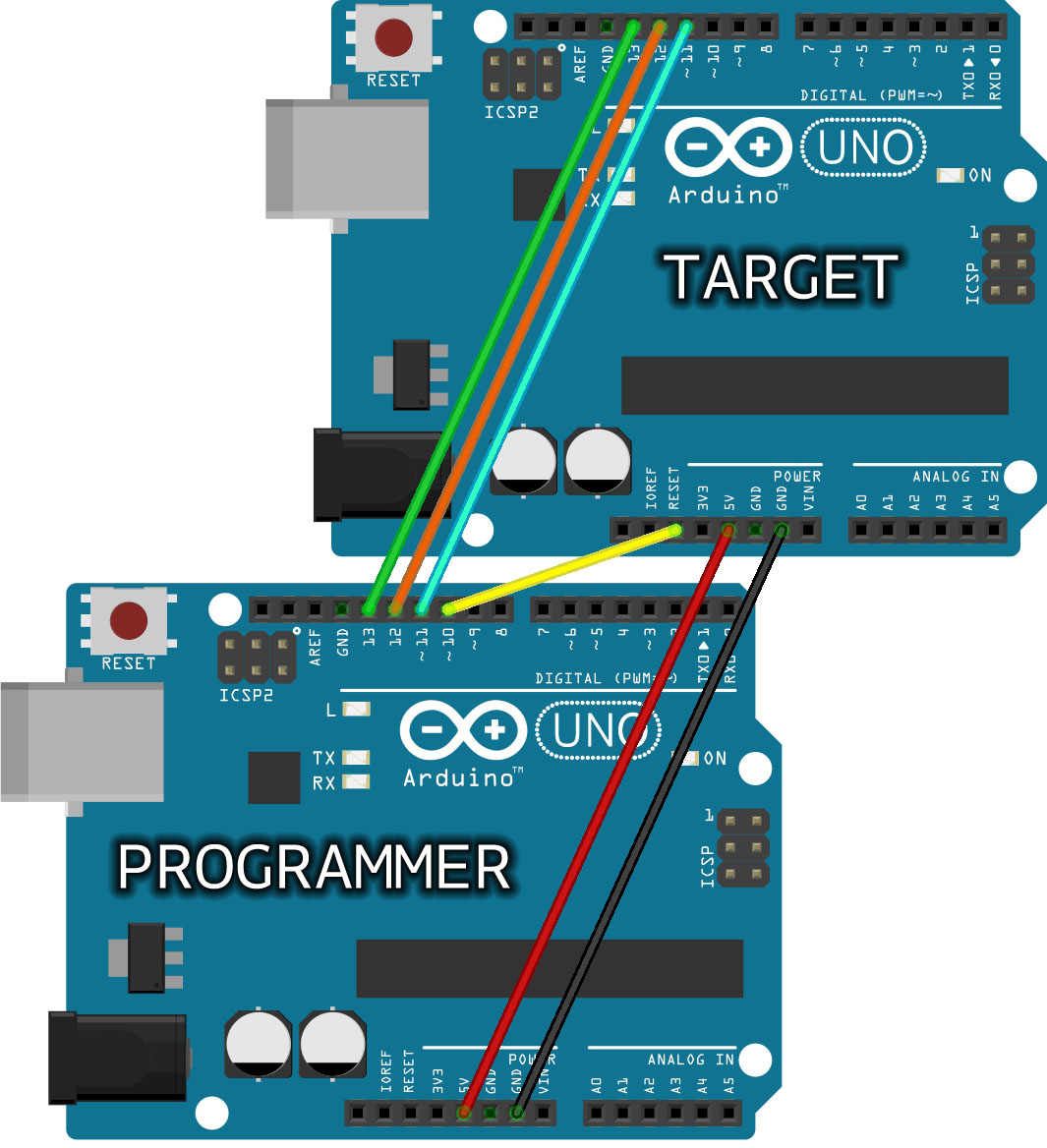
• The Arduino ISP is connected to the VCC, GND, RESET, SCK, MISO and MOSI via a header socket located close to the ATMEGA644P similarly to the wiring in the below image. I also have a 10uF cap to ground on the Arduino Uno (programmer) Reset pin. https://www.arduino.cc/en/uploads/Tutorial/ArduinoUNOtoUNO_ISP2.jpg
• Two 100nF power supply filtering capacitors are located close to the chip for better stability.
• I have tested two PCBs / ATMEGA644P chips with the same result. I’ve checked the soldering integrity of the circuitboard. The ATMEGA644P chips are bought from DigiKey (ATMEGA644PV-10AQ) - The ATMEGA644P core from the MigthyCore bundle
My proceedure:
• My Arduino is running the ArduinoISP sketch
• I select the ATMEGA644P core and the 1MHz internal clock and select “Burn bootloader”. The Arduino IDE informs that the bootloader was burned succesfully.
• I attempt to upload my code and receive variations of the following error messages:
avrdude: stk500_recv(): programmer is not responding
avrdude: stk500_getsync() attempt 1 of 10: not in sync: resp=0xff
avrdude: stk500_getsync() attempt 2 of 10: not in sync: resp=0xff
avrdude: stk500_getsync() attempt 3 of 10: not in sync: resp=0xff
avrdude: stk500_getsync() attempt 4 of 10: not in sync: resp=0xff
avrdude: stk500_getsync() attempt 5 of 10: not in sync: resp=0xff
avrdude: stk500_getsync() attempt 6 of 10: not in sync: resp=0xff
avrdude: stk500_getsync() attempt 7 of 10: not in sync: resp=0xff
avrdude: stk500_getsync() attempt 8 of 10: not in sync: resp=0xff
avrdude: stk500_getsync() attempt 9 of 10: not in sync: resp=0xff
avrdude: stk500_getsync() attempt 10 of 10: not in sync: resp=0xff
Det oppstod en feil under opplasting av skissen (norwegian translates to “An error occurred for the sketch upload”)
I find it especially odd that the bootloader seemingly burns without issue, but that I’m unable to then upload codes to the ATMEGA644P. Any ideas?