followed standard steps for programming arduino uno whith usp asp programmer, but faced errors:
avrdude: auto set sck period (because given equals null)
avrdude: warning: cannot set sck period. please check for usbasp firmware update.
avrdude: AVR device initialized and ready to accept instructions
avrdude: Device signature = 0x1e9514 (probably m328)
avrdude: Expected signature for ATmega328P is 1E 95 0F
Double check chip, or use -F to override this check.
avrdude done. Thank you.
Failed chip erase: uploading error: exit status 1
the only way to solwe it i found in internet is reflash programmer using another programmer _/0_??
BUT I don't want to buy another programmer
PS I also checked all connections, they are safe
I don't believe that there is anything wrong with your programmer.
Here's the clue. AVRDude is telling you what the problem is.
AVRDude is saying that the chip on the board that you are trying to program is a mega328, but you have told AVRDude to expect a mega328P chip which is a different device.
Which Arduino (or clone) board are you trying to program?
Show which programmer you are using and which board.
Show all connections and steps you took trying to program the board.
When posting code or compile error messages, use code tags.
In what sense?
I thought burn bootloader is the most popular way(if not single) to program any controller
What regard number of processor, seems like 328p if trust the compiller
here is the photo:
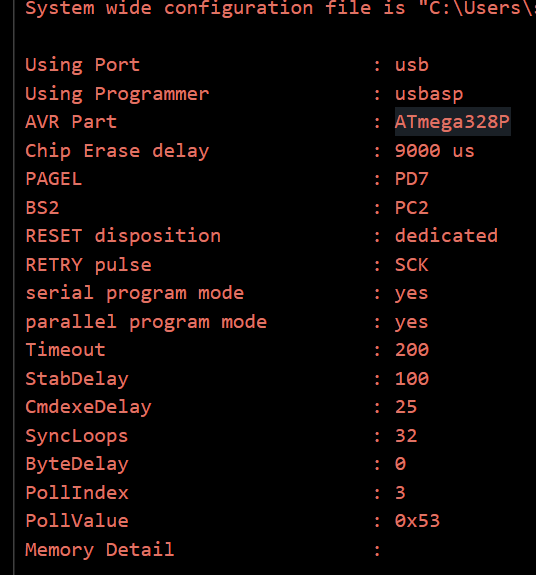
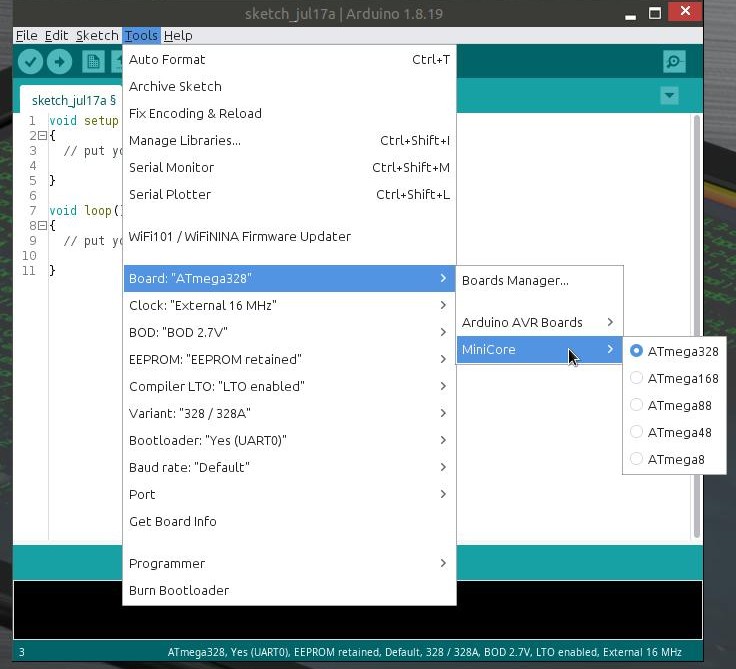
now that I installed minicore, I encounter another problem:
Programmer Type : usbasp
         Description     : USBasp ISP and TPI programmer
avrdude: auto set sck period (because given equals null)
avrdude usbasp_spi_set_sck_period() error: cannot set sck period; please check for usbasp firmware update
avrdude: AVR device initialized and ready to accept instructions
avrdude: device signature = 0x1e9514 (probably m328)
avrdude main() error: expected signature for ATmega328P is 1E 95 0F
        double check chip or use -F to override this check

avrdude done.  Thank you.

Failed chip erase: uploading error: exit status 1
if you able to burn bootloader, you able to burn anything.
bootloader needed to not using this way (ISP) to burn firmware but other (UART), most popular way
aaaahhh
I've got your point
I'm trying to program uno whith programer, coz further I'm gonna program attiny 26, but I didn't succeedet doin' that
So now I try to do less complicated task, checking, whether this programmer can program anything
but I don't need to flash atmega, I need to program it(just upload code, using programmer)
I do so, coz further I will program attiny26 microcontroller this way
That is what you told the IDE by selecting Uno, not what you actually have on the board; see your earlier output with the mismatch. So it would make sense to check the physical chip on the physical board.
You selected the wrong processor. MiniCore has the option to select the correct processor (328/328A).
If you haven't installed it yet, add https://mcudude.github.io/MiniCore/package_MCUdude_MiniCore_index.json to the additional board urls in file>preferences, go to board manager and install MiniCore.