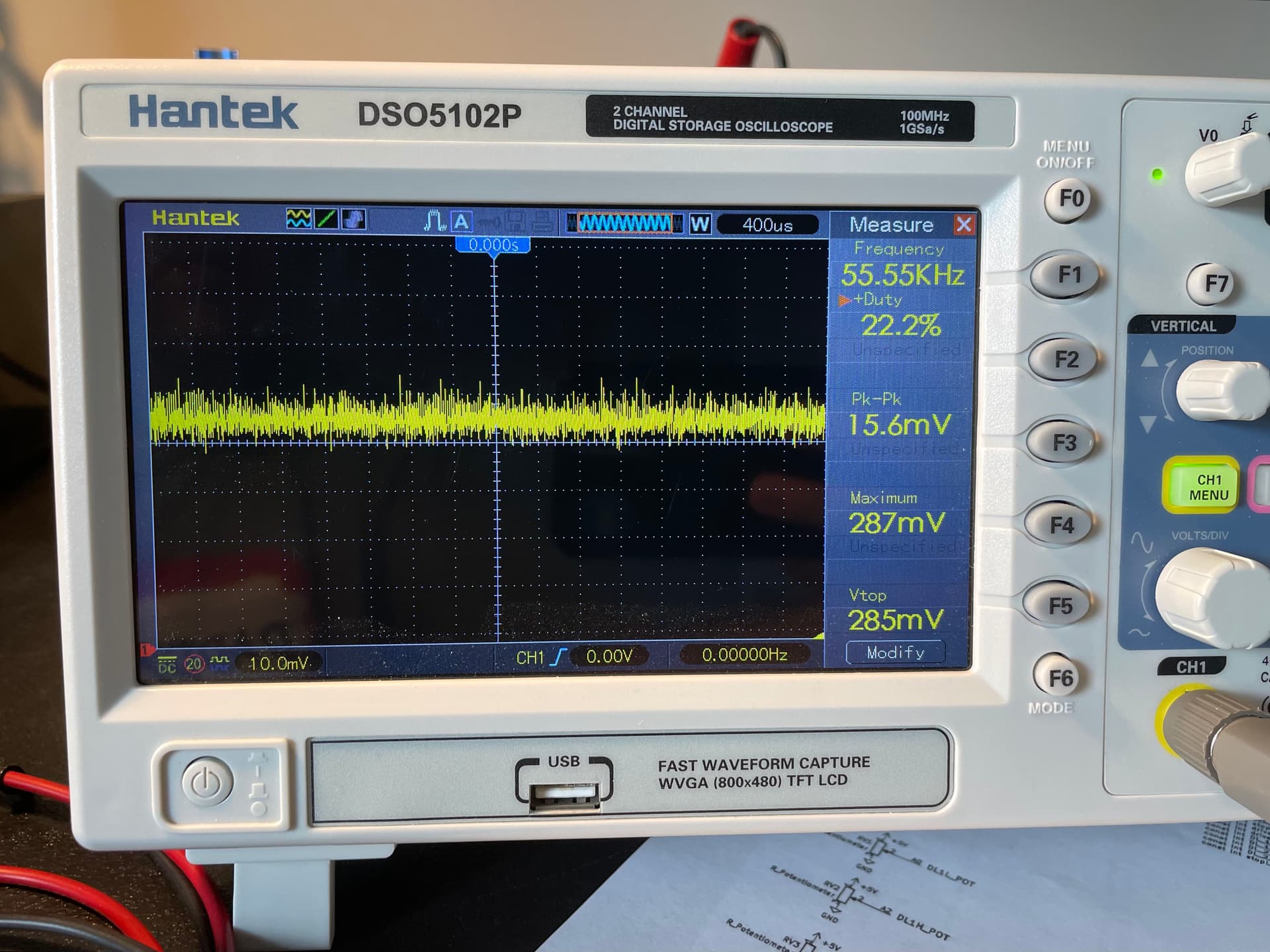
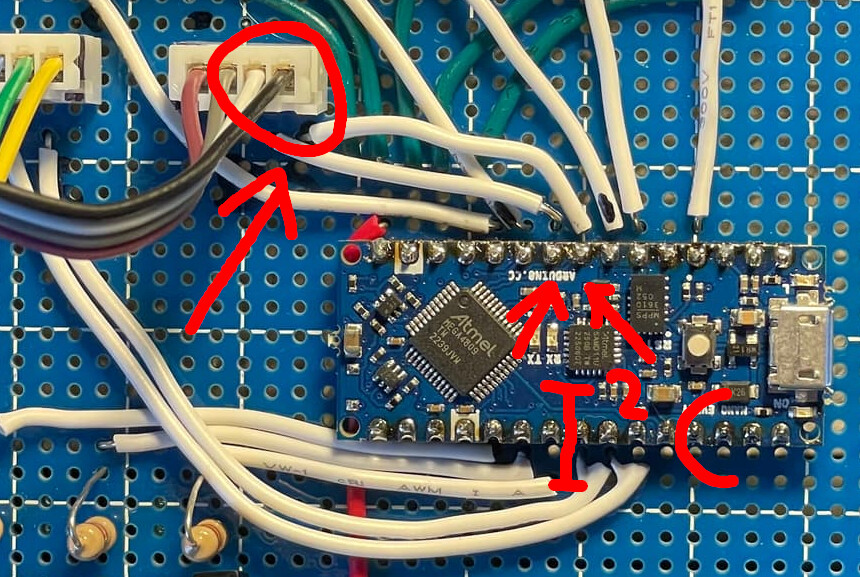
My analog inputs are floating around. They float around about 2% (a floating value of 5 of 255) Could soldering in a cap on each input help? See attached PDF of schematic. The photo shows the board as built, without the capacitors.
Garage Parking Light Pro Mini.pdf (83.2 KB)

//***********************************************************************

//DEFINE I/O TAGS AND PINS
const int trigPin=PIN5;
const int echoPin=PIN6;
const int stopLight=PIN2;
const int driveLight_1=PIN3;
const int driveLight_2=PIN4;
const int DL_1_Low_Pot=A0;
const int DL_1_High_Pot=A1;
const int DL_2_Low_Pot=A2;
const int DL_2_High_Pot=A3;
const int stopLight_Pot=A6;

//***********************************************************************

//SET INTERNAL TAGS AND VALUES
float duration, distance;
int stopSetPoint = 0; //stop light on less than this distance
int driveLight_2_LOW = 0; //drive light 2 on greater than this distance
int driveLight_2_HIGH = 0; //drive light 2 on less than this distance
int driveLight_1_LOW = 0; //drive light 1 on greater than this distance
int driveLight_1_HIGH = 0; //drive light 1 on less than this distance
int driveLight_1_lowValue = 0; //placeholder value for analog input
int driveLight_1_highValue = 0; //placeholder value for analog input
int driveLight_2_lowValue = 0; //placeholder value for analog input
int driveLight_2_highValue = 0; //placeholder value for analog input
int stopLight_Value = 0; //placeholder value for analog input

//***********************************************************************

//LCD SETUP
#define OLED_RESET  15  // Pin 15 -RESET digital signal
ArducamSSD1306 display(OLED_RESET); // FOR I2C

//***********************************************************************

//FUNTIONS SETUP
void callUltraSonic(int num);
void callStopLight(int num);
void calldriveLight_1(int num);
void calldriveLight_2(int num);
void call_analogValueScans(int num);
void call_OLED_Print(int num);


//***********************************************************************

void setup() {
  Serial.begin (9600);
  pinMode(trigPin, OUTPUT);
  pinMode(echoPin, INPUT);
  pinMode(stopLight, OUTPUT);
  pinMode(driveLight_1, OUTPUT);
  pinMode(driveLight_2, OUTPUT);

  // initialize OLED with I2C addr 0x3C
  display.begin(SSD1306_SWITCHCAPVCC, 0x3C);
  Wire.begin();

}
//***********************************************************************
void loop() {
callUltraSonic(1);
callStopLight(2);
calldriveLight_1(3);
calldriveLight_2(4);
call_analogValueScans(5);
call_OLED_Print(6);
}

//***********************************************************************
void callUltraSonic(int num) {
 // Write a pulse to the HC-SR04 Trigger Pin
  digitalWrite(trigPin, LOW);
  delayMicroseconds(2);
  digitalWrite(trigPin, HIGH);
  delayMicroseconds(10);
  digitalWrite(trigPin, LOW);
  // Measure the response from the HC-SR04 Echo Pin
  duration = pulseIn(echoPin, HIGH);
  // Determine distance from duration
  // Use 343 metres per second as speed of sound
  distance = (duration / 2) * 0.0343;
  // Serial Print "out of range"
  Serial.print("Distance = ");
  if (distance >= 400 || distance <= 2){
      Serial.println("Out of range");
      }
// Serial Print "distance in cm"
  else {
    Serial.print(distance);
    Serial.println(" cm");
    delay(100);
    }
}
//***********************************************************************
void callStopLight(int num) {
//Serial Print "STOP"
//Turn stop light on HIGH if less than setpoint
//Else turn stop light off LOW
  if (distance < stopSetPoint){
    digitalWrite(stopLight, HIGH);
    Serial.print(" STOP ");
    }
    else {
      digitalWrite(stopLight, LOW);
    }
}
//***********************************************************************
void calldriveLight_1(int num){
  if (distance > driveLight_1_LOW && distance < driveLight_1_HIGH) {
      digitalWrite(driveLight_1, HIGH);
  }
  else {
    digitalWrite(driveLight_1, LOW);
  }
}
//***********************************************************************
void calldriveLight_2(int num){
  if (distance > driveLight_2_LOW && distance < driveLight_2_HIGH) {
      digitalWrite(driveLight_2, HIGH);
  }
  else {
    digitalWrite(driveLight_2, LOW);
  }
}
//***********************************************************************
void call_analogValueScans(int num){
  //*******
  //DRIVE LIGHT 1 LOW VALUE FROM POT
  driveLight_1_lowValue = analogRead(DL_1_Low_Pot);
  driveLight_1_LOW = map(driveLight_1_lowValue, 0, 1023, 0, 255);
  Serial.print("DL1Low = ");
  Serial.print(driveLight_1_LOW);
  //*******
  //DRIVE LIGHT 1 HIGH VALUE FROM POT
  driveLight_1_highValue = analogRead(DL_1_High_Pot);
  driveLight_1_HIGH = map(driveLight_1_highValue, 0, 1023, 0, 255);
  Serial.print("DL1High = ");
  Serial.print(driveLight_1_HIGH);
  //******
  //DRIVE LIGHT 2 LOW VALUE FROM POT
  driveLight_2_lowValue = analogRead(DL_2_Low_Pot);
  driveLight_2_LOW = map(driveLight_2_lowValue, 0, 1023, 0, 255);
  Serial.print("DL2Low = ");
  Serial.print(driveLight_2_LOW);
  //******
  //DRIVE LIGHT 2 HIGH VALUE FROM POT
  driveLight_2_highValue = analogRead(DL_2_High_Pot);
  driveLight_2_HIGH = map(driveLight_2_highValue, 0, 1023, 0, 255);
  Serial.print("DL2High = ");
  Serial.print(driveLight_2_HIGH);
  //******
  //STOP LIGHT VALUE FROM POT
  stopLight_Value = analogRead(stopLight_Pot);
  stopSetPoint = map(stopLight_Value, 0, 1023, 0, 255);
  Serial.print("StopLight = ");
  Serial.print(stopSetPoint);
}
//***********************************************************************
//OLED DISPLAY
void call_OLED_Print(int num){

  display.clearDisplay();
  display.setTextSize(1);
  display.setTextColor(WHITE);
  //Drive Light 1 Low/High
    display.setCursor(0,3);
  display.print("DL1L = ");
  display.print(driveLight_1_LOW);
    display.setCursor(67,3);
  display.print("DL1H = ");
  display.print(driveLight_1_HIGH);
  //Drive Light 2 Low/High
    display.setCursor(0,20);
  display.print("DL2L = ");
  display.print(driveLight_2_LOW);
    display.setCursor(67,20);
  display.print("DL2H = ");
  display.print(driveLight_2_HIGH);
  //Stop Setpoint
    display.setCursor(0,40);
  display.print("STOP = ");
  display.print(stopSetPoint);
  display.display();
  //Live Sensor Read
    display.setCursor(0,50);
  display.print("LIVE = ");
  display.print(distance);
  display.display();
}
 You are right.