Changing refresh rate

I am displaying date, time, and a voltage level on a TFT screen, using the MCUFRIEND_kbv library. At this point, the whole screen refreshes with the relevant data every 5 seconds.
However, I only want to reprint the voltage level and time if and when it changes. Basically, I want to refresh different parts of the screen at different times.

#include <virtuabotixRTC.h>  //Libraries needed
#include "Adafruit_GFX.h"    // Hardware-specific library
#include <MCUFRIEND_kbv.h>
MCUFRIEND_kbv tft;

#define BLACK 0x0000       /*   0,   0,   0 */
#define LIGHTGREY 0xC618   /* 192, 192, 192 */
#define WHITE 0xFFFF       /* 255, 255, 255 */

virtuabotixRTC myRTC(6, 7, 8);

void setup() {
  Serial.begin(9600);
  tft.reset();
  tft.begin(0x9488);
  tft.setRotation(1);
  //myRTC.setDS1302Time(00, 05, 11, 05, 25, 06, 2022);
}

void loop() {
  tft.fillScreen(BLACK);
  myRTC.updateTime();

  tft.drawLine(0, 27, 480, 27, LIGHTGREY);
  tft.drawLine(0, 28, 480, 28, LIGHTGREY);
  tft.drawLine(240, 0, 240, 28, LIGHTGREY);
  tft.drawLine(241, 0, 241, 28, LIGHTGREY);

  tft.setTextSize(3);
  tft.setCursor(5, 3);
  if (myRTC.dayofmonth < 10) {
    tft.print("0");
    tft.print(myRTC.dayofmonth);
  }
  else {
    tft.print(myRTC.dayofmonth);
  }
  tft.print("/");
  if (myRTC.month < 10) {
    tft.print("0");
    tft.print(myRTC.month);
  }
  else {
    tft.print(myRTC.month);
  }
  tft.print("/");
  tft.print(myRTC.year);
  tft.setCursor(246, 3);
  if (myRTC.hours < 10) {
    tft.print("0");
    tft.print(myRTC.hours);
  }
  else {
    tft.print(myRTC.hours);
  }
  tft.print(":");
  if (myRTC.minutes < 10) {
    tft.print("0");
    tft.print(myRTC.minutes);
  }
  else {
    tft.print(myRTC.minutes);
  }
  int sensor = analogRead(A1);
  float voltage = (sensor * 5.0) / 1023;
  tft.setTextSize(3);
  tft.setCursor(3, 33);
  tft.print(voltage);
  delay(5000);
}

Does anyone know how to achieve this?

You need to keep track (hold them in variables) of the previous values of the things you are writing to the screen.. then only update them if they change.

Show a photo of what you screen looks like... it will help describe what to do.

Use fillRect just to black out small portions of the screen rather than the full screen every loop.
https://wiki.microduinoinc.com/Tft.fillRect()

Somethings like drawing lines, setting font sizes, only need to be done once.

void setup() {
  Serial.begin(9600);
  tft.reset();
  tft.begin(0x9488);
  tft.setRotation(1);
  //myRTC.setDS1302Time(00, 05, 11, 05, 25, 06, 2022);
  tft.fillScreen(BLACK);
  tft.drawLine(0, 27, 480, 27, LIGHTGREY);
  tft.drawLine(0, 28, 480, 28, LIGHTGREY);
  tft.drawLine(240, 0, 240, 28, LIGHTGREY);
  tft.drawLine(241, 0, 241, 28, LIGHTGREY);
}

void loop() {
  myRTC.updateTime();

  tft.setTextSize(3);
  tft.setCursor(5, 3);
  if (myRTC.dayofmonth < 10) {
    tft.print("0");
    tft.print(myRTC.dayofmonth);
  }
  else {
    tft.print(myRTC.dayofmonth);
  }
  tft.print("/");
  if (myRTC.month < 10) {
    tft.print("0");
    tft.print(myRTC.month);
  }
  else {
    tft.print(myRTC.month);
  }
  tft.print("/");
  tft.print(myRTC.year);
  tft.setCursor(246, 3);
  if (myRTC.hours < 10) {
    tft.print("0");
    tft.print(myRTC.hours);
  }
  else {
    tft.print(myRTC.hours);
  }
  tft.print(":");
  if (myRTC.minutes < 10) {
    tft.print("0");
    tft.print(myRTC.minutes);
  }
  else {
    tft.print(myRTC.minutes);
  }
  int sensor = analogRead(A1);
  float voltage = (sensor * 5.0) / 1023;
  tft.setTextSize(3);
  tft.setCursor(3, 33);
  tft.print(voltage);
  delay(5000);
  tft.fillRect(0, 33, 90, 21, BLACK);
}

I've got the fillRect in now, but how do only do that if it needs to update what's written there?

Move these

to setup()

Try that first... it should reduce the flicker a lot.

Done that in post #3.

Has the flicker improved?

Yes. What I want to do is refresh the date (on the screen) once every day at midnight. I want to refresh the month ONLY at the start of the new month. Same with the year.
I want to refresh the voltage ONLY whenever it drops or rises, basically completely removing the

delay(5000);

Move this to setup also

  tft.setTextSize(3);

You can also move the printing of the "/" and ":" if you want to.

Create some new variables to hold the previous values

  uint8_t  prevDay, prevMonth, prevMin, prevHour;
  uint16_t prevYear;

Then add logic to check if they've changed. Like this for day..

  if (myRTC.dayofmonth != prevDay)
  {
    prevDay = myRTC.dayofmonth;

    tft.setCursor(5, 3);
    if (myRTC.dayofmonth < 10)
    {
      tft.print("0");
      tft.print(myRTC.dayofmonth);
    }
    else
    {
      tft.print(myRTC.dayofmonth);
    }
  }

Do the same for month, year, hour, minute.

You could also do for voltage if you want to.

You don't need to use fill Rect in your example.

@red_car
Ok...
Did that, and removed the fillRect, as you said

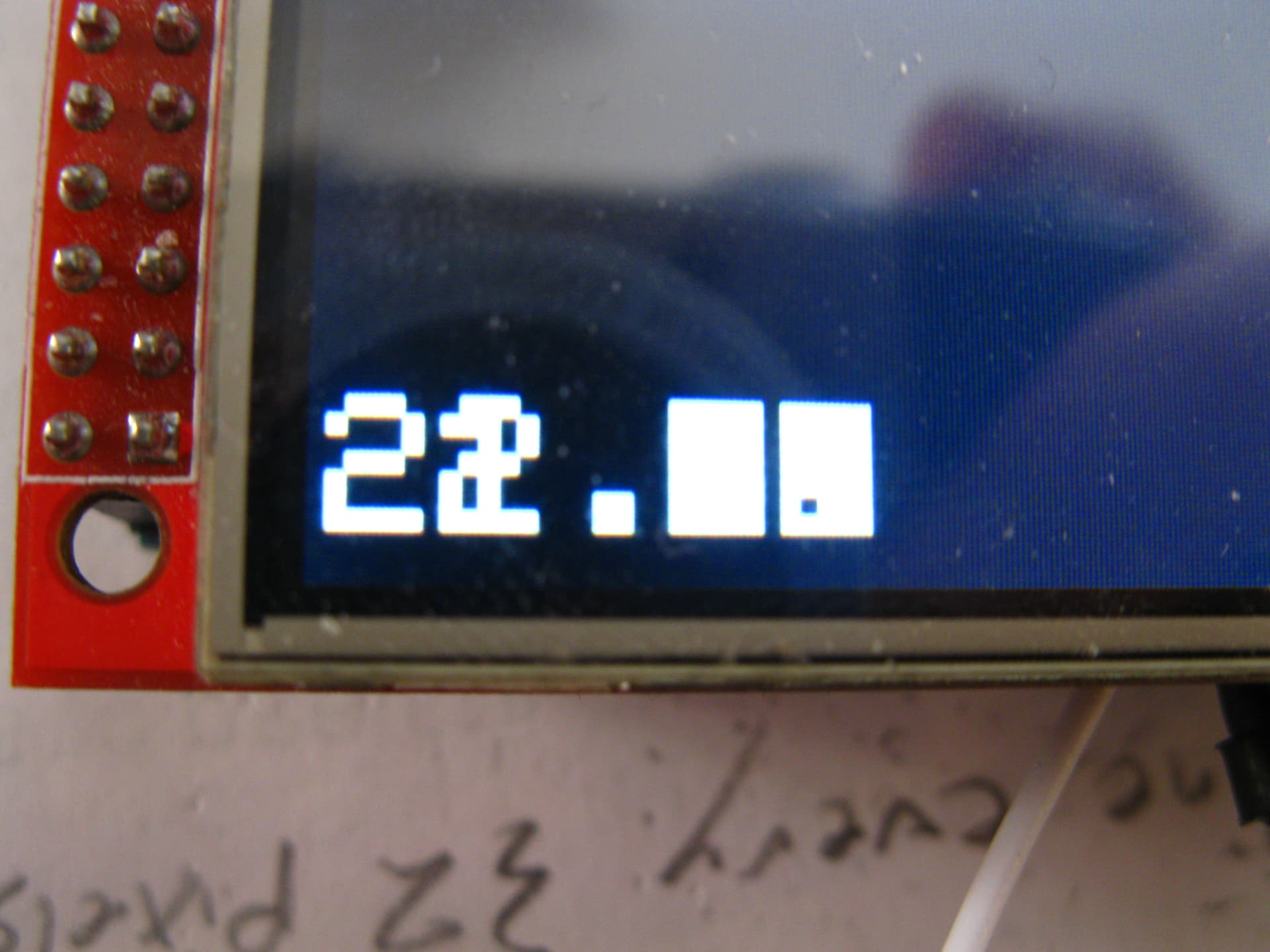
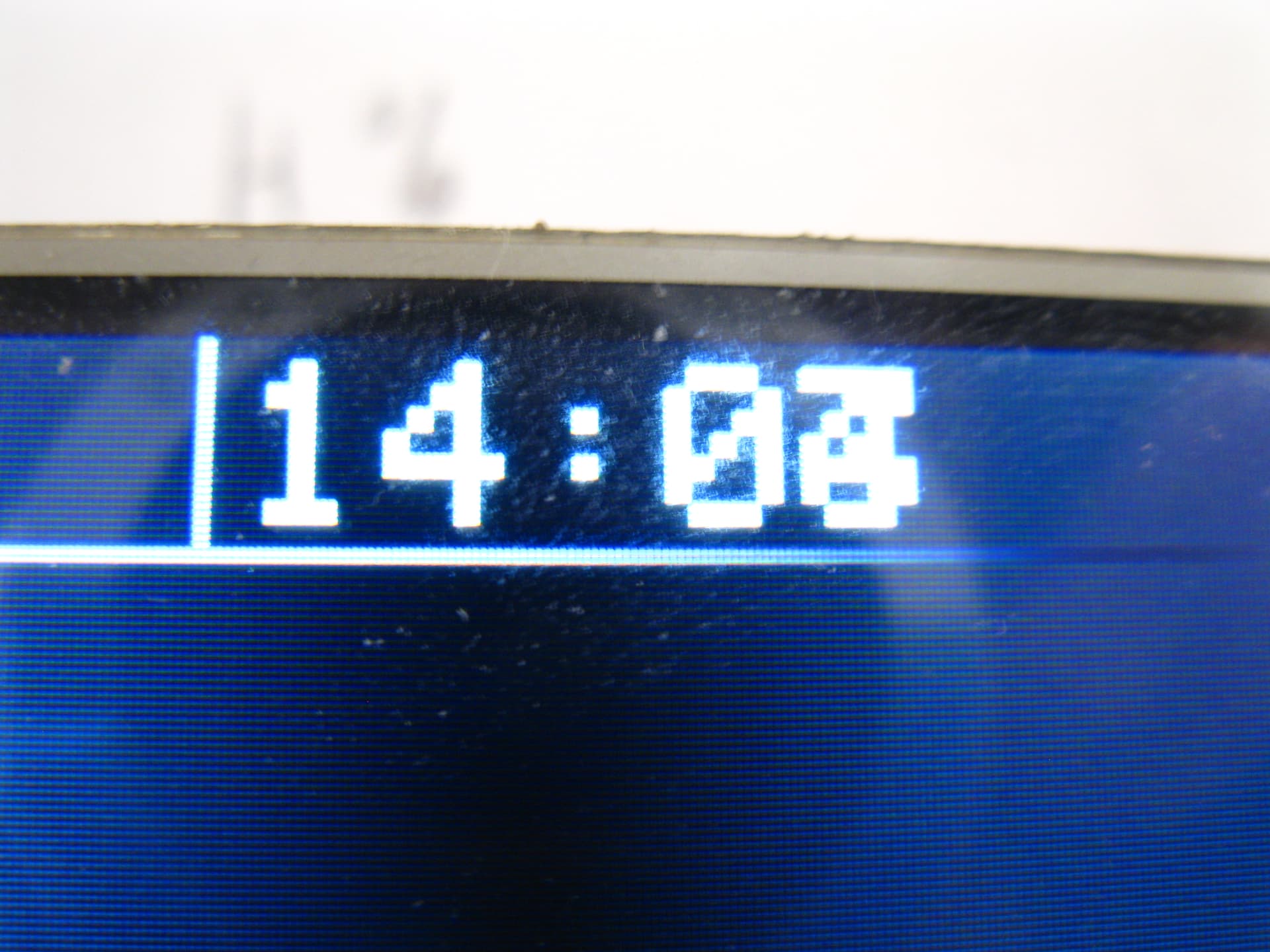
The results:


Any changes do not clear the last thing printed on the screen, it prints it ON TOP of the last thing.

Ah ok. I think these are known as transparent fonts.

Other than using fill Rect (probably easiest), have seen other posts where they rewrite what is already on the screen but reverse the font colours first with setTextColor(BLACK). That effectively erases the current text, then change the font colour back and write the new text.

How on earth do I do that??????????

Just use fillRect for now... syntax is

tft.fillRect(x, y, x2, y2, color);

Where x & y are the starting position, and x2 & y2 are the opposite corner offset. Color will be BLACK... but might be easier to set to something else to start with (say RED) so you can see exactly where it is on the screen.

Just try for the voltage for now...

Ok, thanks, will do.

@red_car
Okay this works really well. Should I:

If just using a black rectangle works then I wouldn't bother. If you use the "reverse font" thing then you always have to know exactly what is already on the screen... this isn't too hard in your example but could get difficult for more complex situations.

Okay, that makes sense.

This topic was automatically closed 180 days after the last reply. New replies are no longer allowed.