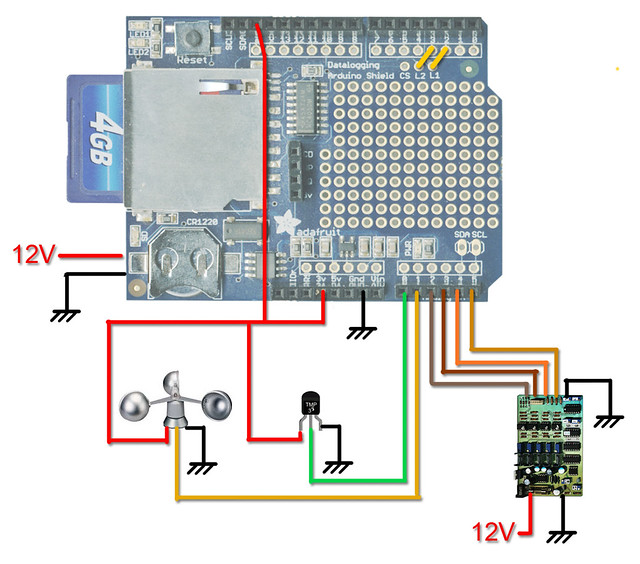
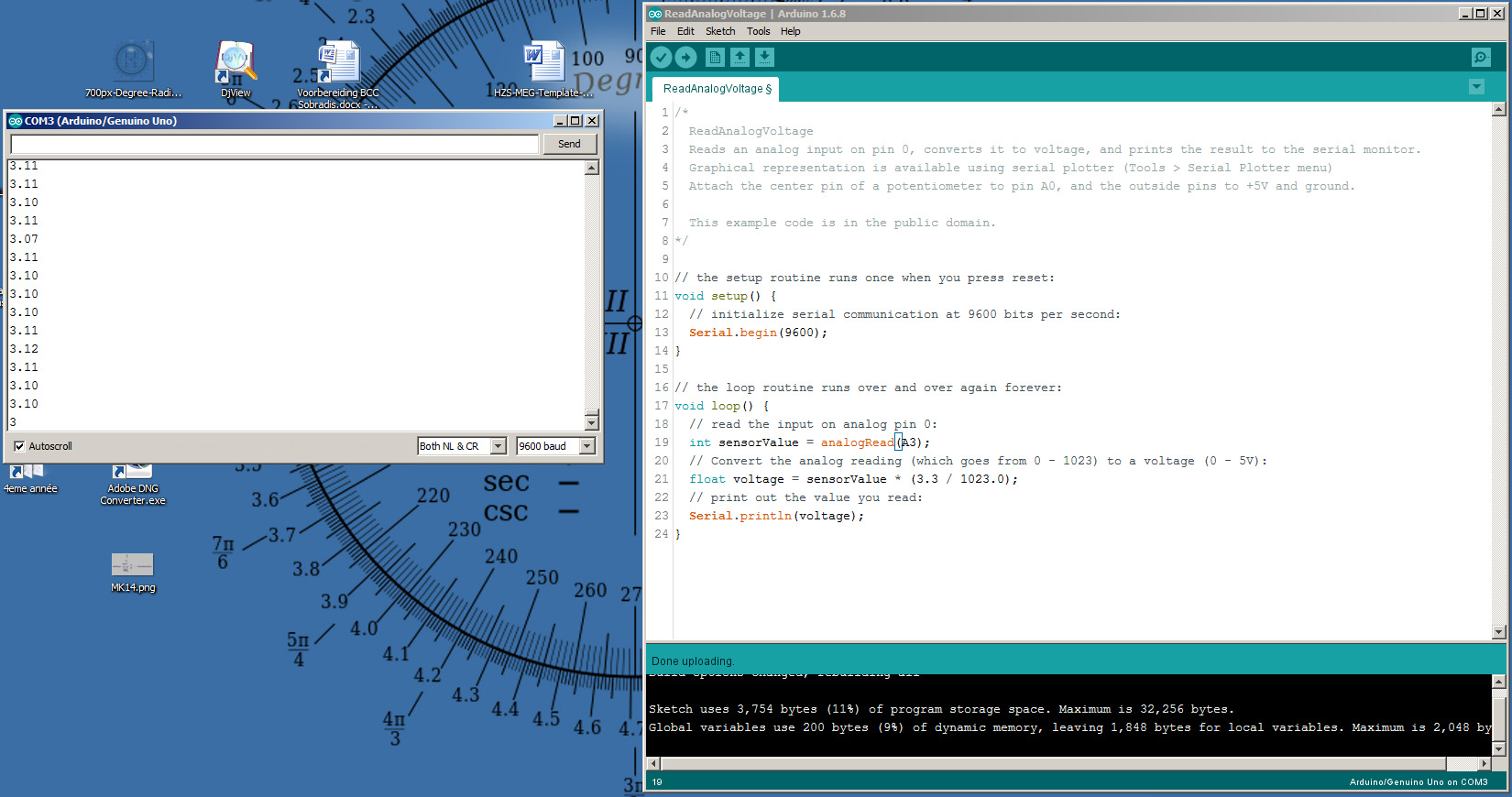
I think I've mostly done it... Just a couple of points I need to clear up:
int wdsReading = analogRead(wdsPin);
 delay(10);
  int tmpReading = analogRead(tmpPin);
 delay(10);
   // converting that reading to voltage, for 3.3v arduino use 3.3
  float voltage = tmpReading * 3.3 / 1024;
  float temperatureC = (voltage - 0.5) * 100 ;

  int lc1Reading = analogRead(lc1Pin);
 delay(5);           // Short delay, buffered signal to ground via 10k resistor.
  int lc2Reading = analogRead(lc2Pin);
 delay(5);           // Short delay, buffered signal to ground via 10k resistor.
  int lc3Reading = analogRead(lc3Pin);
 delay(5);           // Short delay, buffered signal to ground via 10k resistor.
   int lc4Reading = analogRead(lc4Pin);
 delay(5);           // Short delay, buffered signal to ground via 10k resistor.


  logfile.print(", ");
  logfile.print(wdsReading);
  logfile.print(", ");
  logfile.println(temperatureC);
  logfile.print(", ");
  logfile.print(lc1Reading);
  logfile.print(", ");
  logfile.print(lc2Reading);
  logfile.print(", ");
  logfile.print(lc3Reading);
  logfile.print(", ");
  logfile.print(lc4Reading);
#if ECHO_TO_SERIAL
  Serial.print(", ");
  Serial.print(wdsReading);
  Serial.print(", ");
  Serial.println(temperatureC);
  Serial.print(", ");
  Serial.print(lc1Reading);
  Serial.print(", ");
  Serial.print(lc2Reading);
  Serial.print(", ");
  Serial.print(lc3Reading);
  Serial.print(", ");
  Serial.print(lc4Reading);
#endif //ECHO_TO_SERIAL
The WDS is a anemometer, based on a tiny DC motor whose voltage signal is smoothed by a capacitor, how would one go about averaging 5 or 10 measurements over 100 or 200mS?
Same goes for the "lc", these load cells have a bit of noise in the 1 to 2MHz range (due to ringing caused by a ICL negative voltage pump), so an average over 5mS would improve precision by 5% to 10%.
If I could do a board re-spin, I would "program with solder" my negative power rail in a totally different manner... But now I have to deal with a 20mV, 1.25Mhz "spike" that I can't filter more than what I've already filtered it.
But it this "spike" gets in the Op Amps via their supply pins and the resulting sine gets amplified in the second amplification stage.
The full code:
#include <SD.h>
#include <Wire.h>
#include <RTClib.h>

/* Memoire sketch01
 */

#define aref_voltage 3.3   // 3.3V is the ref voltage
#define LOG_INTERVAL  5000 // mills between entries (5s)
#define ECHO_TO_SERIAL   1 // echo data to serial port
#define WAIT_TO_START    0 // Wait for serial input in setup()

// the digital pins that connect to the LEDs
#define redLEDpin 3
#define greenLEDpin 4

// The analog pins that connect to the sensors
#define wdsPin 0           // analog 0
#define tmpPin 1           // analog 1
#define lc1Pin 2           // analog 2
#define lc2Pin 3           // analog 3
#define lc3Pin 4           // analog 4
#define lc4Pin 4           // analog 5


RTC_DS1307 RTC; // define the Real Time Clock object

// for the data logging shield, we use digital pin 10 for the SD cs line
const int chipSelect = 10;

// the logging file
File logfile;

void error(char *str)
{
  Serial.print("error: ");
  Serial.println(str);

  // red LED indicates error
  digitalWrite(redLEDpin, HIGH);

  while(1);
}

void setup(void)
{
  Serial.begin(9600);
  Serial.println();

#if WAIT_TO_START
  Serial.println("0"); //automatic start, no need to type in anything.
  while (!Serial.available());
#endif //WAIT_TO_START

  // initialize the SD card
  Serial.print("Initializing SD card...");
  // make sure that the default chip select pin is set to
  // output, even if you don't use it:
  pinMode(10, OUTPUT);

  // see if the card is present and can be initialized:
  if (!SD.begin(chipSelect)) {
    Serial.println("Card failed, or not present");
    // don't do anything more:
    return;
  }
  Serial.println("card initialized.");

  // create a new file
  char filename[] = "CUBE1.CSV";
  for (uint8_t i = 0; i < 100; i++) {
    filename[6] = i/10 + '0';
    filename[7] = i%10 + '0';
    if (! SD.exists(filename)) {
      // only open a new file if it doesn't exist
      logfile = SD.open(filename, FILE_WRITE);
      break;  // leave the loop!
    }
  }

  if (! logfile) {
    error("couldnt create file");
  }

  Serial.print("Logging to: ");
  Serial.println(filename);

  Wire.begin();
  if (!RTC.begin()) {
    logfile.println("RTC failed");
#if ECHO_TO_SERIAL
    Serial.println("RTC failed");
#endif  //ECHO_TO_SERIAL
  }


  logfile.println("millis,time,temp,speed,sensor1,sensor2,sensor3,sensor");
#if ECHO_TO_SERIAL
  Serial.println("millis,time,temp,speed,sensor1,sensor2,sensor3,sensor");
#if ECHO_TO_SERIAL// attempt to write out the header to the file
  if (logfile.writeError || !logfile.sync()) {
    error("write header");
  }

  pinMode(redLEDpin, OUTPUT);
  pinMode(greenLEDpin, OUTPUT);

   // If you want to set the aref to something other than 5v
  //analogReference(EXTERNAL);
}

void loop(void)
{
  DateTime now;

  // delay for the amount of time we want between readings
  delay((LOG_INTERVAL -1) - (millis() % LOG_INTERVAL));

  digitalWrite(greenLEDpin, HIGH);

  // log milliseconds since starting
  uint32_t m = millis();
  logfile.print(m);           // milliseconds since start
  logfile.print(", ");
#if ECHO_TO_SERIAL
  Serial.print(m);         // milliseconds since start
  Serial.print(", ");
#endif

  // fetch the time
  now = RTC.now();
  // log time
  logfile.print(now.get()); // seconds since 2000
  logfile.print(", ");
  logfile.print(now.year(), DEC);
  logfile.print("/");
  logfile.print(now.month(), DEC);
  logfile.print("/");
  logfile.print(now.day(), DEC);
  logfile.print(" ");
  logfile.print(now.hour(), DEC);
  logfile.print(":");
  logfile.print(now.minute(), DEC);
  logfile.print(":");
  logfile.print(now.second(), DEC);
#if ECHO_TO_SERIAL
  Serial.print(now.get()); // seconds since 2000
  Serial.print(", ");
  Serial.print(now.year(), DEC);
  Serial.print("/");
  Serial.print(now.month(), DEC);
  Serial.print("/");
  Serial.print(now.day(), DEC);
  Serial.print(" ");
  Serial.print(now.hour(), DEC);
  Serial.print(":");
  Serial.print(now.minute(), DEC);
  Serial.print(":");
  Serial.print(now.second(), DEC);
#endif //ECHO_TO_SERIAL


  int wdsReading = analogRead(wdsPin);
 delay(10);
  int tmpReading = analogRead(tmpPin);
 delay(10);
   // converting that reading to voltage, for 3.3v arduino use 3.3
  float voltage = tmpReading * 3.3 / 1024;
  float temperatureC = (voltage - 0.5) * 100 ;

  int lc1Reading = analogRead(lc1Pin);
 delay(5);           // Short delay, buffered signal to ground via 10k resistor.
  int lc2Reading = analogRead(lc2Pin);
 delay(5);           // Short delay, buffered signal to ground via 10k resistor.
  int lc3Reading = analogRead(lc3Pin);
 delay(5);           // Short delay, buffered signal to ground via 10k resistor.
   int lc4Reading = analogRead(lc4Pin);
 delay(5);           // Short delay, buffered signal to ground via 10k resistor.


  logfile.print(", ");
  logfile.print(wdsReading);
  logfile.print(", ");
  logfile.println(temperatureC);
  logfile.print(", ");
  logfile.print(lc1Reading);
  logfile.print(", ");
  logfile.print(lc2Reading);
  logfile.print(", ");
  logfile.print(lc3Reading);
  logfile.print(", ");
  logfile.print(lc4Reading);
#if ECHO_TO_SERIAL
  Serial.print(", ");
  Serial.print(wdsReading);
  Serial.print(", ");
  Serial.println(temperatureC);
  Serial.print(", ");
  Serial.print(lc1Reading);
  Serial.print(", ");
  Serial.print(lc2Reading);
  Serial.print(", ");
  Serial.print(lc3Reading);
  Serial.print(", ");
  Serial.print(lc4Reading);
#endif //ECHO_TO_SERIAL

  digitalWrite(greenLEDpin, LOW);
}