I have tried using multiple different boards (Arduino Nano and Nano Matter), using all the different example files and rewiring it MULTIPLE times but no matter what I do the DFPlayer won't initialise properly. I know the wiring is correct because whenever the board is powered the speaker emits a little sound. For some reason it also causes my Arduinos to restart whenever a DFPlayer function is called.
With so little information, this is just a guess. Maybe the library does not support the boards you have tried. The library.properties will help, but it is not 100% correct.
Also, when debugging at least, check the return value if any from EVERY API function and at least print them out but even better learn what errors are possible and deal with each one as appropriate.
That's interesting. None of my DFPlayers have ever made a peep when power was applied. And I've used a lot of them.
More information is required for any kind of diagnosis. Clear, focused, well lit pictures of wiring. Code. Perhaps even a schematic.
As I said before, I tried all the examples
Due to a lot of reasons this is borderline impossible, sorry
I don't know any websites for making schematics unfortunately
If you mean to use the DFPlayer library functions for checking its status, they haven't been very helpful.
Where can I check that?
Then with no information other than "I tried everything and nothing works and I can't show you anything" it is highly unlikely that you will find a solution here.
Good luck with your project.
Which library are you using specifically? I recommend using the DFPlayer_mini_fast library, but some may say to go with the DFRobotDFPlayerMini library instead. I haven't had much luck with that one, so I use the mini_fast library instead.
I have tried both and had the same results both times
In the library folder.
Hello,
Once I had the same problem. These DFPlayer are specified for VCC 3.3V to 5V but sometimes it does not like more than 3.3V. If you use a NANO and supply 5V to the DFP change it to the 3.3V output of the NANO and connect a 1k resistor in the TX line from NANO to DFP. A Library which allways works for my purposes is the <DFRobotDFPlayerMini.h>. Give it a shot
good luck
Please explain why it is not possible to take pictures of your project?
Phone camera sucks, storage on it is full anyway, difficult to get photos off of, this is part of another project and the wires from that one are a horrifying mess and you can't see the DFPlayer setup well
I have tried everything you've suggested here
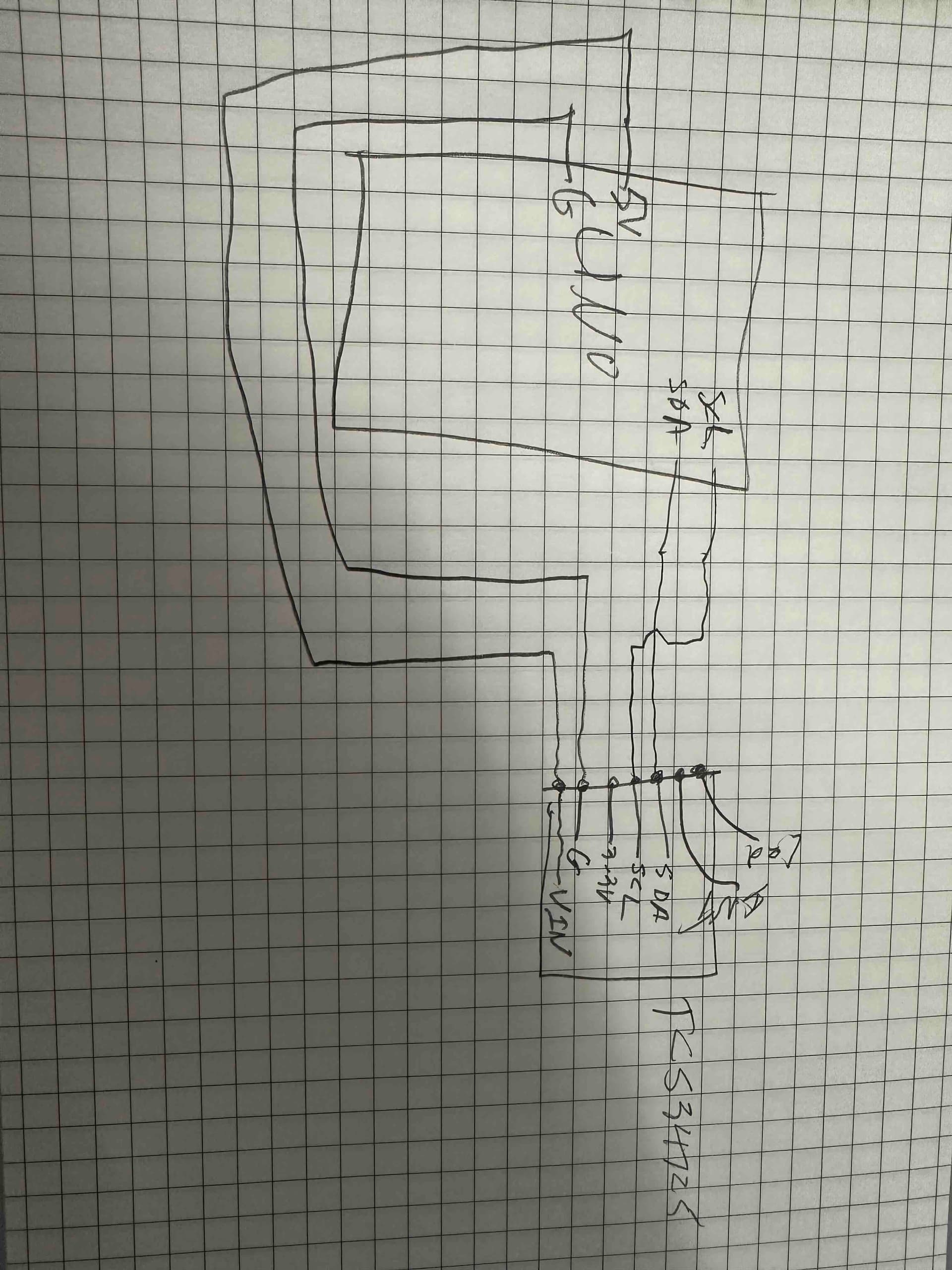
Good point actually, heres a quick sketch I threw together

Where's that?
It's 64GB but less than 10MB is actually used
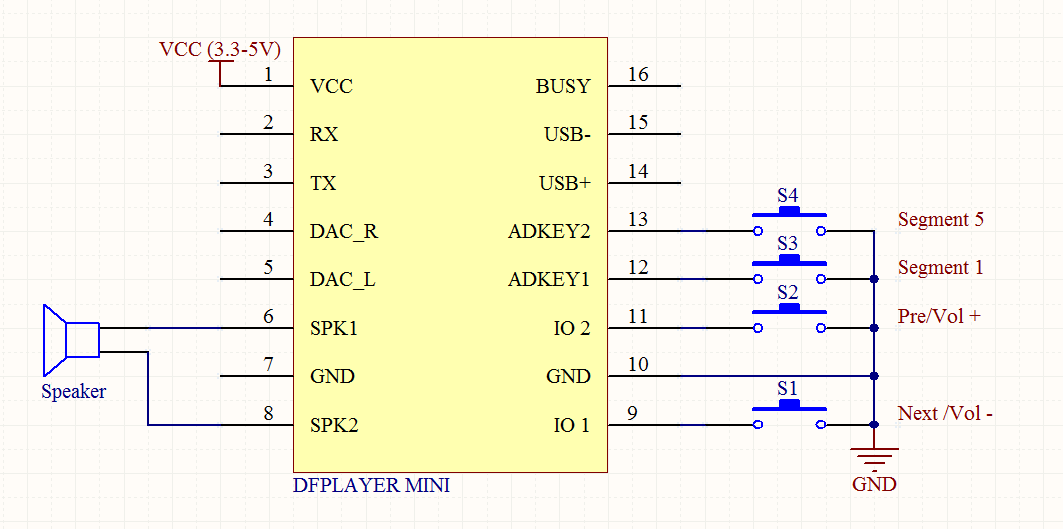
What is the GND pictured there that the IO pins are connected to?
this definitly does not work. You MUST put a SDcard <= 32GB actually I purchased a 10 piece bundle of 2GB SDcards for less than USD 2,- With 2gig you can save about 400 mp3 files.(5MB each)
the other thing, are you using software serial with D10 and D11 pins for TX and RX ? The DFPlayer works with UART serial transmission.
In your preferences, is the location of your Sketchbook folders. Your libraries are in a folder called libraries under that Sketchbook location. Now look for the library and in that folder will be the library.properties.
I am quite concerned that if you don't know this basic stuff you learn on day 1 hour 1 then you might be in over your head.
It Can not exceed 32GB. The file system only suppoerts up to 32GB. A 64GB card can not be read and may cause all kinds of random errors.
He could be using software serial, which makes sense if the OP wants to debug the code using the Serial Monitor and be able to use the DFPlayer module.
I don't understand the question. The IO buttons are being pulled to ground when pressed and it just so happens to have a ground pin on that side too. Are you referring to the 3 horizontal lines?... the symbol for ground?
@samuraidestroy maybe it would be a good idea to test your DFPlayer in standalone mode. disconnect it from the NANO, connect your VCC and GND and the speaker only. With a quick pulse short between pins IO_1 and GND or IO_2 to GND there should be one track from the SDcard start playing.
Well until OP gets a compatible SD card (32gb and under), it won't make a difference.
-I bolded the text for the OP.