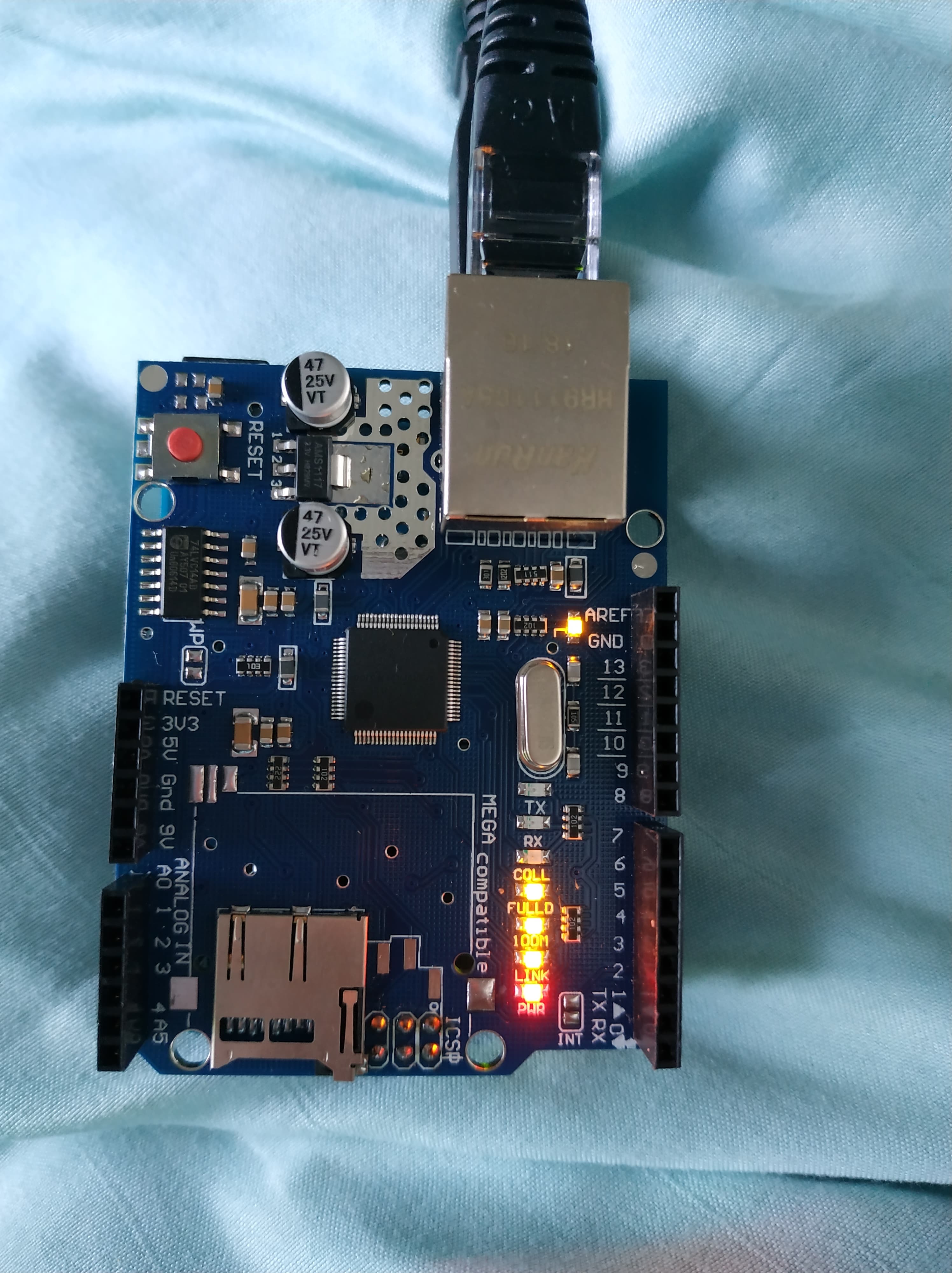
Hi all
I have been battling away on a project where I want to send simple temperature values directly from one arduino to another arduino, both with W1500 ethernet shields attached. To start I am simply trying to send "hello world" from one to the other and having the receiver display in the serial port.
I have a crossover cable between the two arduinos, and I have confirmed both the sheilds are connected and ethernet cables are connected correctly.
I have been unable to receive any communication on the receiver side, the packetsize has been 0 at all times. I would think the transmitter is working correctly, since the TX LED flashed continuously and "Message Sent" is repeatedly displayed on the serial port. I therefore believe it to be the receiver. Switching the ethernet shields has the same results.
Any guidance would be greatly appreciated! Thanks in advance.
Transmitter
//Transmitter Code
//Observations: Seems to work. TX light on shield flashes continuously.

#include <SPI.h>
#include <Ethernet.h>
#include <EthernetUdp.h>

byte mac[] = { 0xDE, 0xAD, 0xBE, 0xEF, 0xFE, 0xED }; //Destination MAC address

IPAddress ip(192, 168, 0, 25); //Local IP address
IPAddress destIp(192,168,0,21); //Destination ip address

unsigned int localPort = 5000; // local port to listen on
unsigned int destPort = 5005; //Destination port

EthernetUDP Udp; //Instance of UDP


char message[] = "Hello World!";

/*Initialise the sending of data using UDP over ethernet*/
void setup() {

Serial.begin(9600);

  Ethernet.begin(mac,ip); // start the Ethernet and UDP:
  Udp.begin(localPort);
}

void loop() {

  Udp.beginPacket(destIp, destPort); //Start Packet

    Udp.write(message);

    Udp.endPacket(); //Close Packet

    Serial.println("Message Sent"); //Send Confirmation message

    delay(10);
}
Receiver
#include <SPI.h>
#include <Ethernet.h>
#include <EthernetUdp.h>

// Enter a MAC address and IP address for your controller below.
// The IP address will be dependent on your local network:
byte mac[] = { 0xDE, 0xAD, 0xBE, 0xEF, 0xFE, 0xED};
IPAddress ip(192, 168, 0, 21);

unsigned int localPort = 5005;      // local port to listen on

// buffers for receiving and sending data
char packetBuffer[UDP_TX_PACKET_MAX_SIZE];  // buffer to hold incoming packet,
char ReplyBuffer[] = "acknowledged";        // a string to send back

// An EthernetUDP instance to let us send and receive packets over UDP
EthernetUDP Udp;

void setup() {

  // start the Ethernet
  Ethernet.begin(mac, ip);
  // Open serial communications and wait for port to open:
  Serial.begin(9600);
  while (!Serial) {
    ; // wait for serial port to connect. Needed for native USB port only
  }

  // Check for Ethernet hardware present
  if (Ethernet.hardwareStatus() == EthernetNoHardware) {
    Serial.println("Ethernet shield was not found.  Sorry, can't run without hardware. :(");
    while (true) {
      delay(1); // do nothing, no point running without Ethernet hardware
    }
  }
  if (Ethernet.linkStatus() == LinkOFF) {
    Serial.println("Ethernet cable is not connected.");
  }

  // start UDP
  Udp.begin(localPort);
  Serial.print("hereee ");
  delay(10);
}

void loop() {
  // if there's data available, read a packet
  delay(100);
  int packetSize = Udp.parsePacket();
   // Serial.println(packetSize);
  delay(10);
  if (packetSize) {
    Serial.print("Received packet of size ");
    Serial.println(packetSize);
    Serial.print("From ");
    IPAddress remote = Udp.remoteIP();
    for (int i=0; i < 4; i++) {
      Serial.print(remote[i], DEC);
      if (i < 3) {
        Serial.print(".");
      }
    }
    Serial.print(", port ");
    Serial.println(Udp.remotePort());

    // read the packet into packetBufffer
    Udp.read(packetBuffer, UDP_TX_PACKET_MAX_SIZE);
    Serial.println("Contents:");
    Serial.println(packetBuffer);

    // send a reply to the IP address and port that sent us the packet we received
    Udp.beginPacket(Udp.remoteIP(), Udp.remotePort());
    Udp.write(ReplyBuffer);
    Udp.endPacket();
  }
  delay(10);
}