Display zeigt nichts an

Hallo
ich benutze seit kurzem ESP-8266 Modul 0,96 1,3 Zoll OLED Display Micro USB ESP-12F CP-2102 Board (0,96 Zoll). Habe auch noch gar keine Erfahrung mit dem Board. Das Ziel war mit meinem Sohn ein paar Sachen auszuprobieren, damit er beim Programmieren auch sieht was passiert.
Folgendes Problem
nach dem ersten Anschließen an USB connector ist Display angegangen und hat vom Werk geladene Daten angezeigt. Alles soweit OK
Nach dem Kompilieren und Laden eines Beispielprogramms mit I2C aus der Bibliothek Adafruit hat sich die Anzeige am Bildschirm nicht geändert. Nach Ausstecken und wieder Einstecken des USB-Steckers hat Display nichts mehr angezeigt. Egal welche Programme ich ausprobiert habe, passiert einfach nichts.

Ich habe einen I2C Scann durchgeführt, jedoch kommt die Meldung, dass I2C nicht gefunden wird

Kann jemand sagen, woran es liegen kann? Da ich nichts selber verdrahtet habe, schließe ich die Verdrahtungsprobleme aus.

Links wären nützlicher. Wie sonst sollen wir wissen, ob das Display I2C verwendet?

Not at this point, I have no idea what you have or how it is connected. Post an annotated schematic letting us know what you have, also post links to technical information on each hardware device. Bat wiring or connections is one of the major problems encountered so I would not rule that out.

Then you state it is working as the I2C scanner showed no connection.

[Zitat="waldi0811, Beitrag:1, Thema:1269571"] Kann mir jemand sagen, wo das Problem liegen könnte? [/Zitat] Zum jetzigen Zeitpunkt habe ich keine Ahnung, was Sie haben oder wie es verbunden ist. Veröffentlichen Sie einen kommentierten Schaltplan, in dem Sie uns mitteilen, was Sie haben, und veröffentlichen Sie außerdem Links zu technischen Informationen zu jedem Hardwaregerät. Die Verkabelung oder Anschlüsse von Fledermäusen sind eines der größten Probleme, daher würde ich das nicht ausschließen. [Zitat="waldi0811, Beitrag:1, Thema:1269571"] Egal welche Programme ich ausprobiert habe, es passierte nichts [/Zitat] Dann geben Sie an, dass es funktioniert, da der I2C-Scanner keine Verbindung angezeigt hat.

[image]

I had to laugh a lot reading this translation! Congrats!

1 Like

That was google, but sometimes it does funny things.

Bat translates to Fledermaus. Google doesn't know about common typos.

2 Likes

Wie ist das Display angeklemmt?

Willkommen im Forum.
Das verstehe gar nicht :wink: Ist aber egal, am ESP8266 ist I²C am GPIO4 (SDA) und GPIO5 (SCL)
manchmal als D4, D5 bezeichnet. zeige mal Link zu deinen Sachen, so wie die Lib was Du nutzt

Hallo zusammen,

vielen Dank für eure Rückmeldung

hier ist der Link zum ESP8266 mit dem Display

ESP-8266 Modul 0,96 1,3 Zoll OLED Display Micro USB ESP-12F CP-2102 Board: Amazon.de: Computer & Zubehör

Display ist in das Board integriert daher keine Verdrahtung notwendig

Code den ich verwende

#include <SPI.h>
#include <Wire.h>
#include <Adafruit_GFX.h>
#include <Adafruit_SSD1306.h>

#define SCREEN_WIDTH 128 // OLED display width, in pixels
#define SCREEN_HEIGHT 32 // OLED display height, in pixels

// Declaration for an SSD1306 display connected to I2C (SDA, SCL pins)
// The pins for I2C are defined by the Wire-library.
// On an arduino UNO: A4(SDA), A5(SCL)
// On an arduino MEGA 2560: 20(SDA), 21(SCL)
// On an arduino LEONARDO: 2(SDA), 3(SCL), ...
#define OLED_RESET -1 // Reset pin # (or -1 if sharing Arduino reset pin)
#define SCREEN_ADDRESS 0x3C ///< See datasheet for Address; 0x3D for 128x64, 0x3C for 128x32
Adafruit_SSD1306 display(SCREEN_WIDTH, SCREEN_HEIGHT, &Wire, OLED_RESET);

#define NUMFLAKES 10 // Number of snowflakes in the animation example

#define LOGO_HEIGHT 16
#define LOGO_WIDTH 16
static const unsigned char PROGMEM logo_bmp[] =
{ 0b00000000, 0b11000000,
0b00000001, 0b11000000,
0b00000011, 0b11100000,
0b11110011, 0b11100000,
0b11111110, 0b11111000,
0b01111110, 0b11111111,
0b00110011, 0b10011111,
0b00011111, 0b11111100,
0b00001101, 0b01110000,
0b00011011, 0b10100000,
0b00111111, 0b11100000,
0b00111111, 0b11110000,
0b01111100, 0b11110000,
0b01110000, 0b01110000,
0b00000000, 0b00110000 };

void setup() {
Serial.begin(115200);

// SSD1306_SWITCHCAPVCC = generate display voltage from 3.3V internally
if(!display.begin(SSD1306_SWITCHCAPVCC, SCREEN_ADDRESS)) {
Serial.println(F("SSD1306 allocation failed"));
for(;;); // Don't proceed, loop forever
}

// Show initial display buffer contents on the screen --
// the library initializes this with an Adafruit splash screen.
display.display();
delay(2000); // Pause for 2 seconds

// Clear the buffer
display.clearDisplay();

// Draw a single pixel in white
display.drawPixel(10, 10, SSD1306_WHITE);

// Show the display buffer on the screen. You MUST call display() after
// drawing commands to make them visible on screen!
display.display();
delay(2000);
// display.display() is NOT necessary after every single drawing command,
// unless that's what you want...rather, you can batch up a bunch of
// drawing operations and then update the screen all at once by calling
// display.display(). These examples demonstrate both approaches...

testdrawline(); // Draw many lines

testdrawrect(); // Draw rectangles (outlines)

testfillrect(); // Draw rectangles (filled)

testdrawcircle(); // Draw circles (outlines)

testfillcircle(); // Draw circles (filled)

testdrawroundrect(); // Draw rounded rectangles (outlines)

testfillroundrect(); // Draw rounded rectangles (filled)

testdrawtriangle(); // Draw triangles (outlines)

testfilltriangle(); // Draw triangles (filled)

testdrawchar(); // Draw characters of the default font

testdrawstyles(); // Draw 'stylized' characters

testscrolltext(); // Draw scrolling text

testdrawbitmap(); // Draw a small bitmap image

// Invert and restore display, pausing in-between
display.invertDisplay(true);
delay(1000);
display.invertDisplay(false);
delay(1000);

testanimate(logo_bmp, LOGO_WIDTH, LOGO_HEIGHT); // Animate bitmaps
}

void loop() {
}

void testdrawline() {
int16_t i;

display.clearDisplay(); // Clear display buffer

for(i=0; i<display.width(); i+=4) {
display.drawLine(0, 0, i, display.height()-1, SSD1306_WHITE);
display.display(); // Update screen with each newly-drawn line
delay(1);
}
for(i=0; i<display.height(); i+=4) {
display.drawLine(0, 0, display.width()-1, i, SSD1306_WHITE);
display.display();
delay(1);
}
delay(250);

display.clearDisplay();

for(i=0; i<display.width(); i+=4) {
display.drawLine(0, display.height()-1, i, 0, SSD1306_WHITE);
display.display();
delay(1);
}
for(i=display.height()-1; i>=0; i-=4) {
display.drawLine(0, display.height()-1, display.width()-1, i, SSD1306_WHITE);
display.display();
delay(1);
}
delay(250);

display.clearDisplay();

for(i=display.width()-1; i>=0; i-=4) {
display.drawLine(display.width()-1, display.height()-1, i, 0, SSD1306_WHITE);
display.display();
delay(1);
}
for(i=display.height()-1; i>=0; i-=4) {
display.drawLine(display.width()-1, display.height()-1, 0, i, SSD1306_WHITE);
display.display();
delay(1);
}
delay(250);

display.clearDisplay();

for(i=0; i<display.height(); i+=4) {
display.drawLine(display.width()-1, 0, 0, i, SSD1306_WHITE);
display.display();
delay(1);
}
for(i=0; i<display.width(); i+=4) {
display.drawLine(display.width()-1, 0, i, display.height()-1, SSD1306_WHITE);
display.display();
delay(1);
}

delay(2000); // Pause for 2 seconds
}

void testdrawrect(void) {
display.clearDisplay();

for(int16_t i=0; i<display.height()/2; i+=2) {
display.drawRect(i, i, display.width()-2i, display.height()-2i, SSD1306_WHITE);
display.display(); // Update screen with each newly-drawn rectangle
delay(1);
}

delay(2000);
}

void testfillrect(void) {
display.clearDisplay();

for(int16_t i=0; i<display.height()/2; i+=3) {
// The INVERSE color is used so rectangles alternate white/black
display.fillRect(i, i, display.width()-i2, display.height()-i2, SSD1306_INVERSE);
display.display(); // Update screen with each newly-drawn rectangle
delay(1);
}

delay(2000);
}

void testdrawcircle(void) {
display.clearDisplay();

for(int16_t i=0; i<max(display.width(),display.height())/2; i+=2) {
display.drawCircle(display.width()/2, display.height()/2, i, SSD1306_WHITE);
display.display();
delay(1);
}

delay(2000);
}

void testfillcircle(void) {
display.clearDisplay();

for(int16_t i=max(display.width(),display.height())/2; i>0; i-=3) {
// The INVERSE color is used so circles alternate white/black
display.fillCircle(display.width() / 2, display.height() / 2, i, SSD1306_INVERSE);
display.display(); // Update screen with each newly-drawn circle
delay(1);
}

delay(2000);
}

void testdrawroundrect(void) {
display.clearDisplay();

for(int16_t i=0; i<display.height()/2-2; i+=2) {
display.drawRoundRect(i, i, display.width()-2i, display.height()-2i,
display.height()/4, SSD1306_WHITE);
display.display();
delay(1);
}

delay(2000);
}

void testfillroundrect(void) {
display.clearDisplay();

for(int16_t i=0; i<display.height()/2-2; i+=2) {
// The INVERSE color is used so round-rects alternate white/black
display.fillRoundRect(i, i, display.width()-2i, display.height()-2i,
display.height()/4, SSD1306_INVERSE);
display.display();
delay(1);
}

delay(2000);
}

void testdrawtriangle(void) {
display.clearDisplay();

for(int16_t i=0; i<max(display.width(),display.height())/2; i+=5) {
display.drawTriangle(
display.width()/2 , display.height()/2-i,
display.width()/2-i, display.height()/2+i,
display.width()/2+i, display.height()/2+i, SSD1306_WHITE);
display.display();
delay(1);
}

delay(2000);
}

void testfilltriangle(void) {
display.clearDisplay();

for(int16_t i=max(display.width(),display.height())/2; i>0; i-=5) {
// The INVERSE color is used so triangles alternate white/black
display.fillTriangle(
display.width()/2 , display.height()/2-i,
display.width()/2-i, display.height()/2+i,
display.width()/2+i, display.height()/2+i, SSD1306_INVERSE);
display.display();
delay(1);
}

delay(2000);
}

void testdrawchar(void) {
display.clearDisplay();

display.setTextSize(1); // Normal 1:1 pixel scale
display.setTextColor(SSD1306_WHITE); // Draw white text
display.setCursor(0, 0); // Start at top-left corner
display.cp437(true); // Use full 256 char 'Code Page 437' font

// Not all the characters will fit on the display. This is normal.
// Library will draw what it can and the rest will be clipped.
for(int16_t i=0; i<256; i++) {
if(i == '\n') display.write(' ');
else display.write(i);
}

display.display();
delay(2000);
}

void testdrawstyles(void) {
display.clearDisplay();

display.setTextSize(1); // Normal 1:1 pixel scale
display.setTextColor(SSD1306_WHITE); // Draw white text
display.setCursor(0,0); // Start at top-left corner
display.println(F("Hello, world!"));

display.setTextColor(SSD1306_BLACK, SSD1306_WHITE); // Draw 'inverse' text
display.println(3.141592);

display.setTextSize(2); // Draw 2X-scale text
display.setTextColor(SSD1306_WHITE);
display.print(F("0x")); display.println(0xDEADBEEF, HEX);

display.display();
delay(2000);
}

void testscrolltext(void) {
display.clearDisplay();

display.setTextSize(2); // Draw 2X-scale text
display.setTextColor(SSD1306_WHITE);
display.setCursor(10, 0);
display.println(F("scroll"));
display.display(); // Show initial text
delay(100);

// Scroll in various directions, pausing in-between:
display.startscrollright(0x00, 0x0F);
delay(2000);
display.stopscroll();
delay(1000);
display.startscrollleft(0x00, 0x0F);
delay(2000);
display.stopscroll();
delay(1000);
display.startscrolldiagright(0x00, 0x07);
delay(2000);
display.startscrolldiagleft(0x00, 0x07);
delay(2000);
display.stopscroll();
delay(1000);
}

void testdrawbitmap(void) {
display.clearDisplay();

display.drawBitmap(
(display.width() - LOGO_WIDTH ) / 2,
(display.height() - LOGO_HEIGHT) / 2,
logo_bmp, LOGO_WIDTH, LOGO_HEIGHT, 1);
display.display();
delay(1000);
}

#define XPOS 0 // Indexes into the 'icons' array in function below
#define YPOS 1
#define DELTAY 2

void testanimate(const uint8_t *bitmap, uint8_t w, uint8_t h) {
int8_t f, icons[NUMFLAKES][3];

// Initialize 'snowflake' positions
for(f=0; f< NUMFLAKES; f++) {
icons[f][XPOS] = random(1 - LOGO_WIDTH, display.width());
icons[f][YPOS] = -LOGO_HEIGHT;
icons[f][DELTAY] = random(1, 6);
Serial.print(F("x: "));
Serial.print(icons[f][XPOS], DEC);
Serial.print(F(" y: "));
Serial.print(icons[f][YPOS], DEC);
Serial.print(F(" dy: "));
Serial.println(icons[f][DELTAY], DEC);
}

for(;:wink: { // Loop forever...
display.clearDisplay(); // Clear the display buffer

// Draw each snowflake:
for(f=0; f< NUMFLAKES; f++) {
  display.drawBitmap(icons[f][XPOS], icons[f][YPOS], bitmap, w, h, SSD1306_WHITE);
}

display.display(); // Show the display buffer on the screen
delay(200);        // Pause for 1/10 second

// Then update coordinates of each flake...
for(f=0; f< NUMFLAKES; f++) {
  icons[f][YPOS] += icons[f][DELTAY];
  // If snowflake is off the bottom of the screen...
  if (icons[f][YPOS] >= display.height()) {
    // Reinitialize to a random position, just off the top
    icons[f][XPOS]   = random(1 - LOGO_WIDTH, display.width());
    icons[f][YPOS]   = -LOGO_HEIGHT;
    icons[f][DELTAY] = random(1, 6);
  }
}

}
}

Das Display ist nach den Infos von Ali an I2C angeschllossen, nicht an SPI.
Setze Deinen Code bitte in Codetags. Wie das geht, steht hier.

Gruß Tommy

habe auch mit einfachem Code probiert

/*********
  Rui Santos
  Complete project details at https://randomnerdtutorials.com  
*********/

#include <Wire.h>
#include <Adafruit_GFX.h>
#include <Adafruit_SSD1306.h>

#define SCREEN_WIDTH 128 // OLED display width, in pixels
#define SCREEN_HEIGHT 64 // OLED display height, in pixels

// Declaration for an SSD1306 display connected to I2C (SDA, SCL pins)
Adafruit_SSD1306 display(SCREEN_WIDTH, SCREEN_HEIGHT, &Wire, -1);

void setup() {
  Serial.begin(115200);

  if(!display.begin(SSD1306_SWITCHCAPVCC, 0x3C)) { // Address 0x3D for 128x64
    Serial.println(F("SSD1306 allocation failed"));
    for(;;);
  }
  delay(2000);
  display.clearDisplay();

  display.setTextSize(1);
  display.setTextColor(WHITE);
  display.setCursor(0, 10);
  // Display static text
  display.println("Hello, world!");
  display.display(); 
}

void loop() {
  
}

das ist die Bibliothek, die ich verwendet habe als erstes

/**************************************************************************
 This is an example for our Monochrome OLEDs based on SSD1306 drivers

 Pick one up today in the adafruit shop!
 ------> http://www.adafruit.com/category/63_98

 This example is for a 128x64 pixel display using I2C to communicate
 3 pins are required to interface (two I2C and one reset).

 Adafruit invests time and resources providing this open
 source code, please support Adafruit and open-source
 hardware by purchasing products from Adafruit!

 Written by Limor Fried/Ladyada for Adafruit Industries,
 with contributions from the open source community.
 BSD license, check license.txt for more information
 All text above, and the splash screen below must be
 included in any redistribution.
 **************************************************************************/

#include <SPI.h>
#include <Wire.h>
#include <Adafruit_GFX.h>
#include <Adafruit_SSD1306.h>

#define SCREEN_WIDTH 128 // OLED display width, in pixels
#define SCREEN_HEIGHT 64 // OLED display height, in pixels

// Declaration for an SSD1306 display connected to I2C (SDA, SCL pins)
// The pins for I2C are defined by the Wire-library. 
// On an arduino UNO:       A4(SDA), A5(SCL)
// On an arduino MEGA 2560: 20(SDA), 21(SCL)
// On an arduino LEONARDO:   2(SDA),  3(SCL), ...
#define OLED_RESET     4 // Reset pin # (or -1 if sharing Arduino reset pin)
#define SCREEN_ADDRESS 0x3D ///< See datasheet for Address; 0x3D for 128x64, 0x3C for 128x32
Adafruit_SSD1306 display(SCREEN_WIDTH, SCREEN_HEIGHT, &Wire, OLED_RESET);

#define NUMFLAKES     10 // Number of snowflakes in the animation example

#define LOGO_HEIGHT   16
#define LOGO_WIDTH    16
static const unsigned char PROGMEM logo_bmp[] =
{ 0b00000000, 0b11000000,
  0b00000001, 0b11000000,
  0b00000001, 0b11000000,
  0b00000011, 0b11100000,
  0b11110011, 0b11100000,
  0b11111110, 0b11111000,
  0b01111110, 0b11111111,
  0b00110011, 0b10011111,
  0b00011111, 0b11111100,
  0b00001101, 0b01110000,
  0b00011011, 0b10100000,
  0b00111111, 0b11100000,
  0b00111111, 0b11110000,
  0b01111100, 0b11110000,
  0b01110000, 0b01110000,
  0b00000000, 0b00110000 };

void setup() {
  Serial.begin(115200);

  // SSD1306_SWITCHCAPVCC = generate display voltage from 3.3V internally
  if(!display.begin(SSD1306_SWITCHCAPVCC, SCREEN_ADDRESS)) {
    Serial.println(F("SSD1306 allocation failed"));
    for(;;); // Don't proceed, loop forever
  }

  // Show initial display buffer contents on the screen --
  // the library initializes this with an Adafruit splash screen.
  display.display();
  delay(2000); // Pause for 2 seconds

  // Clear the buffer
  display.clearDisplay();

  // Draw a single pixel in white
  display.drawPixel(10, 10, SSD1306_WHITE);

  // Show the display buffer on the screen. You MUST call display() after
  // drawing commands to make them visible on screen!
  display.display();
  delay(2000);
  // display.display() is NOT necessary after every single drawing command,
  // unless that's what you want...rather, you can batch up a bunch of
  // drawing operations and then update the screen all at once by calling
  // display.display(). These examples demonstrate both approaches...

  testdrawline();      // Draw many lines

  testdrawrect();      // Draw rectangles (outlines)

  testfillrect();      // Draw rectangles (filled)

  testdrawcircle();    // Draw circles (outlines)

  testfillcircle();    // Draw circles (filled)

  testdrawroundrect(); // Draw rounded rectangles (outlines)

  testfillroundrect(); // Draw rounded rectangles (filled)

  testdrawtriangle();  // Draw triangles (outlines)

  testfilltriangle();  // Draw triangles (filled)

  testdrawchar();      // Draw characters of the default font

  testdrawstyles();    // Draw 'stylized' characters

  testscrolltext();    // Draw scrolling text

  testdrawbitmap();    // Draw a small bitmap image

  // Invert and restore display, pausing in-between
  display.invertDisplay(true);
  delay(1000);
  display.invertDisplay(false);
  delay(1000);

  testanimate(logo_bmp, LOGO_WIDTH, LOGO_HEIGHT); // Animate bitmaps
}

void loop() {
}

void testdrawline() {
  int16_t i;

  display.clearDisplay(); // Clear display buffer

  for(i=0; i<display.width(); i+=4) {
    display.drawLine(0, 0, i, display.height()-1, SSD1306_WHITE);
    display.display(); // Update screen with each newly-drawn line
    delay(1);
  }
  for(i=0; i<display.height(); i+=4) {
    display.drawLine(0, 0, display.width()-1, i, SSD1306_WHITE);
    display.display();
    delay(1);
  }
  delay(250);

  display.clearDisplay();

  for(i=0; i<display.width(); i+=4) {
    display.drawLine(0, display.height()-1, i, 0, SSD1306_WHITE);
    display.display();
    delay(1);
  }
  for(i=display.height()-1; i>=0; i-=4) {
    display.drawLine(0, display.height()-1, display.width()-1, i, SSD1306_WHITE);
    display.display();
    delay(1);
  }
  delay(250);

  display.clearDisplay();

  for(i=display.width()-1; i>=0; i-=4) {
    display.drawLine(display.width()-1, display.height()-1, i, 0, SSD1306_WHITE);
    display.display();
    delay(1);
  }
  for(i=display.height()-1; i>=0; i-=4) {
    display.drawLine(display.width()-1, display.height()-1, 0, i, SSD1306_WHITE);
    display.display();
    delay(1);
  }
  delay(250);

  display.clearDisplay();

  for(i=0; i<display.height(); i+=4) {
    display.drawLine(display.width()-1, 0, 0, i, SSD1306_WHITE);
    display.display();
    delay(1);
  }
  for(i=0; i<display.width(); i+=4) {
    display.drawLine(display.width()-1, 0, i, display.height()-1, SSD1306_WHITE);
    display.display();
    delay(1);
  }

  delay(2000); // Pause for 2 seconds
}

void testdrawrect(void) {
  display.clearDisplay();

  for(int16_t i=0; i<display.height()/2; i+=2) {
    display.drawRect(i, i, display.width()-2*i, display.height()-2*i, SSD1306_WHITE);
    display.display(); // Update screen with each newly-drawn rectangle
    delay(1);
  }

  delay(2000);
}

void testfillrect(void) {
  display.clearDisplay();

  for(int16_t i=0; i<display.height()/2; i+=3) {
    // The INVERSE color is used so rectangles alternate white/black
    display.fillRect(i, i, display.width()-i*2, display.height()-i*2, SSD1306_INVERSE);
    display.display(); // Update screen with each newly-drawn rectangle
    delay(1);
  }

  delay(2000);
}

void testdrawcircle(void) {
  display.clearDisplay();

  for(int16_t i=0; i<max(display.width(),display.height())/2; i+=2) {
    display.drawCircle(display.width()/2, display.height()/2, i, SSD1306_WHITE);
    display.display();
    delay(1);
  }

  delay(2000);
}

void testfillcircle(void) {
  display.clearDisplay();

  for(int16_t i=max(display.width(),display.height())/2; i>0; i-=3) {
    // The INVERSE color is used so circles alternate white/black
    display.fillCircle(display.width() / 2, display.height() / 2, i, SSD1306_INVERSE);
    display.display(); // Update screen with each newly-drawn circle
    delay(1);
  }

  delay(2000);
}

void testdrawroundrect(void) {
  display.clearDisplay();

  for(int16_t i=0; i<display.height()/2-2; i+=2) {
    display.drawRoundRect(i, i, display.width()-2*i, display.height()-2*i,
      display.height()/4, SSD1306_WHITE);
    display.display();
    delay(1);
  }

  delay(2000);
}

void testfillroundrect(void) {
  display.clearDisplay();

  for(int16_t i=0; i<display.height()/2-2; i+=2) {
    // The INVERSE color is used so round-rects alternate white/black
    display.fillRoundRect(i, i, display.width()-2*i, display.height()-2*i,
      display.height()/4, SSD1306_INVERSE);
    display.display();
    delay(1);
  }

  delay(2000);
}

void testdrawtriangle(void) {
  display.clearDisplay();

  for(int16_t i=0; i<max(display.width(),display.height())/2; i+=5) {
    display.drawTriangle(
      display.width()/2  , display.height()/2-i,
      display.width()/2-i, display.height()/2+i,
      display.width()/2+i, display.height()/2+i, SSD1306_WHITE);
    display.display();
    delay(1);
  }

  delay(2000);
}

void testfilltriangle(void) {
  display.clearDisplay();

  for(int16_t i=max(display.width(),display.height())/2; i>0; i-=5) {
    // The INVERSE color is used so triangles alternate white/black
    display.fillTriangle(
      display.width()/2  , display.height()/2-i,
      display.width()/2-i, display.height()/2+i,
      display.width()/2+i, display.height()/2+i, SSD1306_INVERSE);
    display.display();
    delay(1);
  }

  delay(2000);
}

void testdrawchar(void) {
  display.clearDisplay();

  display.setTextSize(1);      // Normal 1:1 pixel scale
  display.setTextColor(SSD1306_WHITE); // Draw white text
  display.setCursor(0, 0);     // Start at top-left corner
  display.cp437(true);         // Use full 256 char 'Code Page 437' font

  // Not all the characters will fit on the display. This is normal.
  // Library will draw what it can and the rest will be clipped.
  for(int16_t i=0; i<256; i++) {
    if(i == '\n') display.write(' ');
    else          display.write(i);
  }

  display.display();
  delay(2000);
}

void testdrawstyles(void) {
  display.clearDisplay();

  display.setTextSize(1);             // Normal 1:1 pixel scale
  display.setTextColor(SSD1306_WHITE);        // Draw white text
  display.setCursor(0,0);             // Start at top-left corner
  display.println(F("Hello, world!"));

  display.setTextColor(SSD1306_BLACK, SSD1306_WHITE); // Draw 'inverse' text
  display.println(3.141592);

  display.setTextSize(2);             // Draw 2X-scale text
  display.setTextColor(SSD1306_WHITE);
  display.print(F("0x")); display.println(0xDEADBEEF, HEX);

  display.display();
  delay(2000);
}

void testscrolltext(void) {
  display.clearDisplay();

  display.setTextSize(2); // Draw 2X-scale text
  display.setTextColor(SSD1306_WHITE);
  display.setCursor(10, 0);
  display.println(F("scroll"));
  display.display();      // Show initial text
  delay(100);

  // Scroll in various directions, pausing in-between:
  display.startscrollright(0x00, 0x0F);
  delay(2000);
  display.stopscroll();
  delay(1000);
  display.startscrollleft(0x00, 0x0F);
  delay(2000);
  display.stopscroll();
  delay(1000);
  display.startscrolldiagright(0x00, 0x07);
  delay(2000);
  display.startscrolldiagleft(0x00, 0x07);
  delay(2000);
  display.stopscroll();
  delay(1000);
}

void testdrawbitmap(void) {
  display.clearDisplay();

  display.drawBitmap(
    (display.width()  - LOGO_WIDTH ) / 2,
    (display.height() - LOGO_HEIGHT) / 2,
    logo_bmp, LOGO_WIDTH, LOGO_HEIGHT, 1);
  display.display();
  delay(1000);
}

#define XPOS   0 // Indexes into the 'icons' array in function below
#define YPOS   1
#define DELTAY 2

void testanimate(const uint8_t *bitmap, uint8_t w, uint8_t h) {
  int8_t f, icons[NUMFLAKES][3];

  // Initialize 'snowflake' positions
  for(f=0; f< NUMFLAKES; f++) {
    icons[f][XPOS]   = random(1 - LOGO_WIDTH, display.width());
    icons[f][YPOS]   = -LOGO_HEIGHT;
    icons[f][DELTAY] = random(1, 6);
    Serial.print(F("x: "));
    Serial.print(icons[f][XPOS], DEC);
    Serial.print(F(" y: "));
    Serial.print(icons[f][YPOS], DEC);
    Serial.print(F(" dy: "));
    Serial.println(icons[f][DELTAY], DEC);
  }

  for(;;) { // Loop forever...
    display.clearDisplay(); // Clear the display buffer

    // Draw each snowflake:
    for(f=0; f< NUMFLAKES; f++) {
      display.drawBitmap(icons[f][XPOS], icons[f][YPOS], bitmap, w, h, SSD1306_WHITE);
    }

    display.display(); // Show the display buffer on the screen
    delay(200);        // Pause for 1/10 second

    // Then update coordinates of each flake...
    for(f=0; f< NUMFLAKES; f++) {
      icons[f][YPOS] += icons[f][DELTAY];
      // If snowflake is off the bottom of the screen...
      if (icons[f][YPOS] >= display.height()) {
        // Reinitialize to a random position, just off the top
        icons[f][XPOS]   = random(1 - LOGO_WIDTH, display.width());
        icons[f][YPOS]   = -LOGO_HEIGHT;
        icons[f][DELTAY] = random(1, 6);
      }
    }
  }
}
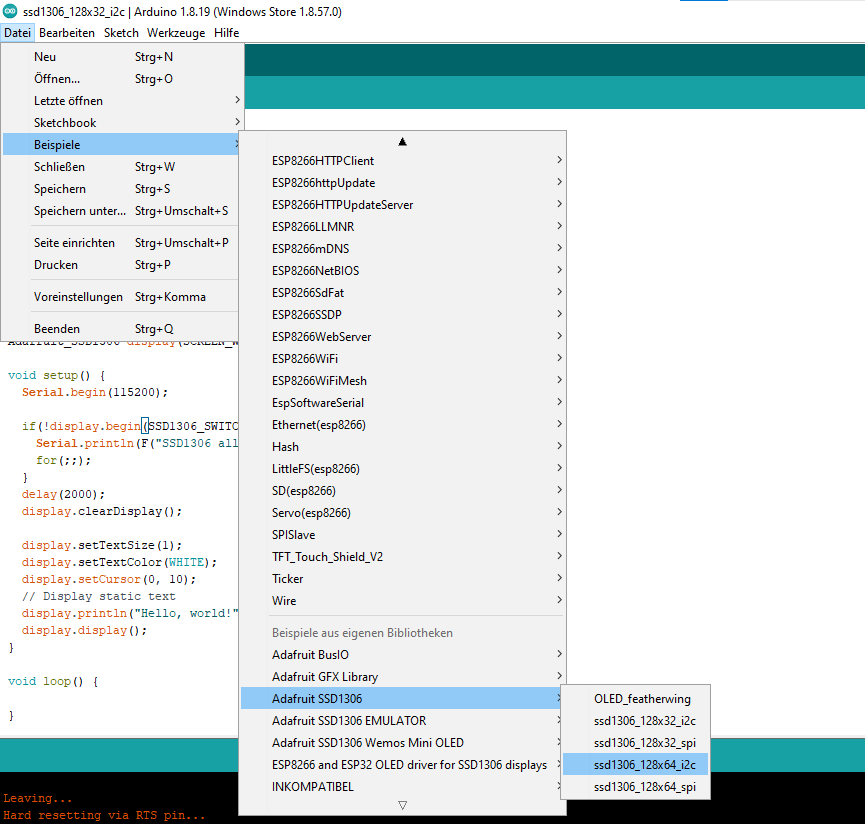
Der Verkäufer schreibt nichts über das Display, er kann auch die 0x3D Adresse haben so wie ein SH1106 Kontroller, manche haben auch SPI, wen dir keine I²C Adresse angezeigt wird kannst ausgehen dass das mit SPI angebunden ist. Ich wurde mit U8g2 Lib probieren dort hast alle mögliche OLED zu Verfügung,

In Deinem Ursprungscode in #1 ist sowohl I2C, als auch SPI eingebunden.

Gruß Tommy

Bei schnellem Alli ist das gleiche Bord immer mit 0,98" Display, jedoch steht auch nicht was für einer ist das.
Einer schreibt dort
"Gerät gekauft, um ein sofar2mqtt System mit... Alles scheint funktional (ich vermisse ein Stück zu beenden) Denken Sie daran, die Adresse 0 x3C für den Bildschirm zu verwenden und die Code zeilen hinzuzufügen # OLED_Reset definieren-1 Draht. beginnen (14,12);"

Ist typisch Chinesisch auf Deutsch Übersetzung :wink:
Also nutzt nicht Standard I²C nur die GPIO 14, 12
also muss in Setup
Wire.begin(14, 12);

Versuche mall das

/**************************************************************************
  This is an example for our Monochrome OLEDs based on SSD1306 drivers

  Pick one up today in the adafruit shop!
  ------> http://www.adafruit.com/category/63_98

  This example is for a 128x64 pixel display using I2C to communicate
  3 pins are required to interface (two I2C and one reset).

  Adafruit invests time and resources providing this open
  source code, please support Adafruit and open-source
  hardware by purchasing products from Adafruit!

  Written by Limor Fried/Ladyada for Adafruit Industries,
  with contributions from the open source community.
  BSD license, check license.txt for more information
  All text above, and the splash screen below must be
  included in any redistribution.
 **************************************************************************/

 
#include <Wire.h>
#include <Adafruit_GFX.h>
#include <Adafruit_SSD1306.h>

#define SCREEN_WIDTH 128 // OLED display width, in pixels
#define SCREEN_HEIGHT 64 // OLED display height, in pixels

// Declaration for an SSD1306 display connected to I2C (SDA, SCL pins)
// The pins for I2C are defined by the Wire-library.
// On an arduino UNO:       A4(SDA), A5(SCL)
// On an arduino MEGA 2560: 20(SDA), 21(SCL)
// On an arduino LEONARDO:   2(SDA),  3(SCL), ...
#define OLED_RESET     -1 // Reset pin # (or -1 if sharing Arduino reset pin)
#define SCREEN_ADDRESS 0x3D ///< See datasheet for Address; 0x3D for 128x64, 0x3C for 128x32
Adafruit_SSD1306 display(SCREEN_WIDTH, SCREEN_HEIGHT, &Wire, OLED_RESET);

#define NUMFLAKES     10 // Number of snowflakes in the animation example

#define LOGO_HEIGHT   16
#define LOGO_WIDTH    16
static const unsigned char PROGMEM logo_bmp[] =
{ 0b00000000, 0b11000000,
  0b00000001, 0b11000000,
  0b00000001, 0b11000000,
  0b00000011, 0b11100000,
  0b11110011, 0b11100000,
  0b11111110, 0b11111000,
  0b01111110, 0b11111111,
  0b00110011, 0b10011111,
  0b00011111, 0b11111100,
  0b00001101, 0b01110000,
  0b00011011, 0b10100000,
  0b00111111, 0b11100000,
  0b00111111, 0b11110000,
  0b01111100, 0b11110000,
  0b01110000, 0b01110000,
  0b00000000, 0b00110000
};

void setup() {
  Serial.begin(115200);
  Wire.begin(14, 12);
  // SSD1306_SWITCHCAPVCC = generate display voltage from 3.3V internally
  if (!display.begin(SSD1306_SWITCHCAPVCC, SCREEN_ADDRESS)) {
    Serial.println(F("SSD1306 allocation failed"));
    for (;;); // Don't proceed, loop forever
  }

  // Show initial display buffer contents on the screen --
  // the library initializes this with an Adafruit splash screen.
  display.display();
  delay(2000); // Pause for 2 seconds

  // Clear the buffer
  display.clearDisplay();

  // Draw a single pixel in white
  display.drawPixel(10, 10, SSD1306_WHITE);

  // Show the display buffer on the screen. You MUST call display() after
  // drawing commands to make them visible on screen!
  display.display();
  delay(2000);
  // display.display() is NOT necessary after every single drawing command,
  // unless that's what you want...rather, you can batch up a bunch of
  // drawing operations and then update the screen all at once by calling
  // display.display(). These examples demonstrate both approaches...

  testdrawline();      // Draw many lines

  testdrawrect();      // Draw rectangles (outlines)

  testfillrect();      // Draw rectangles (filled)

  testdrawcircle();    // Draw circles (outlines)

  testfillcircle();    // Draw circles (filled)

  testdrawroundrect(); // Draw rounded rectangles (outlines)

  testfillroundrect(); // Draw rounded rectangles (filled)

  testdrawtriangle();  // Draw triangles (outlines)

  testfilltriangle();  // Draw triangles (filled)

  testdrawchar();      // Draw characters of the default font

  testdrawstyles();    // Draw 'stylized' characters

  testscrolltext();    // Draw scrolling text

  testdrawbitmap();    // Draw a small bitmap image

  // Invert and restore display, pausing in-between
  display.invertDisplay(true);
  delay(1000);
  display.invertDisplay(false);
  delay(1000);

  testanimate(logo_bmp, LOGO_WIDTH, LOGO_HEIGHT); // Animate bitmaps
}

void loop() {
}

void testdrawline() {
  int16_t i;

  display.clearDisplay(); // Clear display buffer

  for (i = 0; i < display.width(); i += 4) {
    display.drawLine(0, 0, i, display.height() - 1, SSD1306_WHITE);
    display.display(); // Update screen with each newly-drawn line
    delay(1);
  }
  for (i = 0; i < display.height(); i += 4) {
    display.drawLine(0, 0, display.width() - 1, i, SSD1306_WHITE);
    display.display();
    delay(1);
  }
  delay(250);

  display.clearDisplay();

  for (i = 0; i < display.width(); i += 4) {
    display.drawLine(0, display.height() - 1, i, 0, SSD1306_WHITE);
    display.display();
    delay(1);
  }
  for (i = display.height() - 1; i >= 0; i -= 4) {
    display.drawLine(0, display.height() - 1, display.width() - 1, i, SSD1306_WHITE);
    display.display();
    delay(1);
  }
  delay(250);

  display.clearDisplay();

  for (i = display.width() - 1; i >= 0; i -= 4) {
    display.drawLine(display.width() - 1, display.height() - 1, i, 0, SSD1306_WHITE);
    display.display();
    delay(1);
  }
  for (i = display.height() - 1; i >= 0; i -= 4) {
    display.drawLine(display.width() - 1, display.height() - 1, 0, i, SSD1306_WHITE);
    display.display();
    delay(1);
  }
  delay(250);

  display.clearDisplay();

  for (i = 0; i < display.height(); i += 4) {
    display.drawLine(display.width() - 1, 0, 0, i, SSD1306_WHITE);
    display.display();
    delay(1);
  }
  for (i = 0; i < display.width(); i += 4) {
    display.drawLine(display.width() - 1, 0, i, display.height() - 1, SSD1306_WHITE);
    display.display();
    delay(1);
  }

  delay(2000); // Pause for 2 seconds
}

void testdrawrect(void) {
  display.clearDisplay();

  for (int16_t i = 0; i < display.height() / 2; i += 2) {
    display.drawRect(i, i, display.width() - 2 * i, display.height() - 2 * i, SSD1306_WHITE);
    display.display(); // Update screen with each newly-drawn rectangle
    delay(1);
  }

  delay(2000);
}

void testfillrect(void) {
  display.clearDisplay();

  for (int16_t i = 0; i < display.height() / 2; i += 3) {
    // The INVERSE color is used so rectangles alternate white/black
    display.fillRect(i, i, display.width() - i * 2, display.height() - i * 2, SSD1306_INVERSE);
    display.display(); // Update screen with each newly-drawn rectangle
    delay(1);
  }

  delay(2000);
}

void testdrawcircle(void) {
  display.clearDisplay();

  for (int16_t i = 0; i < max(display.width(), display.height()) / 2; i += 2) {
    display.drawCircle(display.width() / 2, display.height() / 2, i, SSD1306_WHITE);
    display.display();
    delay(1);
  }

  delay(2000);
}

void testfillcircle(void) {
  display.clearDisplay();

  for (int16_t i = max(display.width(), display.height()) / 2; i > 0; i -= 3) {
    // The INVERSE color is used so circles alternate white/black
    display.fillCircle(display.width() / 2, display.height() / 2, i, SSD1306_INVERSE);
    display.display(); // Update screen with each newly-drawn circle
    delay(1);
  }

  delay(2000);
}

void testdrawroundrect(void) {
  display.clearDisplay();

  for (int16_t i = 0; i < display.height() / 2 - 2; i += 2) {
    display.drawRoundRect(i, i, display.width() - 2 * i, display.height() - 2 * i,
                          display.height() / 4, SSD1306_WHITE);
    display.display();
    delay(1);
  }

  delay(2000);
}

void testfillroundrect(void) {
  display.clearDisplay();

  for (int16_t i = 0; i < display.height() / 2 - 2; i += 2) {
    // The INVERSE color is used so round-rects alternate white/black
    display.fillRoundRect(i, i, display.width() - 2 * i, display.height() - 2 * i,
                          display.height() / 4, SSD1306_INVERSE);
    display.display();
    delay(1);
  }

  delay(2000);
}

void testdrawtriangle(void) {
  display.clearDisplay();

  for (int16_t i = 0; i < max(display.width(), display.height()) / 2; i += 5) {
    display.drawTriangle(
      display.width() / 2  , display.height() / 2 - i,
      display.width() / 2 - i, display.height() / 2 + i,
      display.width() / 2 + i, display.height() / 2 + i, SSD1306_WHITE);
    display.display();
    delay(1);
  }

  delay(2000);
}

void testfilltriangle(void) {
  display.clearDisplay();

  for (int16_t i = max(display.width(), display.height()) / 2; i > 0; i -= 5) {
    // The INVERSE color is used so triangles alternate white/black
    display.fillTriangle(
      display.width() / 2  , display.height() / 2 - i,
      display.width() / 2 - i, display.height() / 2 + i,
      display.width() / 2 + i, display.height() / 2 + i, SSD1306_INVERSE);
    display.display();
    delay(1);
  }

  delay(2000);
}

void testdrawchar(void) {
  display.clearDisplay();

  display.setTextSize(1);      // Normal 1:1 pixel scale
  display.setTextColor(SSD1306_WHITE); // Draw white text
  display.setCursor(0, 0);     // Start at top-left corner
  display.cp437(true);         // Use full 256 char 'Code Page 437' font

  // Not all the characters will fit on the display. This is normal.
  // Library will draw what it can and the rest will be clipped.
  for (int16_t i = 0; i < 256; i++) {
    if (i == '\n') display.write(' ');
    else          display.write(i);
  }

  display.display();
  delay(2000);
}

void testdrawstyles(void) {
  display.clearDisplay();

  display.setTextSize(1);             // Normal 1:1 pixel scale
  display.setTextColor(SSD1306_WHITE);        // Draw white text
  display.setCursor(0, 0);            // Start at top-left corner
  display.println(F("Hello, world!"));

  display.setTextColor(SSD1306_BLACK, SSD1306_WHITE); // Draw 'inverse' text
  display.println(3.141592);

  display.setTextSize(2);             // Draw 2X-scale text
  display.setTextColor(SSD1306_WHITE);
  display.print(F("0x")); display.println(0xDEADBEEF, HEX);

  display.display();
  delay(2000);
}

void testscrolltext(void) {
  display.clearDisplay();

  display.setTextSize(2); // Draw 2X-scale text
  display.setTextColor(SSD1306_WHITE);
  display.setCursor(10, 0);
  display.println(F("scroll"));
  display.display();      // Show initial text
  delay(100);

  // Scroll in various directions, pausing in-between:
  display.startscrollright(0x00, 0x0F);
  delay(2000);
  display.stopscroll();
  delay(1000);
  display.startscrollleft(0x00, 0x0F);
  delay(2000);
  display.stopscroll();
  delay(1000);
  display.startscrolldiagright(0x00, 0x07);
  delay(2000);
  display.startscrolldiagleft(0x00, 0x07);
  delay(2000);
  display.stopscroll();
  delay(1000);
}

void testdrawbitmap(void) {
  display.clearDisplay();

  display.drawBitmap(
    (display.width()  - LOGO_WIDTH ) / 2,
    (display.height() - LOGO_HEIGHT) / 2,
    logo_bmp, LOGO_WIDTH, LOGO_HEIGHT, 1);
  display.display();
  delay(1000);
}

#define XPOS   0 // Indexes into the 'icons' array in function below
#define YPOS   1
#define DELTAY 2

void testanimate(const uint8_t *bitmap, uint8_t w, uint8_t h) {
  int8_t f, icons[NUMFLAKES][3];

  // Initialize 'snowflake' positions
  for (f = 0; f < NUMFLAKES; f++) {
    icons[f][XPOS]   = random(1 - LOGO_WIDTH, display.width());
    icons[f][YPOS]   = -LOGO_HEIGHT;
    icons[f][DELTAY] = random(1, 6);
    Serial.print(F("x: "));
    Serial.print(icons[f][XPOS], DEC);
    Serial.print(F(" y: "));
    Serial.print(icons[f][YPOS], DEC);
    Serial.print(F(" dy: "));
    Serial.println(icons[f][DELTAY], DEC);
  }

  for (;;) { // Loop forever...
    display.clearDisplay(); // Clear the display buffer

    // Draw each snowflake:
    for (f = 0; f < NUMFLAKES; f++) {
      display.drawBitmap(icons[f][XPOS], icons[f][YPOS], bitmap, w, h, SSD1306_WHITE);
    }

    display.display(); // Show the display buffer on the screen
    delay(200);        // Pause for 1/10 second

    // Then update coordinates of each flake...
    for (f = 0; f < NUMFLAKES; f++) {
      icons[f][YPOS] += icons[f][DELTAY];
      // If snowflake is off the bottom of the screen...
      if (icons[f][YPOS] >= display.height()) {
        // Reinitialize to a random position, just off the top
        icons[f][XPOS]   = random(1 - LOGO_WIDTH, display.width());
        icons[f][YPOS]   = -LOGO_HEIGHT;
        icons[f][DELTAY] = random(1, 6);
      }
    }
  }
}

Und schalte unbedingt Serial Monitor ein mit 115200
Als ESP nehme Generic ESP8266 Module.
Wen nicht tut mit NodeMCU 0.9 versuchen.

Can you repost your code using english.

Können Sie Ihren Code auf Englisch erneut veröffentlichen?

Vielen Dank! für viele Beiträge

leider hat bis jetzt nichts zum Erfolg geführt

Auch die Benutzung der U8g2 Lib hat nicht funktioniert

Ich frage mich, ob ich die Boards mit meinem ersten Code irgendwie beschädige

Das sind ja sehr interessante Fehlermeldungen, die leider keine verwertbaren Infos liefern.
Wie soll dir da jemand helfen können ?

This topic was automatically closed 180 days after the last reply. New replies are no longer allowed.